

TrustArc TRUSTe Cookie Consent Manager WordPress Integration: 7 Checks Before You Go Live in 2026
If you are searching for trustarc truste cookie consent manager wordpress integration, you are usually trying to solve a practical problem, not admire a banner. You want TrustArc’s consent layer to work on a real WordPress site without editing theme files by hand, without letting optional technologies fire too early, and without discovering three weeks later that a cache plugin or embed broke the setup.
That is still the right frame on August 2, 2026. TrustArc’s current Cookie Consent Manager page says the product has native integrations for systems including WordPress. The official WordPress plugin page says the plugin is meant to help site owners configure and integrate TrustArc’s CMP without requiring theme modifications. TrustArc’s February 16, 2026 implementation guide also says the Consent Manager can be implemented in WordPress and includes guidance on its Auto-block feature.
The legal baseline is still active as well. On April 29, 2026, the UK ICO published final storage-and-access technologies guidance that reaches beyond old cookie-only language into pixels, device fingerprinting, web storage, and similar tools. On July 14, 2026, the EDPB required the Belgian DPA to assess the merits of a cookie-banner complaint involving VRT’s site instead of ending it on procedural grounds. In California, the Department of Justice still says a valid Global Privacy Control signal must be honored by covered businesses as a request to stop sale or sharing, and the CPPA’s current updates are effective as of January 1, 2026.
If you want the surrounding WordPress context first, start with our guides to WordPress cookie consent plugin, cookie consent manager WordPress, and Google Tag Manager cookie consent. This article is narrower. It is the review I would run before trusting a trustarc truste cookie consent manager wordpress integration on a live site.
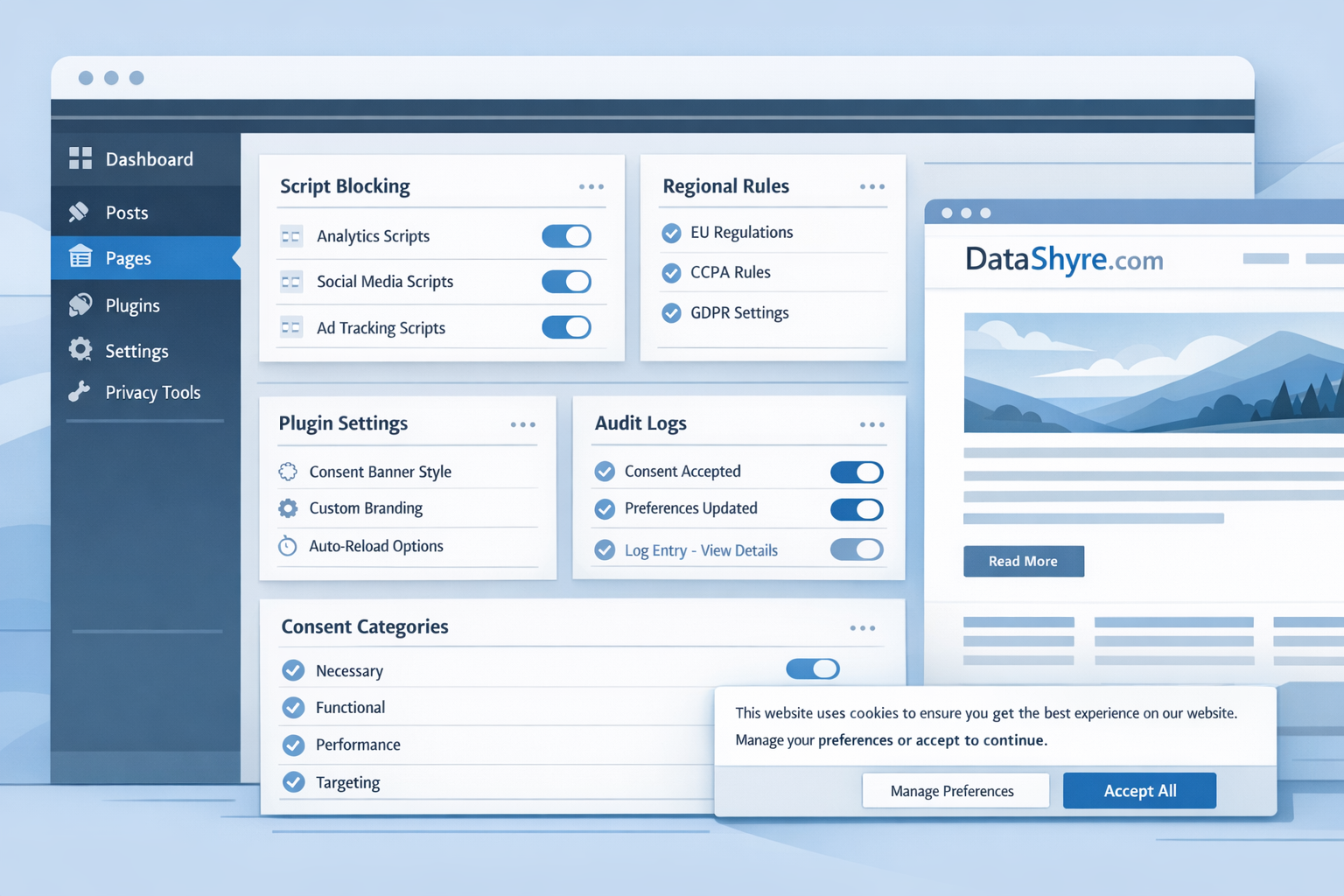
What this integration actually has to do
On a live WordPress stack, the job is larger than placing one script.
A working TrustArc integration usually has to coordinate:
- the plugin or script injection path;
- prior blocking for optional technologies where required;
- GTM, analytics, advertising, and embedded media behavior;
- region-specific flows such as EU or UK opt-in logic and California opt-out handling;
- later preference changes and records;
- WordPress-specific drift caused by caching, optimization, or plugin changes.
That is why the safest review question is not “does the banner show up?” It is “does the visitor’s choice reliably change what the site actually does?”
7 checks before you trust a TrustArc WordPress integration
1. Confirm the plugin setup is really the active implementation path
TrustArc’s WordPress plugin page says the plugin adds the Cookie Consent Manager script without requiring theme modifications. That is useful, but it also creates a common audit problem: teams are not always sure whether the live site is using the plugin, a manual theme embed, a tag-manager route, or some combination left over from an earlier install.
Before you test consent behavior, confirm:
- which script path is live;
- which TrustArc account or domain configuration it uses;
- whether a theme, GTM container, or custom code snippet is also injecting consent-related code;
- whether a performance plugin is delaying or reordering the load.
If nobody can answer those four points quickly, the integration is not ready for compliance claims.
2. Test auto-blocking on real templates, not a clean demo page
TrustArc’s current implementation guide includes an Auto-block section. That matters because WordPress sites often load trackers from several places at once: theme code, plugin output, embedded media, tag managers, and marketing scripts.
This is the first technical review I would run:
- Open the homepage in a clean browser session.
- Open a landing page with marketing tags.
- Open a page with a video, map, or social embed.
- Inspect what loads before any user action.
If optional analytics, advertising, or embedded technologies still initialize before consent where prior consent is required, the integration is weaker than the dashboard suggests.
3. Make rejection as easy as acceptance
This is still the fastest interface filter.
France’s CNIL said in its December 12, 2024 dark-pattern notice:
“Rejecting cookies should be just as easy as accepting them.”
>
CNIL
That standard matters just as much when the banner comes from TrustArc on WordPress as it does anywhere else. A polished setup that hides Reject all, weakens its prominence, or adds friction on mobile is already underperforming before you get to the rest of the stack.
4. Check what data the plugin sends and whether your disclosures match it
The current WordPress.org plugin page for TrustArc says the plugin integrates with the TrustArc CMP and lists the kinds of data sent to TrustArc, including user location, browser information, consent choices, and interactions with the CMP. It also says a valid TrustArc license is required, and it explicitly warns that compliance depends on how the site owner configures consent settings, disclosures, and records.
That means the practical review is not only technical. It is also disclosure and governance work:
- does your cookie notice match the actual categories and vendors in play;
- does your privacy notice accurately describe consent and tracking behavior;
- do your records explain which rule set and banner version applied;
- have you mapped what TrustArc receives during the interaction flow.
WordPress’s own plugin guidance pushes in the same direction. The Plugin Handbook says:
“Privacy should be the default setting.”
>
WordPress Plugin Handbook
And the WordPress detailed plugin guidelines say plugins may not track users without their consent.
5. Follow the signal into GTM, analytics, and ad tech
Many WordPress teams stop testing too early. The banner appears, the preferences save, and everyone assumes the rest of the stack received the signal.
That assumption is risky. A real trustarc truste cookie consent manager wordpress integration must be checked where the collection actually happens:
- Google Tag Manager;
- GA4 or other analytics tools;
- advertising pixels;
- chat, video, and scheduling embeds;
- experimentation or personalization scripts.
If your site is ad-supported, there is an extra layer. Google’s current publisher help says personalized ads in the EEA, the UK, and Switzerland require a certified CMP integrated with the IAB TCF. Google also says certification does not verify full legal compliance by itself.
6. Separate EU and UK prior-consent logic from California opt-out logic
One WordPress banner is not one rule.
In the EU and UK, the immediate operational question is often whether non-essential storage-and-access technologies stay off until valid consent exists. In California, the workflow may turn on opt-out handling where sale or sharing is in scope. The California DOJ’s GPC page still says a browser-enabled Global Privacy Control can act as a valid request to stop sale or sharing, and the CPPA says its finalized 2026 updates are now effective.
That means your TrustArc review should include:
- opt-in behavior where prior consent is required;
- opt-out behavior where sale or sharing rules apply;
- GPC recognition where applicable;
- region-specific copy and routing that still match the live technical behavior.
7. Re-test after every WordPress change that can affect load order
This is the WordPress trap generic CMP guides usually underplay.
Caching plugins, deferred JavaScript loaders, CDN optimization, page builders, video plugins, marketing embeds, and template changes can all affect when scripts load and whether blocking still works. A TrustArc WordPress setup that passes today can drift silently after the next plugin update.
That is why I would pair this article with our recent guide on TrustArc Cookie Consent Manager language switching. Interface settings matter, but so does the ongoing technical reality beneath them.
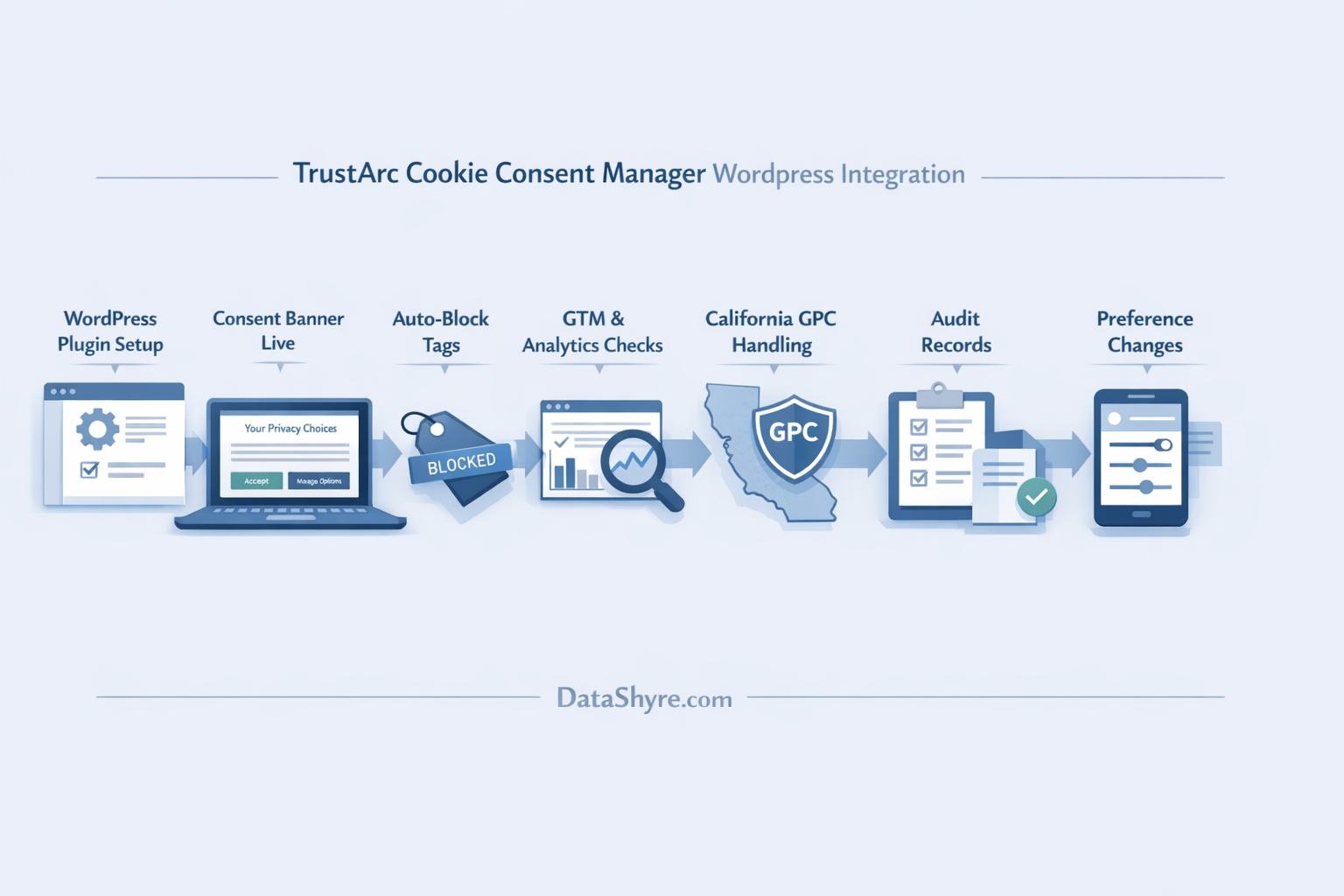
A short go-live review I would use this week
If I were checking a trustarc truste cookie consent manager wordpress integration right now, I would do this in order:
- Confirm whether the live script is coming from the plugin, theme, GTM, or multiple sources.
- Test what loads before any choice on the homepage and high-value templates.
- Use
Reject alland confirm optional technologies stay blocked where they should. - Accept only one optional category and watch what changes in GTM and browser requests.
- Reopen preferences and test withdrawal or revision.
- Check any California-facing flow for GPC and opt-out behavior.
- Repeat the test after enabling all normal caching and optimization layers.
- Review whether the records would let a non-technical stakeholder reconstruct what happened later.
That sequence usually exposes more risk than a long feature comparison.
Bottom line
The right trustarc truste cookie consent manager wordpress integration in 2026 is not the one that installs quickly. It is the one that keeps WordPress script behavior aligned with user choice after plugins, tags, embeds, and regional logic all enter the picture.
If your setup can do that, document it and keep re-testing. If it cannot, the banner may still look polished while the site quietly creates privacy risk underneath it.
Sources
- TrustArc: Cookie Consent Management Platform & Software
- WordPress.org: TrustArc Cookie Consent Manager plugin
- TrustArc: Cookie Consent Manager Professional Implementation Guide (PDF)
- UK ICO: Final storage and access technologies guidance published
- UK ICO: Guidance on the use of storage and access technologies
- European Data Protection Board: EDPB requires Belgian DPA to handle the merits of NOYB cookie banner complaint
- CNIL: Dark Patterns in Cookie Banners: CNIL issues formal notice to website publishers
- WordPress Developer Resources: Privacy – Plugin Handbook
- WordPress Developer Resources: Detailed Plugin Guidelines
- Google Ad Manager Help: Google consent management requirements for serving ads in the EEA, the UK, and Switzerland
- California Department of Justice: Global Privacy Control
- California Privacy Protection Agency: CCPA Updates
This post was updated on August 2, 2026 using current official regulator, platform, and product materials available at publication time.