

Cookie Consent Manager WordPress: What to Check Before You Rely on One in 2026
If you are searching for cookie consent manager wordpress, you probably are not looking for a prettier banner. You are trying to find out whether one control layer can keep a real WordPress site from drifting out of line once plugins, scripts, embeds, caching, tag managers, and marketing requests all start stacking on top of each other.
That is the right question in July 2026. The European Commission still says valid consent must be freely given, informed, specific, expressed through a clear affirmative act, and easy to withdraw. The UK ICO’s final storage-and-access technologies guidance, published on April 29, 2026, also makes clear that the review is broader than classic browser cookies alone. It can reach pixels, scripts, device fingerprinting, and similar technologies too.
WordPress adds its own operational wrinkle. The WordPress Plugin Handbook says privacy should be the default setting and that consent for data sharing should not be assumed. That is useful guidance, but on a busy site the hard part is not the principle. It is whether your consent manager can coordinate what dozens of theme and plugin decisions actually do on the page.
If you want the surrounding context first, start with our guides to WordPress cookie consent, cookie consent WordPress, and WordPress cookie consent plugin. This article is narrower. It is the review I would run before trusting a cookie consent manager wordpress setup in production.
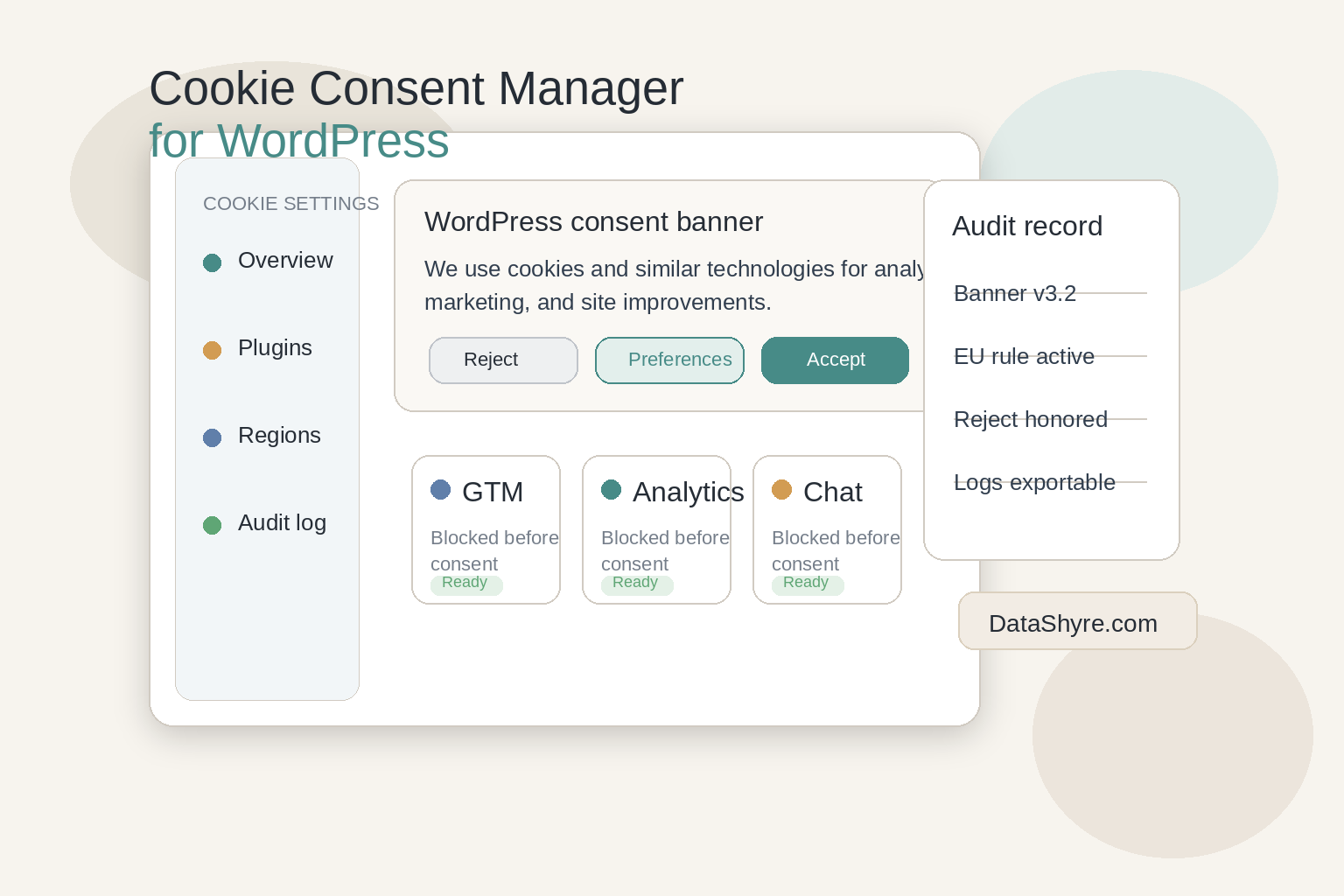
What a cookie consent manager wordpress setup actually has to control
On WordPress, a consent manager rarely governs only one script. It usually has to coordinate:
- theme-level code;
- analytics and ad tags;
- GTM or another tag layer;
- form, chat, and video plugins;
- optimization tools that defer or reorder scripts;
- later preference changes and consent records.
That is why a WordPress consent review should focus on behavior, not only interface design. A polished banner can still sit on top of a site that fires optional technologies too early, ignores withdrawal, or loses consent state as soon as a plugin update changes script order.
There is also a fresh reminder that cookie-banner disputes still matter. On July 14, 2026, the European Data Protection Board said the Belgian DPA must assess the merits of a complaint about a broadcaster’s cookie banner. The takeaway for WordPress teams is simple: consent mechanics are still live enforcement territory, not a solved design problem.
6 checks before you trust a cookie consent manager on WordPress
1. Test prior blocking on a page with your real plugin stack
This is the first check because it is where many WordPress setups fail.
The banner appears. The categories look tidy. The dashboard reports clean percentages. Then you inspect the page and discover analytics, ad pixels, heatmaps, or embedded tools already fired before any user choice.
The ICO’s current guidance matters here because it is not limited to old-fashioned cookie files. Your WordPress test should include scripts, pixels, fingerprinting-related tools, social embeds, chat widgets, and anything else that writes to or reads from the browser environment before consent.
Do not test on a stripped-down demo page. Test on the homepage, a landing page, a template with embeds, and any page where marketing tools load differently.
2. Check whether reject is as easy as accept
This is still one of the fastest filters for a weak setup.
The CNIL put the principle clearly in its December 12, 2024 notice on dark patterns in cookie banners:
“Rejecting cookies should be just as easy as accepting them.”
That matters just as much on WordPress as anywhere else. If your consent manager hides refusal in a second layer, fades it into a low-contrast text link, or makes visitors work harder to say no than yes, the design is creating risk before you reach any technical details.
The useful review question is not whether the product has a reject function somewhere. It is whether a first-time visitor can actually use it without friction.
3. Follow the consent signal into GTM, analytics, and ad tooling
A consent manager is not finished when it stores a preference in its own UI. It has to pass that choice into the tools that actually collect or act on data.
For many WordPress sites, that means Google tags. Google’s current consent mode documentation still expects in-scope implementations to manage signals such as ad_storage, analytics_storage, ad_user_data, and ad_personalization. If your WordPress stack uses GTM, GA4, Google Ads, or embedded ad tech, your consent manager needs to update those states early enough to matter.
This is why visual approval is never enough. Open Tag Assistant or browser developer tools and confirm that the default consent state is set before other tags run, and that the consent state updates after acceptance, refusal, or later withdrawal.
4. Separate EU and UK consent logic from California opt-out logic
One global WordPress banner is often too blunt.
In EU and UK flows, the core question is often whether non-essential storage or access technologies remain blocked until valid consent exists. In California, the operational review is different. The California Department of Justice says a user-enabled Global Privacy Control can be one acceptable method for consumers to submit an opt-out of sale or sharing online. The CPPA’s current CCPA updates are also now in effect as of January 1, 2026.
For a WordPress consent manager, that means you should verify:
- opt-in logic where prior consent is required;
- opt-out handling where sale or sharing rules apply;
- whether GPC is recognized where relevant;
- whether region-specific copy and behavior can stay aligned.
If the product says it supports “global compliance,” ask what that means in live behavior, not just in translated banner text.
5. Demand records that answer real questions later
Sooner or later, somebody will ask what happened on a specific date.
Your team should be able to answer questions like these without rebuilding history by hand:
- What did the first layer say at the time?
- Which categories or purposes were offered?
- What happened after the user rejected or withdrew consent?
- Could the user reopen preferences later?
- Which ruleset was live for that region and page?
This is where a stronger cookie consent manager wordpress setup separates itself from a decorative banner plugin. It gives you records, version history, and later preference changes that someone outside the implementation team can actually understand.
6. Re-test after caching, optimization, and plugin changes
This is the WordPress-specific trap that generic privacy guides often miss.
Caching plugins, script delay tools, minifiers, CDN optimizers, page builders, and new embeds can all change load order. A consent manager that behaves correctly on day one can quietly fail after a performance tweak or plugin update.
There is a reason WordPress contributors have kept discussing a broader WP Consent API for the ecosystem: coordinating consent state across extenders is a real platform problem, not just a banner-copy problem. Even if your current setup works, treat re-testing as part of ownership, not as a one-time launch task.
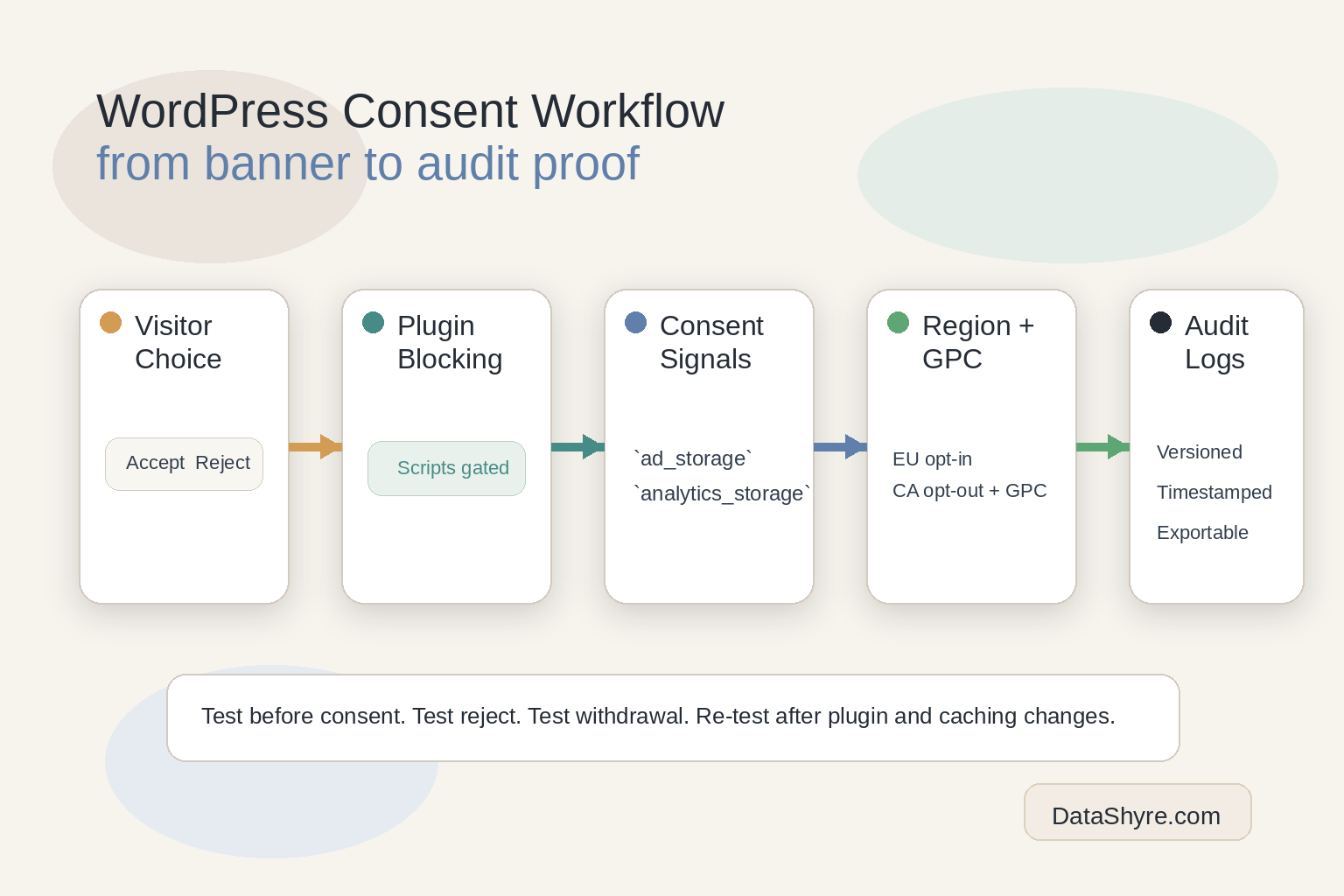
A short review sequence I would use this week
If I were reviewing a cookie consent manager wordpress setup right now, I would run this sequence:
- Open the live site in a clean browser session.
- Inspect what fires before any click on key templates.
- Test
Reject alland confirm optional tools stay blocked where they should. - Accept only one optional category and confirm the downstream behavior changes correctly.
- Reopen preferences later and verify withdrawal works cleanly.
- Test any California-facing path for opt-out logic and GPC handling where relevant.
- Repeat the test after caching, optimization, and plugin layers are enabled.
- Export the records and decide whether a non-technical stakeholder could understand them.
That usually reveals more than a long feature checklist.
Common mistakes
The same mistakes come up again and again:
- choosing the manager mainly on banner appearance;
- assuming the plugin automatically blocks everything after install;
- reviewing only the homepage instead of different templates;
- treating California logic like a copy of the EU flow;
- skipping later-withdrawal testing;
- forgetting to re-test after performance or plugin changes.
None of those mistakes are unusual. They are just expensive.
Bottom line
The right cookie consent manager wordpress setup in 2026 is the one that turns user choice into real WordPress behavior. It should block optional technologies at the right time, make refusal workable, pass consent states into the rest of the stack, support region-specific logic, and leave behind evidence your team can trust later.
If a tool cannot do those things, it may still produce a polished banner. It just will not remove much operational risk.
Sources
- European Commission: When is consent valid?
- UK ICO: Final storage and access technologies guidance published
- UK ICO: Guidance on the use of storage and access technologies
- CNIL: Dark Patterns in Cookie Banners: CNIL issues formal notice to website publishers
- WordPress Developer Resources: Privacy – Plugin Handbook
- Google for Developers: Set up consent mode on websites
- California Department of Justice: Global Privacy Control
- California Privacy Protection Agency: CCPA Updates, Cybersecurity Audits, Risk Assessments, Automated Decisionmaking Technology, and Insurance Companies
- European Data Protection Board: EDPB requires Belgian DPA to handle the merits of NOYB cookie banner complaint
- Make WordPress Core: Let’s reconsider adopting the WP Consent API