

WordPress Cookie Consent: A 2026 Setup Checklist
WordPress cookie consent usually breaks behind the banner, not inside it. A site can show polished copy and still fire analytics, ad tags, chat widgets, or video embeds before the visitor has made a choice. That is why this topic is really about control order, plugin sprawl, and proof.
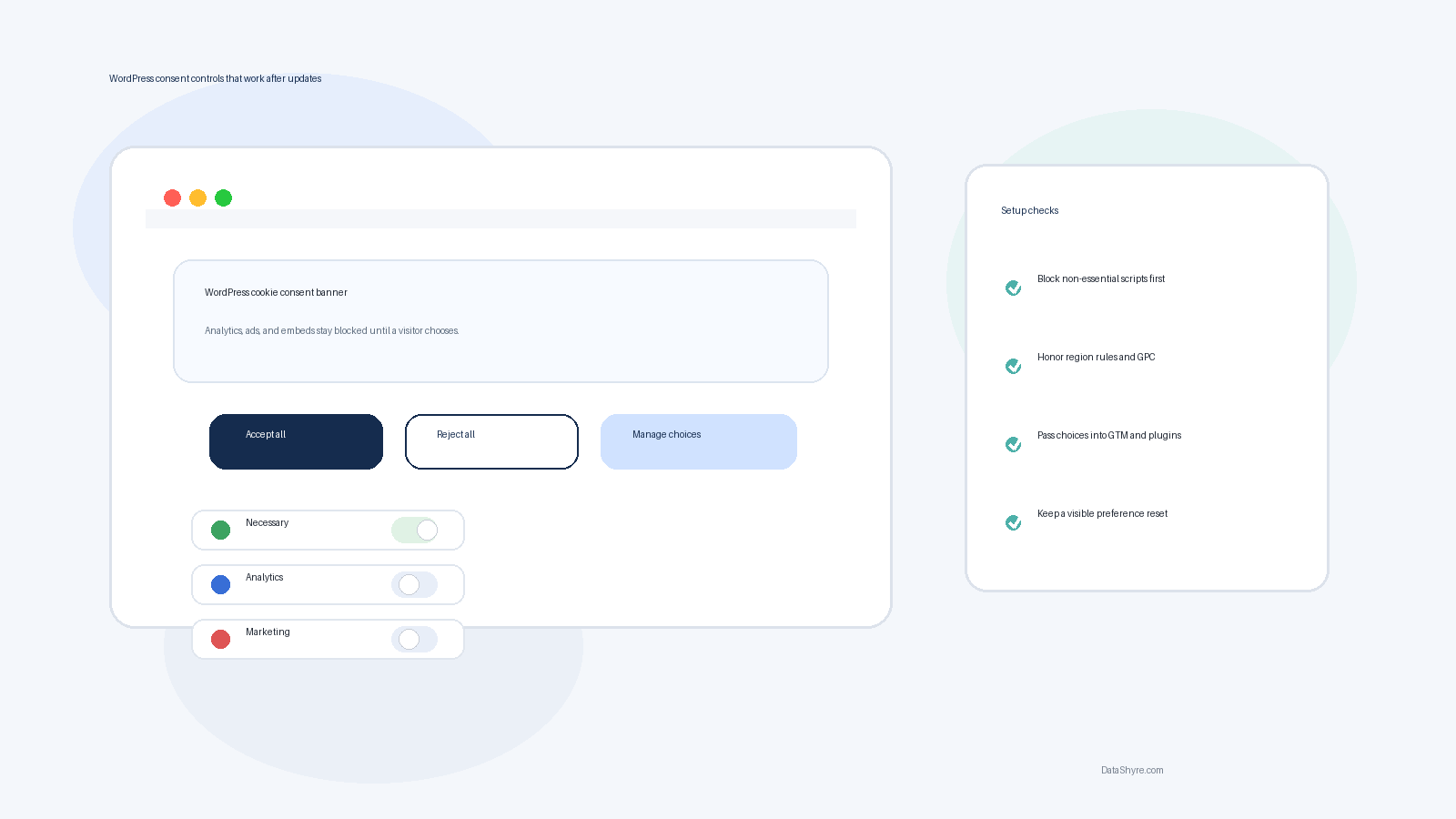
The banner matters, but the harder job is making every script wait its turn.
If you want the broader baseline first, our guides to cookie consent, cookie consent manager, and Google Tag Manager cookie consent cover the legal and tag-layer foundations.
TL;DR
- Non-essential tracking should stay off until consent where prior-consent rules apply.
- California programs may also need opt-out handling that recognizes Global Privacy Control.
- Your WordPress plugin has to govern more than one source of tracking: plugins, GTM, theme code, embeds, and custom header scripts.
- If you serve Google ads in Europe, the UK, or Switzerland, certified CMP requirements belong in the setup checklist from day one.
What changed the standard
The UK ICO published final storage-and-access technologies guidance on April 29, 2026. The guidance makes clear that the rules reach beyond classic cookies to pixels, fingerprinting, scripts, and similar technologies. In the related announcement, ICO executive director William Malcolm said people should have “meaningful control” over how their information is used online.
That is a practical test for any WordPress build. If a visitor clicks reject, does the site actually stop the non-essential tools that come from your theme, plugins, tag manager, and embeds? If the answer is “mostly,” the setup is not finished.
The same theme shows up in Europe. In its January 2024 opinion on consent-or-pay models, EDPB Chair Anu Talus said individuals should have “real choice.” For wordpress cookie consent, that means reject cannot be hidden, withdrawal cannot be buried, and a settings panel cannot be the only place where the site behaves properly.
California adds a different but related control layer. The California Attorney General says businesses covered by the CCPA must treat Global Privacy Control as a valid opt-out request. And in a March 12, 2026 settlement announcement, Attorney General Rob Bonta said “effective opt-out” is one of the “bare necessities” of CCPA compliance. The signal for WordPress teams is simple: user choice has to travel beyond the front-end notice.
A practical WordPress cookie consent checklist
1. Map every place tracking loads
On WordPress, tracking rarely comes from one plugin alone. It can arrive through your CMP, GTM, SEO plugins, form tools, chat widgets, embedded media, affiliate tools, or code pasted into the header. Before you compare plugins, make a short inventory of what actually loads on the live site.
2. Block before consent, not after
A consent plugin that records a choice after analytics or advertising code has already loaded is missing the main job. Test first-page load with browser dev tools. Then test again with caching, script optimization, and CDN settings enabled. This is where many WordPress consent setups drift.
3. Keep accept and reject at the same level
If reject sits behind an extra click or lighter styling, the design is doing too much work. A sound setup gives users a clear path to accept, reject, or reopen preferences later.
4. Separate regional logic
EU and UK traffic often need prior consent for non-essential technologies. California flows are different. Many teams need a notice-and-opt-out path that also recognizes GPC where sale or sharing rules apply. One global banner pattern will not always cover both.
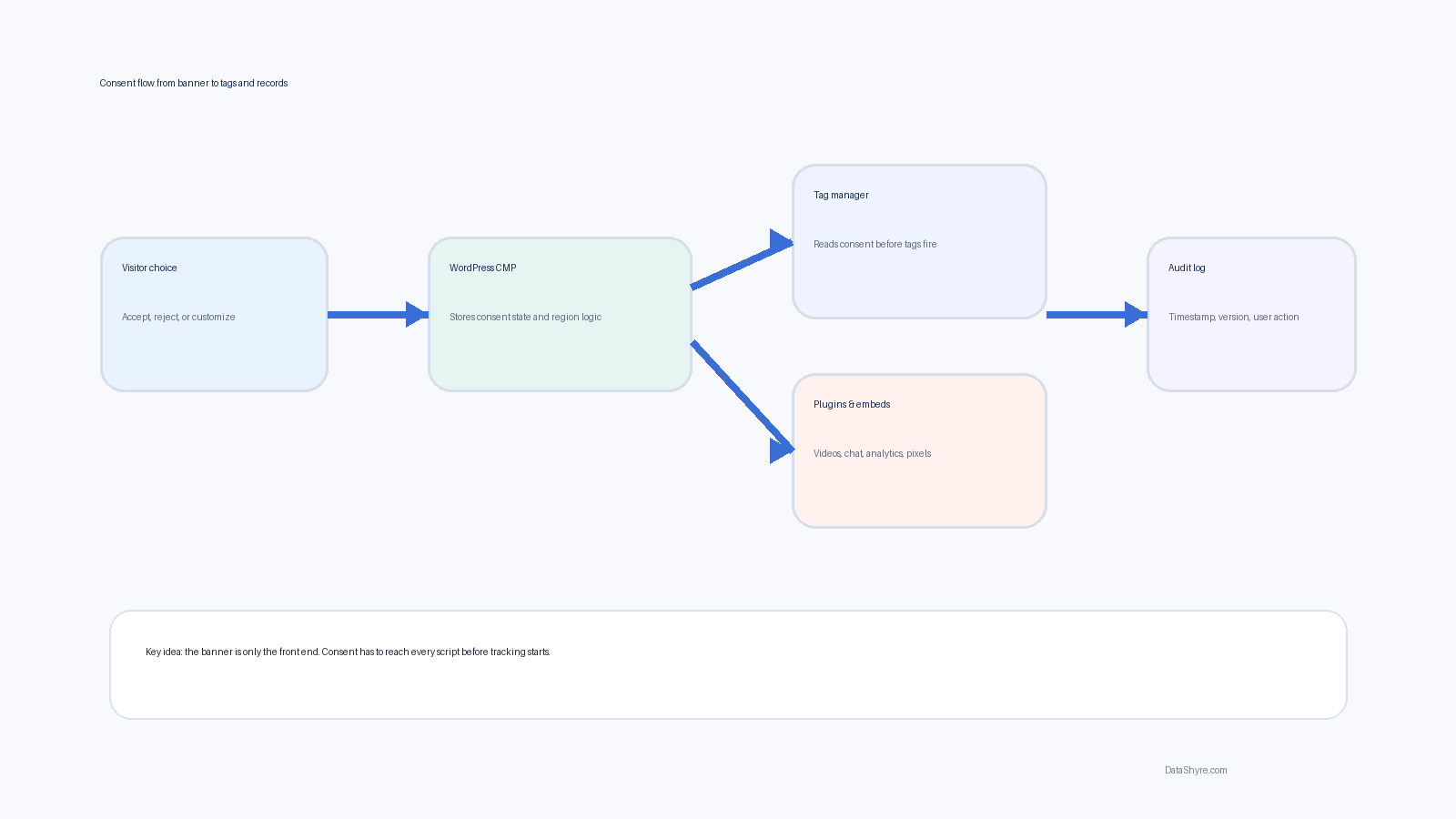
The consent state has to move from the banner into every system that touches tracking data.
5. Check Google requirements early
Google says publishers using AdSense, Ad Manager, or AdMob for traffic in the EEA, UK, or Switzerland must use a Google-certified CMP. If your WordPress site serves ads, that should shape plugin selection before launch, not after revenue tags are already live.
6. Make proof easy to export
You want more than a screenshot of a settings panel. Good tooling should help you show timestamps, policy versions, category choices, and later changes. That matters when support, compliance, or leadership asks what happened on a specific page load.
Where WordPress sites usually fail
The biggest problem is fragmentation. One plugin injects analytics, another adds a heatmap, the theme loads a video player, and GTM adds marketing tags on top. Suddenly wordpress cookie consent governs only part of the stack.
Caching makes this worse. A performance plugin can change script order. A stale page cache can serve an old banner state. A marketing team can install a new embed without telling the privacy owner. I would test the homepage, landing pages, blog templates, and any page with third-party embeds after each plugin or theme change.
Another common mistake is treating wording as the project. Good copy matters, but the control layer is operational infrastructure. If site behavior and banner promise do not match, the copy does not save you.
FAQ
Do WordPress sites always need a cookie banner?
No. The answer depends on what technologies you use, where visitors are located, and whether those technologies are strictly necessary. Many marketing-driven WordPress sites use analytics, advertising, or personalization tools that make a banner and deeper controls relevant.
Is one plugin enough?
Sometimes. But only if it governs the scripts that actually load on your site. If tracking also comes through GTM, custom code, ad tools, or embeds, you may need extra configuration and repeat testing.
What should I test after setup?
Test first-page load, accept, reject, preference changes, repeat visits, regional logic, and any page type that carries different scripts. Re-test after caching changes, performance-plugin updates, and new marketing installs.
Bottom line
Good consent on WordPress is not cosmetic. It is the discipline of blocking first, passing choices everywhere, and proving later that the live site did what the banner said it would do. If your setup can survive a plugin update and still honor user choice, you are in much better shape than teams still treating consent as a design task.
Sources
- UK Information Commissioner’s Office
- European Data Protection Board
- California Department of Justice
- Google Ad Manager Help