

Cookie Consent Plugin: 7 Features That Matter More Than Banner Design in 2026
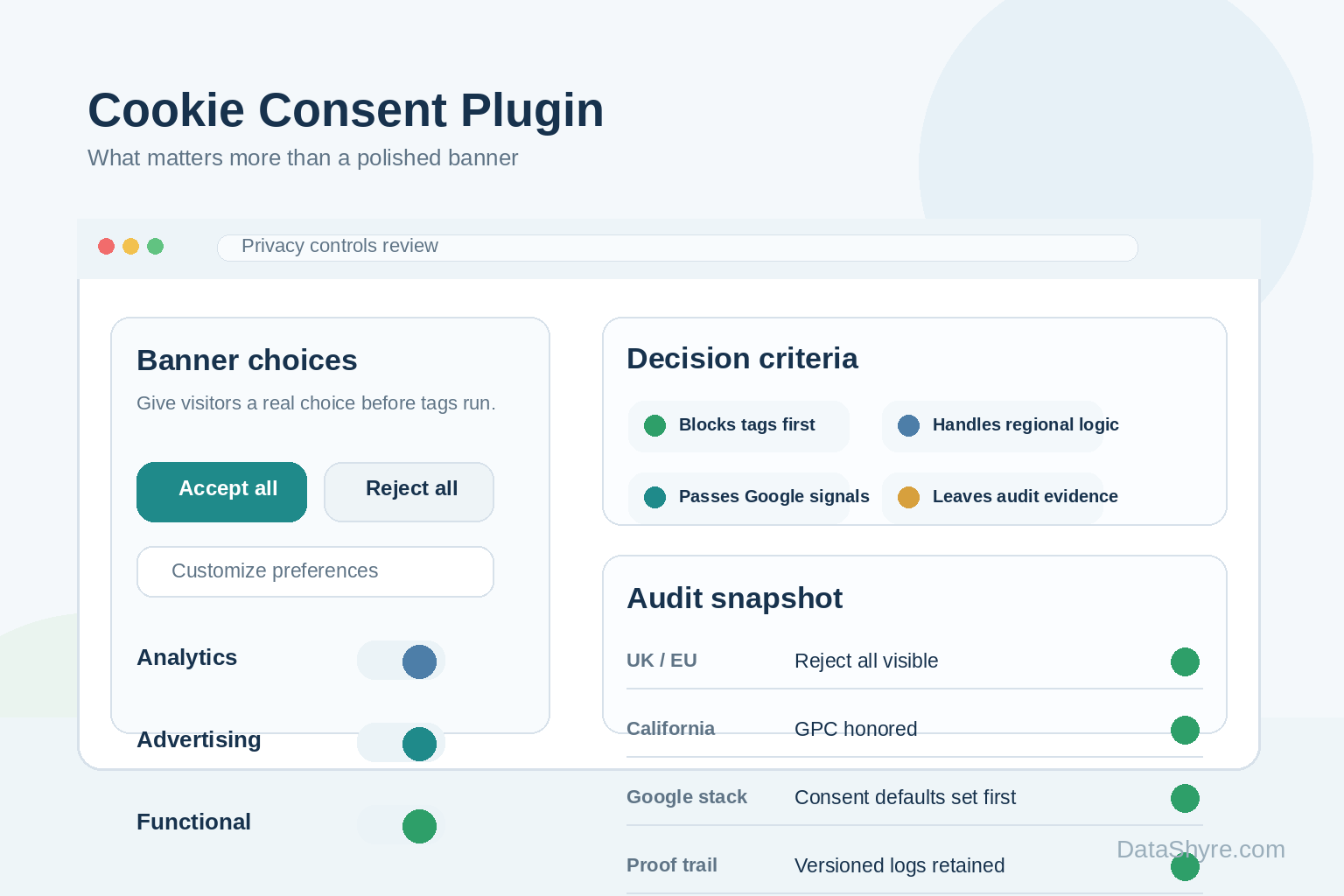
If you are comparing a cookie consent plugin, the easiest mistake is buying for appearance. Plenty of tools can produce a clean banner. Fewer can stop non-essential tracking at the right moment, pass user choices into the rest of the stack, and leave records that still make sense months later.
That gap matters more in 2026 because the compliance bar is not just about cookies in the narrow sense. The ICO’s final storage and access technologies guidance now speaks directly to cookies, tracking pixels, device fingerprinting, and similar technologies. In other words, the plugin has to govern behavior, not just wording.
William Malcolm of the ICO recently said people need “meaningful control over how their data is used.” That is a better buying standard than polished styling or a long feature checklist.
If you need WordPress-specific implementation detail, our guides to WordPress consent plugin, Google Tag Manager cookie consent, and consent manager are useful companion reads. This article is broader. It is about how to evaluate the plugin itself before you commit.
What a cookie consent plugin has to prove now
The job is bigger than showing accept and reject buttons. A serious plugin should control when scripts fire, handle region-specific logic, support withdrawal, and connect the consent signal to analytics, advertising, embeds, and downstream systems.
That is also why the legal and platform details matter. In the UK, consent mechanisms must let users withdraw with the same ease they gave consent. In California, businesses that sell or share personal information must honor Global Privacy Control as a valid opt-out request. And if you serve personalized Google ads in the EEA, UK, or Switzerland, Google requires a certified CMP integrated with the IAB TCF for that traffic.
Seven features worth testing before you compare pricing
1. Blocking that happens before optional tags run
This is the first test because it exposes the biggest gap between demo compliance and live compliance. If analytics, ad tags, chat widgets, session replay, or embedded media load before the visitor chooses, the banner is mostly theater.
For teams using Google tags, the practical sequencing rule is simple: default consent states need to be set before tags that send measurement data. If your plugin cannot control that order reliably, the rest of the feature list matters less.
2. A reject path that is as usable as accept
John Edwards of the ICO put it plainly: it must be “just as easy to reject” non-essential cookies as it is to accept them. That should show up in the first layer of the banner, not in a hidden settings maze.
I would test three moments, not one. Can a user reject immediately? Can they reopen settings later without hunting for the control? And does the site actually respond when they change their mind?
3. Region-aware logic, including California opt-out signals
The same banner pattern does not fit every market. Prior-consent rules in Europe and the UK are different from California’s opt-out structure, and that distinction affects defaults, notices, and behavior.
Rob Bonta made the usability point in February 2026 when he said asking a business to stop selling data “should not be complicated or cumbersome.” A good plugin should make regional behavior configurable without forcing teams into fragile custom code. If your site has California traffic, that includes a credible approach to Global Privacy Control, which California says covered businesses must honor as a valid opt-out request.
4. Consent signals that reach Google tools cleanly
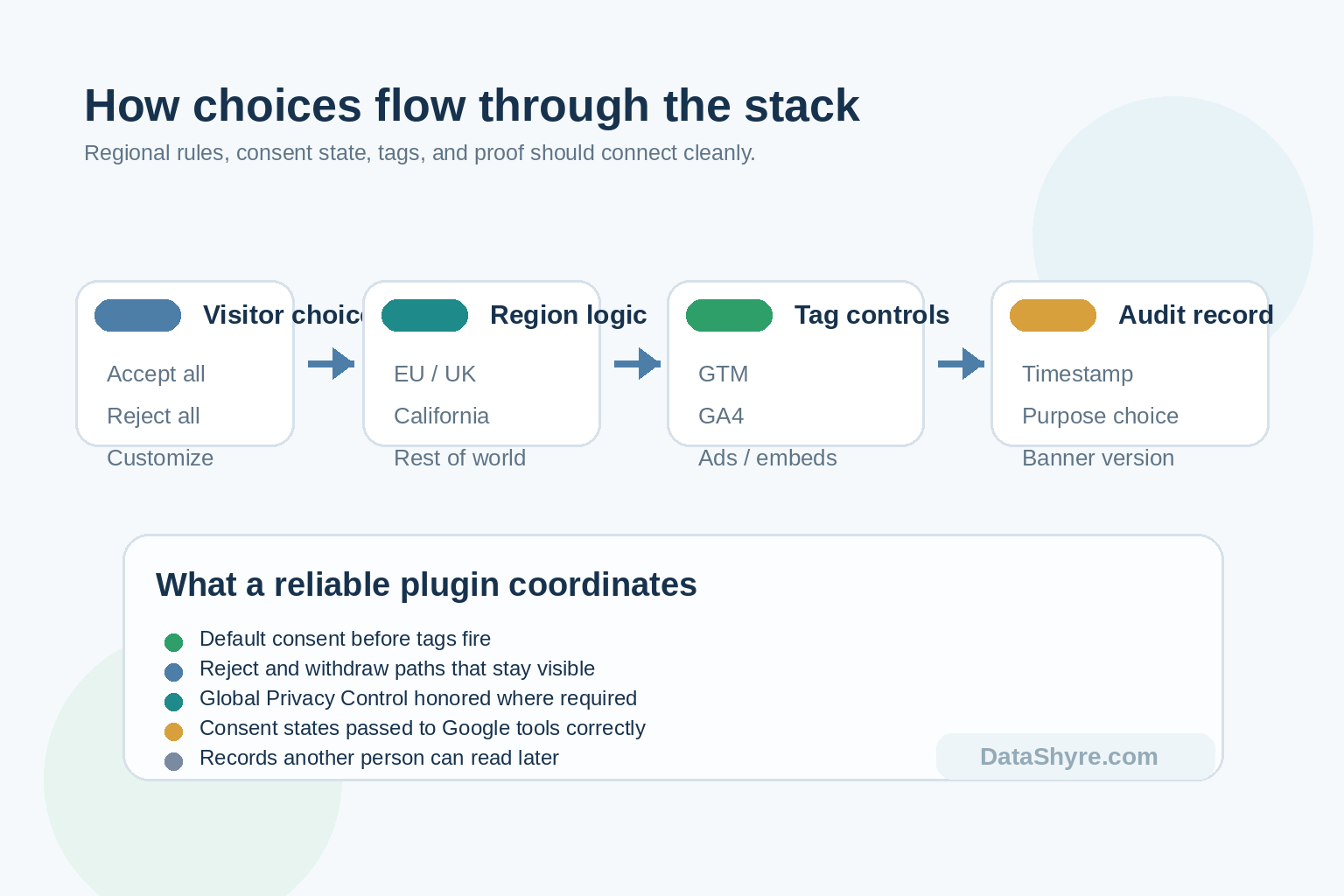
Many sites do not fail because the banner is missing. They fail because consent choices never reach GTM, GA4, Google Ads, or other tags in time. A useful cookie consent plugin should either integrate cleanly with Google consent mode or give your developers a dependable way to do it.
This matters even more for publishers. Google’s current CMP requirements for ads in the EEA, UK, and Switzerland still point teams to a Google-certified CMP, and Google says only Limited Ads are eligible on EEA and UK traffic if a partner does not adopt one. If a vendor calls itself compliant but cannot explain how it handles that requirement, keep looking.
5. Coverage beyond obvious browser cookies
Modern tracking shows up through pixels, scripts, SDK-like embeds, and first-party logic, not just a short cookie list. That is why plugin comparisons based only on cookie scanning tend to miss real risk.
Ask what happens with tag manager containers, video embeds, chat tools, A/B testing scripts, affiliate widgets, and custom code in the header. On WordPress, ask whether the setup works with the WP Consent API and remember what that API does not do. It standardizes consent communication between supporting plugins, but it does not handle consent for you.
6. Records that are worth keeping
Teams usually notice weak recordkeeping late. A screenshot of the banner is not enough. You want timestamps, banner or policy versioning, category-level choices, and a usable trail of later changes.
If a tool stores only a yes-or-no flag, you will have a hard time answering basic questions later: what did the person accept, when did they change it, and which version of the notice was live at the time?
7. An operating model your team can sustain
This is the least glamorous feature and one of the most important. Somebody has to own scans, category cleanup, new vendor reviews, localization changes, and retesting after site updates.
That is where these decisions usually succeed or fail. The right choice is not always the most powerful product. It is often the one your team can still run well after a redesign, a new marketing tool, or a tag-manager rebuild.
A short buying rule
If I had to reduce the shortlist fast, I would remove any tool that cannot do four things well: block before consent where needed, make rejection and withdrawal easy, pass signals into the systems that matter, and produce records another person can understand later.
Everything else is secondary. Nice styling helps. A broad template library helps. But those things should follow the control layer, not substitute for it.
Bottom line
The right cookie plugin is not the prettiest one. It is the one that behaves correctly when the rest of your site gets messy. If your next cookie consent plugin can survive regional rules, Google dependencies, hidden scripts, and later audits, you are probably choosing on substance instead of surface.
Sources
- Information Commissioner’s Office
- California Department of Justice
- Google Tag Platform
- Google Mobile Ads documentation
- European Data Protection Board
- CNIL
- WP Consent API