

Google Tag Manager Google Analytics Opt-Out Cookie Consent in 2026: 7 Checks Before the Deny Path Breaks
If you searched google tag manager google analytics opt out cookie consent on October 14, 2026, you are usually not looking for another generic banner explainer.
You are trying to answer a narrower question: can a live site using Google Tag Manager and Google Analytics 4 actually hold analytics and ad-related behavior back before choice, recognize opt-out signals where required, and stay reversible later?
That is the useful framing now. Google’s current consent documentation still says default consent should be set “before any commands that send measurement data.” The ICO’s current cookies guidance still says valid consent needs a clear positive action and “must be more than simply continuing to use the website.” California’s Department of Justice still describes Global Privacy Control as a “stop selling or sharing my data switch.”
If you want adjacent reads first, start with our guides to Cookie Consent, Google Tag Manager, and Google Analytics in 2026, Cookie Consent Google Tag Manager: 7 Live Checks Before You Publish in 2026, and GA4 Consent Mode: 7 Live Checks Before You Trust the Data in 2026. This article is narrower. It is the seven-check review I would use when the real concern is the deny path, not the accept path.
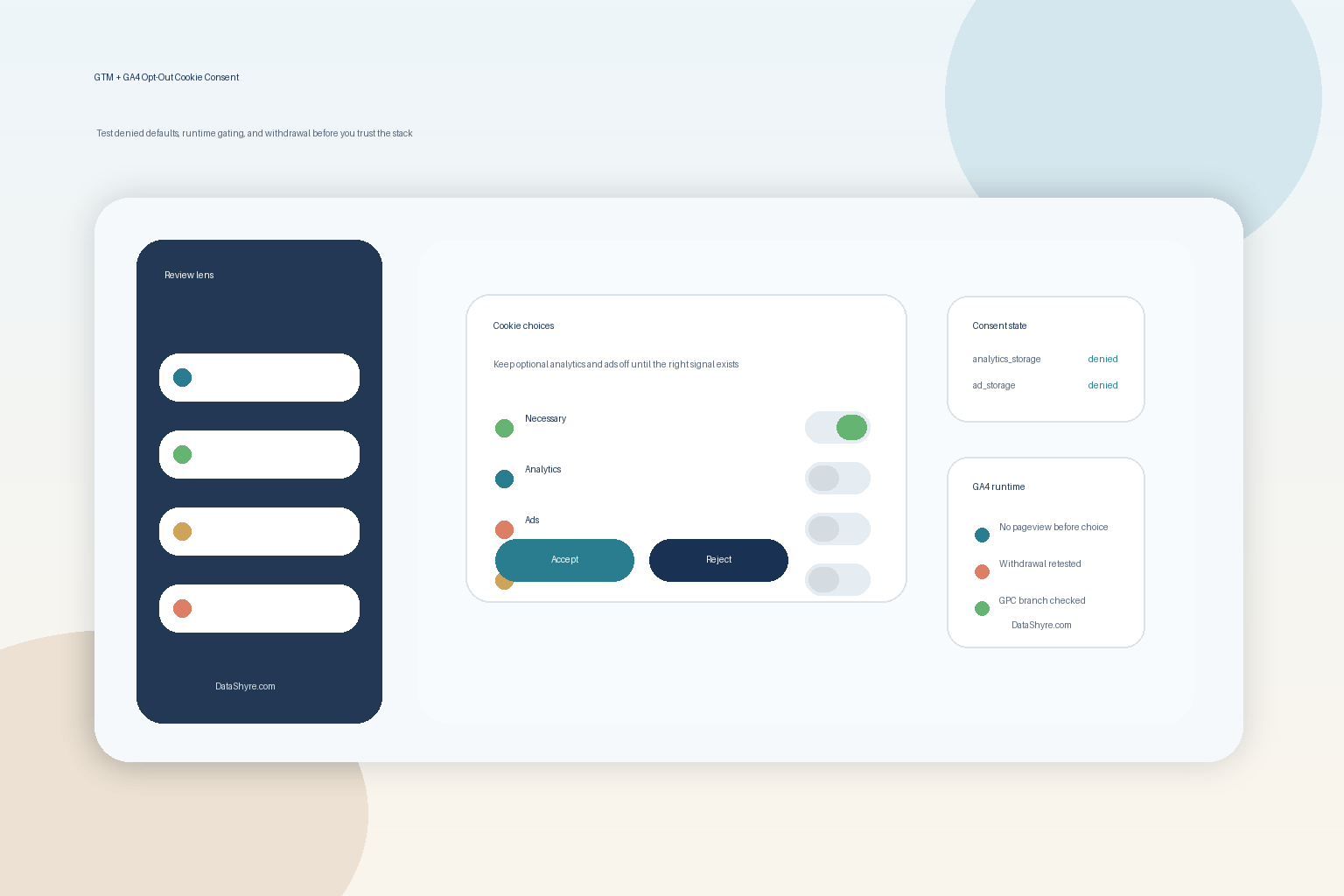
1. Do not confuse a Google Analytics browser opt-out with site-level consent control
Google still offers the Google Analytics opt-out browser add-on. But Google’s own help page also says that add-on does not prevent site owners from using other tools to measure analytics.
That means the add-on can be useful for one narrow Google Analytics behavior, but it is not a full answer to google tag manager google analytics opt out cookie consent.
The first check is simple:
- are you relying on a user-side GA add-on instead of your own site controls;
- are non-Google tags covered too;
- does your banner or preference center actually govern what GTM, GA4, pixels, and custom scripts do on the page.
If the answer is “we linked to the add-on,” the stack is not finished.
2. Put denied defaults in place before GTM or GA4 gets an early read
Google’s current consent-mode setup guide still says you should set default consent before measurement commands run. For a GTM setup, Google’s own examples still show denied defaults for ad_storage, analytics_storage, ad_user_data, and ad_personalization before the container starts doing useful work.
This is still where many implementations drift:
- the banner script loads late;
- the consent defaults arrive after GA4 configuration;
- another script reads or writes state first;
- the pageview already counted before the deny path exists.
The live review question is not whether consent updates look correct after a click. It is whether the denied state landed early enough to control the first page load.
3. Use Consent Initialization for consent logic, and keep it separate from ordinary triggers
Google’s current Tag Manager help still says the Consent Initialization trigger fires before all other tags, including normal Initialization triggers. It also warns that callback-based gtag() commands or late custom code are not guaranteed to be ready before the next trigger fires.
That matters because this keyword often points to an implementation pattern like this:
- a CMP loads on a standard pageview trigger;
- a custom HTML tag pushes consent after other tags are already in motion;
- screenshots look clean in preview, but the live page wins the race in the wrong order.
For a deny-path review, I want to know whether the tags that set or update consent use the right GTM layer first, and whether ordinary measurement tags wait behind that layer consistently.
4. Keep the GA4 deny path separate from ad settings, custom HTML, and vendor bypasses
Google’s current consent references still treat analytics_storage, ad_storage, ad_user_data, and ad_personalization as separate controls. GTM also still lets tags have built-in consent checks or additional consent settings.
That means “analytics denied” is not the same thing as “everything optional is denied.”
On a real site, I would verify:
- whether GA4 depends on
analytics_storagethe way the team expects; - whether ad-related states are separated cleanly;
- whether any custom HTML tag or third-party pixel bypasses the same controls;
- whether GTM additional consent checks or exception triggers are blocking or allowing more than the team realizes.
The most common failure is not that the banner never appears. It is that one branch of the runtime obeys the deny path while another branch quietly ignores it.
5. Treat California opt-out signals as their own branch, not as EU-style consent with different copy
This is where the phrase opt out in the keyword matters.
California’s DOJ still says a Global Privacy Control can act as a valid request to opt out of sale or sharing for covered businesses. The CPPA’s current FAQ also says consumers can exercise the opt-out right through a user-enabled opt-out preference signal, and notes that the agency’s updated regulations became effective on January 1, 2026.
So if your stack includes sale or sharing logic, the review should ask:
- does the site recognize GPC or another valid opt-out preference signal where applicable;
- does GTM change downstream behavior when that signal is present;
- does the page communicate the opt-out state clearly enough for support, QA, and the user to understand it;
- does the California branch stay distinct from EU or UK prior-consent logic.
One banner can sit across regions. One legal model cannot.
6. Withdrawal has to change runtime behavior, not only save a preference record
The European Commission’s current GDPR guidance still says people must be able to withdraw consent as easily as they gave it. In practice, that means the deny path is not only a first-visit problem.
For GTM plus GA4, I would test:
- first load with no prior choice;
- explicit reject;
- explicit accept;
- later withdrawal from the same page or settings center;
- reload and second-page behavior after withdrawal.
If withdrawal updates a database row but leaves GA4, ad tags, or pixels effectively active until a later template load, the system is still weaker than the banner copy suggests.
7. Keep proof that connects the banner, the GTM state, and the GA4 outcome
The final check is evidence.
When teams fail this review, it is often because they can show a policy page and a screenshot of the banner, but not the exact chain between the visitor’s choice and the tag outcome.
For this keyword, the useful evidence pack usually includes:
- the banner or preference-center version shown;
- the consent defaults in force;
- the GTM event path and consent state changes captured in Tag Assistant;
- the resulting GA4 and related tag behavior;
- the California opt-out or GPC branch if applicable;
- the retest after the last container, template, or CMP change.
Without that proof, a deny-path issue is hard to defend and hard to debug.
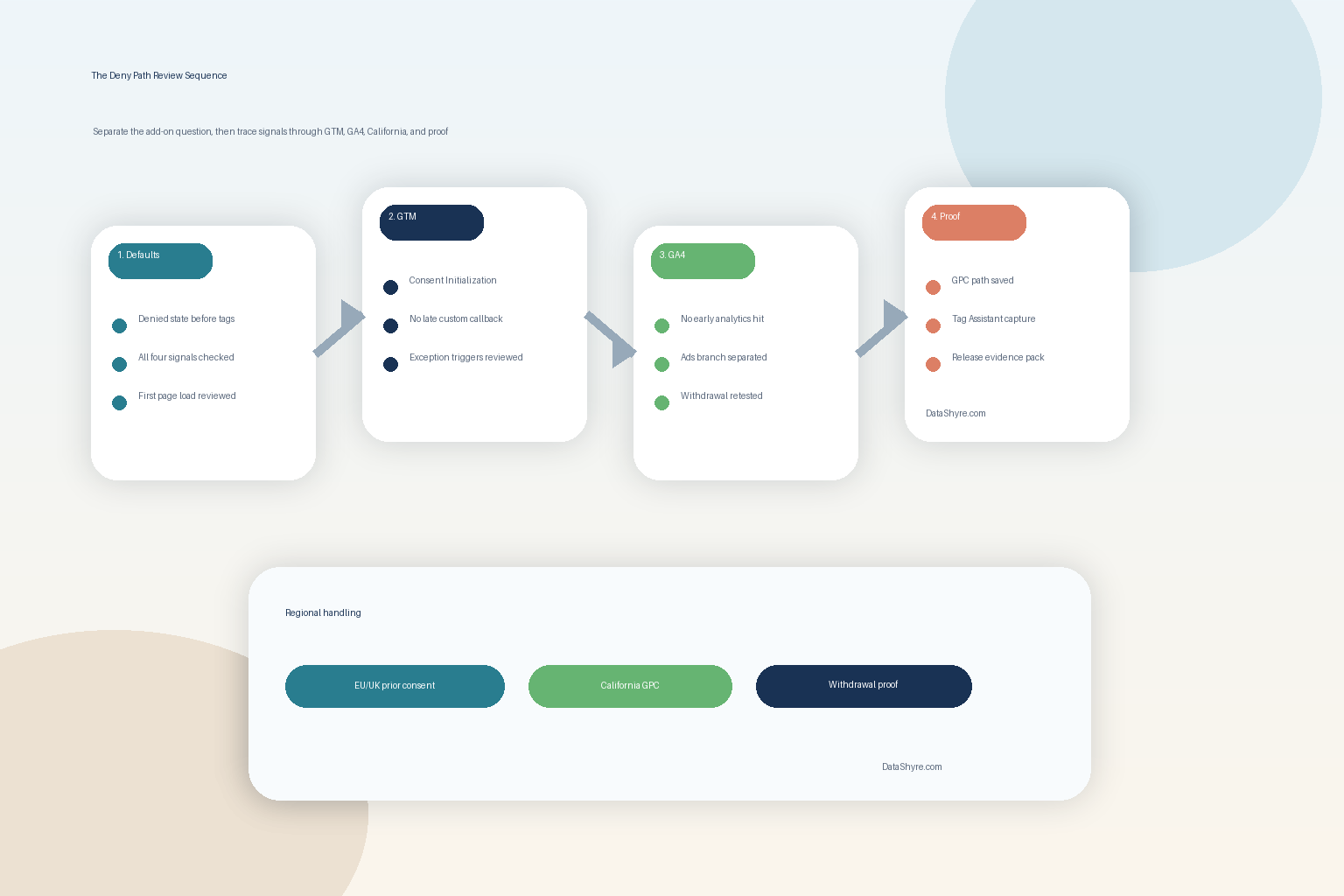
A fast review sequence for this week
If I were reviewing google tag manager google analytics opt out cookie consent on a live site today, I would work in this order:
- separate the GA browser add-on question from the site-level consent question;
- confirm denied defaults land before measurement starts;
- verify consent-writing tags use Consent Initialization;
- inspect GTM consent checks, exception triggers, and any custom HTML tags;
- test reject, accept, and withdrawal with Tag Assistant plus browser checks;
- validate the California opt-out signal path if sale or sharing is in scope;
- save the evidence pack before the next container release changes the state again.
That sequence usually exposes the real break faster than another round of banner text edits.
Bottom line
The cleanest way to think about google tag manager google analytics opt out cookie consent in 2026 is this: the job is not done when users can click accept or when GA4 reports data.
The job is done when denied defaults land early, Consent Initialization wins the race, opt-out signals branch correctly by region, withdrawal reverses real behavior, and your team can still prove the result later. If you cannot show that chain clearly, the consent program may be live while the deny path is still broken.
Sources
- Google for Developers: Set up consent mode on websites
- Google Tag Manager Help: Tag Manager consent mode support
- Google Tag Manager Help: Consent signal
- Google Tag Manager Help: Unblock Google tags when using consent mode
- Google Analytics Help: Google Analytics opt-out browser add-on
- Google Analytics Help: Updates to Google Analytics Data Controls
- European Commission: Legal grounds for processing data
- ICO: Cookies and similar technologies
- ICO: Guidance on the use of storage and access technologies
- California Department of Justice: California Consumer Privacy Act (CCPA)
- California Department of Justice: Global Privacy Control
- California Privacy Protection Agency: Frequently Asked Questions
—
Published: October 14, 2026. Updated using current official regulator, government, and Google materials available at publication time.