

Cookie Consent, Google Tag Manager, and Google Analytics in 2026: 7 Checks Before GA4 Fires
If you searched for cookie consent google tag manager google analytivs, the real problem is usually not spelling. It is making sure the consent banner, Google Tag Manager, and Google Analytics 4 behave in the right order on a live site. In 2026, that still means denied defaults where they are required, consent updates that land before measurement starts, and proof that rejection or withdrawal actually changes what the site does.
That is why this topic keeps breaking in production. One team configures the CMP. Another team manages GTM. A third team owns GA4. The banner looks polished, but a tag fires too early, a single-page-app transition skips the update, or a later preference change never reaches the analytics layer.
If you want the adjacent pieces first, start with our guides to cookie consent Google Tag Manager, Google Analytics cookie consent, and Google Tag Manager cookie consent. This article is narrower. It is the practical review I would use before trusting the combined GTM plus GA4 consent path on August 8, 2026.
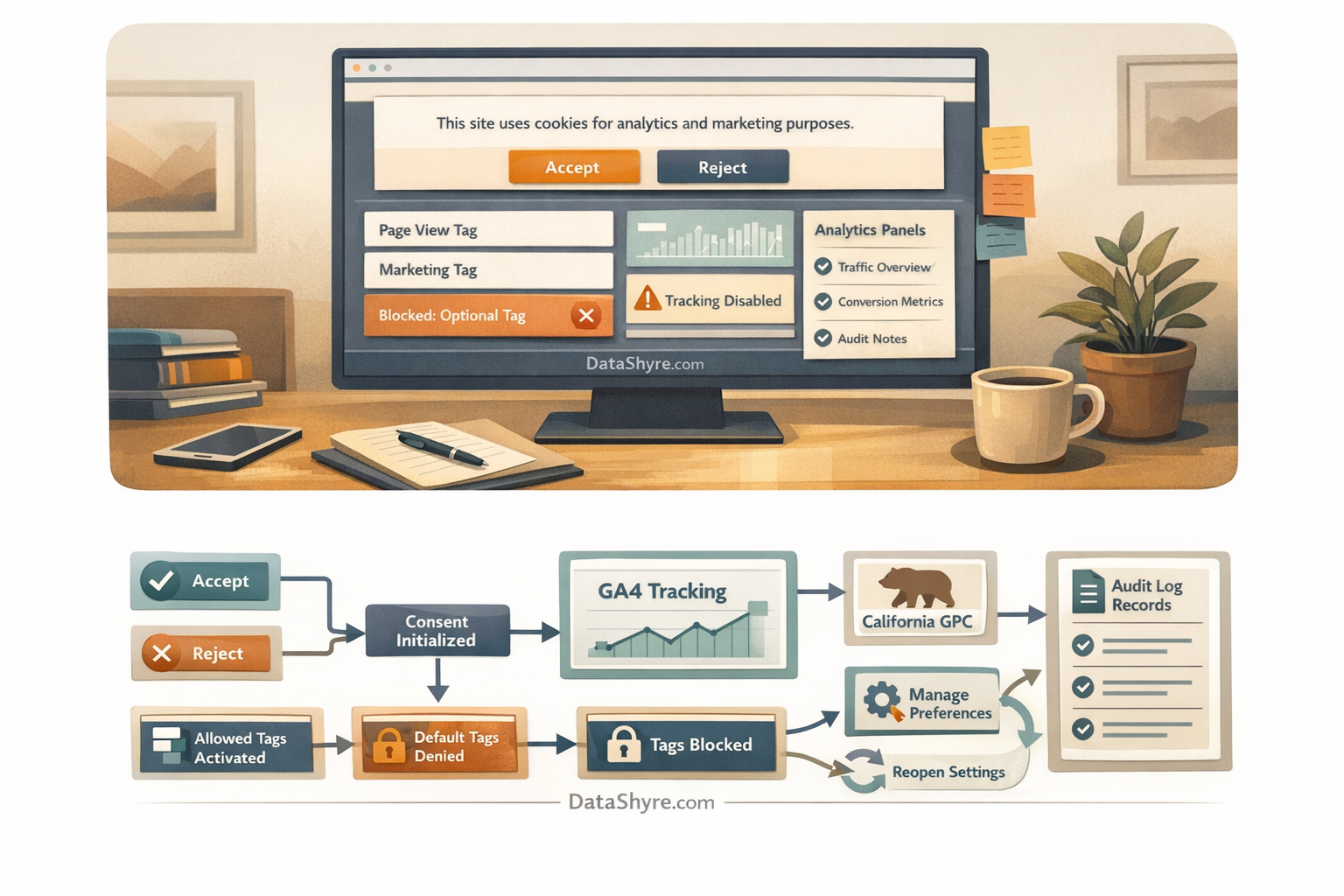
Why this stack fails more often than teams expect
The implementation crosses three different layers:
- the interface where the person accepts, rejects, or customizes;
- the GTM layer that decides which tags can run and when;
- the GA4 layer that decides what measurement behavior is allowed.
Google’s current documentation is still explicit that the order matters. It says:
“Before a user grants consent: Set the default consent state.”
>
Google for Developers
That sounds simple, but it is where many setups drift. GTM may load before the banner finishes. GA4 may receive a config command too early. A third-party script may sit outside GTM entirely. And if the site uses regional logic, the same template may behave one way for EU or UK traffic and another way for California traffic.
The UK ICO’s storage-and-access technologies guidance, finalized on April 29, 2026, is helpful here because it reinforces that this is not just a cookie-banner copy issue. The operational scope reaches beyond classic cookies into similar technologies and practical objection handling. So the review has to follow the live behavior, not just the banner text.
7 checks before you trust GTM and GA4 together
1. Decide whether you are using basic or advanced consent mode on purpose
This is the first architecture decision, and many teams do not make it consciously.
Google’s current consent mode overview distinguishes basic and advanced implementations. In basic mode, Google tags are blocked until the user interacts with the banner. Google says that in this mode “No data is sent before a user consents”. In advanced mode, tags can load with denied defaults and then adjust behavior based on the consent state.
That difference matters because teams often mix the language of one mode with the runtime of the other.
For this keyword topic, the practical check is simple:
- if you claim nothing should load before consent, confirm you are really running a basic pattern;
- if you run advanced mode, document which denied-default signals and cookieless behavior you expect before consent;
- make sure legal, analytics, and engineering teams are talking about the same implementation.
2. Put denied defaults in place before any GA4 config or event command can run
This is the failure that causes the most quiet leakage.
Google’s website setup guide says the default consent call should run on every page before commands that send measurement data, such as config or event. In GTM, Google’s developer guidance points teams toward the Tag Manager consent APIs and the Consent Initialization stage so those defaults land before measurement logic starts.
For a real-world review, check whether the relevant consent states are denied by default where appropriate, including:
analytics_storage;ad_storage;ad_user_data;ad_personalization.
Then verify the sequence on the live page, not only in container screenshots. If GA4 gets a config or event before the denied default is active, the banner may still look compliant while measurement has already started.
3. Separate GA4 analytics behavior from ad-related consent behavior
A lot of messy implementations flatten everything into one yes or no switch.
Google’s current consent documentation separates analytics storage from advertising storage and advertising-related user data or personalization. That means a site can allow one category while still denying others, depending on how the consent program is designed.
This matters because many teams say “GA4 is blocked until consent” when what they really mean is only part of the Google stack changes.
For a cleaner GTM plus GA4 review, verify:
- which GA4 tags depend on
analytics_storage; - whether any remarketing or advertising features also depend on ad-related consent states;
- whether custom HTML tags or third-party connectors bypass the same controls;
- whether the report team understands what data will or will not appear under each state.
If you cannot explain that split clearly, the implementation is probably less controlled than it seems.
4. Test asynchronous banner timing instead of assuming wait_for_update fixed it
Asynchronous banners and CMPs are common, but they create race conditions.
Google’s website guidance says that when a banner may load after Google tags, you may need wait_for_update so the consent tool has time to update the state before data is sent. That is useful, but it is not a magic compliance flag. It is only a technical buffer, and it has to be tested against the actual templates and load order you run in production.
For this stack, test at least:
- the homepage;
- paid landing pages;
- pages with embedded media or maps;
- lead-gen and checkout flows;
- single-page-app transitions if the site uses them.
If one template resolves consent later than another, GTM and GA4 can behave differently across the same site.
5. Check region logic carefully, especially EU or UK opt-in versus California opt-out
This is where policy language and tag behavior often get mixed together.
Under European data-protection guidance, consent has to be freely given, specific, informed, and based on a clear affirmative act when consent is the legal basis. California is different. The California Department of Justice says Global Privacy Control must be honored by covered businesses as a valid request to stop the sale or sharing of personal information.
So the runtime check is not just “Does the banner exist?” It is:
- are optional analytics or advertising technologies blocked before consent where prior opt-in is required;
- does the California-facing path recognize GPC where sale or sharing is in scope;
- are those two regimes being modeled differently instead of merged into one vague global rule.
This is especially important when one GTM container serves many regions.
6. Make withdrawal and later preference changes work on the same page
A consent setup is not finished once the first click succeeds.
The European Commission still states the standard in the clearest possible way:
“It should be as easy to withdraw as to give consent.”
>
European Commission
For GTM and GA4, that means reopening preferences, denying analytics after it was previously granted, and checking whether the live page updates before the person navigates away. Google’s consent guidance also says updates should be tracked on the page where they occur.
If a user can withdraw on paper but GA4 continues behaving as if consent were still granted until the next visit, the implementation is too slow.
7. Keep proof that connects the banner, GTM state, and GA4 outcome
This is the part many teams postpone until an audit or complaint arrives.
Good evidence usually includes:
- the banner or preference version the user saw;
- the categories or purposes offered;
- the consent state that GTM received;
- the resulting GA4 and related tag behavior;
- later changes or withdrawal events.
The point is not to create giant logs for their own sake. It is to make sure the team can answer a basic question later: what exactly happened on the live site when this user made that choice?
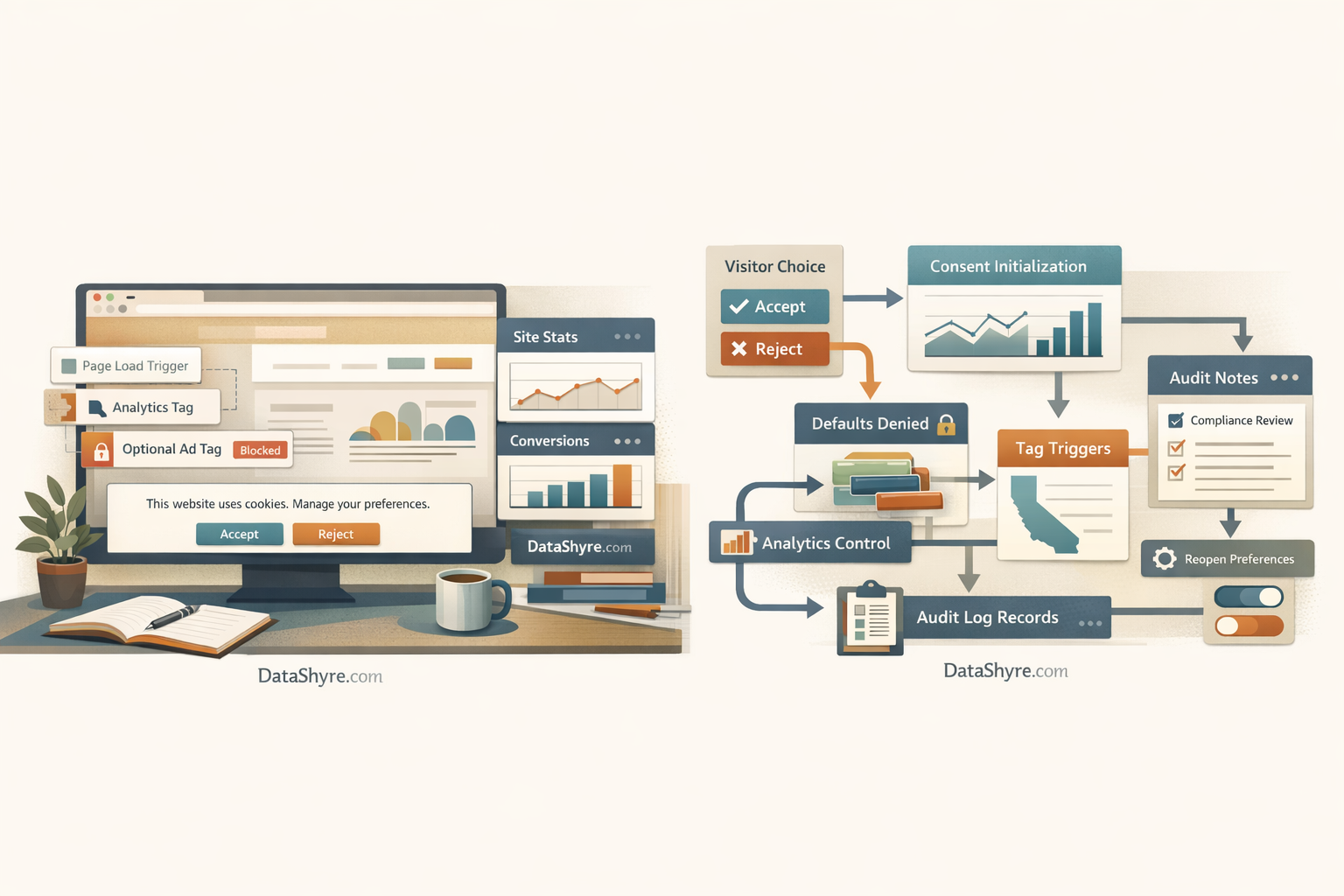
A short live review sequence for this week
If I were validating this setup today, I would use this order:
- Open the site in a clean browser session.
- Inspect whether consent defaults are present before any GA4 config or event command runs.
- Click
Reject alland confirm optional analytics behavior stays off where it should. - Allow analytics only and verify the behavior changes narrowly instead of unlocking unrelated ad behavior.
- Reopen preferences and withdraw analytics on the same page.
- Reload, navigate, and repeat on a second template.
- Check California-facing flows for GPC handling if sale or sharing is part of the stack.
That short test catches more real problems than another round of banner-copy review.
Common failure patterns
The same mistakes show up repeatedly:
- denied defaults land too late;
- GTM receives the update, but GA4 started first;
- GA4 is governed, but non-Google scripts outside GTM are not;
- region logic is simplified into one global path;
- withdrawal changes a record but not the live runtime behavior;
- teams assume Tag Assistant checks are enough without watching the actual page flow.
Most of these are sequencing failures, not wording failures.
Bottom line
The useful way to think about cookie consent google tag manager google analytivs in 2026 is this: the project succeeds only when visitor choice reaches GTM early enough, reaches GA4 precisely enough, stays separated by consent type, and remains reversible later.
If your implementation can prove denied defaults, narrow updates, region-aware behavior, working withdrawal, and readable evidence, you are much closer to a stack that survives both analytics review and privacy review. If not, the banner may be live while the consent program is still unfinished.
Sources
- Google for Developers: Set up consent mode on websites
- Google for Developers: Consent mode overview
- UK ICO: Guidance on the use of storage and access technologies
- UK ICO: Final storage and access technologies guidance published
- European Commission: When is consent valid?
- European Commission: Legal grounds for processing data
- California Department of Justice: Global Privacy Control
This post was updated on August 8, 2026 using current official regulator, government, and Google platform materials available at publication time.