

GA4 Consent Mode: 7 Live Checks Before You Trust the Data in 2026
If you are reviewing ga4 consent mode on October 3, 2026, the useful question is not whether the toggle is on in one Google screen.
It is whether GA4, linked Google Ads behavior, your consent banner, and your withdrawal path still agree on the live page.
That is still the right frame. Google’s current help still says consent mode “does not provide a consent banner or widget.” Google’s current developer documentation still separates basic and advanced consent mode, still expects default consent states to be set before measurement starts, and still expects updates when the user acts. Google’s Analytics Help also says that, starting June 15, 2026, Google Analytics transitioned to using Consent Mode in Google Ads as the single control for Google Ads data. The European Commission still describes valid consent as needing to be freely given, specific, informed, and unambiguous. The ICO’s finalized April 29, 2026 storage-and-access-technologies guidance also makes clear this review is not only about old cookie-banner screenshots. And CNIL still says “rejecting cookies should be just as easy as accepting them.”
If you want adjacent context first, start with our guides to Google Analytics cookie consent, consent mode, and cookie consent Google Tag Manager. This article is narrower. It is the live review I would run before trusting a ga4 consent mode setup this week.

1. Decide whether basic or advanced behavior is intentional
Google still treats basic and advanced consent mode as different runtime strategies.
In basic mode, Google tags are blocked until the user interacts with the banner. In advanced mode, tags can load before the choice, but they are expected to operate according to the current consent state and related limits.
That distinction matters because teams often say “GA4 consent mode is implemented” without being clear which behavior they actually shipped.
The first check is simple:
- does GA4 stay blocked before choice;
- or does it load with denied defaults before choice;
- and does that match your team’s intended model.
If those answers are fuzzy, the data is harder to trust already.
2. Set denied defaults before GA4 measurement begins
The most common failure is still sequencing.
Google’s current setup guide still says you should set the default consent state before a user grants consent. For GA4, that means the analytics tag should not get a misleading early read because another script, template, or custom snippet beat the consent logic to the page.
On a live review, I want to know:
- whether denied defaults exist before the Google tag initializes;
- whether those defaults are applied on the page where the session starts;
- whether any optional script outruns the consent logic.
If GA4 reads state too early, later updates may look fine in a dashboard while the initial pageview logic was already wrong.
3. Verify all four current signals, not just analytics_storage
This is one of the biggest review mistakes.
Teams often test only analytics_storage and stop there. But Google’s current consent documentation and debugging guidance still point implementers to a four-signal review:
ad_storageanalytics_storagead_user_dataad_personalization
That matters because GA4 rarely lives alone. Linked Google Ads flows, audience use cases, and broader measurement behavior can drift if the setup only validates the analytics piece.
If you are using Tag Assistant, this is one of the first places to look. Google still tells teams to verify that those parameters were both set and updated.
4. Re-check the June 15, 2026 Google data-control change
This is the GA4-specific branch too many audits miss.
Google’s Analytics Help says that, starting June 15, 2026, Google Analytics moved to using Consent Mode in Google Ads as the single control for Google Ads data, including data shared by Google Analytics with linked Ads accounts. Google also says the Google Signals setting in Analytics now controls only the association of Analytics data with signed-in user information for behavioral reporting.
That means a team can look at a GA4 property, see data flowing, and still misunderstand which privacy control is doing what.
A practical review should now ask:
- what controls GA4 collection behavior on the site;
- what controls data use in linked Google Ads paths;
- whether your team documentation still reflects the post-June 15 setup rather than an older admin model.
If your internal checklist still talks as if Google Signals is the main Ads-data control, the review is outdated.
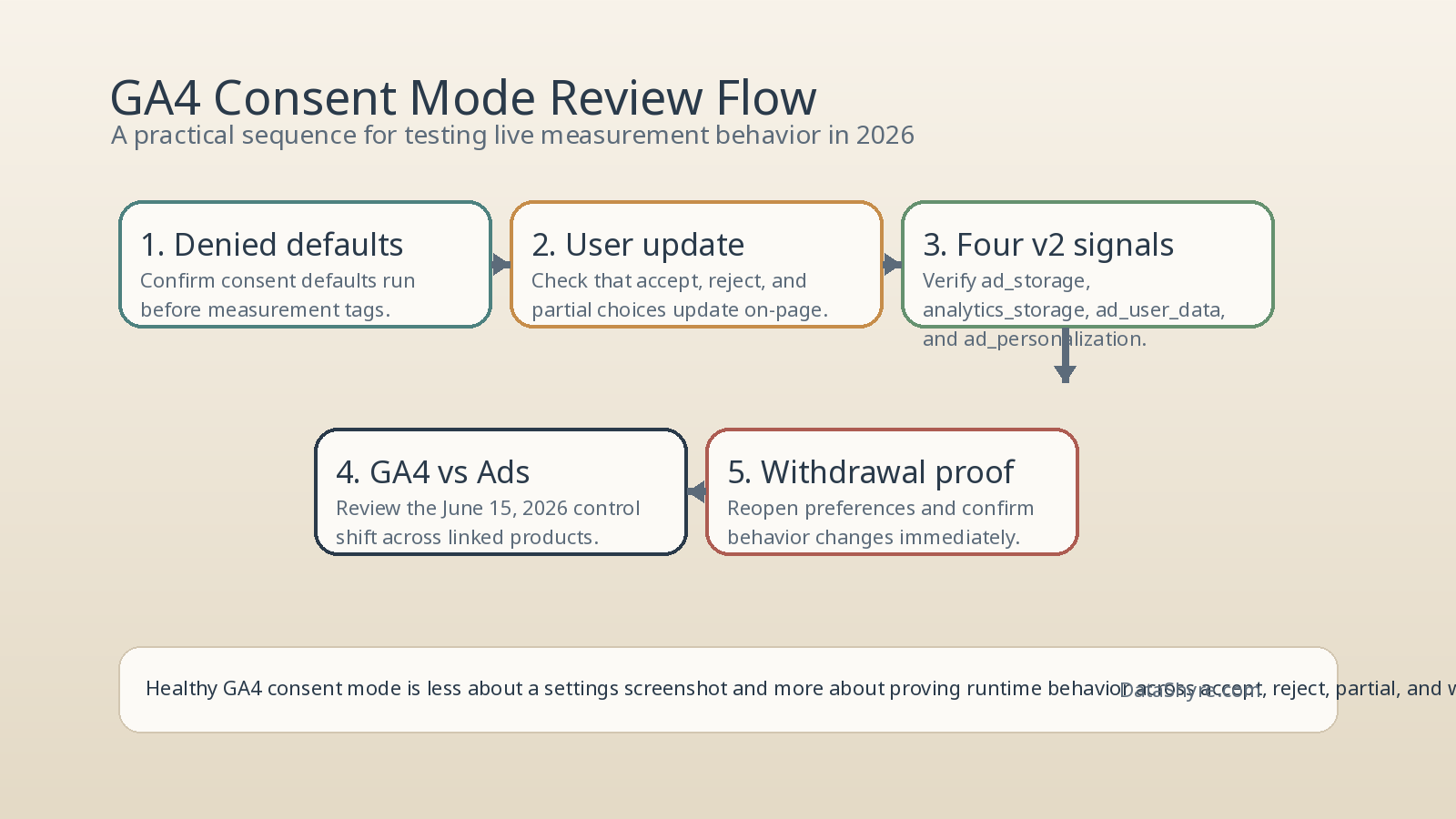
5. Test rejection and withdrawal as seriously as acceptance
Healthy ga4 consent mode is not proven by the accept path.
Google’s current guidance still expects consent to be updated when the user interacts and to be tracked on the page where that interaction happens. The European Commission’s current materials still frame valid consent around real refusal and withdrawal, not only a polished accept flow. And CNIL’s banner enforcement still gives the simple user-experience rule: “rejecting cookies should be just as easy as accepting them.”
So test at least these states separately:
- first load with no choice yet;
- explicit reject;
- explicit accept all;
- later withdrawal from settings.
If GA4 only lands in the right state after a reload, a route change, or a delayed script retry, the implementation is weaker than it looks.
6. Use Tag Assistant and browser checks together
Tag Assistant is useful, but it is not the whole review.
Google’s current debugging guidance is excellent for confirming whether the expected consent signals were set and updated. But a trustworthy ga4 consent mode review should also compare that with what actually happened in the browser.
My minimum runtime pass is:
- confirm the consent API calls in Tag Assistant;
- inspect network behavior on first load and after user choice;
- verify whether any analytics-related storage appears before it should;
- compare results across reject, accept, and withdrawal states.
This is where teams often discover the difference between “the settings are present” and “the live page behaved correctly.”
7. Separate GA4 behavior from the rest of the page
Consent mode mainly tells Google tags how to behave. It does not automatically govern every non-Google technology on the page.
That matters because a site can show healthy GA4 behavior while a Meta pixel, LinkedIn Insight tag, chat widget, video embed, or custom vendor script still ignores the same user choice.
So I split the audit:
- review GA4 behavior directly;
- review linked Google advertising behavior where relevant;
- review non-Google tags under the same consent states;
- compare all three branches under no choice, reject, accept, and withdrawal.
A banner can make the page look settled while the rest of the stack is still drifting.
Bottom line
The strongest ga4 consent mode setup in 2026 is not the one with the cleanest screenshot in admin.
It is the one that intentionally chooses basic or advanced behavior, sets denied defaults early, verifies all four current signals, understands the June 15, 2026 control change, treats rejection and withdrawal as first-class tests, and compares Tag Assistant evidence with live browser behavior.
If your team can still prove those seven checks on the live page today, you are much closer to trustworthy GA4 data than a team that only proves the banner appeared.
Sources
- Google for Developers: Consent mode overview
- Google for Developers: Set up consent mode on websites
- Google for Developers: Troubleshoot consent mode with Tag Assistant
- Google Analytics Help: Updates to Google Analytics Data Controls
- Google Analytics Help: Consent type
- Google Tag Manager Help: About consent mode
- European Commission: Information for individuals
- European Commission: Legal grounds for processing data
- ICO: Final storage and access technologies guidance published
- ICO: Guidance on the use of storage and access technologies
- CNIL: Dark Patterns in Cookie Banners: CNIL issues formal notice to website publishers
—
Published: October 3, 2026. Updated using current official regulator, government, and Google materials available at publication time.