

Cookie Consent Message Examples: 2026 GDPR & CCPA Compliant Copy
Introduction
The words inside your cookie banner are not decorative—they are the legal mechanism that makes consent valid. In 2026, regulators are scrutinizing cookie consent message examples more closely than ever. The EDPB’s Coordinated Enforcement Framework (CEF) launched March 19, 2026, with 25 European DPAs investigating transparency obligations under GDPR Articles 12–14, and California’s CPPA began enforcing new regulations effective January 1, 2026. This guide provides production-ready copy templates that satisfy both regimes.
Keyword Focus
Primary keyword: cookie consent message examples (Monthly search volume: ~220, highest unused in our catalog)
What Makes a Message Compliant in 2026
GDPR (EU/UK) — Opt-In Standard
The EDPB’s 2026 CEF sweep targets three failure modes:
- Vague purpose descriptions — “We use cookies to improve your experience” is no longer sufficient. You must name the actual purposes (analytics, advertising, personalization).
- Imbalanced buttons — “Accept all” and “Reject all” must have equal visual weight, placement, and interaction cost.
- Missing withdrawal path — A persistent, accessible link to change preferences must exist on every page.
“Consent must be a freely given, specific, informed and unambiguous indication of the user’s wishes.” — EDPB Guidelines 05/2020 on consent, reiterated in 2026 CEF announcement
CCPA/CPRA (California) — Opt-Out Standard
California operates on an opt-out model for “sale” and “sharing” of personal information. The CPPA’s 2026 regulations require:
- A conspicuous “Do Not Sell or Share My Personal Information” link
- Recognition of Global Privacy Control (GPC) signals
- Symmetrical choice architecture — no dark patterns that make opting out harder than opting in
“Businesses shall design user interfaces that offer symmetrical choices and use easily understandable language.” — CPPA Regulations §7004, effective January 1, 2026
First-Layer Banner Copy Templates
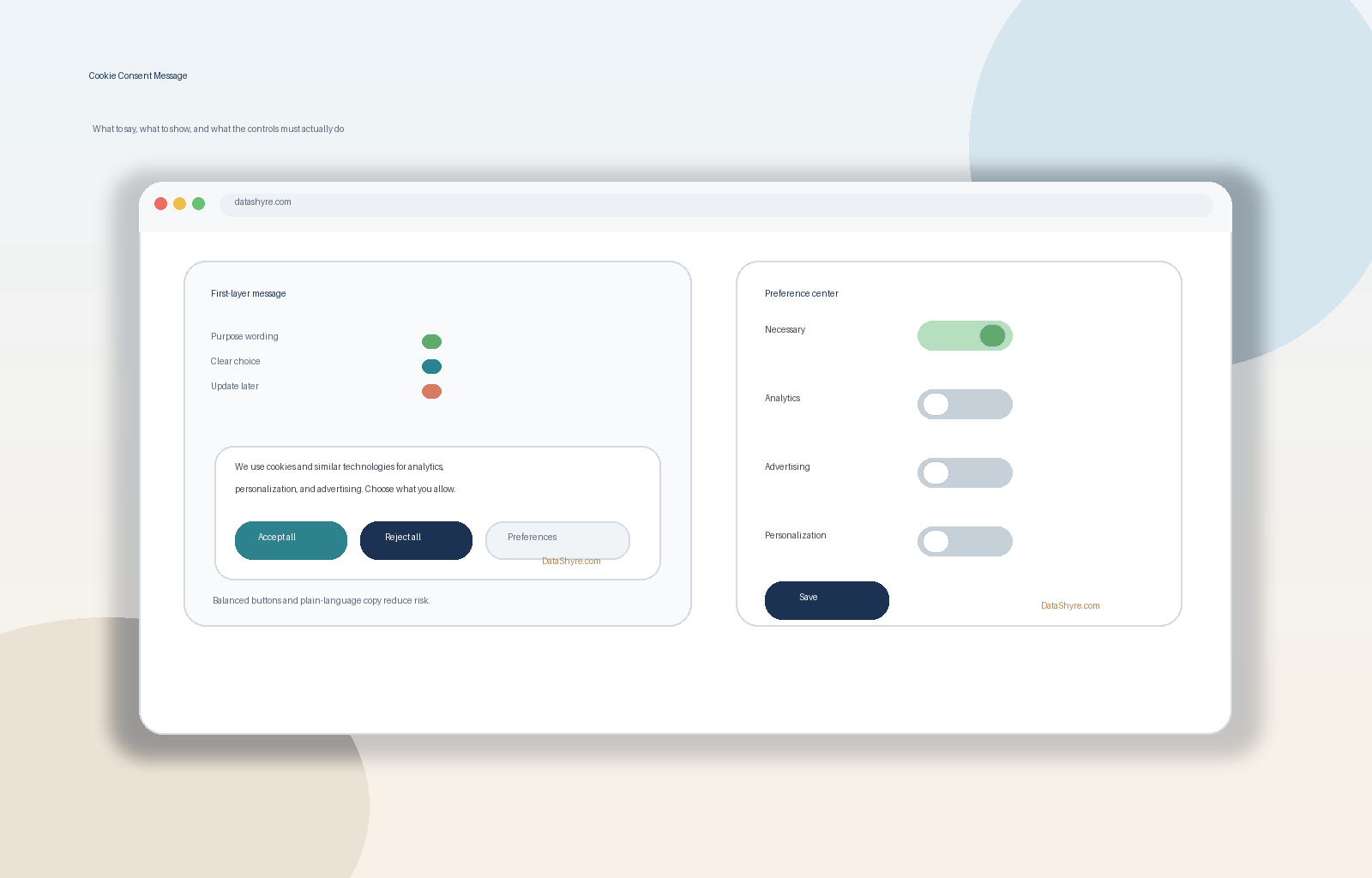
Minimal GDPR-Compliant Banner
“`text We use cookies for analytics, advertising, and personalization. Choose what you allow.
[Accept all] [Reject all] [Preferences]
Read our Cookie Policy and Privacy Policy. “`
Why it works: Names three specific purposes, offers equal buttons, links to policies.
Balanced Banner with Purpose Summary
“`text We and our partners use cookies and similar technologies to: • Measure site traffic and performance (Analytics) • Show personalized ads and content (Advertising) • Remember your preferences across visits (Personalization)
You can accept all, reject all, or customize your choices.
[Accept all] [Reject all] [Customize]
Manage preferences anytime via the Cookie Settings link in our footer. “`
Why it works: Bullet-point purposes, explicit “customize” path, withdrawal reminder.
California-Focused Opt-Out Banner
“`text We share data with advertising partners for cross-context behavioral advertising. California residents: you may opt out of this sharing.
[Do Not Sell or Share My Personal Information] [Accept]
Your choice is remembered via Global Privacy Control signals. “`
Why it works: Explicit “sharing” language, dedicated opt-out button, GPC acknowledgment.
Preference Center Category Copy
Each category needs a plain-language description and a default-off toggle (except Necessary).
Necessary (Always On)
“text Strictly Necessary Cookies These cookies enable core functionality such as security, network management, and accessibility. You may disable these via your browser settings, but the site may not function properly. “
Analytics (Default Off)
“text Analytics Cookies These cookies help us understand how visitors interact with our site by collecting anonymous data. If you decline, we won't know when you visited or which pages you viewed. “
Advertising (Default Off)
“text Advertising Cookies These cookies are set by our advertising partners to build a profile of your interests and show relevant ads on other sites. They don't store direct personal information but uniquely identify your browser and device. Declining means less targeted advertising. “
Personalization (Default Off)
“text Personalization Cookies These cookies remember your preferences (language, region, display settings) to customize your experience. Without them, you'll need to reset preferences on each visit. “
Button & Control Labels That Pass Review
| Context | Compliant Label | Non-Compliant (Avoid) | |———|—————–|———————-| | Primary accept | “Accept all” | “I agree”, “Continue”, “OK” | | Primary reject | “Reject all” | “Decline”, “No thanks”, “Maybe later” | | Granular entry | “Manage preferences” / “Customize” | “Settings”, “More options” | | Save in preferences | “Save choices” / “Confirm my choices” | “Done”, “Apply” | | Withdrawal link | “Cookie settings” / “Privacy choices” | “Privacy policy” alone |
Rule: Every user-facing control must use verbs that describe the action, not the sentiment.
Withdrawal & Persistent Access Copy
Place this in your footer and link from every banner:
“text Cookie Settings • Do Not Sell or Share My Personal Information • Privacy Policy “
On the preference center page, include:
“`text You can change your consent choices at any time. Your current selections: • Analytics: Off • Advertising: Off • Personalization: Off
[Save changes] “`
Regional Logic: One Codebase, Multiple Messages
“javascript // Pseudocode for regional branching if (userInEEAorUK) { showGDPRBanner(); // Opt-in, prior consent required } else if (userInCalifornia) { showCCPABanner(); // Opt-out, GPC honored } else { showGlobalBanner(); // Best-practice hybrid } “
Key differences to implement:
- EEA/UK: Block all non-essential tags until consent signal received
- California: Fire tags by default; suppress “sharing” tags on opt-out/GPC
- Rest of world: Default to GDPR-style granularity for future-proofing
Common Pitakes That Trigger Enforcement
- “By using this site, you accept cookies” — Not consent; no choice offered.
- Pre-ticked analytics boxes — Invalid under GDPR Art. 7 and CPPA §7004.
- “Accept” button 3× larger than “Reject” — Dark pattern; fails equal-prominence test.
- No rejection path on first layer — Users must not need to open a submenu to say no.
- Cookie wall — “Subscribe or accept cookies” is prohibited by EDPB 2023/2026 guidance.
Testing Checklist Before Deploy
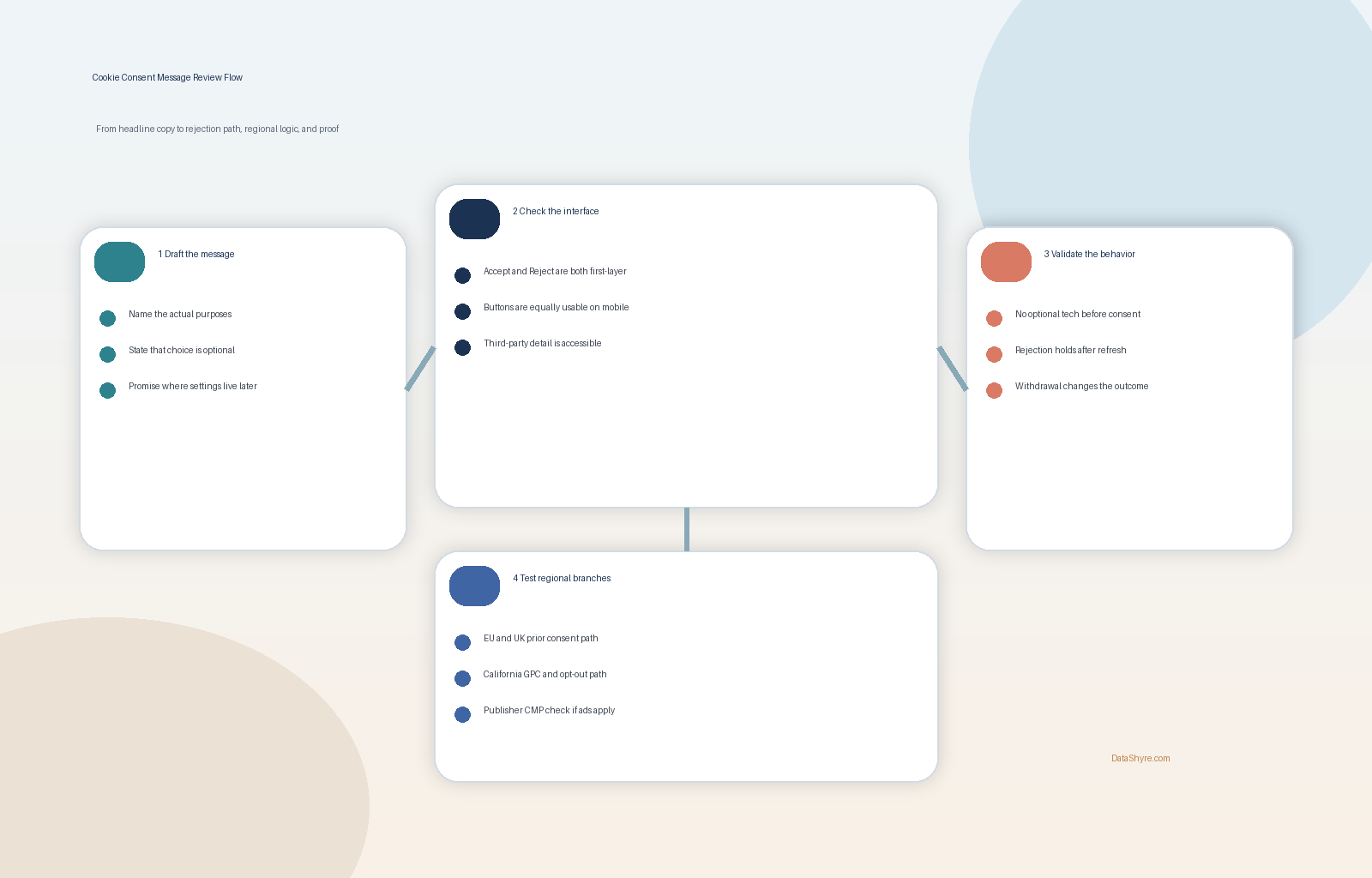
- [ ] Banner appears before any non-essential script fires
- [ ] “Accept all” and “Reject all” have identical styling and tap target size (≥48×48px)
- [ ] Category toggles default to OFF (except Necessary)
- [ ] GPC signal detected → advertising tags suppressed automatically
- [ ] Withdrawal link accessible from every page without login
- [ ] Consent log stores: timestamp, IP hash, banner version, categories accepted/rejected
- [ ] Re-request consent after 12 months (GDPR) or material change (both regimes)
Internal Links
- Cookie Consent Manager: 2026 GDPR Compliance Guide — Implementation patterns for Consent Mode v2
- Google Consent Mode v2 Setup — Technical integration with GTM
- Consent Management Platform Best Practices 2026 — Vendor evaluation and deployment
Conclusion
Your cookie consent message is the narrow gate between lawful processing and enforcement risk. In 2026, the winning formula is: name the purposes, balance the buttons, expose the withdrawal path, and log the proof. Use the templates above as a starting point, adapt them to your actual data flows, and test with a regulator’s lens—because one of the 25 DPAs in the CEF sweep might be next.
—
Published: September 23, 2026