

Wix Cookie Consent Management in 2026: 7 Checks Before You Trust the Privacy Center
If you are evaluating wix cookie consent management on August 19, 2026, the real question is not whether a banner appears on the page. It is whether Wix’s Privacy Center, the Usercentrics layer, your custom code, your connected tags, and your California controls still match the live rules after the next app install, embed change, or campaign launch.
That is the right framing this week. Wix’s current help materials say you can use the Privacy Center to let visitors accept or decline non-essential cookies, and that adding the Usercentrics for Wix banner automatically disables non-essential cookies and scripts until consent is given. At the same time, the ICO’s finalized April 29, 2026 storage-and-access guidance makes clear that the review is broader than classic cookies alone and reaches scripts, tags, pixels, web storage, and fingerprinting techniques. In California, the CPPA’s law-and-regulations page still shows the current CCPA regulations as effective on January 1, 2026, while the California Department of Justice still describes Global Privacy Control as a valid browser-based request to stop the sale or sharing of personal information.
If you want the surrounding baseline first, start with our guides to cookie consent banner, cookie consent manager, and CCPA consent requirements. This article is narrower. It is the platform review I would run before trusting wix cookie consent management on a live site.
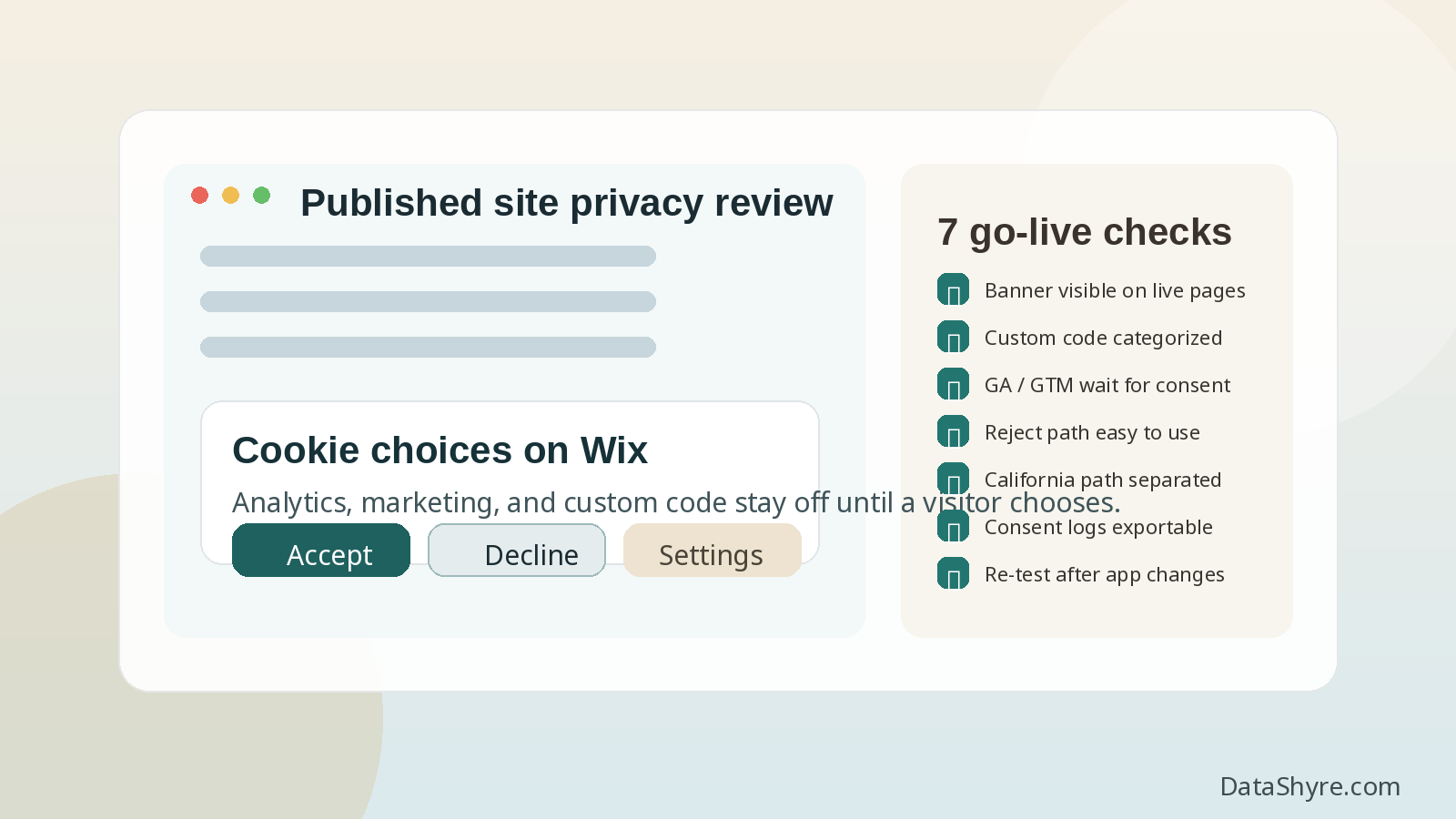
Why Wix needs its own consent review
Wix simplifies a lot, but it does not eliminate consent risk.
The current Wix help center says that cookies initially placed on a Wix site may generally be essential, but also warns that the moment you add components, third-party apps, or custom code, the site may include other cookie types that need specific settings. That is the practical turning point. Many teams assume the platform choice solved the hard part, when in reality the complexity re-enters through marketing integrations, analytics, chat, embedded media, booking tools, review widgets, and snippets added by different people over time.
So the useful review for Wix is not, Did we enable the banner? It is, Did we control everything that became optional after we customized the site?
7 checks before you trust wix cookie consent management
1. Confirm the banner is live on the published site, not only configured in the dashboard
Wix says you can add a cookie banner through the Privacy Center and that visitors can accept or decline non-essential cookies. That sounds simple, but the first real check is whether the published site actually shows the banner in the markets and templates you care about.
Test:
- the homepage;
- high-traffic landing pages;
- blog posts with embeds;
- store, booking, or lead-capture flows;
- mobile and desktop.
This matters because consent only helps if the visitor can actually encounter the choice where the storage or access activity begins.
2. Categorize every custom script and code embed on purpose
This is the most common Wix-specific gap.
Wix’s current custom-code guidance says code embeds should be categorized as Essential, Marketing, Analytic, or Functional so browsers and site controls can recognize their purpose. If your site runs extra pixels, chat tools, remarketing tags, heatmaps, form enrichment tools, affiliate scripts, or A/B testing code, this step is not optional.
In practice, that means reviewing:
- anything added through custom code;
- anything connected through marketing integrations;
- anything installed from the app market that can drop or read identifiers;
- anything injected through Google Tag Manager.
If those items are uncategorized or miscategorized, the setup can look complete in the dashboard while optional behavior still leaks into the live runtime.
3. Test what Google tags actually do before and after consent
Wix now says its Usercentrics banner is supported for Google Consent Mode v2, and its help pages for both Google Analytics and Google Tag Manager say those tools only gather data after a visitor consents when the site uses a cookie banner. That is encouraging, but you should still test the runtime instead of trusting the label.
Google’s own current consent-mode guidance still says to set the default consent state before the user grants consent, and to make sure consent updates are tracked on the page where they happen before any page transition. On Wix, this is the check that catches issues caused by tag-manager changes, custom code additions, or late-firing scripts.
The simple question is:
- What is blocked before choice?
- What starts after acceptance?
- What stays off after rejection?
- What changes after withdrawal or renewed consent?
If your measurement stack behaves differently than your banner copy suggests, the site is not ready.
4. Keep rejection as visible as acceptance
This is still one of the fastest quality checks in the whole topic.
CNIL’s current cookie-banner enforcement language remains blunt:
“rejecting cookies should be just as easy as accepting them.”
That matters on Wix because visual customization can create accidental imbalance. A polished design can still make refusal harder if Accept is bold and immediate while Decline is faint, distant, or pushed behind another click.
The European Commission’s guidance on valid consent points in the same direction: refusal and withdrawal must remain genuinely usable, not theoretical.
5. Separate EU and UK prior-consent logic from California privacy-choice logic
One banner does not solve every region the same way.
For EU and UK visitors, the operational question is often whether non-essential technologies stay off until valid consent exists. In California, the path often shifts toward notice, opt-out rights, sale-or-sharing analysis, and browser preference signals. Wix’s current privacy materials reflect that difference by supporting both a consent banner and a Do Not Sell Data link, and by giving site owners CCPA preparation guidance that does not treat California as a pure opt-in system.
The California DOJ still says GPC is a “stop selling or sharing my data switch.” California enforcement also remains active: the DOJ’s privacy enforcement page says Disney agreed to pay $2.75 million to resolve allegations that it failed to fully effectuate consumer opt-out requests across streaming services.
So on Wix, test whether:
- EU and UK visitors see a real prior-consent path for non-essential technologies;
- California visitors can find the right privacy choice path;
- any relevant GPC handling actually changes downstream behavior;
- your disclosures match what the site is technically doing.
6. Use the consent log, but understand its blind spots
Wix’s current help center says you can export the site’s consent log and that the log can include details such as IP address, device, and the date and time of consent. That is useful evidence.
But Wix also says some elements and apps cannot be controlled by the cookie banner and the Do Not Sell Data link, which means those elements do not collect consent through that mechanism and do not appear in the same way in the log.
That is a crucial limitation.
The right question is not only, Do we have a consent log? It is, Does the consent log cover the technologies and vendors we actually rely on?
If the answer is only partial, do not overstate what the export proves.
7. Re-test after every meaningful site, app, or campaign change
This is the control that prevents quiet regression.
Wix lets teams move fast. That is an advantage until consent checks stop keeping up with launches. A new booking widget, form app, analytics snippet, tracking template, or embedded media block can change the privacy behavior of the site much faster than a formal compliance review cycle.
Wix’s consent tools even include options to renew consent, which is a useful reminder that consent management is not a set-and-forget project. The safer operating model is to treat the Wix consent setup as a release gate tied to:
- app installs or removals;
- custom-code additions;
- GTM or analytics changes;
- new embedded tools;
- regional copy changes;
- major campaign launches.
If you do not re-test after those changes, you are relying on yesterday’s proof for today’s site.
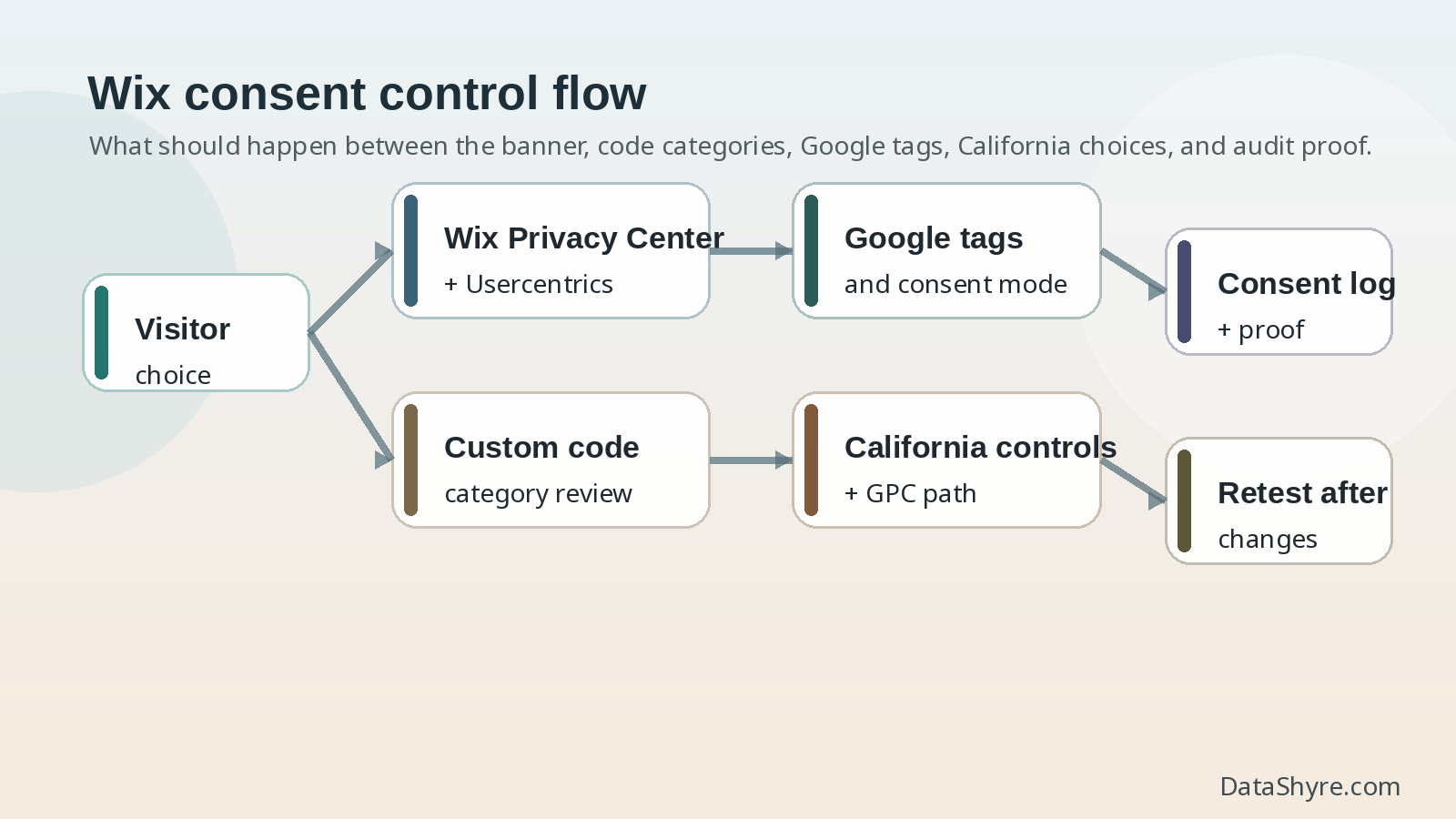
A short review I would run this week
If I had ten minutes to review a Wix launch, I would do this in order:
- Verify the banner appears on the published pages that matter.
- Inventory every app, embed, custom code snippet, and connected Google tag.
- Confirm each non-essential item is categorized correctly.
- Test reject, accept, and later withdrawal behavior on desktop and mobile.
- Check California paths separately, including any GPC response and the Do Not Sell link where relevant.
- Export the consent log and note what it does and does not actually prove.
- Repeat after the next material site change.
That seven-step review usually exposes more risk than another round of dashboard screenshots.
Bottom line
The practical way to think about wix cookie consent management in 2026 is not as a banner feature. It is a control system that must keep the published site, the added integrations, the regional rule paths, and the available evidence in sync.
If your Wix setup blocks what should wait, keeps refusal easy, categorizes added code correctly, handles California choices deliberately, and produces records that match reality, you are in much stronger shape. If it cannot do those things, the site may look compliant while the runtime behavior is still drifting.
Sources
- Wix Help Center: Cookies and Your Wix Site
- Wix Help Center: About Privacy & Cookies
- Wix Help Center: Displaying a Usercentrics for Wix Cookie Banner
- Wix Help Center: Categorizing Your Custom Code
- Wix Help Center: Managing Your Site’s Consent Log
- Wix Help Center: Preparing Your Wix Site for the CCPA
- Wix Help Center: Adding a “Do Not Sell Data” Link to Your Wix Site
- Wix Help Center: Tracking Events on Your Wix Site with a Google Analytics Property
- Wix Help Center: Connecting Your Google Tag Manager Account to Your Wix Site
- Google for Developers: Set up consent mode on websites
- UK ICO: Final storage and access technologies guidance published
- UK ICO: Guidance on the use of storage and access technologies
- UK ICO: What are storage and access technologies?
- European Commission: When is consent valid?
- European Commission: What if somebody withdraws their consent?
- CNIL: Dark Patterns in Cookie Banners: CNIL issues formal notice to website publishers
- California Department of Justice: Global Privacy Control
- California Department of Justice: Privacy Enforcement Actions
- California Privacy Protection Agency: Law & Regulations
This post was updated on August 19, 2026 using current official platform, regulator, government, and Google materials available at publication time.