

Cookie Consent Banner: A 2026 Design Checklist for Real Choice
A cookie consent banner is easy to polish and surprisingly easy to get wrong. The trouble is rarely the headline alone. It is the button hierarchy, the tracking that fires too soon, and the gap between what the banner promises and what the site actually does.
If you want the broader baseline first, start with our guide to cookie consent, our GDPR cookie consent checklist, and our WordPress cookie consent setup guide.
TL;DR
- Give users a visible accept path and a visible reject path on the first layer.
- Explain the purpose of the tracking in plain language, not vague filler.
- Keep non-essential cookies, pixels, and similar tools off until the user makes a choice where prior-consent rules apply.
- Make it easy to reopen settings, withdraw consent, and honor regional signals such as Global Privacy Control where required.
- Test the live site, not just the design mockup.
Why the standard moved
The UK ICO finalized its storage and access technologies guidance on April 29, 2026. The guidance covers cookies, tracking pixels, device fingerprinting, and related technologies, and the ICO says it added a chapter on what counts as a simple means of objecting. In the launch note, ICO executive director William Malcolm said users should have “meaningful control” over how their data is used online.
The same ICO update said 99% of the UK’s top 1,000 websites now meet compliance standards for cookie banners. That is encouraging, but it also raises the bar for sites still hiding reject or firing tags too early.
That is a useful test. If your banner offers a reject button but analytics or ad scripts still load before the click, the control is cosmetic.
European regulators are pushing on design, not just disclosure. In December 2024, France’s CNIL said it had issued formal notices over misleading cookie banners and repeated a simple rule: rejecting cookies should be just as easy as accepting them. Around the same period, EDPB Chair Anu Talus said users need “real choice” when controllers ask for consent.
There is a platform layer too. Google says publishers serving personalized ads in the EEA, the UK, and Switzerland need a Google-certified CMP integrated with the IAB Transparency and Consent Framework.
California adds a different control path. The California Attorney General says covered businesses must honor Global Privacy Control as a valid opt-out request to stop the sale or sharing of personal information. In a March 12, 2026 settlement announcement, Attorney General Rob Bonta called honoring opt-out rights one of the “bare necessities” of CCPA compliance. For teams outside Europe, that is a reminder that user choice still has to travel beyond the banner.
Cookie consent banner checklist
1. Put accept and reject on the same level
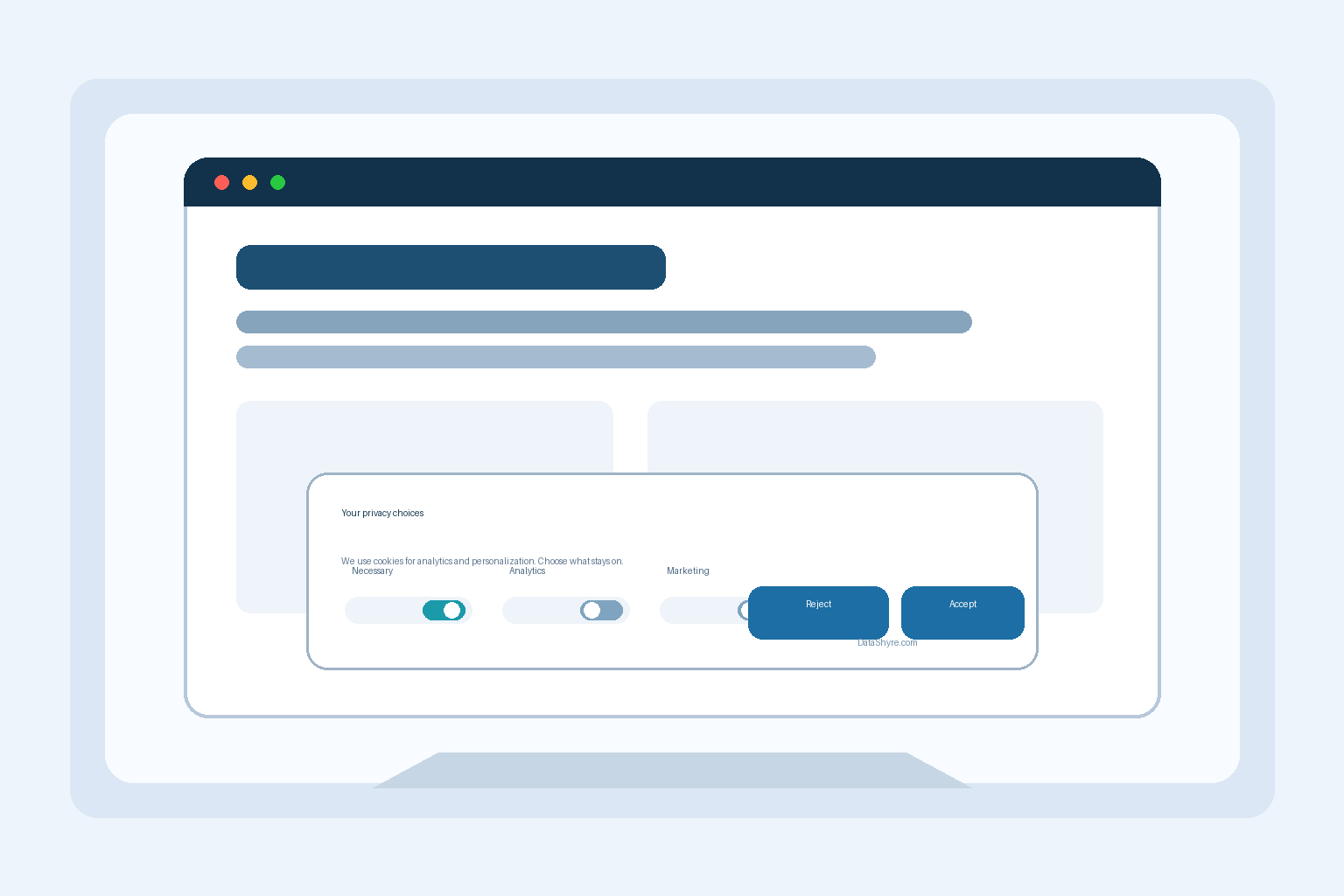
The fastest way to make a banner look risky is to hide reject behind a text link, a second screen, or low-contrast styling. A solid setup puts both actions where people can actually see them. Equal size is not the whole test, but it is a good start.
2. Say what the tracking does
“We use cookies” is not enough on its own. Name the real purpose in a short sentence: analytics, advertising, personalization, embedded media, or measurement. Visitors should understand what changes when they accept.
3. Block first, record second
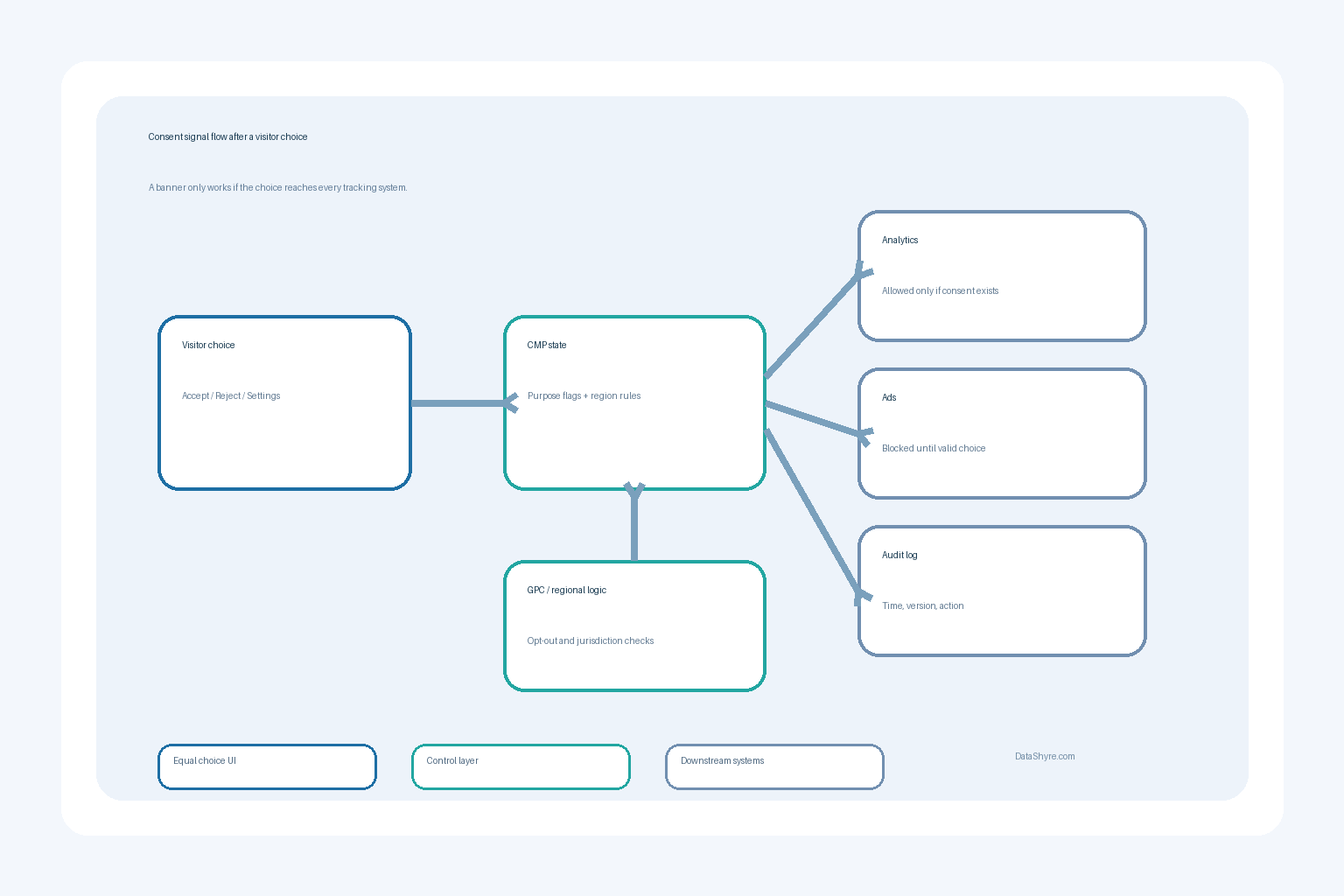
This is where many deployments fall apart. Consent logging matters, but only after you stop non-essential tools from loading too early. That means checking tag managers, video embeds, chat widgets, heatmaps, affiliate tools, and custom scripts. A banner that records a refusal after the pixels already fired is not doing the main job.
4. Keep settings and withdrawal easy
Users should be able to reopen preferences without hunting through the footer maze. For UK and EU traffic, that helps with ongoing control. For California flows, your consent layer may also need to work alongside opt-out handling and GPC recognition. One banner pattern does not neatly cover every jurisdiction.
5. Test the live experience on real pages
A design review is not enough. Test the homepage, landing pages, blog templates, checkout flows, and any page with third-party embeds. Then test on mobile. Then test again after a marketing tool, CMS plugin, or tag-manager update. I have seen many teams approve a banner design that looked clean while the production site still loaded trackers before consent.
What good looks like in practice
A good banner is brief on the first layer and more detailed on the second. The first layer explains the purpose and gives clear choices. The second layer lets users review categories, learn what each one does, and change their mind later.
Just as important, the site behavior has to follow the choice all the way through. If a visitor rejects advertising cookies, ad tags should stay off. If they accept analytics only, the consent state should flow to analytics and nowhere else. If your monetization depends on Google ads in Europe, the CMP decision also needs to line up with Google’s certified-CMP requirements.
This is where cookie consent banner work becomes operational, not decorative. Design, tag governance, and auditability all sit in the same project.
A practical starting layout
Use a short top paragraph, two primary buttons, and one clearly labeled settings option. Avoid stuffed legal copy on the first layer. Save the detail for the second layer and your policy page.
A simple structure often works better than a clever one:
- short notice with the main purposes;
- primary buttons for accept and reject;
- a settings button for category-level control;
- a persistent link or icon to reopen preferences;
- consent logs that record the version and timing of the user’s choice.
That is usually enough to make the banner clearer for users and easier to defend internally.
Bottom line
The banner is not the compliance program, but it is the part everyone sees first. If your interface gives people a straightforward choice, keeps non-essential tracking off until that choice is made, and passes the decision into the tools behind the page, you are in much better shape than teams still treating consent as a copy box.
Sources
- UK Information Commissioner’s Office
- CNIL
- European Data Protection Board
- California Department of Justice
- Google Ad Manager Help