Cookie Consent Google Tag Manager in 2026: 7 Live Checks Before Your Tags Fire
DataShyre StaffAug 5, 2026
4 min read
Cookie Consent Google Tag Manager in 2026: 7 Checks Before Tags Fire
If you are working on cookie consent google tag manager, the hard part on August 5, 2026 is not writing banner copy. It is making sure Google Tag Manager does not let analytics, advertising, or personalization behavior slip through before the visitor’s choice is actually in effect.
That is still the right way to frame it. Google’s current consent documentation says you need to set the default consent state before the user grants consent, update that state when the user interacts with the consent interface, and make sure those updates are tracked before any page transition. The UK ICO’s final storage and access technologies guidance, published on April 29, 2026, also makes clear that this is broader than old cookie-banner wording alone. The current compliance question reaches into pixels, scripts, fingerprinting, and similar technologies as well.
If you want adjacent context first, start with our guides to Google Tag Manager cookie consent, cookie consent, and OneTrust cookie consent Google Tag Manager. This article is narrower. It is the practical review I would run before trusting cookie consent google tag manager on a live site.
What cookie consent google tag manager has to control now
Google Tag Manager is often treated like a switchboard. That is useful, but incomplete.
For cookie consent google tag manager, the real system usually includes:
the consent banner or CMP itself;
GTM container load order;
consent defaults and updates;
GA4, Google Ads, Floodlight, or other downstream tags;
embedded third-party tools outside GTM;
regional logic for EU, UK, Switzerland, and US-state traffic;
a later withdrawal path that has to change behavior immediately.
That is why the right test is not “does the banner appear?” It is “what fires before, during, and after the visitor chooses?”
Google’s own implementation guidance is direct about the sequence:
“Make sure that consent updates are tracked on the page where they occur, before any page transition.”
Google for Developers.
If your stack misses that timing requirement, cookie consent google tag manager becomes a logging exercise instead of a control.
7 checks before you trust cookie consent google tag manager
1. Deny the relevant Google consent states before measurement starts
This is the first check because it exposes the most common failure fastest.
Google’s current setup guide says to set the default consent state before a user grants consent, and to place the default call before commands that send measurement data. Its Tag Assistant troubleshooting guide is even more explicit: if the default is set too late, tags may already have read or written cookies before the denied state lands.
For cookie consent google tag manager, that means checking whether ad_storage, analytics_storage, ad_user_data, and ad_personalization are denied by default where that policy should apply.
If analytics or ad tags can initialize before that denied baseline exists, the consent setup is weaker than it looks.
2. In GTM, use the consent-specific APIs and the right trigger timing
This is where many home-grown setups drift.
Google’s current developer guidance says GTM implementations should use the consent APIs such as setDefaultConsentState and updateConsentState. It also warns that gtag commands are queued and may not be processed before the next event begins, which is why Google tells GTM users not to rely on a generic gtag('consent','update',...) pattern instead of the GTM consent APIs.
For a practical cookie consent google tag manager review, check whether:
consent defaults are written on Consent Initialization;
measurement tags wait until consent has been initialized;
updates are handled through GTM consent APIs or a supported CMP integration rather than a brittle custom workaround.
If the banner is visually present but the container timing is wrong, GTM can still let early events escape.
3. Inspect async loading and wait_for_update behavior carefully
A lot of websites now load the CMP asynchronously for performance reasons. That is not automatically wrong, but it does raise the sequencing risk.
Google’s guide says that if the banner or CMP may load after the Google tag, you may need wait_for_update so the consent tool has time to update the state before tags fire. The point is not to chase one magic number. The point is to verify that your actual page and template mix keep measurement from racing ahead of the consent layer.
For cookie consent google tag manager, test:
the homepage;
landing pages with heavy marketing scripts;
pages with embedded video or maps;
checkout, account, or lead-gen flows;
SPA transitions if your site uses them.
If one template behaves differently, your banner compliance story is only partially true.
4. Make rejection as usable as acceptance
This sounds like a banner-design issue, but it becomes a GTM issue the moment a one-click accept path triggers tags while a buried reject path does not.
CNIL’s enforcement messaging still provides a simple filter:
“the possibility of rejecting the use of cookies is not as easy as accepting them”
CNIL.
That remains one of the quickest signs that cookie consent google tag manager is being optimized for acceptance rather than valid choice.
If Accept all is prominent and immediate while Reject all is hidden as a low-contrast text link, buried in a second layer, or harder to use on mobile, the practical effect is obvious: more people will grant consent than intended, and more tags will fire than your interface implies.
5. Separate EU and UK opt-in logic from California opt-out logic
One GTM container often serves many regions, but the same runtime should not flatten different legal workflows into one vague banner.
The European Commission’s current guidance says valid consent requires a real free choice and that people must be able to refuse or withdraw consent without disadvantage. In California, the Department of Justice says covered businesses must honor Global Privacy Control as a valid request to stop the sale or sharing of personal information.
That means cookie consent google tag manager should be checked for regional behavior, not just translated text. A setup can look polished while still failing to:
keep optional tags off before consent in opt-in regions;
react to GPC signals in California-facing flows when sale or sharing is in scope;
distinguish necessary behavior from optional advertising or analytics behavior cleanly.
6. If you serve personalized ads in Europe or Switzerland, verify the CMP requirement too
This is the check teams often miss when they focus only on GTM triggers.
Google Ad Manager’s current help guidance says publishers using Google publisher products must use a Google-certified CMP integrated with the IAB TCF when serving personalized ads to users in the EEA and UK and, separately, in Switzerland. That is not the same thing as general legal compliance, but it is an important platform requirement if your monetization stack depends on Google publisher products.
So for cookie consent google tag manager, ask two separate questions:
Does the implementation behave correctly before and after consent?
If Google publisher monetization is in scope, does the CMP setup satisfy Google’s current platform requirement for those regions?
You need both answers, not just one.
7. Test withdrawal, persistence, and next-page behavior
A consent setup is not complete once the visitor has clicked once.
The European Commission’s current guidance still puts the usability standard plainly:
“It should be as easy to withdraw as to give consent.”
European Commission.
For cookie consent google tag manager, that means reopening preferences, denying previously granted categories, and checking what happens next on the same page and on the next pageview. Google also says consent updates should be tracked on the page where they occur before any page transition, so a system that records withdrawal only after navigation is too slow.
If tags continue to send data as if nothing changed, you do not have working withdrawal. You have stale state.
A quick live test I would run this week
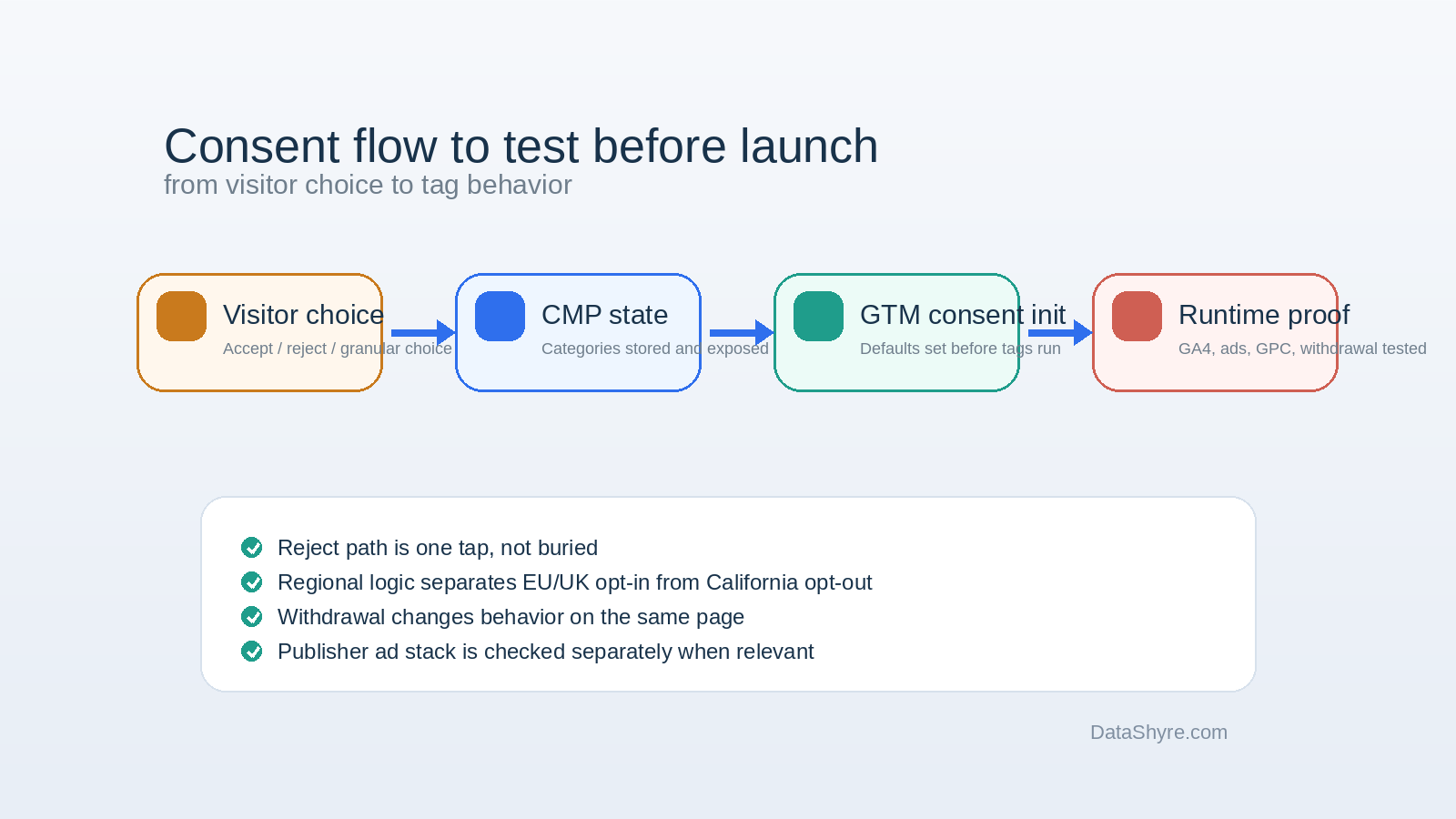
If I were validating cookie consent google tag manager right now, I would do this in order:
Open the site in a clean browser session.
Inspect network and tag activity before any banner interaction.
Confirm denied defaults are present before measurement commands run.
Use Reject all and verify optional Google and non-Google tags stay off where they should.
Grant only analytics or one optional category and verify behavior changes narrowly, not globally.
Reopen preferences and test withdrawal on the same page.
Reload and navigate to a second page to confirm persistence and update timing.
Check California-facing flows for GPC handling where relevant.
If Google publisher ads are in scope, verify the CMP path against Google’s current certified-CMP requirement.
That sequence is short, but it catches most expensive mistakes.
Common failure patterns
The same problems keep showing up:
default consent states are set too late;
a CMP updates consent, but GTM tags fire before the update is effective;
reject is technically present but materially harder to use;
regional logic is simplified into one global banner path;
withdrawal changes a preference record but not runtime behavior;
teams test only GA4 and forget other third-party scripts or embeds.
Most of these are timing errors, not policy-document errors.
Bottom line
Good cookie consent google tag manager work in 2026 is not mainly about banner copy. It is about runtime order, real choice, regional logic, and proof.
The setup should deny optional Google consent states by default where required, update them at the right moment, keep rejection and withdrawal usable, handle California opt-out signals where relevant, and stay aligned with Google’s current publisher-platform requirements if ads are involved. If your implementation cannot show those things on a live site, you do not yet have a finished consent setup. You have a banner plus hope.