

Google Tag Manager GDPR Cookie Consent: A 2026 Audit Checklist
If you are searching google tag manager gdpr cookie consent, you usually do not need another banner explainer. You need to know whether your container actually waits. That is the part that still breaks: the banner looks compliant, the copy reads well, and a tag still fires before the user has chosen anything.
For EU-facing traffic, the baseline has not changed. The European Commission’s business guidance still says consent-requiring cookies cannot be set when the page first opens, users need purpose-based choices, and withdrawal has to be as easy as acceptance. In GTM terms, that means default deny, clean updates, and evidence that non-essential tags stayed blocked until a valid choice arrived.
If you need the broader GTM implementation path first, start with our Google Tag Manager cookie consent guide. If you want the wider rule set behind the tag logic, our GDPR cookie consent requirements guide covers that layer.
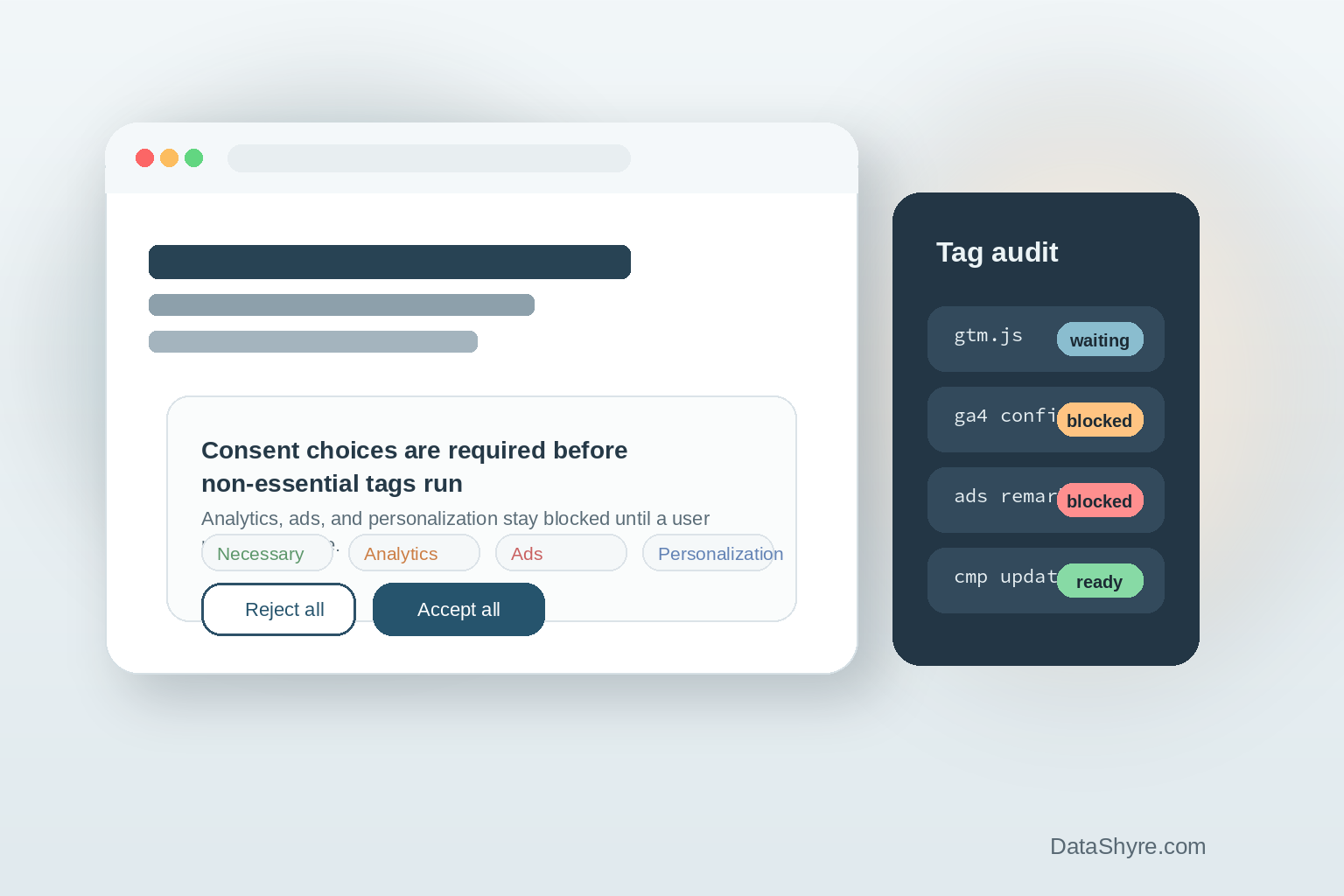
Google Tag Manager GDPR cookie consent: what good looks like
A defensible setup is boring in the best way. Nothing fires early. Reject works as cleanly as accept. Preference changes update later behavior. Your team can show the sequence in testing without hand-waving.
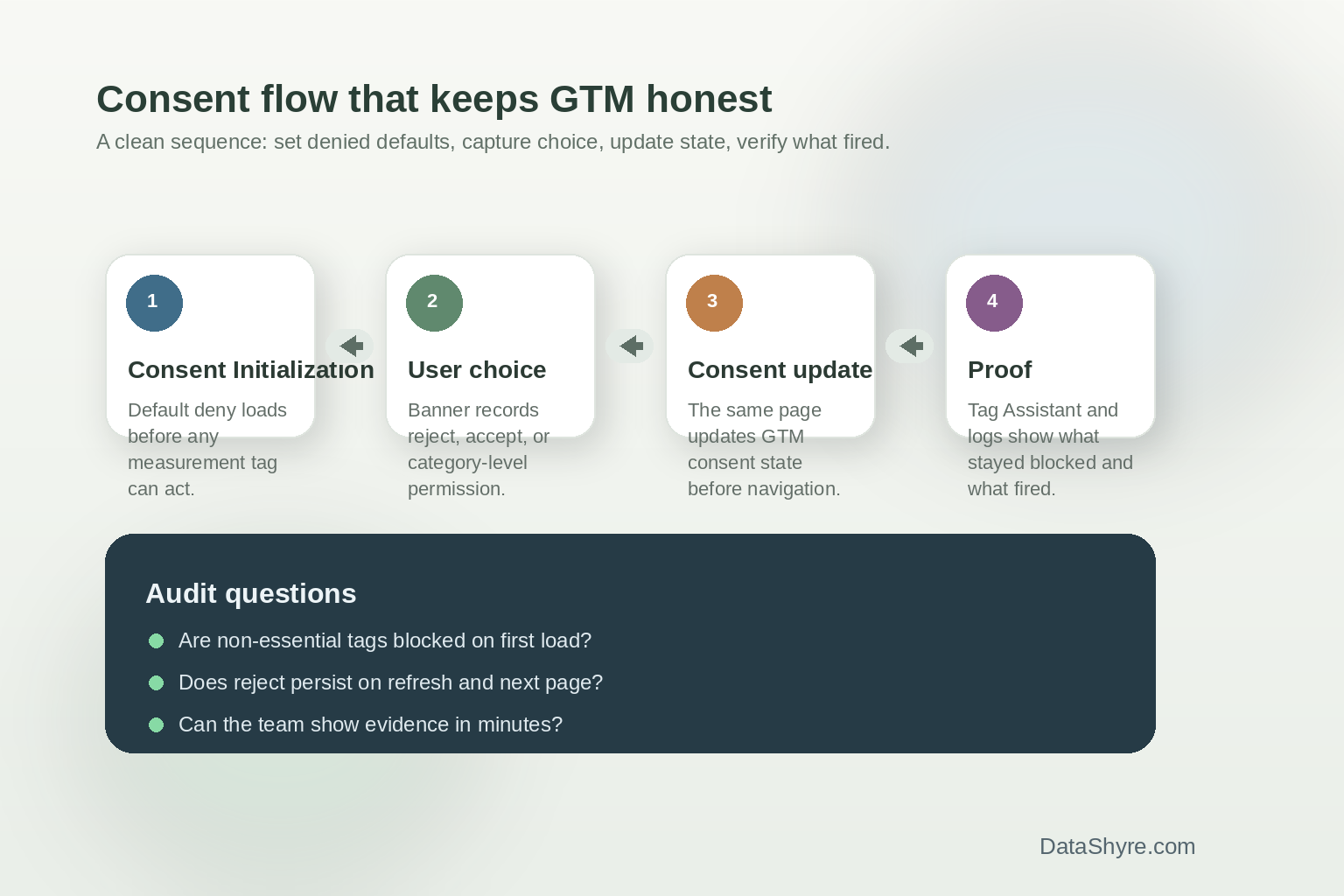
Google’s current consent documentation says you need to set default consent states before any measurement commands send data, then update that state on the page where the user acts. Tag Manager’s own help pages are just as direct: the Consent Initialization trigger fires before all other tags, including Initialization. That is why mature setups put the CMP or consent template there instead of trying to patch consent after pageview logic has already started.
Scott Herman put the goal plainly in Google’s product update: tags should “respect cookie consent choices.” That line still captures the technical job well. Consent Mode can react to a choice, but it does not create valid consent for you.
The audit checks worth running before publish
1. Default deny is set before anything else
Check that your consent template or CMP runs on Consent Initialization - All Pages, not on a later trigger. Google also warns against treating a late custom HTML tag as the fix. If defaults are asynchronous or delayed, the rest of the implementation is already on shaky ground.
2. All relevant consent signals are covered
This is where teams still trip. A container may wire analytics_storage and call it done, while ad_storage, ad_user_data, or ad_personalization are left inconsistent. Google’s current consent-mode setup and debugging documentation points implementers to review those signals together, not one by one in isolation.
3. Reject is tested as hard as accept
This sounds obvious, but it is where weak launches show themselves. A team clicks accept, sees data flowing, and moves on. Then the reject path turns out to leave a third-party pixel alive on refresh. For GDPR work, that is not a cosmetic problem. It is the implementation failing the legal promise.
4. Consent updates happen on the same page
Google’s developer guidance says consent updates should be tracked on the page where they occur, before any page transition. If the banner interaction updates state only after navigation, you are leaving room for accidental leakage between the click and the next load.
5. Evidence is easy to produce
This is the practical test I keep coming back to. Can someone on your team open Tag Assistant, reproduce a no-choice visit, a reject flow, and an accept flow, and explain what happened in a few minutes? If not, the setup may still work in theory, but it is not ready for scrutiny.
William Malcolm of the ICO gave a useful benchmark in the regulator’s April 29, 2026 announcement on final storage and access technologies guidance: users should have “meaningful control over how their data is used.” That is a sharp audit question because it cuts through the banner design. If reject exists in the interface but does not hold in the container, the user never had meaningful control.
What changed in 2026
Two current developments are worth folding into your checklist.
First, Google Analytics says that starting June 15, 2026, Consent Mode settings in Google Ads become the single control for Google Ads data, while the Google Signals setting in Analytics is narrowed to signed-in behavioral reporting. The law did not change there, but the room for messy consent wiring got smaller.
Second, the CNIL published final multi-device consent recommendations in January 2026 for authenticated environments. If one account-level choice applies across devices, refusal or withdrawal has to work across those devices too, and users have to be told that scope before they choose. For logged-in journeys that rely on GTM across web properties, that is an implementation detail worth surfacing early with product and engineering.
Where teams still get caught
The same patterns keep showing up. Teams launch the banner before finishing the tag audit. They trust a CMP toggle they never checked in Tag Assistant. They test only the happy path. Or they assume the front-end language carries the compliance burden while the container does something else entirely.
That gap is exactly why google tag manager gdpr cookie consent should be treated as a sequencing problem, not a copy problem. Set denied defaults early. Update on choice. Test reject. Keep proof. Those are the controls that matter.
Bottom line
Google tag manager gdpr cookie consent is not really about making the banner prettier. It is about making the site truthful. If your interface says “reject all,” the container has to behave that way on the first load, the next page, and the next device if the choice carries across an authenticated account. That is the standard worth building to.
Sources
- European Commission Your Europe
- Google for Developers
- Google Tag Manager Help
- Google Analytics Help
- Google Blog
- UK Information Commissioner’s Office
- CNIL