

Cookie consent WordPress: how to choose a plugin that actually blocks tags in 2026
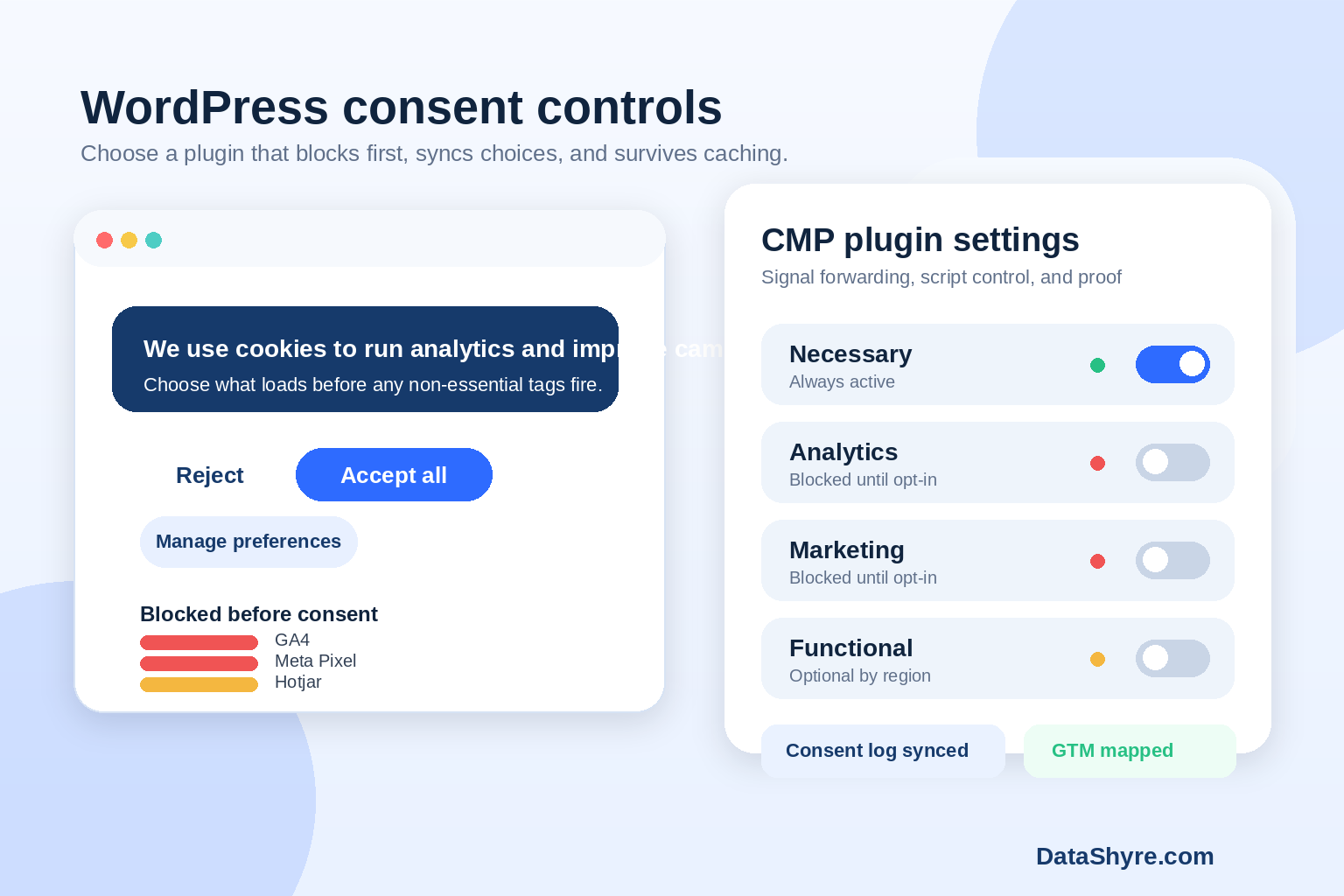
A lot of teams shopping for cookie consent wordpress tools still compare banners like they are buying a design element. That misses the hard part. The plugin has to stop non-essential tracking before consent where that rule applies, pass choices into the rest of the stack, and keep working after a marketing manager adds one more embed or a performance plugin changes script order.
If you want the broader setup baseline first, start with our WordPress cookie consent checklist and the wider cookie consent requirements guide. This article is narrower. It is about picking the right WordPress plugin when you care about actual enforcement, not just appearance.
What changed the buying checklist
The legal standard is still about control, but the practical bar is clearer now. In the UK ICO’s April 29, 2026 announcement on its final storage and access technologies guidance, executive director William Malcolm said people should have “meaningful control over how their data is used.” In January 2024, EDPB Chair Anu Talus said consent models need to preserve “real choice.” Those are useful tests for plugin selection because they shift the conversation away from copy and toward behavior.
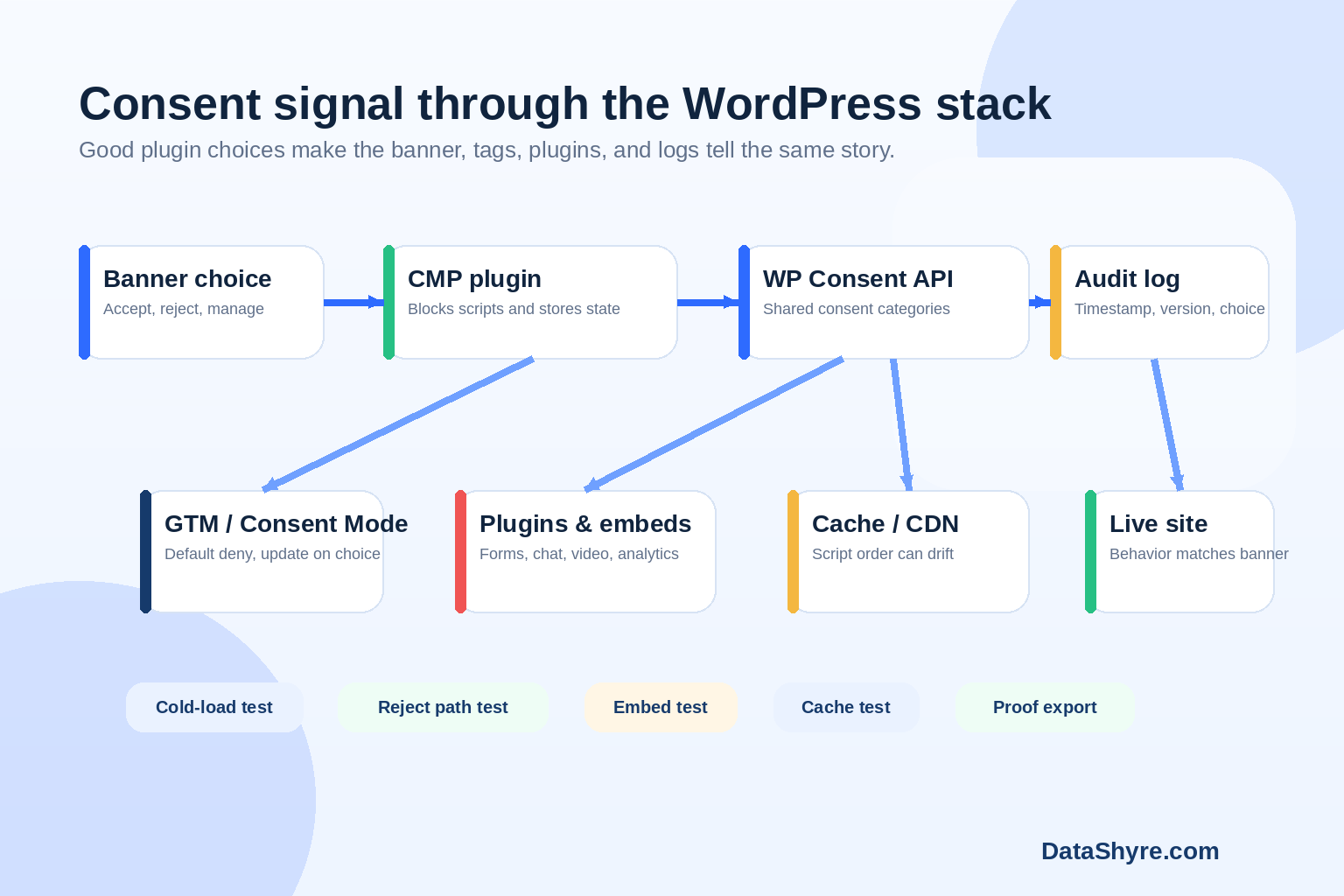
There is also a technical reality many WordPress buyers miss. The WordPress.org page for WP Consent API describes it as a standardized way for plugins to communicate consent categories and status. That matters because consent on WordPress is rarely handled by one plugin alone. Analytics, forms, chat, embedded video, A/B testing, tag managers, and ad scripts often come from different plugins or code paths.
And if you publish ads to users in the EEA, UK, or Switzerland, Google says you must use a Google-certified CMP. That requirement should shape plugin shortlists early, especially if ad revenue, remarketing, or measurement is in scope.
What cookie consent WordPress buyers should test first
1. Does it block before consent, not after?
This is the first filter. A plugin that records a refusal after GA4, Meta Pixel, Hotjar, or ad tags have already loaded is not solving the main problem. Google’s consent mode guidance is explicit about sequencing: set default consent states before measurement and update those states after the visitor makes a choice.
If your site uses Google Tag Manager, test the banner with a cold load, with consent rejected, and with caching turned on. Then test it again on the pages marketing actually changes. If you need a GTM companion piece, our Google Tag Manager cookie consent guide covers the tag-layer side.
2. Can it govern more than one source of tracking?
WordPress stacks get messy fast. One plugin loads analytics, another injects a scheduler, the theme adds an embedded video script, and a growth tool drops code in the header. A decent CMP has to manage more than its own banner script.
This is where cookie consent wordpress becomes an integration question. Ask whether the plugin can handle GTM, common embeds, marketing tags, and custom code, not just browser cookies with obvious names.
3. Does it play well with WordPress-specific plumbing?
I would look closely at four WordPress failure points:
- cache and optimization plugins that reorder or defer scripts;
- theme-level code placed outside the CMP’s usual controls;
- embedded media and third-party widgets that load on page render; and
- plugins that set server-side or PHP cookies the banner does not fully govern.
That last point is easy to overlook. WP Consent API helps plugins share consent state, but it does not make every WordPress plugin privacy-aware by magic. You still need to test live behavior.
4. Does reject look as usable as accept?
A slick banner with a buried refusal path is still a weak setup. California Attorney General Rob Bonta put the usability point plainly in the Disney settlement announcement on February 11, 2026: opting out “should not be complicated or cumbersome.” Even if your main audience is not in California, that is a good product rule.
For WordPress buyers, I would translate that into one simple check: can a normal visitor reject on the first layer, reopen preferences later, and see the site actually respond to that choice?
5. Can you export proof that makes sense later?
Some plugins are fine at showing a banner and poor at producing usable records. You want logs that connect the timestamp, banner version, category choice, and later preference changes. Otherwise the team ends up with screenshots and guesses.
The plugin shortlist questions worth asking vendors or implementers
Before you commit, ask these five questions:
- Which tags or scripts does the plugin block by default before consent?
- How does it integrate with GTM, Consent Mode, and common WordPress embeds?
- Does it support a standardized consent signal across plugins, such as WP Consent API?
- What breaks when cache, CDN, or script optimization settings change?
- What proof can we export if a customer, auditor, or buyer asks what happened?
Those questions usually get you farther than a feature matrix.
Where teams still make the wrong call
The most common mistake is buying for copy, not control. The second is buying for a demo site that does not resemble production. The third is assuming a plugin works everywhere because it worked on the homepage.
Real WordPress sites have forms, landing pages, embedded videos, localization layers, ad tags, and one-off code snippets. That is why cookie consent wordpress should be treated as an operational decision, not a banner decision.
A light legal note is enough here: the right configuration depends on your markets, your tracking stack, and what the site actually does. But as a buying rule, the safe path is simple. Favor the plugin that blocks early, integrates broadly, and leaves a record you can understand six months later.
Bottom line
The right WordPress consent plugin is not the one with the prettiest front end. It is the one that survives the rest of your stack. If it cannot control GTM, cooperate with other plugins, survive caching, and prove what happened, it will create work later. That is the standard I would use for consent on WordPress in 2026.
Sources
- UK Information Commissioner’s Office
- European Data Protection Board
- California Department of Justice
- Google for Developers
- WordPress.org Plugin Directory