

WordPress Cookies Consent Plugin: What to Verify Before You Install in 2026
If you are searching for wordpress cookies consent plugin, you probably are not trying to collect one more pretty banner. You are trying to work out whether a plugin can control what actually happens on a live WordPress stack once themes, embeds, analytics, ad tools, form plugins, cache layers, and tag managers all start interacting.
That is still the right question on July 31, 2026. On April 29, 2026, the UK ICO published its final storage-and-access technologies guidance. On July 14, 2026, the European Data Protection Board said the Belgian DPA must assess the merits of a cookie-banner complaint involving broadcaster VRT’s site instead of dismissing it on procedural grounds. And on December 12, 2024, France’s CNIL said website publishers were using dark patterns in cookie banners and reminded the market that rejecting cookies must be as easy as accepting them.
WordPress adds its own operational wrinkle. The WordPress Plugin Handbook says:
“Privacy should be the default setting.”
>
WordPress Plugin Handbook
That is a useful principle, but it does not solve the hard part. Consent on WordPress can still break in the handoff between the banner, plugin scripts, Google tags, embedded media, and later site changes. The fact that WordPress Core was still reconsidering adoption of the WP Consent API in late 2024 is a good reminder that consent coordination across plugins remains a real platform problem, not just a copywriting task.
If you want surrounding context first, start with our guides to WordPress cookie consent, cookie consent WordPress, and cookie consent manager WordPress. This article is narrower. It is the review I would run before trusting a wordpress cookies consent plugin on a real production site.
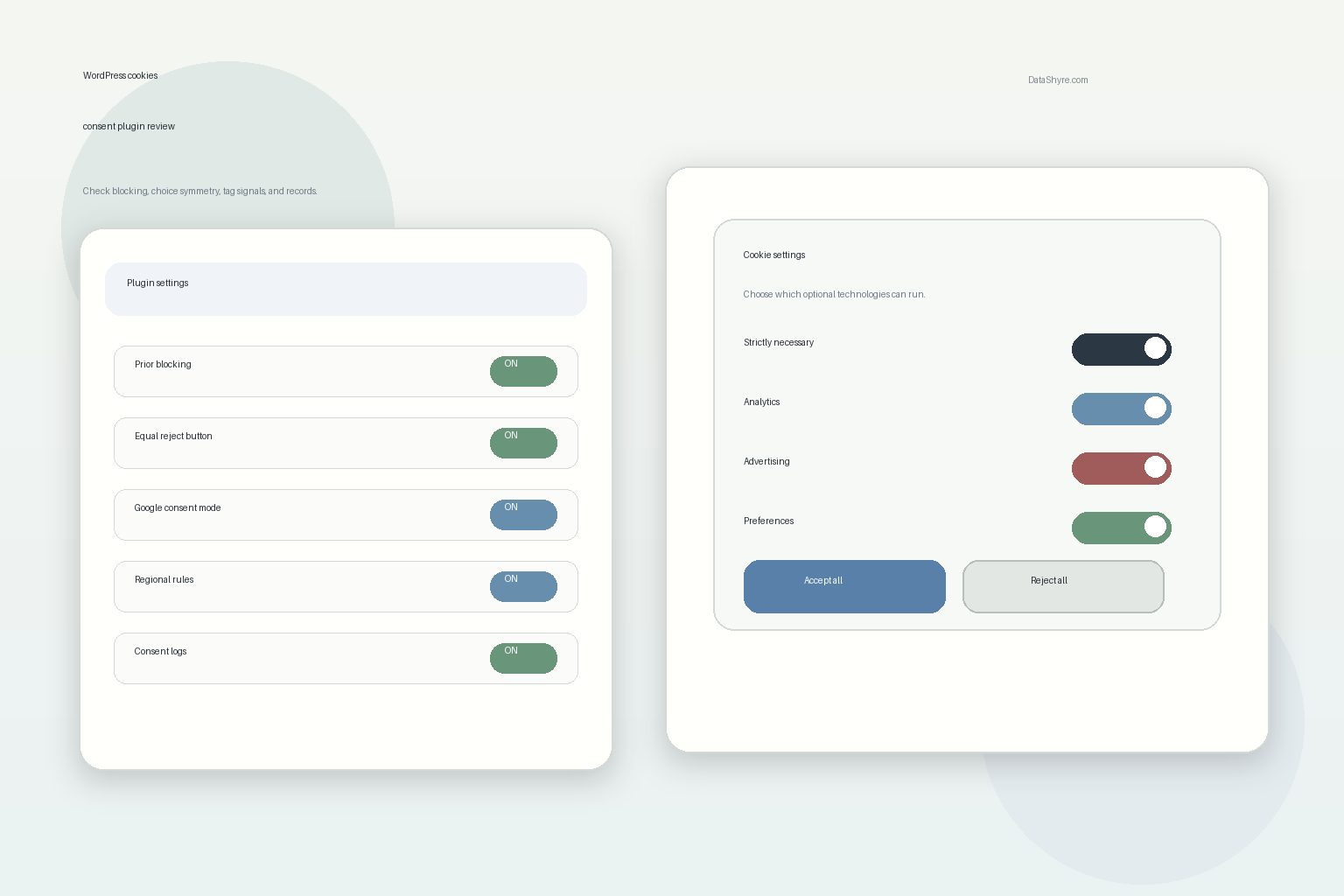
What a wordpress cookies consent plugin has to control now
The visible banner is only the front layer.
Behind it, a serious wordpress cookies consent plugin usually has to coordinate:
- theme-level scripts;
- plugins that inject tracking or embeds;
- GTM or direct Google tagging;
- analytics and advertising tools;
- later preference changes and withdrawals;
- regional logic, including California opt-out handling where relevant;
- consent records that still make sense months later.
That is why plugin reviews should focus on behavior, not feature tables. A plugin can claim compliance because it has categories, a scanner, and a settings page. If optional technologies still load before a user chooses, or if the system cannot prove what happened after a withdrawal, the setup is weaker than it looks.
The ICO’s 2026 guidance sharpens that point. It is not limited to classic browser cookies. It also covers tracking pixels, link decoration and navigational tracking, device fingerprinting, web storage, and scripts or tags. On WordPress, that matters because tracking often arrives from several components at once.
6 checks before you trust a wordpress cookies consent plugin
1. Test prior blocking on the pages that actually matter
This is the first check because it exposes the fastest gap between banner design and live behavior.
Open a clean session and test the real pages:
- homepage;
- landing pages;
- pages with video or maps;
- ecommerce or lead-gen templates;
- any page with tag-manager-driven marketing tools.
If optional analytics, ad pixels, chat widgets, or embedded third-party tools load before a choice is made in regions where prior consent is required, the plugin is not doing the core job well enough.
2. Make refusal as easy as acceptance
CNIL put the principle plainly in its notice about dark patterns in cookie banners:
“Rejecting cookies should be just as easy as accepting them.”
>
CNIL
That is one of the fastest filters for a weak wordpress cookies consent plugin. If Reject all is hidden behind a second layer, softened into a low-contrast link, or materially harder to use on mobile, the interface is steering the choice instead of collecting it fairly.
3. Follow the choice into Google tags and measurement tools
For many WordPress sites, the plugin is only one part of the consent path. The real question is whether the user’s choice reaches the tools that collect or act on data.
Google’s current consent-mode guidance for websites says implementations need to set a default consent state and then update it based on user interaction. It also says consent updates should be tracked on the page where they occur before any page transition. In practice, that means a WordPress plugin should not just save a setting in its own interface. It should help ensure the rest of the stack receives the right consent states early enough to matter.
If the site uses GTM, GA4, Google Ads, or publisher advertising tools, verify the live signal path instead of assuming the integration works because the plugin says it supports Google.
4. Separate EU and UK consent logic from California opt-out logic
One banner does not always mean one rule.
In the EU and UK, the operational question is often whether non-essential technologies stay blocked until valid consent exists. In California, the review often shifts toward opt-out handling where sale or sharing is in scope. The California Department of Justice says a user-enabled Global Privacy Control must be honored by covered businesses as a valid request to stop the sale or sharing of personal information. The CPPA’s current CCPA updates also became effective on January 1, 2026.
For a wordpress cookies consent plugin, that means you should verify:
- opt-in behavior where prior consent is required;
- opt-out behavior where sale or sharing is relevant;
- recognition of Global Privacy Control where applicable;
- whether region-specific copy and technical behavior stay aligned.
5. Check whether withdrawal actually changes behavior
The European Commission keeps the usability test simple:
“It should be as easy to withdraw as to give consent.”
>
European Commission
This is where a lot of plugin installs look complete until you test them.
Accept optional categories. Reopen the controls later. Withdraw or narrow the preference. Then inspect what the site does next. If analytics, advertising, or embedded third-party behavior keeps running as if nothing changed, the plugin may be collecting preferences without enforcing them.
6. Re-test after caching, optimization, and plugin changes
This is the WordPress-specific trap that generic privacy explainers often miss.
Caching plugins, script optimizers, CDN tools, page builders, consent-mode templates, video plugins, and marketing embeds can all change load order. A setup that behaves correctly on day one can drift quietly after a plugin update or performance tweak. That is one reason the WP Consent API conversation matters: coordination across plugins is still messy, so ownership cannot stop at install day.
Treat the plugin as one moving part in a changing WordPress system, not as a permanent fix.
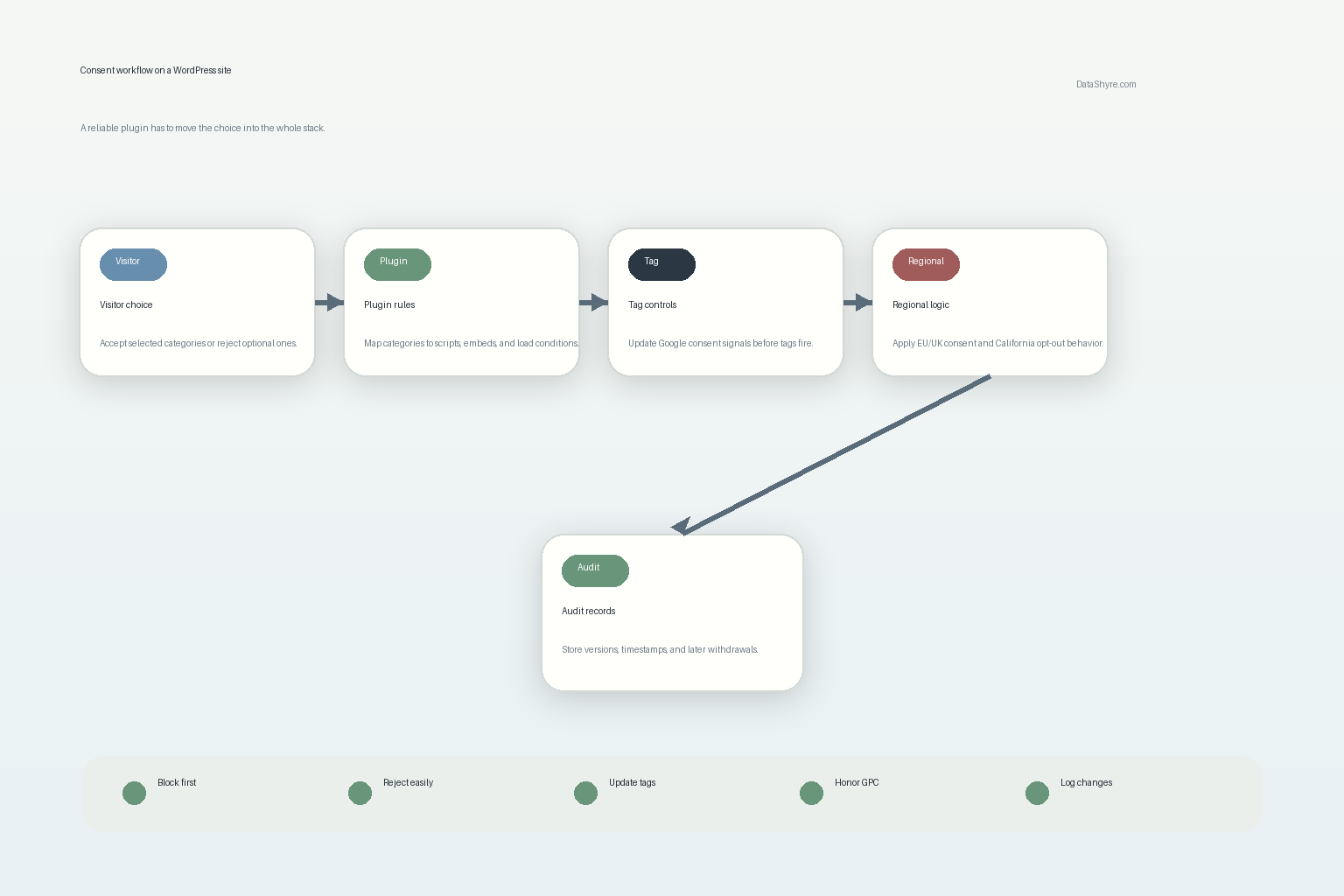
A quick review sequence I would use this week
If I were reviewing a wordpress cookies consent plugin right now, I would do this in order:
- Open the live site in a clean browser session.
- Check what loads before any interaction on key templates.
- Use
Reject alland confirm optional technologies stay blocked where they should. - Accept only selected categories and watch whether downstream behavior changes.
- Reopen preferences and test withdrawal on the same site visit.
- Test any California-facing path for GPC or sale/share opt-out handling where relevant.
- Repeat the test with caching, optimization, and common plugin layers enabled.
- Review the stored records and decide whether someone outside the implementation team could understand them later.
That sequence is short, but it usually surfaces real weakness faster than long product-comparison tables.
Common mistakes
The same problems keep showing up:
- evaluating the plugin mainly on banner appearance;
- assuming script blocking works automatically after install;
- testing only the homepage;
- skipping withdrawal tests;
- treating California like a copy of the EU flow;
- failing to re-test after plugin, theme, or performance changes;
- keeping records that show a preference but not the live configuration behind it.
Those are not edge cases. They are the routine ways consent drift becomes visible later.
Bottom line
The right wordpress cookies consent plugin in 2026 is the one that turns a visitor’s choice into real WordPress behavior. It should block optional technologies where required, make refusal and withdrawal workable, pass consent states into the tools that matter, support regional logic without confusion, and leave behind evidence your team can trust later.
If a plugin cannot do those things on your real stack, it may still produce a polished banner. It just will not remove much operational risk.
Sources
- UK ICO: Final storage and access technologies guidance published
- UK ICO: Guidance on the use of storage and access technologies
- European Data Protection Board: EDPB requires Belgian DPA to handle the merits of NOYB cookie banner complaint
- CNIL: Dark Patterns in Cookie Banners: CNIL issues formal notice to website publishers
- WordPress Developer Resources: Privacy – Plugin Handbook
- Make WordPress Core: Let’s reconsider adopting the WP Consent API
- Google for Developers: Set up consent mode on websites
- Google Ad Manager Help: Google consent management requirements for serving ads in the EEA, the UK, and Switzerland
- California Department of Justice: Global Privacy Control
- California Privacy Protection Agency: CCPA Updates, Cybersecurity Audits, Risk Assessments, Automated Decisionmaking Technology, and Insurance Regulations
- European Commission: When is consent valid?
- European Commission: What if somebody withdraws their consent?
This post was updated on July 31, 2026 using current official regulator, platform, and WordPress guidance available at publication time.