Cookie Consent WordPress in 2026: 7 Checks Before Plugins, Tags, and Themes Go Live
DataShyre StaffAug 6, 2026
7 min read
Cookie Consent WordPress in 2026: 7 Checks Before Plugins, Tags, and Themes Go Live
If you are searching cookie consent wordpress on August 6, 2026, you are probably not looking for another generic banner tutorial. You are trying to work out whether a real WordPress site can hold back optional tracking, keep plugin behavior under control, pass consent states into Google tools, and stay credible after the next theme, cache, or plugin update.
That is still the right question. The official materials point in the same direction. The UK ICO’s final storage-and-access technologies guidance from April 29, 2026 is broader than old cookie-only explainers and expressly reaches scripts, pixels, fingerprinting, and similar technologies. The European Commission still says valid consent must be freely given, specific, informed, and unambiguous, and that withdrawal should be as easy as giving consent. WordPress’s own developer guidance is just as practical: privacy should be built in, not taped on after launch.
If you want the adjacent context first, start with our guides to WordPress cookie consent, cookie consent requirements, and website privacy checker. This article stays narrower. It is the seven-check review I would use before trusting cookie consent wordpress on a live site.
What cookie consent wordpress has to control now
The hard part about cookie consent wordpress is that consent rarely lives in one place.
The banner may come from a plugin, but the real behavior may be triggered by:
theme code;
analytics or ad scripts;
GTM or direct Google tags;
embeds from video, maps, chat, or forms;
plugin telemetry or third-party API calls;
caching, optimization, or script-deferral tools;
later preference changes that have to take effect immediately.
That is why a polished banner is not enough. The live review is what matters.
1. Separate the visible banner from the code paths it is supposed to control
This is the first distinction to get right because it decides whether the rest of the review is real or cosmetic.
WordPress’s Plugin Handbook says plugin authors should think through whether their plugin shares personal data with outside APIs or servers, whether it loads third-party JavaScript, tracking pixels, or iframes, and whether it stores data in the browser such as cookies or local storage. That means a cookie consent wordpress review has to start with an inventory, not a plugin settings page.
The useful question is not just “Which banner plugin did we install?” It is “Which scripts, embeds, SDKs, storage calls, and external requests does that consent layer actually govern?”
2. Treat plugin behavior before consent as a first-class risk
This is the most WordPress-specific trap in the whole topic.
WordPress.org’s detailed plugin guidelines say plugins may not contact external servers without “explicit and authorized consent.” That is a stronger operational signal than many site owners realize. Plenty of WordPress sites now rely on plugins that initialize remote assets, telemetry, embeds, analytics helpers, chat tools, marketing scripts, or dashboard services very early.
For cookie consent wordpress, that means you should review what each plugin does before the visitor chooses anything.
If that answer is vague, do not trust the plugin marketing page. Inspect the live page behavior and network activity instead.
3. Keep refusal as easy as acceptance
This remains one of the fastest checks for whether a consent setup is defensible.
CNIL still says “rejecting cookies should be just as easy as accepting them.” The European Commission’s consent materials stay aligned with that same direction because valid consent has to be freely given and easy to withdraw later.
So for cookie consent wordpress, the first layer should usually avoid:
burying Reject all in a second screen;
fading refusal into low-contrast text;
making mobile rejection harder than desktop rejection;
turning category switches on by default where prior consent is required.
Many WordPress banner plugins can be styled attractively. That is not the same thing as collecting fair consent.
4. Make sure Google receives the right consent state before measurement starts
This is where many banner installs quietly fail.
Google’s current consent mode guide still says you should set the default consent state before a user grants consent, then update the state based on the user’s interaction. Google also says those updates should be tracked on the page where they happen before any page transition.
On WordPress, that matters because consent timing can be distorted by:
GTM containers loading earlier than expected;
tag injections from themes or page builders;
deferred script settings;
performance plugins changing load order;
consent plugins updating state too late.
So a serious cookie consent wordpress review checks what Google tags actually receive in runtime, not what the banner claims in marketing copy.
5. Use WordPress privacy tooling as a disclosure floor, not as the whole solution
WordPress gives developers privacy-oriented helpers, but they are not a complete consent system on their own.
The Plugin Handbook tells developers to use wp_add_privacy_policy_content() to disclose things like third-party data sharing, SDK behavior, remote servers, telemetry, and browser storage. That is useful because it forces cleaner disclosure. But disclosure alone does not prove compliant runtime behavior.
For cookie consent wordpress, that means:
privacy-policy helpers can improve transparency;
plugin readmes can explain data practices;
suggested privacy text can help site owners document features;
none of that replaces blocking, signaling, or preference enforcement on the live site.
A WordPress site can have a polished privacy policy and still fire optional tools too early.
6. Keep California handling separate from EU and UK opt-in logic
Global sites often flatten everything into one banner. That is usually where the legal logic gets sloppy.
California’s Department of Justice still describes Global Privacy Control as a “stop selling or sharing my data switch” and says covered businesses must honor it as a valid consumer request. The CPPA’s laws-and-regulations page also shows both the California Consumer Privacy Act and the CCPA Regulations as effective on January 1, 2026.
That matters because cookie consent wordpress work is not always one single regional workflow.
For EU and UK traffic, the practical question is often whether non-essential technologies stay off until valid consent exists. For California, the key operational review often shifts toward notice, opt-out, and whether sale-or-sharing flows actually stop when a valid signal arrives.
If the site serves both audiences, test both paths on purpose.
7. Re-test after every meaningful WordPress change
This is the check that keeps an apparently good setup from drifting into a broken one.
WordPress sites change often. A new form plugin gets added. A cache plugin rewrites script order. Marketing drops a new embed into a page builder. A theme update moves code. A performance tweak delays or advances the wrong script.
The banner may still look exactly the same while the stack under it changes.
That is why the right cookie consent wordpress process is not a one-time install. It is a repeatable release check tied to:
plugin additions or updates;
theme or page-builder changes;
cache or optimization changes;
new analytics, ad, or embed tools;
regional privacy requirement changes;
new QA runs on mobile and desktop.
A short review sequence before you publish
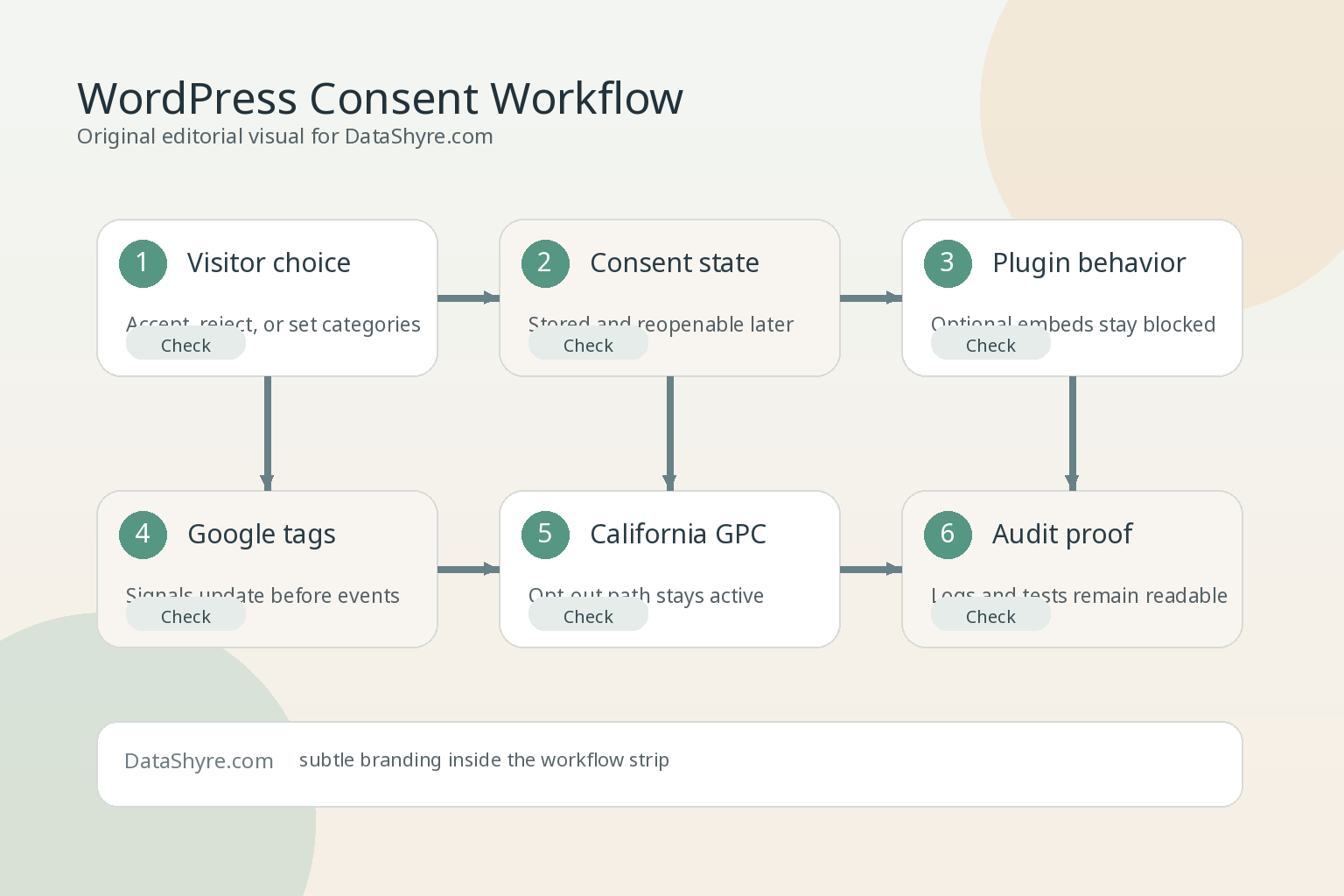
If I were validating cookie consent wordpress this week, I would use this order:
List every plugin, script, embed, and third-party service that can store or access data.
Check what fires before any visitor interaction on the homepage and key templates.
Verify that Reject all is as easy to use as Accept all.
Confirm Google tags receive the right default and updated consent states at the right moment.
Test whether plugin-controlled features, embeds, and remote calls actually stay off when they should.
Run a separate California flow with GPC enabled if sale or sharing could be in scope.
Repeat the whole test after caching, optimization, or plugin changes.
That is a better launch filter than comparing banner screenshots.
Bottom line
The right way to think about cookie consent wordpress in 2026 is not as a banner choice. It is as a control problem.
If your WordPress setup can identify which plugins and scripts need governance, keep refusal genuinely usable, send the right signals into Google tooling at the right time, support California opt-out handling where relevant, and survive routine site changes, you are in much stronger shape. If it cannot do those things, the banner may be finished while the consent system is not.
This post was updated on August 6, 2026 using current official regulator, government, Google, and WordPress developer materials available at publication time.