Website Privacy Checker in 2026: 7 Things It Should Actually Check
DataShyre StaffAug 5, 2026
8 min read
Website Privacy Checker in 2026: 7 Things It Should Actually Check
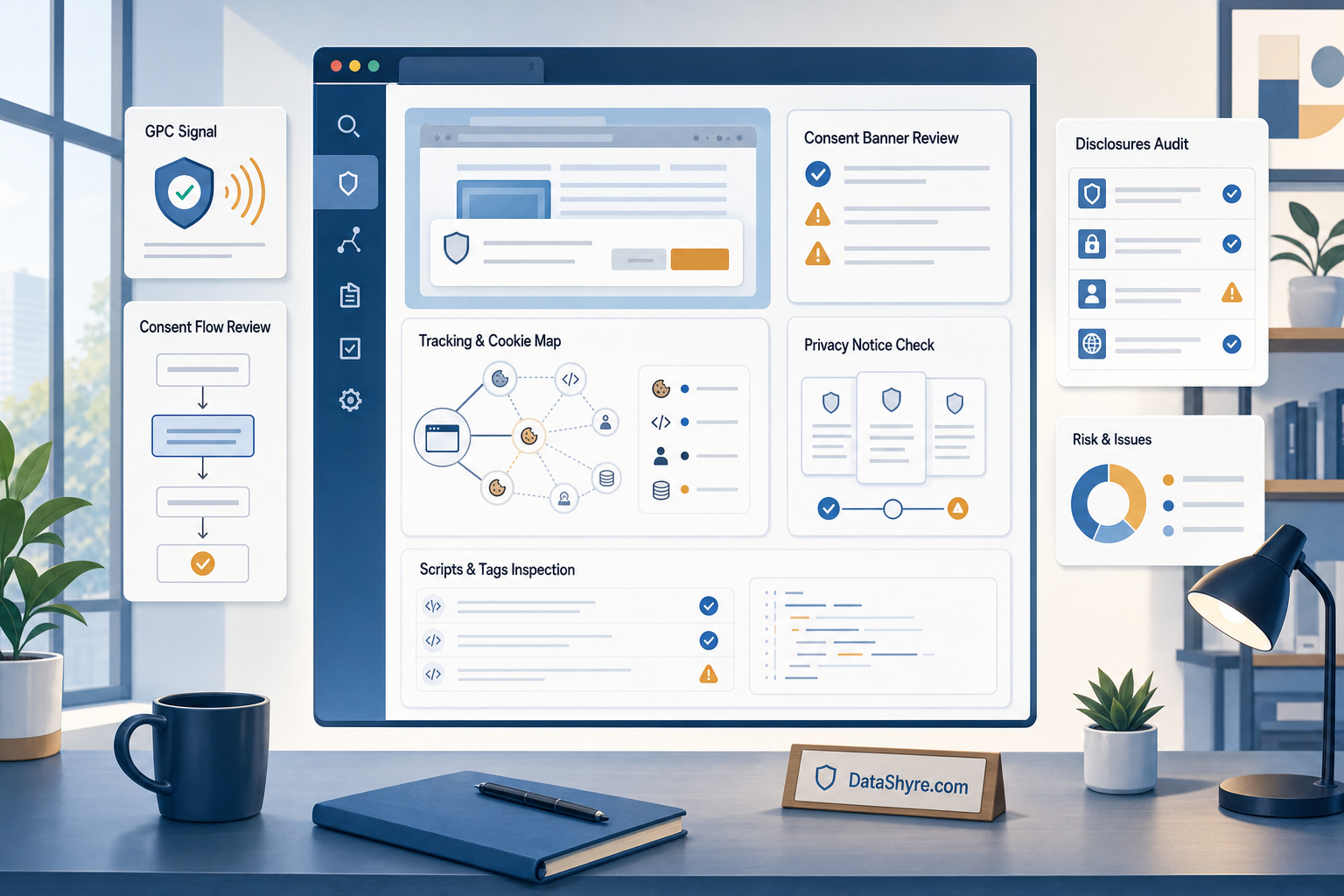
If you are searching for a website privacy checker on August 5, 2026, the useful question is not whether a tool can dump out a cookie list. It is whether it can show what your site actually does before and after consent, what it discloses, which third parties receive data, and where the real gaps are likely to sit.
That is the right frame because the official guidance is broader than a simple cookie inventory now. The ICO’s final April 29, 2026 guidance on storage and access technologies covers cookies, tracking pixels, link decoration, device fingerprinting, web storage, and scripts or tags. California’s DOJ still says a user-enabled Global Privacy Control can operate as a valid online opt-out method and describes it as a “stop selling or sharing my data switch.” The European Commission’s GDPR principles still say processing must be lawful and transparent and that the purpose must be identified to the person. CNIL’s current cookie-banner notice also still says rejecting cookies should be as easy as accepting them.
If you want the surrounding context first, start with our guides to cookie consent banner, GDPR compliant privacy notice, and California consumer privacy. This article is narrower. It is the review I would run before trusting a website privacy checker in production.
Why the keyword matters more now
The market still contains a lot of tools that present themselves as privacy scanners while mostly doing one narrow thing: enumerating browser cookies on one page.
That can still be useful, but it is not enough for a serious website privacy checker in 2026.
The live enforcement picture keeps pushing teams toward behavior, not appearance. California’s public Sephora enforcement summary still says the state alleged Sephora failed to disclose sale of personal information and failed to process user opt-out requests sent through global privacy controls. European and UK guidance also keeps emphasizing transparency, meaningful choice, and accurate disclosures. So a checker that only tells you a banner exists, or that only lists first-party cookies, may leave out the exact issues regulators care about.
7 things a website privacy checker should actually check
1. It should find more than cookies
This is the first filter.
The ICO’s current guidance is useful because it no longer treats the problem as “cookies only.” It explicitly addresses tracking pixels, link decoration and navigational tracking, device fingerprinting, web storage, and scripts or tags.
So a website privacy checker that reports only cookie names is not really checking the full privacy surface. At minimum, it should help you identify:
client-side scripts that load before consent;
tracking requests to third parties;
browser storage behavior beyond cookies;
embedded tools that initialize early;
fingerprinting or identifier-like behavior where observable.
If the tool sees only the easiest artifact, it will miss how tracking actually enters the page.
2. It should show what fires before the user chooses
A lot of weak tools can tell you what exists on a page. Fewer can tell you what activates before the visitor has made a choice.
That difference matters because, in the UK and Europe, the real compliance question is often timing. If optional analytics, advertising, or personalization technologies activate before consent where prior consent is required, the privacy issue exists even if the banner copy looks polished.
For a practical website privacy checker, I would expect clear evidence of:
network calls made before consent;
cookies or local storage entries written before choice;
scripts injected before the banner is acted on;
differences between Reject all, Accept all, and granular settings.
Without that timeline, the tool is giving you inventory, not behavior.
3. It should flag obvious banner and dark-pattern risk
A strong checker should not stop at script behavior. It should also help you review whether the interface that asks for consent is pushing the user unfairly.
CNIL’s current notice says rejecting cookies should be just as easy as accepting them, and that banner information must be clear and complete. It also lists concrete risk patterns such as a reject option hidden in a low-emphasis link or embedded so deeply in the text that it is not readily apparent.
For a website privacy checker, that means the tool should at least help surface issues like:
no Reject all on the first layer;
a reject path hidden behind extra friction;
banner copy that explains acceptance but not refusal;
low-visibility reject controls compared with acceptance controls.
No scanner can fully replace human judgment here, but a checker that ignores banner structure altogether is leaving out a meaningful part of current privacy risk.
4. It should compare live behavior with your notice and disclosure claims
This is where privacy checkers become much more useful.
The European Commission’s current GDPR guidance still says the purpose for processing personal data must be known and that the person must be informed about it. It also says:
“It is not possible to simply indicate that personal data will be collected and processed.”
>
European Commission
That line is a good test for a website privacy checker. The tool should help you compare what your pages actually do with what your privacy notice, cookie table, or consent text says they do.
Examples:
the notice says basic analytics only, but the page also loads advertising partners;
the banner describes preferences and measurement, but session-replay or marketing tools initialize;
the cookie table names one vendor, but the network trace shows several more;
the form notice describes one purpose, but downstream scripts suggest broader use.
A checker that helps reveal that drift is doing real work.
5. It should test California opt-out behavior, including GPC
If your site serves California users and may be selling or sharing personal information, a modern website privacy checker should not ignore opt-out signals.
The California DOJ’s current GPC page says that for businesses collecting personal information online, one acceptable opt-out method is a user-enabled Global Privacy Control. The same page says covered businesses must honor it as a valid request to stop sale or sharing.
That means a useful checker should help answer questions like:
does the site detect a GPC signal;
what changes when the signal is present;
do third-party calls or ad-tech behavior change accordingly;
is the privacy or opt-out experience consistent across relevant pages.
California’s Sephora enforcement summary is still the cleanest reminder of why this matters. The state says Sephora failed to process opt-out requests via user-enabled global privacy controls and had to clarify disclosures and provide mechanisms that complied with the law.
6. It should leave behind evidence you can review later
The value of a checker drops fast if the output cannot be re-used.
The ICO’s 2026 guidance does not just address consent mechanisms. It also includes dedicated sections on audits and on keeping records of user preferences. That is a useful signal that operational proof still matters.
So a serious website privacy checker should preserve evidence such as:
the page tested and the time tested;
browser or region state used for the scan;
screenshots of the banner and settings layer;
cookies, storage items, requests, and scripts found;
differences across consent states;
a format your team can compare over time.
If you cannot trace what the tool saw on a specific date, it becomes much harder to use the results for remediation, re-testing, or internal sign-off.
7. It should be honest about what it cannot prove
This is the part good vendors sometimes understate.
A website privacy checker can help you find real privacy defects. It cannot, by itself, prove full legal compliance.
For example, a scanner usually cannot confirm:
whether the lawful basis you chose is correct;
whether controller, processor, or service-provider contracts are aligned;
whether retention periods in the notice match the real back-end process;
whether downstream partners fully stop processing after an opt-out;
whether a business line triggers separate duties such as data-broker workflows.
Use the checker as an operational diagnostic layer. Do not confuse it with a legal opinion or a full governance review.
A short review sequence for this week
If I were validating a website privacy checker right now, I would do it in this order:
Scan the homepage plus any form, login, checkout, account, and embedded-media pages that behave differently.
Test a clean browser state before consent, after Reject all, and after Accept all.
Compare the observed scripts, requests, and vendors with the banner text, cookie table, and privacy notice.
Test whether California opt-out handling, including GPC where relevant, changes the page behavior you would expect it to change.
Save the evidence and assign fixes to the teams that own the affected page, tag, vendor, or notice.
That sequence usually tells you more than a giant undifferentiated scan report does.
Bottom line
The right website privacy checker in 2026 is not the one with the prettiest dashboard. It is the one that helps you inspect real behavior: what fires before choice, whether the banner is fair, whether the notice matches the page, whether California opt-out signals are honored, and whether you have evidence when something changes later.
If the tool only counts cookies, ignores third-party scripts, skips GPC, or cannot compare live behavior with disclosures, it is probably too shallow for the questions privacy teams now actually have to answer.