

Cookie Consent Google Tag Manager Sonsent: How to Fix GTM Consent Timing in 2026
If you are searching cookie consent google tag manager sonsent, you are probably not looking for theory. You are usually trying to solve a practical mess: the banner is live, Google Tag Manager is installed, and something still feels off. Tags fire too early. Consent does not update cleanly. Or your team is unsure whether the stack actually respects rejection.
The search term itself looks like a typo for “consent,” but the underlying problem is real. In 2026, this is less about banner copy and more about execution. Google’s current consent documentation says default consent must be set before tags use consent, and the UK ICO has kept pressure on cookie controls as part of its broader tracking guidance. If your GTM setup is late, partial, or loosely mapped, the banner can look compliant while the tag layer says otherwise.
If you need broader context first, start with our Google Tag Manager cookie consent setup guide, our cookie consent Google Tag Manager checklist, and our cookie consent manager guide. This article is narrower. It is a debugging guide for teams trying to fix consent timing and proof.
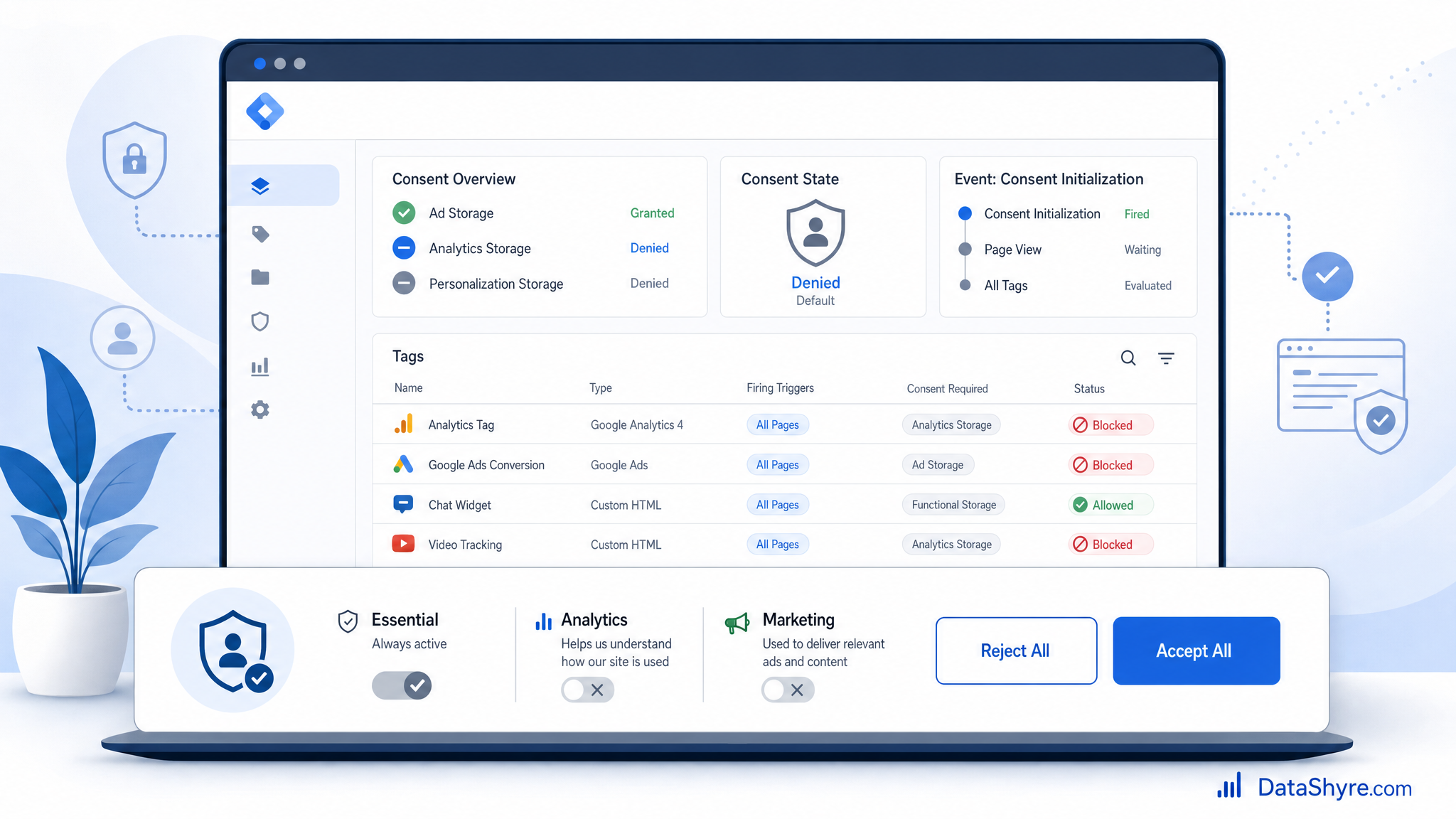
Why this is still getting scrutiny
On April 29, 2026, the ICO finalized its guidance on storage and access technologies, covering cookies, tracking pixels, device fingerprinting, web storage, and scripts or tags. In the launch announcement, William Malcolm said organizations want “clear, practical guidance they can rely on.” That matters because GTM is often the place where a site’s stated choice and its actual tracking behavior either line up or break apart.
The enforcement mood is still active too. On July 14, 2026, the European Data Protection Board said the Belgian DPA must assess the merits of a complaint about cookie banners on Belgian broadcaster VRT’s website, rather than dismissing it on procedural grounds. That is a useful reminder: banner design questions still become regulator questions when the implementation is weak.
The older ICO line from John Edwards still holds up because it is operational, not rhetorical. It must be “just as easy to reject all non-essential cookies” as it is to accept them. In GTM terms, that means rejection has to propagate through defaults, updates, triggers, and storage behavior. A reject button that leaves ad or analytics logic alive is not much of a reject button.
If you’re searching cookie consent google tag manager sonsent, check these five things first
1. Make sure default consent is set before any tag can use consent
This is the first failure to rule out because it creates every other false positive. Google’s current guidance says the site needs to set default consent before any commands that send measurement data. In Tag Manager support docs, Google says the Consent Initialization trigger always fires before all other tags, including Initialization triggers.
If your CMP template or custom consent tag is not firing on Consent Initialization, fix that before you tweak anything else. A late default means Google tags can behave as if consent mode is not in use at all.
2. Use Tag Manager consent APIs, not a late custom HTML patch
Google’s developer guidance for GTM points implementers to setDefaultConsentState and updateConsentState. It also warns against using gtag('consent', 'update', ...) as a substitute inside Tag Manager because queued gtag commands may not be processed before the next event begins.
This is where many broken builds hide. Someone added a custom HTML workaround, it seemed good enough in preview, and nobody noticed that an earlier event already evaluated consent. If your build still depends on custom HTML for consent state management, move that logic into a proper template or CMP integration.
3. Confirm all four consent mode v2 signals are present
Do not stop at ad_storage and analytics_storage. Google’s current setup and debugging docs still expect four practical checks:
ad_storageanalytics_storagead_user_dataad_personalization
Missing one of these can leave the team believing consent is wired correctly when only part of the signal set is actually updating.
4. Test the reject flow as seriously as the accept flow
The easiest path in most launches is still “accept all.” That is also the least informative test. Google’s Tag Assistant troubleshooting guide tells teams to inspect the earliest Consent event for defaults and the most recent Consent event for updates. Use that flow on three scenarios:
- First visit before any choice
- Explicit reject
- Explicit accept
The question is simple: what was the on-page default, what was the on-page update, and did any Google tag fire before the correct state was in place? If you cannot answer that from Tag Assistant in a few minutes, the implementation is not ready.

5. Replace or isolate legacy tags before you unblock anything
Google’s current Tag Manager help is blunt here: only unblock tags that support consent mode. If you exempt Google tags from CMP blocking or adjust autoblocking rules, you need to know whether every affected tag actually honors consent mode. If a legacy tag does not support it, Google says you should replace it with a newer tag that does.
This matters during remediation because teams sometimes “fix” the banner by exempting tags too broadly. That can make preview mode look cleaner while weakening the actual privacy control underneath.
The pattern behind most GTM consent failures
Most broken implementations are not broken in one dramatic place. They fail across timing. The banner loads asynchronously. The default is written too late. The reject path updates only some signals. A legacy marketing tag bypasses the consent-aware path. Then the team reviews screenshots instead of network behavior and thinks the job is finished.
That is why this search term is really a debugging term. People searching it are often trying to reconcile three different systems at once:
- the legal promise made by the banner
- the CMP’s category mapping
- the way GTM actually evaluates and fires tags
When those three parts agree, consent operations get much easier. When they drift, every audit becomes slower.
A practical 2026 fix sequence
If I were reviewing a live deployment this week, I would do it in this order:
- Inventory all Google and non-Google tags that depend on consent.
- Confirm the consent-writing tag fires on Consent Initialization.
- Verify the four consent signals are set to defaults before any relevant tag can fire.
- Trigger reject and accept paths and inspect the earliest and latest Consent events in Tag Assistant.
- Remove or replace any legacy tag that does not support consent mode cleanly.
- Re-test with the banner reopened to confirm withdrawal and later changes still update correctly.
That order sounds boring. Good. Boring is what you want here. The expensive version of this work is chasing edge cases before you have proved the default timing.
Bottom line
The exact phrase is awkward, but the problem behind it is common. Cookie consent google tag manager sonsent usually means a team is trying to prove that consent state loads early, updates correctly, and holds when a visitor says no. If you fix defaults first, test rejection seriously, and remove any legacy tag that ignores consent mode, you get much closer to a setup that stands up both technically and operationally.
Sources
- Google for Developers
- Google Tag Manager Help
- UK Information Commissioner’s Office
- European Data Protection Board