

Cookie Consent for WordPress in 2026: 7 Checks Before You Publish
If you are searching cookie consent for wordpress in 2026, the useful question is not just which plugin gives you a banner fastest. It is whether your WordPress site can keep optional tracking off until the right moment, pass the visitor’s choice into tags and embeds correctly, and stay trustworthy after the next plugin, cache, or theme update.
That is the real bar now. The UK’s ICO finalized its storage-and-access-technologies guidance on April 29, 2026, and that guidance reaches beyond old cookie-only checklists into pixels, scripts, fingerprinting, and similar technologies. WordPress’s own developer guidance still says “Privacy should be the default setting.” Google’s current consent guidance still depends on setting denied defaults early and updating them immediately after a visitor acts.
If you want nearby context first, start with our guides to cookie consent WordPress, cookie consent requirements, and cookie consent Google Tag Manager. This page is narrower. It is the live review I would run this week for cookie consent for wordpress on a real production build.

1. Inventory every place WordPress can store or access data
The first mistake in cookie consent for wordpress is treating consent as a banner-only problem.
On a real site, storage or access behavior can come from:
- the consent plugin itself;
- theme code and custom snippets;
- Google Tag Manager or direct tag installs;
- analytics, ad-tech, and heatmap plugins;
- chat, video, map, and form embeds;
- optimization or caching tools that change load order.
WordPress’s privacy guidance is still the right mindset here: default toward privacy first, then verify what each plugin or integration actually does. If your team cannot quickly name what writes cookies, local storage, or remote requests before a user clicks, the banner is not your biggest issue. Unknown behavior is.
2. Test plugin and embed behavior before consent, not after the sales demo
The WordPress plugin guidelines still say plugins may not contact external servers without “explicit and authorized consent.”
That matters because cookie consent for wordpress often breaks through ordinary convenience features. A form plugin loads a remote script. A video embed sets identifiers early. A chat widget calls home on first render. A page builder block pulls third-party assets before the CMP has a chance to set defaults.
So the practical review is simple:
- open the homepage in a fresh session;
- open at least one page with embeds or marketing tooling;
- watch network requests and storage before the banner is used;
- confirm optional tools stay quiet until the relevant choice exists.
If the plugin setting says consent-ready but the browser trace says otherwise, trust the trace.
3. Make refusal as easy as acceptance on the first layer
This is still one of the fastest ways to spot a weak setup.
For prior-consent regions, the European Commission’s guidance still ties consent to clear language, specific purposes, and easy withdrawal. CNIL’s current enforcement position is still the sharpest design test: refusing cookies should be as easy as accepting them.
For cookie consent for wordpress, that usually means checking whether:
Reject allappears on the first layer where it should;Customizedoes not become the only realistic way to say no;- purpose labels are specific enough to distinguish analytics from advertising;
- optional categories start off, not on.
This is where many WordPress sites fail even when the plugin itself is technically capable. The defaults are often fine; the chosen template or configuration is not.
4. Make Google consent signals match the banner promise
Many WordPress builds fail at timing rather than wording.
Google’s current setup guide says you need to set default consent states and update them based on user interaction. Its troubleshooting guidance is even more direct: the order of consent code is vital, denied defaults should be in place before tags use consent, and Tag Manager setups should fire other tags only after consent is initialized.
That makes cookie consent for wordpress partly a sequencing audit:
- do denied defaults land before optional Google tags run;
- does accept update all relevant consent signals;
- does reject keep them denied;
- do later page views preserve the same state;
- do non-Google tags and embeds obey the same choice.
If the banner says Reject all but analytics or advertising still wake up first, the WordPress implementation is not finished.
5. Run the California branch separately when sale or sharing is relevant
WordPress teams often flatten every privacy rule into one banner workflow. That is where a lot of confusion starts.
For EU and UK traffic, the live question is often whether optional technologies stay off until valid consent exists. For California, the official question can shift toward whether the business honors opt-out rights properly when it sells or shares personal information.
The California DOJ’s current materials still say businesses must honor Global Privacy Control where it counts, and the DOJ still describes GPC as a “stop selling or sharing my data switch.”
So if your cookie consent for wordpress setup touches remarketing, audience sharing, or ad-tech, test a California branch on purpose:
- enable GPC in the browser;
- load the site fresh;
- confirm sale-or-sharing related behavior changes as expected;
- confirm the privacy notice and on-site controls describe the same logic.
One polished banner does not automatically satisfy both prior-consent and opt-out branches.
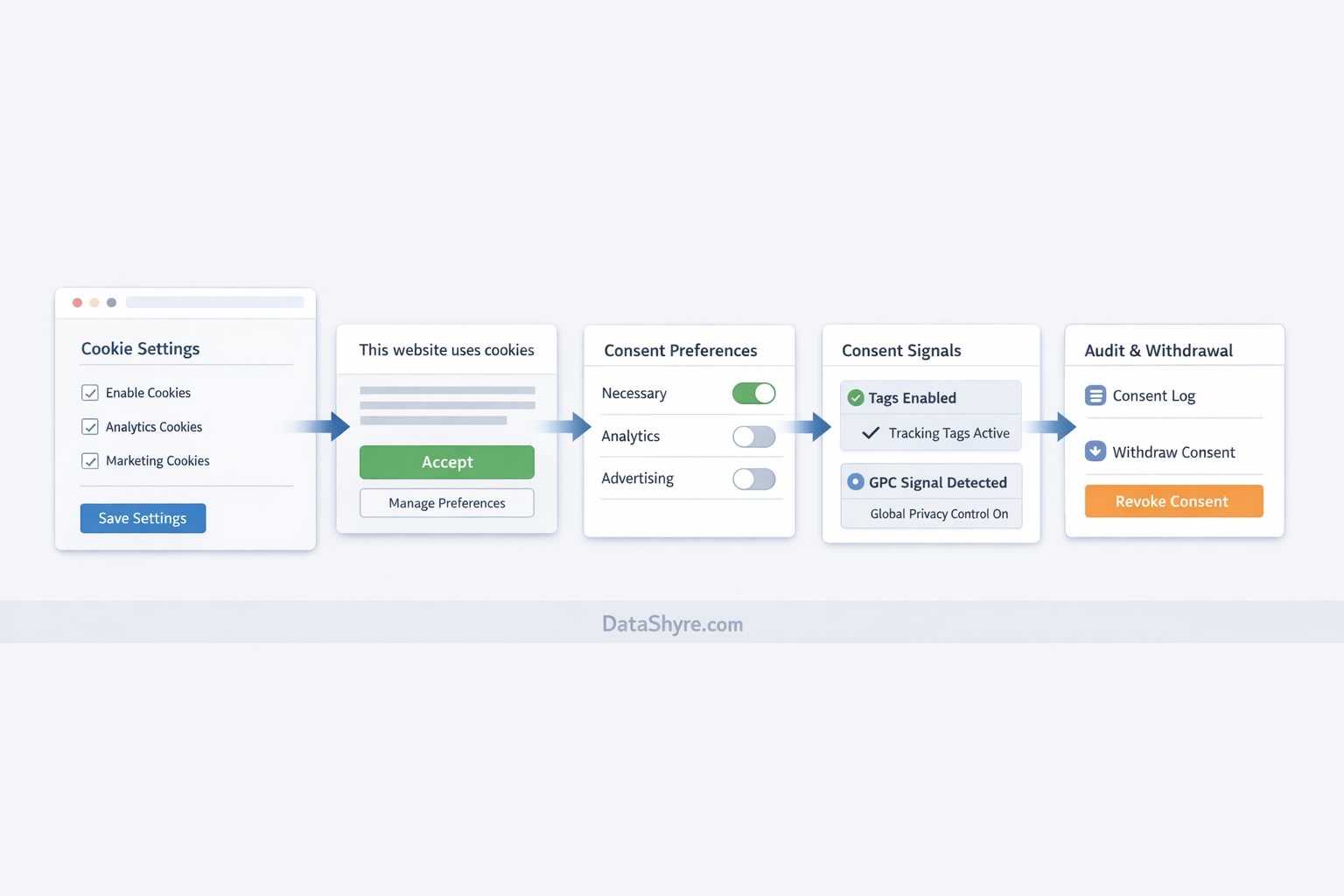
6. Keep withdrawal easy after the banner closes
Good cookie consent for wordpress does not end when the first layer disappears.
The European Commission still says withdrawing consent should be as easy as giving it. On WordPress, that means visitors need a clear route back into their settings later, not a hidden support path or a buried legal page.
The easy checks are:
- a visible footer or floating settings link;
- a preference center that reflects the current state accurately;
- policy text that matches the categories the site actually uses;
- a change that takes effect after withdrawal, not only after a full reset.
This is where a lot of installs become decorative. The banner works once, but the later control is awkward, unclear, or disconnected from runtime behavior.
7. Re-test after plugin, theme, and cache changes
This is the part that turns a one-time setup into a real operating control.
WordPress sites change constantly. A plugin updates. A performance tool rewrites script order. A marketer adds a new embed. A theme change moves code from the footer into the head. The consent UI may look identical while the underlying behavior drifts.
So for cookie consent for wordpress, I would treat these as automatic retest triggers:
- plugin additions or updates;
- theme, page-builder, or template changes;
- GTM, analytics, or ad-tech changes;
- caching, CDN, defer, or minification changes;
- new embeds, chat tools, maps, or media players.
That discipline matters more than a long plugin comparison table because runtime drift is where many WordPress consent setups actually break.
A short review sequence before launch
If I were reviewing cookie consent for wordpress this week, I would use this order:
- inventory every plugin, embed, and tag that can store or access data;
- test first load in a fresh browser session;
- verify refusal is as visible and easy as acceptance;
- confirm Google consent defaults and updates happen in the right order;
- test California GPC handling if sale or sharing could be in scope;
- verify withdrawal works later and changes runtime behavior;
- repeat after any meaningful site change.
That sequence will tell you more than the banner design alone.
Bottom line
The right way to think about cookie consent for wordpress in 2026 is as a live systems check, not a plugin checkbox.
If your WordPress build can inventory what matters, keep optional tools quiet until they should run, keep refusal and withdrawal genuinely usable, honor California signals where relevant, and survive ordinary site changes without breaking consent behavior, you are in much better shape. If it cannot, the banner may be finished while the consent system is not.
Sources
- WordPress Plugin Handbook, Privacy: https://developer.wordpress.org/plugins/privacy/
- WordPress Detailed Plugin Guidelines: https://developer.wordpress.org/plugins/wordpress-org/detailed-plugin-guidelines/
- European Commission, legal grounds for processing data: https://commission.europa.eu/law/law-topic/data-protection/information-business-and-organisations/legal-grounds-processing-data_en
- ICO, final storage and access technologies guidance announcement: https://ico.org.uk/about-the-ico/media-centre/news-and-blogs/2026/04/final-storage-and-access-technologies-guidance-published/
- ICO, guidance on the use of storage and access technologies: https://ico.org.uk/for-organisations/direct-marketing-and-privacy-and-electronic-communications/guidance-on-the-use-of-storage-and-access-technologies/
- CNIL, dark patterns in cookie banners formal notice: https://www.cnil.fr/en/dark-patterns-cookie-banners-cnil-issues-formal-notice-website-publishers
- Google for Developers, set up consent mode on websites: https://developers.google.com/tag-platform/security/guides/consent
- Google for Developers, troubleshoot consent mode with Tag Assistant: https://developers.google.com/tag-platform/security/guides/consent-debugging
- California DOJ, California Consumer Privacy Act: https://oag.ca.gov/privacy/ccpa
- California DOJ, Global Privacy Control: https://oag.ca.gov/privacy/ccpa/gpc
—
Published: October 14, 2026. Updated using current official WordPress developer, regulator, government, and platform materials available at publication time.