

ADA Compliant Website WordPress in 2026: 7 Live Checks Before You Call It Done
If you are searching for ada compliant website wordpress guidance on November 20, 2026, the main trap is treating accessibility like a plugin purchase instead of a live operating standard.
That is how teams get false confidence.
ADA.gov still says businesses open to the public must provide “full and equal enjoyment” of their goods and services to people with disabilities. Its general web guidance also says that page “does not reflect requirements for state and local governments” published later in the Federal Register, which matters because the Department of Justice’s 2026 interim final rule moved the Title II compliance dates to April 26, 2027 and April 26, 2028 depending on entity size. WordPress adds another useful reality check: it aims for WCAG alignment in its own ecosystem, but also says it “cannot guarantee that all Themes are compliant.” Its accessibility coding standards say WordPress code is “expected to conform to the Web Content Accessibility Guidelines (WCAG), version 2.2, at level AA.” And WCAG 2.2 itself keeps the scope honest by saying conformance applies to “full web page(s) only.”
That is the right frame for an ada compliant website wordpress review in late 2026.
The real question is not did we install an accessibility plugin.
It is can people actually use the live WordPress site, across the pages that matter, after the current theme, builder, forms, media, consent UI, and updates are all in play.
If you want the closest companion reads first, start with WordPress ADA compliance, ADA WordPress plugin, and accessibility testing automation. This page stays broader. It is the ada compliant website wordpress review I would use this week before calling a live site ready.
If your team needs help validating accessibility on the same pages where privacy choices, consent controls, and request forms live, DataShyre can help with implementation reviews, runtime checks, and remediation planning.
1. Judge the full WordPress page, not the plugin or theme sales page
The first ada compliant website wordpress mistake is reviewing the wrong thing.
Accessibility does not belong to one product tile in the plugin directory.
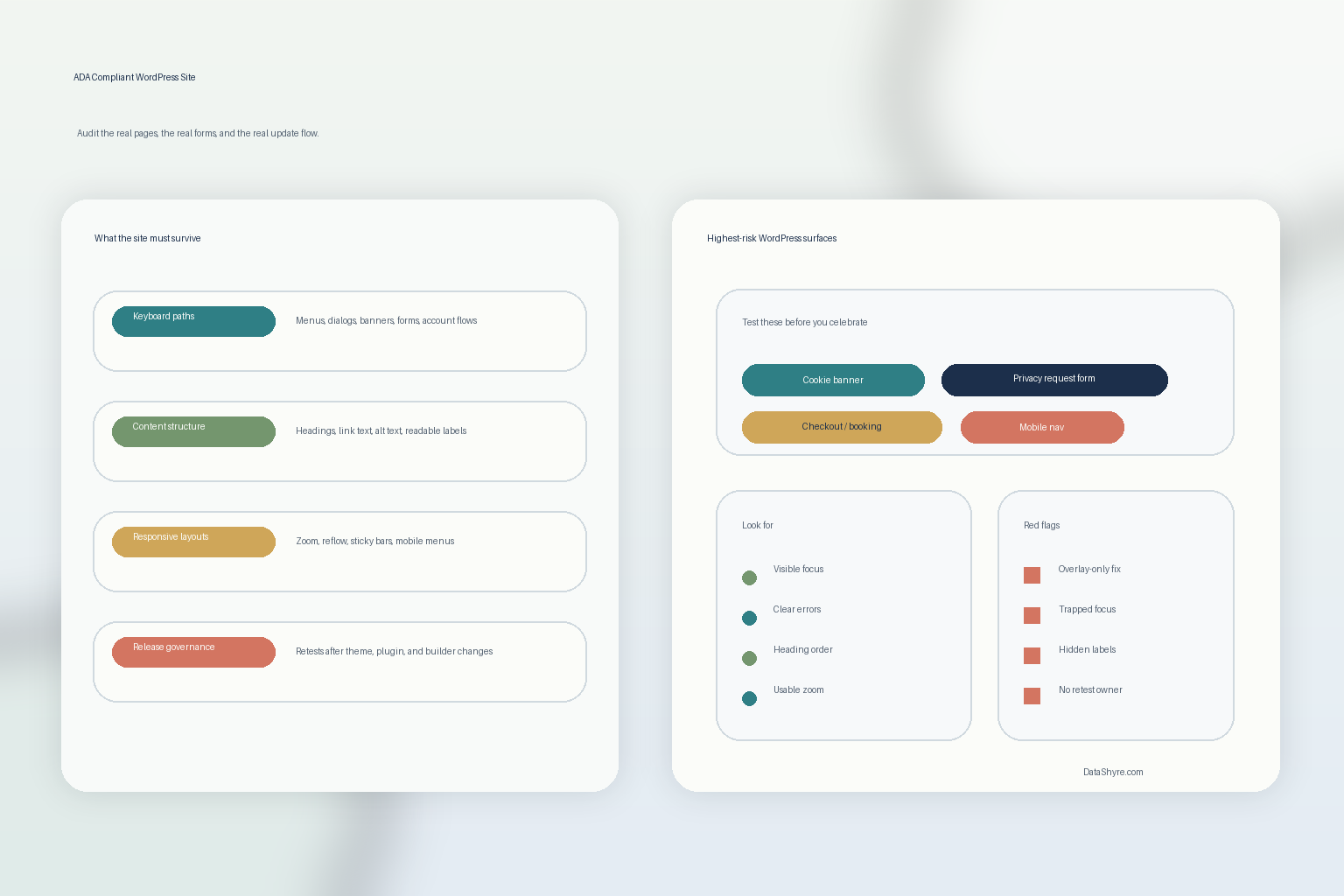
On a real site, the user experience usually depends on:
- the active theme;
- a page builder or block pattern;
- form plugins;
- commerce or booking plugins;
- popups, chat, video, or map embeds;
- cookie banners and preference centers;
- custom scripts and tracking tags.
WCAG 2.2 says conformance is about “full web page(s) only.” That means a polished demo or an accessibility badge does not prove the live page works once the full stack is loaded.
So before you call any ada compliant website wordpress project complete, pick the real templates that matter:
- homepage;
- nav-heavy interior pages;
- lead or support forms;
- checkout, booking, or account flows;
- privacy-rights or consent pages;
- blog or campaign pages with embeds.
That is where the truth usually shows up.
2. Test the keyboard path before you talk about compliance
This is still the fastest reality check.
ADA.gov’s web guidance highlights practical requirements like keyboard access, and WCAG 2.2 still expects functionality to work from a keyboard interface. So a serious ada compliant website wordpress review should test whether a user can move through the site without a mouse.
Check whether a visitor can:
- open and close menus;
- move through dropdowns and dialogs;
- dismiss or configure the cookie banner;
- reach every form field;
- submit the form and recover from errors;
- access the footer, help, privacy, and support links.
This is where a WordPress site often falls apart even when the layout looks polished. Focus can disappear inside a modal, tab order can become confusing after a builder update, or a popup can trap the user before they even reach the main content.
If the keyboard path breaks, the ada compliant website wordpress claim is already weaker than the homepage suggests.
3. Treat forms, consent UI, and account flows as your highest-risk pages
Many teams test the brochure pages first because they are the easiest pages to admire.
That is usually the wrong priority.
ADA.gov’s guidance keeps pointing back to usable forms and effective communication. On WordPress, the highest-risk pages are often the ones where a person has to take action:
- lead, support, and quote-request forms;
- newsletter signups;
- checkout or payment pages;
- account creation and password reset flows;
- cookie banners and preference centers;
- privacy-rights request forms.
This is also why the topic belongs on a consent/privacy site. Accessibility and privacy can fail on the same screen. If someone cannot reject optional tracking, re-open preferences, or submit a deletion request because the interface is unreachable or confusing, the site has both accessibility risk and compliance risk.
For an ada compliant website wordpress review, these interactive pages should be tested before any static marketing page.
4. Review content structure, not just theme code
An ada compliant website wordpress project can still fail even when the theme is decent.
That is because editors and marketers create accessibility issues too.
WordPress’s accessibility standards emphasize choices that help authors create better content, including semantic structure and alternatives for non-text content. In practice, the recurring problems usually look like this:
- headings skipped or flattened for visual style;
- vague link text like
click here; - images with weak or missing alt text;
- video or audio content with weak supporting text;
- reused blocks or forms with unclear instructions;
- tables and comparison grids that make visual sense but read badly with assistive tech.
If your publishing workflow keeps creating those mistakes, the site will drift away from an ada compliant website wordpress baseline no matter how good the initial build looked.
5. Check zoom, reflow, and mobile behavior on the real templates
WordPress accessibility problems are often easier to spot once the viewport changes.
The same page that feels tidy on a wide laptop can break once:
- text is resized;
- the viewport narrows;
- a sticky header appears;
- a consent layer overlaps content;
- a builder section reorders badly;
- focus outlines land off-screen or under another element.
This matters because many WordPress teams test on the desktop preview, approve the page, and only later discover that mobile menus, sliders, accordions, or cookie controls are harder to use at the point where real traffic arrives.
If you want an ada compliant website wordpress result, run the accessibility checks on the actual responsive layouts that users see, not only on the editor preview.
6. Be careful with overlays, widgets, and one-click claims
This is where accessibility marketing gets sloppy.
A widget or plugin may help with scanning, reporting, or a few user controls. But it does not automatically make the whole WordPress site accessible. WordPress itself says it “cannot guarantee that all Themes are compliant,” and that warning applies even more strongly once third-party plugins, forms, popups, and scripts are layered in.
That is why I would treat any ada compliant website wordpress promise as something to verify, not something to inherit.
Useful questions here are:
- what exact problems does the tool fix;
- what issues does it only flag;
- what issues remain in theme or custom code;
- whether the tool helps authors publish better content over time;
- whether the live pages pass manual checks after the tool is enabled.
If the site only looks accessible after a widget loads, or only passes an automated scan while core journeys still feel rough, the hard part is still unresolved.
7. Tie accessibility to release governance, especially if you are in the public sector
The longest-lasting ada compliant website wordpress mistake is drift.
The theme updates. The page builder changes markup. A marketer adds a popup. A plugin replaces a form. The cookie banner is redesigned.
And the site that looked acceptable last quarter quietly gets worse.
That is why public-sector teams should pay attention to the Department of Justice’s current Title II dates, now extended to April 26, 2027 for larger state and local government entities and April 26, 2028 for smaller public entities and special district governments. Private businesses do not get the same rule-based WordPress shortcut either; ADA.gov’s business guidance still points back to usable access and effective communication rather than a single plugin or badge.
So a stronger ada compliant website wordpress process includes:
- retesting after theme, plugin, or builder updates;
- retesting forms, checkout, and consent flows after campaigns launch;
- reviewing new images, embeds, and landing pages before publication;
- combining automated scans with manual checks;
- giving one team or owner responsibility for accessibility sign-off.
Without that discipline, the site may keep the language of accessibility while losing the reality.
A practical ADA compliant website WordPress review for this week
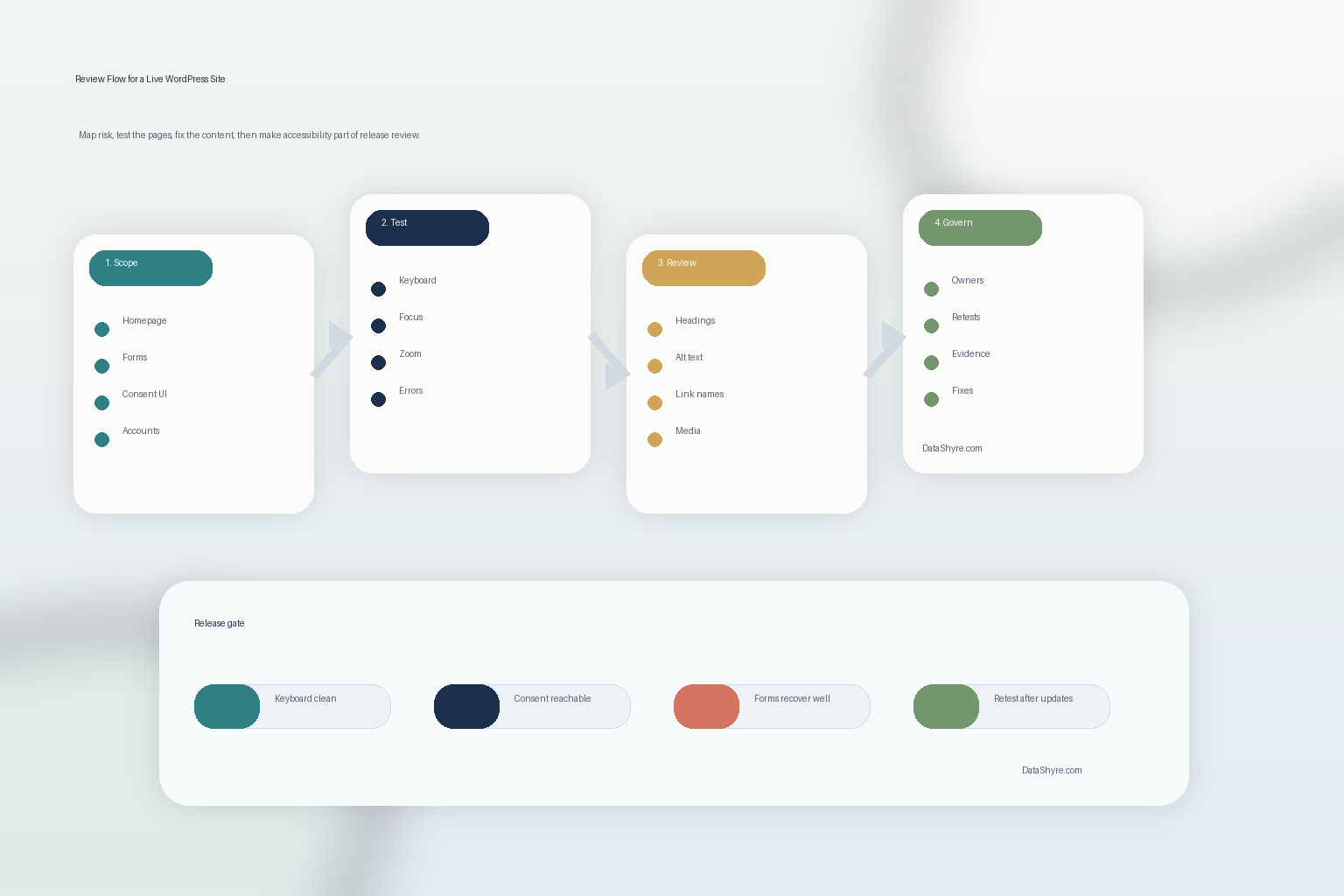
If I were reviewing an ada compliant website wordpress project today, I would use this order:
- choose the highest-risk full pages first;
- test the keyboard path across navigation, dialogs, forms, and consent UI;
- review structure, labels, alt text, and readable content patterns;
- test responsive layouts, zoom, and overlap behavior;
- treat widgets and overlays as helpers, not proof;
- re-test after updates instead of relying on launch-day screenshots;
- keep one owner accountable for the result.
That sequence tells you more than a plugin marketplace description ever will.
FAQ
Can one plugin make a WordPress site ADA compliant?
No. A plugin can help with some issues, but an ada compliant website wordpress result depends on the theme, content structure, forms, media, consent interfaces, and the release process behind the site.
Does the ADA web rule set one WordPress standard for private businesses?
No. The current specific DOJ technical rule is for Title II state and local government entities. For private businesses, ADA.gov still frames the issue around accessible use, effective communication, and equal access rather than one WordPress-specific safe harbor.
Why should cookie banners and privacy forms be included in accessibility testing?
Because they are often some of the most interaction-heavy parts of the site. If people cannot reject tracking, change preferences, or submit rights requests accessibly, the site can fail both users and compliance teams at the same time.
Official sources used
- ADA.gov: Guidance on Web Accessibility and the ADA
- ADA.gov: Fact Sheet on the Accessibility of Web Content and Mobile Apps Provided by State and Local Governments
- ADA.gov: Accessibility of Web Content and Mobile Apps Provided by State and Local Government Entities: A Small Entity Compliance Guide
- Developer.WordPress.org: Accessibility Coding Standards
- WordPress.org: Accessibility
- W3C: Web Content Accessibility Guidelines (WCAG) 2.2