

ADA WordPress Plugin in 2026: What It Can Fix, What It Cannot, and 7 Live Checks
If you are searching for an ada wordpress plugin on November 20, 2026, the easiest wrong move is assuming a plugin can turn accessibility into a box you buy once and forget.
It cannot.
An ADA-focused WordPress plugin may help with scanning, authoring hints, front-end adjustments, or issue reporting. But the current official guidance still points to a broader standard. ADA.gov says businesses open to the public must provide “full and equal enjoyment” of their goods and services, and its web guidance still says accessible forms need “Labels, keyboard access, and clear instructions.” The same guidance also says automated checkers and overlays can be helpful, but they “need to be used carefully.” WordPress’s own accessibility coding standards still say code in the WordPress ecosystem is “expected to conform to the Web Content Accessibility Guidelines (WCAG), version 2.2, at level AA.” WCAG 2.2 itself keeps the bar honest by saying conformance applies to “full web page(s) only.”
That is why the practical ada wordpress plugin question in 2026 is not which plugin has the nicest badge.
It is which parts of accessibility does this plugin really help, what does it leave untouched, and does the live site still work for real people when the full WordPress stack is loaded.
If you want nearby context first, start with our guides to WordPress ADA compliance, best WordPress accessibility plugin, and accessibility widget. This page stays narrower. It is the ada wordpress plugin review I would use this week before trusting a plugin on a live site.
If your team needs help validating accessibility claims against production behavior, DataShyre can help with implementation reviews, website privacy checker, and consent-flow testing that looks at what users actually experience instead of what a plugin settings page promises.
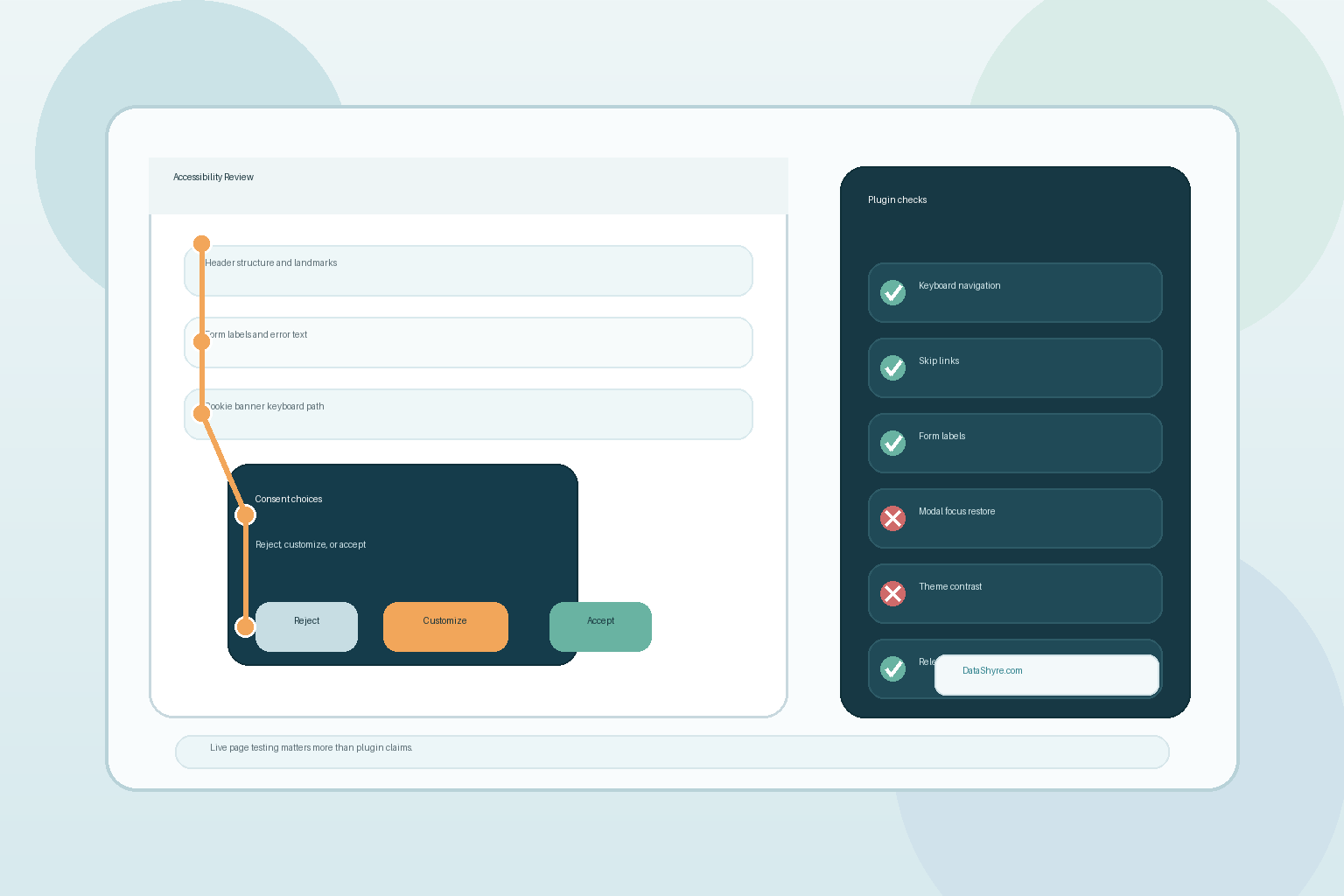
1. Start by asking what the plugin actually changes
The first ada wordpress plugin mistake is talking about the plugin as if it were one kind of thing.
It is not.
In practice, ADA-labeled WordPress plugins usually fall into a few buckets:
- scanners that flag likely issues;
- editor helpers that encourage better structure or alt text;
- front-end helpers that add skip links, contrast tools, or navigation aids;
- overlays or widgets that add another control layer on top of the site;
- reporting tools that help a team log and review accessibility issues.
Those categories are not interchangeable.
A scanner is not a code fix.
A toolbar is not proof that the checkout works.
A plugin that adds controls on top of the page does not automatically fix missing labels, broken focus order, inaccessible error handling, or poor markup inside a form plugin or page builder.
So before trusting any ada wordpress plugin, identify exactly what it changes on the live site and what it does not touch at all.
2. Judge the full page, not the plugin demo
This is where WCAG 2.2 matters.
Conformance is for “full web page(s) only,” which means you do not get to declare success because one floating control looks polished or one demo screen passes a quick scan.
That matters on WordPress because the real page is usually a stack of moving parts:
- the active theme;
- a page builder;
- form plugins;
- commerce or account plugins;
- cookie banners or preference centers;
- embedded chat, video, or maps;
- custom scripts or third-party widgets.
An ada wordpress plugin may improve one layer while another layer still breaks keyboard access or readable structure.
That is why I care much more about a live page test than a marketplace screenshot.
3. Test keyboards first, because that is where fake confidence shows up fast
ADA.gov’s current guidance still points directly to keyboard navigation as a practical accessibility requirement, and WCAG 2.2 still says all functionality should be operable through a keyboard interface.
For an ada wordpress plugin, that creates a simple first test:
can a person complete the important journeys without a mouse?
Check whether a user can:
- open and close navigation;
- move through dropdowns and dialogs;
- reject or customize a cookie banner;
- reach every field in a form;
- submit the form and recover from errors;
- access footer, privacy, and support links.
This is also where plugin claims can fall apart. A plugin may add visible controls while focus still disappears, tab order becomes confusing, or a modal traps the user.
If the keyboard path breaks, the ada wordpress plugin is not solving the problem that matters.
4. Treat forms, rights requests, and consent UI as the hardest pages
Many teams test the homepage first because it is visually polished.
That is usually the wrong page.
ADA.gov still calls out forms specifically by emphasizing labels, keyboard access, clear instructions, and usable error indicators. On most WordPress sites, the highest-risk surfaces are not brochure pages. They are the places where a person has to make a choice or submit something:
- lead or support forms;
- booking flows;
- checkout or account screens;
- cookie banners and preference centers;
- privacy-rights request forms.
This is one reason the ada wordpress plugin question belongs on a consent/privacy blog at all. Accessibility and privacy often meet on the same screen. If someone cannot reject tracking, withdraw preferences, or submit a privacy request because the interface is confusing or unreachable, the site has both accessibility risk and compliance risk.
So a serious ada wordpress plugin review should test those surfaces first, not last.
5. Be skeptical of overlays, badges, and one-click claims
This is where the marketing language around an ada wordpress plugin gets slippery.
ADA.gov says automated accessibility checkers and overlays can be helpful, but they “need to be used carefully.” That is the right tone.
Helpful is not the same as sufficient.
An overlay might provide useful adjustments for some visitors. A scanner might catch missing alt text or low-contrast elements. A helper plugin might improve a few defaults. None of that proves that:
- the menu is usable by keyboard;
- a form announces its labels and errors properly;
- a consent modal restores focus correctly;
- the mobile layout still works at zoom;
- the live theme and builder output semantic structure consistently.
So when an ada wordpress plugin sounds like a magic answer, I would slow down and ask for live evidence instead of broader claims.
6. Match the plugin to authoring discipline, not just front-end optics
One of the better uses for an ada wordpress plugin is improving the publishing workflow instead of only decorating the front end.
WordPress’s accessibility standards still emphasize choices that help people make more accessible content, including alternative text, captions, and semantic structure.
That matters because accessibility problems do not only come from code. They also come from content operations:
- headings skipped or flattened in the editor;
- vague link text;
- images without useful alt text;
- embeds added with no surrounding explanation;
- reused forms with poor instructions;
- landing pages pushed live without retesting.
If a plugin helps the team publish better content and catch recurring mistakes earlier, that can be more valuable than a flashy toolbar.
So a good ada wordpress plugin does not just change what visitors see. It reduces how often the team creates the same accessibility problem again.
7. Decide how the site will stay accessible after the next update
The last ada wordpress plugin check is governance.
WordPress sites change constantly. Themes update. plugins update. builders change markup. new campaigns add forms. consent layers get replaced. mobile layouts shift.
That means the real question is not whether an ada wordpress plugin looked good the day it was installed.
It is whether the team can keep the site accessible after the next release.
For public-sector teams, the Department of Justice’s interim final rule moved the Title II web and mobile app compliance deadlines to April 26, 2027 for state and local government entities with populations of 50,000 or more and April 26, 2028 for smaller public entities and special district governments. For private businesses, the path is less tied to one technical rule, but the operational lesson is the same: accessibility claims need repeated verification.
So the useful governance checklist for an ada wordpress plugin is:
- who owns accessibility checks after updates;
- which user journeys are re-tested every release;
- whether forms and consent flows are included in that re-test;
- whether manual checks complement automated scans;
- how users can report problems.
Without that discipline, the plugin may become a false sense of security instead of real progress.
A practical ADA WordPress plugin review for this week
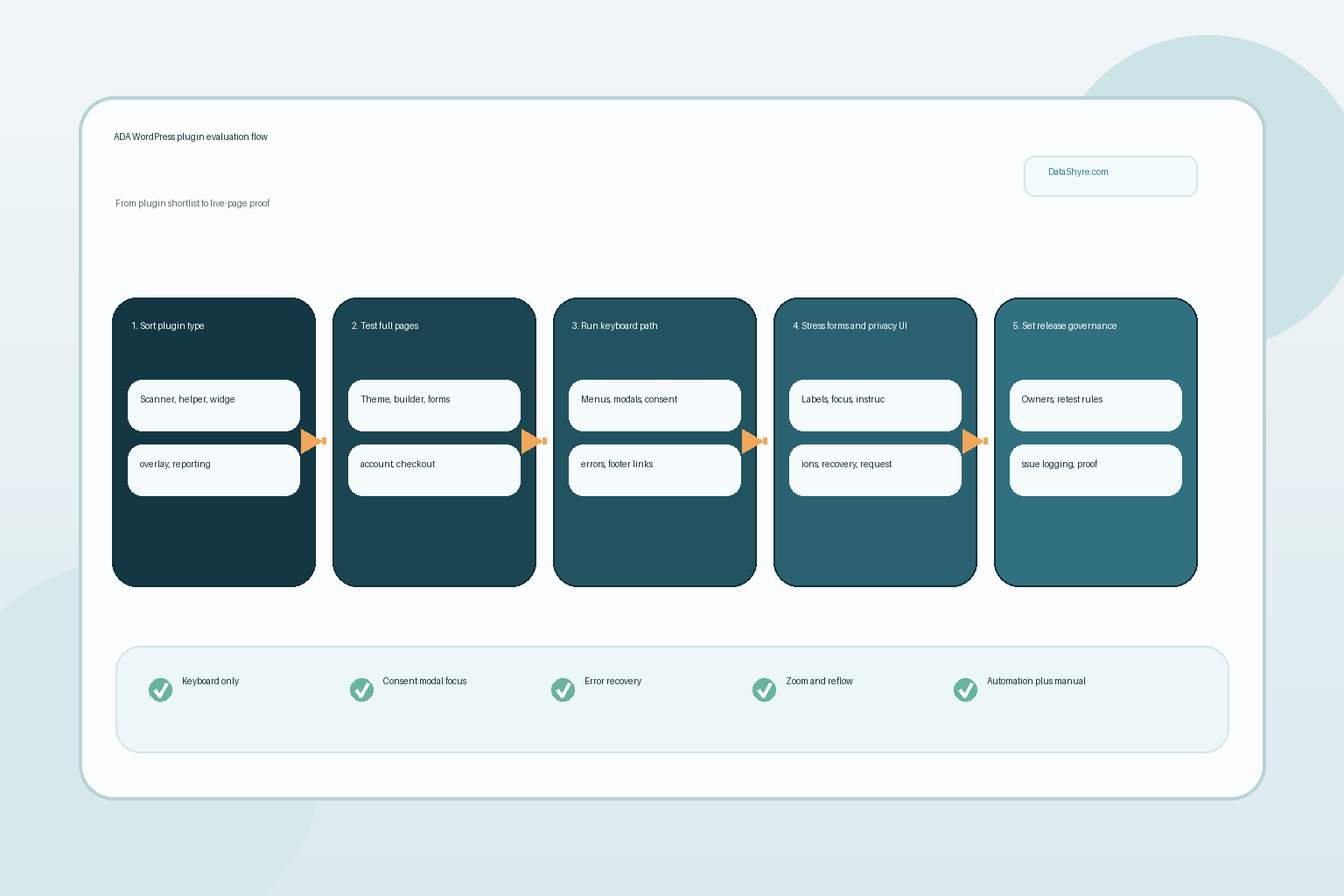
If I were reviewing an ada wordpress plugin today, I would use this order:
- define exactly what the plugin changes and what it does not;
- test full pages instead of the vendor demo;
- run keyboard-only checks across menus, dialogs, forms, and consent UI;
- review the highest-risk interactive flows before brochure pages;
- treat overlay or one-click claims as hypotheses, not proof;
- give extra credit to plugins that improve authoring discipline;
- assign owners and re-test rules so the result survives future updates.
That sequence will usually tell you more than the sales copy.
FAQ
Can one ADA WordPress plugin make a site compliant by itself?
No. A plugin may help identify or reduce some problems, but accessibility still depends on the theme, page builder, forms, consent layer, content practices, and release process.
Are overlays or widgets useless?
No. They can help in some cases, but ADA.gov says automated tools and overlays need to be used carefully. They should support, not replace, full-page testing and remediation.
Should I test cookie banners and privacy forms too?
Yes. They are often some of the most interaction-heavy parts of a WordPress site, and they are where accessibility and privacy failures can overlap.
Official sources used
- ADA.gov: Guidance on Web Accessibility and the ADA
- ADA.gov: Fact Sheet on the Accessibility of Web Content and Mobile Apps Provided by State and Local Governments
- ADA.gov: Accessibility of Web Content and Mobile Apps Provided by State and Local Government Entities: A Small Entity Compliance Guide
- ADA.gov: Interim Final Rule Extending Title II Compliance Dates (PDF)
- Developer.WordPress.org: Accessibility Coding Standards
- W3C: Web Content Accessibility Guidelines (WCAG) 2.2