

Consent Management Platform WordPress in 2026: 7 Live Checks Before You Install One
If you are searching for consent management platform wordpress in 2026, the useful question is not which plugin adds a banner fastest.
The useful question is whether the platform can actually control what runs on a live WordPress site: plugins, embeds, tag managers, cached pages, custom snippets, and regional logic that changes by visitor.
That standard is visible in the current official material. WordPress still says “The user should not have to take actions to secure their privacy.” Its plugin guidelines still say plugins may not contact external servers without “explicit and authorized consent.” Google’s current consent setup guide still starts with “Before a user grants consent” you set default consent states. And the CNIL still says rejecting cookies should be “just as easy as accepting them.”
If you want nearby context first, start with our guides to cookie consent for WordPress, cookie consent requirements, and cookie consent Google Tag Manager. This page is narrower. It is the seven-check review I would use this week before trusting any consent management platform wordpress install on a production build.
1. Treat the WordPress CMP as a runtime control, not a banner purchase
The first mistake with consent management platform wordpress is treating the product as if it only owns the pop-up.
On a WordPress site, optional storage or access technologies can come from:
- the CMP itself;
- GTM or direct tag snippets;
- analytics, ad-tech, or heatmap plugins;
- video, map, chat, and form embeds;
- theme code or header-footer injectors; and
- performance tools that change script order.
That matters because the UK’s ICO finalized its storage-and-access-technologies guidance on April 29, 2026, and the guidance expressly covers cookies, tracking pixels, scripts, device fingerprinting, and similar technologies. For a real consent management platform wordpress evaluation, start by mapping every place the site can store or access data before you even compare banner layouts.
2. Check what the platform actually blocks before consent
The next test is the browser trace, not the feature table.
WordPress’s privacy guidance still points in the right direction here: privacy should be built into the product, not bolted on after the fact. If your CMP says it blocks optional technologies, prove it on the pages where WordPress usually leaks first:
- the homepage;
- a page with forms;
- a page with video or map embeds;
- a landing page with marketing scripts; and
- any account or logged-in area where tracking behavior changes.
For consent management platform wordpress, a passing result means analytics, advertising, replay, and similar optional tools stay quiet until the visitor has made the relevant choice. If requests start early from a plugin or embed, the site may have a WordPress problem, but the CMP still is not solving the practical consent problem the buyer actually has.
3. Make refusal as usable as acceptance on the first layer
Many weak consent management platform wordpress setups fail before you ever open developer tools.
The CNIL’s current enforcement position is still clear: rejecting cookies should be “just as easy as accepting them.” The ICO’s current guidance also says users should be able to reject non-exempt technologies as easily as they accept them. So when you review a CMP on WordPress, the first layer should make three actions obvious where prior consent applies:
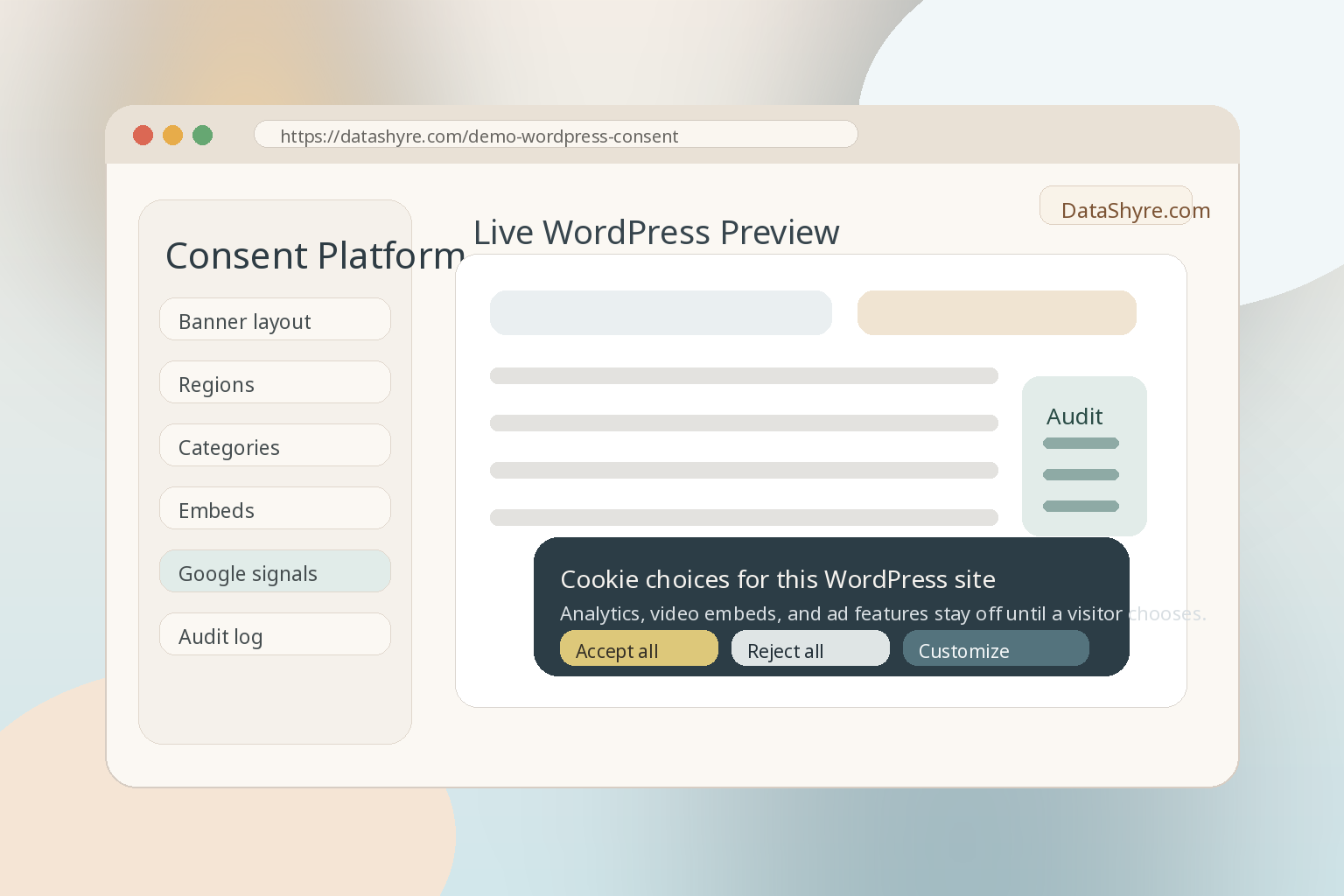
Accept allReject allCustomize
If refusal is buried behind a small text link, hidden on a second screen, or made visually weaker than acceptance, the platform may be configurable but the live implementation is still weak.
4. Verify GTM and Google consent timing before any measurement runs
For consent management platform wordpress, timing matters as much as wording.
Google’s current setup guide still says gtag('consent', 'default', ...) should be set before commands that send measurement data. Tag Manager’s current consent support documentation still says the Consent Initialization trigger fires “before all other tags” and is intended for CMP tags or tags that set consent defaults.
That turns a WordPress CMP review into a sequence check:
- do denied defaults land before tags depend on them;
- does acceptance update the relevant consent states on the page where the user acts;
- does rejection keep those states denied;
- do later page views preserve the same state; and
- do custom HTML tags and non-Google vendors follow the same control model.
If the banner looks right but your GTM preview shows tags evaluating before the defaults are set, the consent management platform wordpress stack is still leaking at the exact moment it claims control.
5. Check WordPress-specific privacy plumbing, not only the banner
This is where a stronger consent management platform wordpress choice separates itself from a decorative plugin.
WordPress still provides privacy tools that developers are supposed to integrate with, including suggested privacy-policy content and hooks for personal-data exporters and erasers. Its privacy guidance still asks plugin authors to disclose third-party scripts, pixels, iframes, browser storage, telemetry, retention, and data-sharing behavior.
So when you evaluate a WordPress CMP, ask more than whether it shows a polished banner. Ask whether it helps your stack do practical WordPress work such as:
- disclosing the technologies and third parties the site actually uses;
- keeping category labels aligned with the site’s real behavior;
- fitting into the site’s privacy-policy workflow;
- helping the team understand what data or identifiers may need export or erasure handling elsewhere in WordPress; and
- avoiding plugin behavior that phones home before consent exists.
That is especially important because WordPress’s plugin rules still say external-server contact cannot happen without “explicit and authorized consent.”
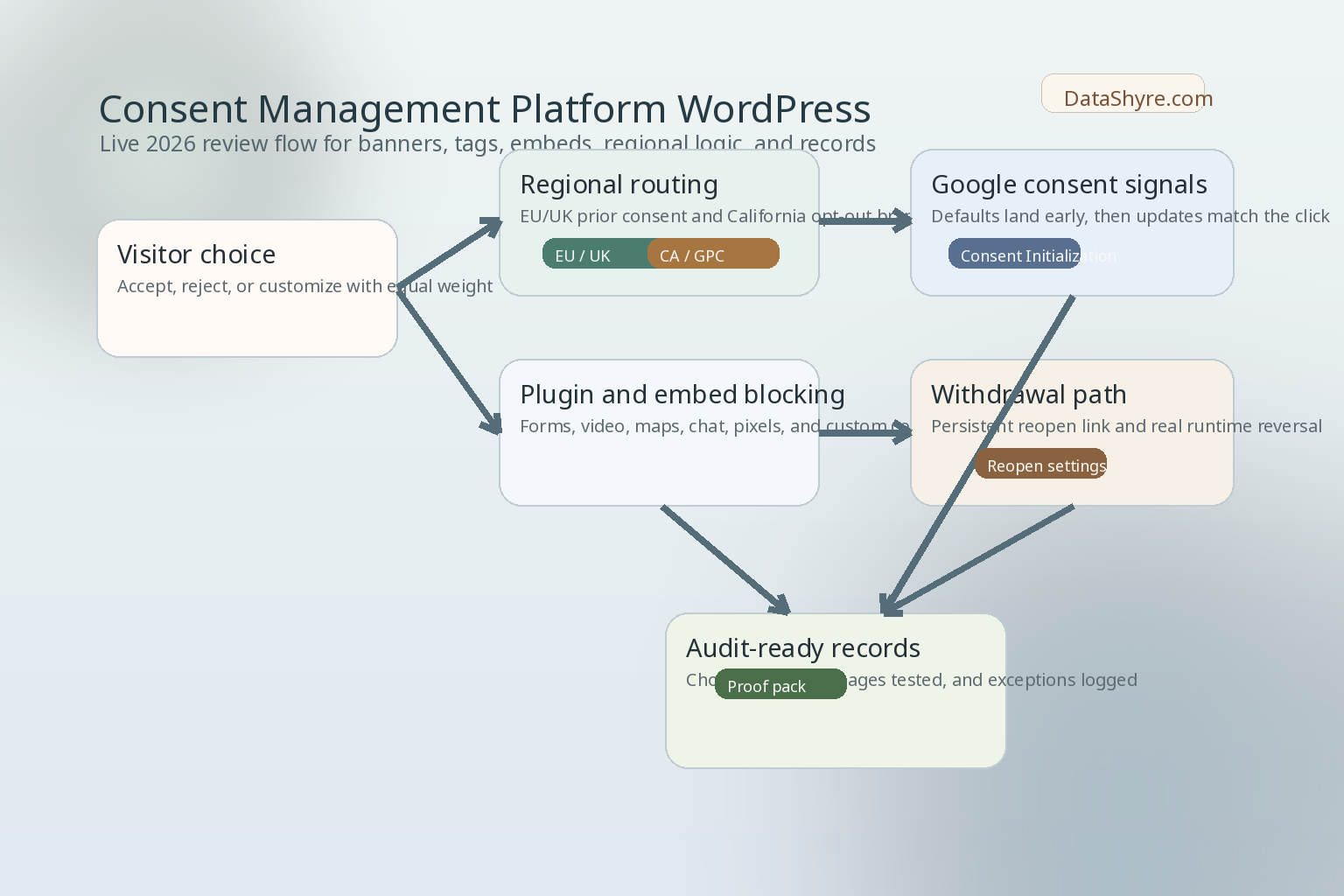
6. Run separate regional branches for EU or UK, California, and publisher ads
Not every consent management platform wordpress review ends with one universal banner path.
The ICO’s current guidance says that if you use a CMP provider, you need to consider the roles and responsibilities both sides have under the UK GDPR. California’s DOJ still says users may opt out of sale or sharing, including via a user-enabled Global Privacy Control, and still describes GPC as a “stop selling or sharing my data switch.” On February 11, 2026, Attorney General Rob Bonta’s Disney settlement announcement also said asking a business to stop selling data “should not be complicated or cumbersome.”
There can also be a Google publisher branch. Google’s current AdSense guidance still says publishers serving personalized ads in the EEA and UK need a Google-certified CMP integrated with the IAB Transparency and Consent Framework as of January 16, 2024, and that the same requirement applies in Switzerland as of July 31, 2024.
So for consent management platform wordpress, keep these checks separate on purpose:
- EU or UK prior-consent control for optional technologies;
- California opt-out and GPC behavior if sale or sharing may be in scope; and
- publisher-specific Google CMP and TCF requirements if ad monetization makes them relevant.
Those paths can overlap. They are still not the same path.
7. Test withdrawal, records, and post-update drift
The last serious test for consent management platform wordpress is what happens after launch day.
The ICO’s current guidance says any consent mechanism must let users withdraw consent with the same ease they gave it. It also says that if you introduce a new technology or purpose, you must obtain fresh consent. That means a WordPress CMP should not only collect an initial click. It should support a usable return path and survive ordinary site changes.
At minimum, verify:
- there is a persistent way to reopen settings;
- withdrawal changes runtime behavior, not only the visible toggle;
- records show what choice was made, when, and against which banner or policy version;
- new plugins, embeds, or tags trigger a retest; and
- cache, CDN, minification, or theme changes do not silently reorder the consent sequence.
WordPress sites drift through routine plugin updates and marketing edits. A CMP that works only on install day is not enough.
A short review order before you install or switch
If I were reviewing consent management platform wordpress on a live site today, I would work in this order:
- inventory every plugin, tag, embed, and snippet that can store or access data;
- test first-page load in a fresh browser session;
- verify refusal is as visible and easy as acceptance;
- confirm GTM and Google consent defaults land early enough;
- inspect WordPress-specific plugin and embed bypasses;
- run the EU or UK, California, and publisher branches separately where relevant; and
- save the proof and retest after the next site change.
That sequence usually exposes the real risk faster than another round of banner-copy edits.
Bottom line
The best consent management platform wordpress choice in 2026 is not the platform with the prettiest banner or the longest feature list.
It is the one that can keep optional technologies off until the right moment, make refusal and withdrawal genuinely usable, route the right visitors into the right regional model, work with WordPress’s own privacy plumbing, and still hold together after ordinary site drift.
If it cannot do those things on the live site, the CMP may be installed while the consent system is still unfinished.
Sources
- WordPress Plugin Handbook, Privacy: https://developer.wordpress.org/plugins/privacy/
- WordPress Plugin Handbook, privacy-related hooks and capabilities: https://developer.wordpress.org/plugins/privacy/privacy-related-options-hooks-and-capabilities/
- WordPress Plugin Handbook, suggesting text for the site privacy policy: https://developer.wordpress.org/plugins/privacy/suggesting-text-for-the-site-privacy-policy/
- WordPress Detailed Plugin Guidelines: https://developer.wordpress.org/plugins/wordpress-org/detailed-plugin-guidelines/
- ICO, final storage and access technologies guidance published: https://ico.org.uk/about-the-ico/media-centre/news-and-blogs/2026/04/final-storage-and-access-technologies-guidance-published/
- ICO, guidance on the use of storage and access technologies: https://ico.org.uk/for-organisations/direct-marketing-and-privacy-and-electronic-communications/guidance-on-the-use-of-storage-and-access-technologies/
- ICO, how do we comply with the PECR rules?: https://ico.org.uk/for-organisations/direct-marketing-and-privacy-and-electronic-communications/guidance-on-the-use-of-storage-and-access-technologies/how-do-we-comply-with-the-pecr-rules/
- ICO, how do we manage consent in practice?: https://ico.org.uk/for-organisations/direct-marketing-and-privacy-and-electronic-communications/guidance-on-the-use-of-storage-and-access-technologies/how-do-we-manage-consent-in-practice/
- Google for Developers, set up consent mode on websites: https://developers.google.com/tag-platform/security/guides/consent
- Google Tag Manager Help, consent mode support: https://support.google.com/tagmanager/answer/10718549
- Google AdSense Help, consent management requirements for serving ads in the EEA, the UK, and Switzerland: https://support.google.com/adsense/answer/13554116
- California DOJ, CCPA overview: https://oag.ca.gov/privacy/ccpa
- California DOJ, Disney settlement announcement: https://oag.ca.gov/news/press-releases/california-wont-let-it-go-attorney-general-bonta-announces-275-million
- CNIL, dark patterns in cookie banners: https://www.cnil.fr/en/dark-patterns-cookie-banners-cnil-issues-formal-notice-website-publishers
—
Published: October 17, 2026. Updated using current official WordPress developer, regulator, government, and platform materials available at publication time.