

Cookie Consent Banner: What to Test Before You Trust It in 2026
If you are reviewing a cookie consent banner on September 24, 2026, the useful question is not whether the banner is visible.
It is whether the choice a visitor makes actually changes what your site does.
That distinction still matters because the current regulatory baseline is about runtime behavior, not design theater. On April 29, 2026, the UK ICO published finalized guidance covering cookies, tracking pixels, device fingerprinting, and similar storage-and-access technologies. France’s CNIL is still stating the simplest first-layer rule available: “rejecting cookies should be just as easy as accepting them.” On July 14, 2026, the EDPB required the Belgian DPA to assess the merits of a NOYB cookie-banner complaint rather than dismiss it on a procedural theory. And California’s current rules now spell out symmetry in choice for privacy-protective options.
If you want nearby context first, start with our guides to cookie consent banner generator, cookie consent message examples, and cookie consent. This article is narrower. It is the seven-check review I would run before trusting a cookie consent banner on a live site this week.
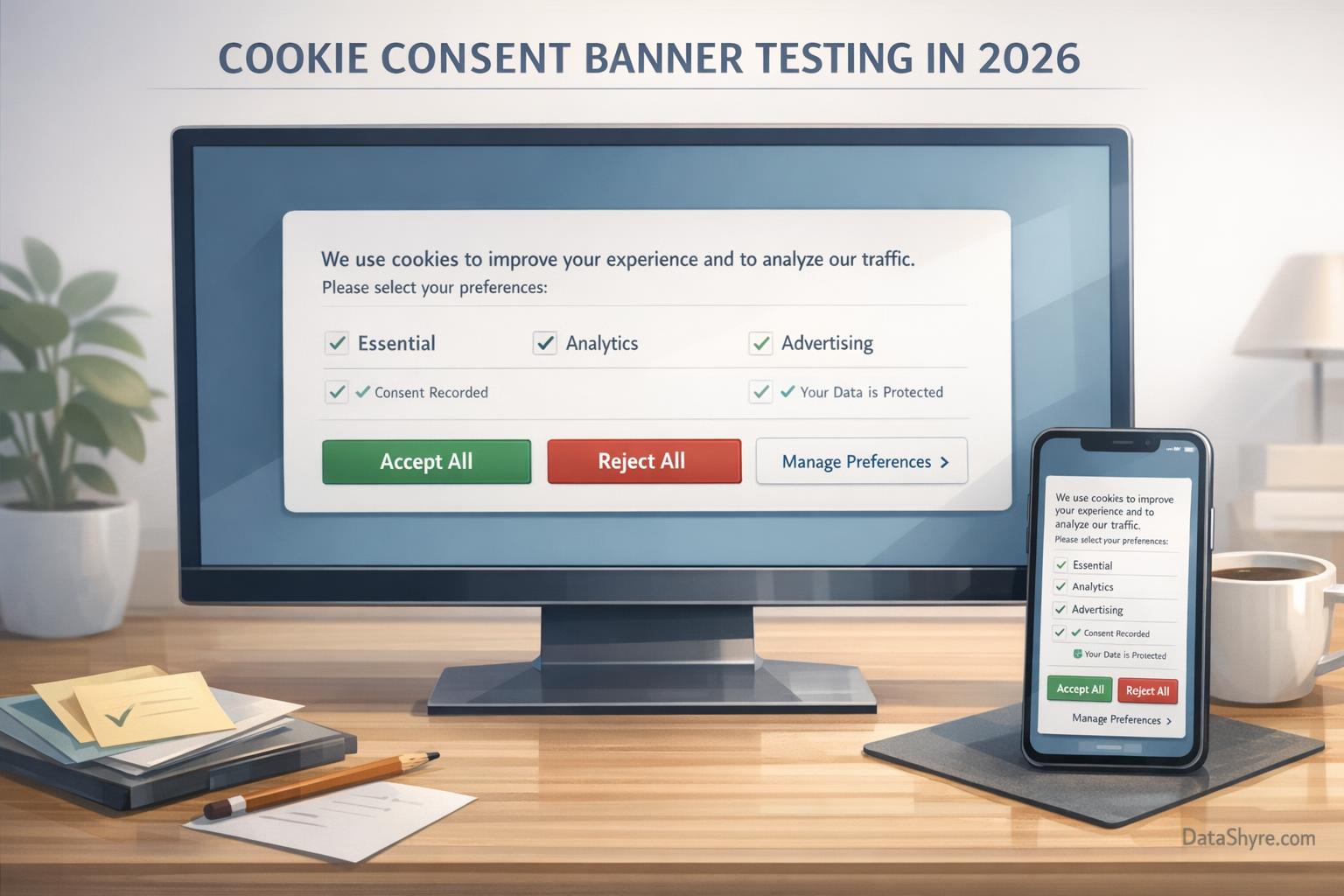
1. Check whether refusal is truly equal to acceptance
This is the fastest filter.
The CNIL says “rejecting cookies should be just as easy as accepting them.” California’s effective January 1, 2026 regulations use the phrase “symmetry in choice” and go even further by giving concrete examples of flows that are not equal, including banners that offer Accept All plus Preferences but no equally simple refusal path.
For a cookie consent banner, that means testing whether you actually provide:
Accept allandReject allon the first layer when that structure is required;- equal visual weight and comparable tap targets;
- the same number of steps on desktop and mobile;
- plain button labels instead of vague wording like
Maybe later.
If the privacy-protective path takes longer, feels dimmer, or hides on a second screen, the banner is already creating risk before any tag fires.
2. Check prior blocking on a clean session
A polished banner preview does not prove anything.
The ICO’s 2026 guidance is useful because it explicitly covers more than classic browser cookies. It addresses tracking pixels, fingerprinting, and similar storage-or-access technologies too. The practical test is simple:
- open a clean browser session;
- load the page without clicking anything;
- inspect cookies, local storage, and network requests;
- confirm whether analytics, advertising, personalization, chat, testing, video, or map tools stay off until a valid choice exists.
That is not a theoretical concern. In November 2025, the CNIL announced a 750,000 euro sanction involving vanityfair.fr, citing cookies placed before consent plus refusal and withdrawal mechanisms that did not work correctly.
If your cookie consent banner looks compliant while optional technologies still fire early, the real control is failing underneath the interface.
3. Check whether categories read like user choices, not vendor jargon
Many banners fail in the copy, not the code.
The CNIL says the information on the banner must be clear and complete, including the purpose of the cookies and the means of rejecting them. That is a strong drafting test for the first layer and the settings layer.
For a cookie consent banner, I would rather see categories such as:
- Essential for core site operation;
- Analytics for traffic and performance measurement;
- Advertising for ad targeting and measurement;
- Personalization for saved settings or recommendations;
- Embedded content for video, maps, and social widgets.
If the categories mostly say Partners, Enhanced services, or Experience, you may have a tidy interface that still leaves users guessing.
4. Check whether withdrawal still works later
Consent is not only about the first click.
The ICO’s practical guidance on consent management explains that people should be able to withdraw consent and that organizations should explain how to do it. In practice, that means a cookie consent banner should not disappear forever after acceptance.
I would test withdrawal this way:
- accept one optional category;
- continue browsing normally;
- reopen the banner or settings center later;
- turn that category off;
- reload the page and confirm the related tags stop firing.
If the site records the new choice but the technology behavior does not change, the banner is acting like a log entry instead of a control.
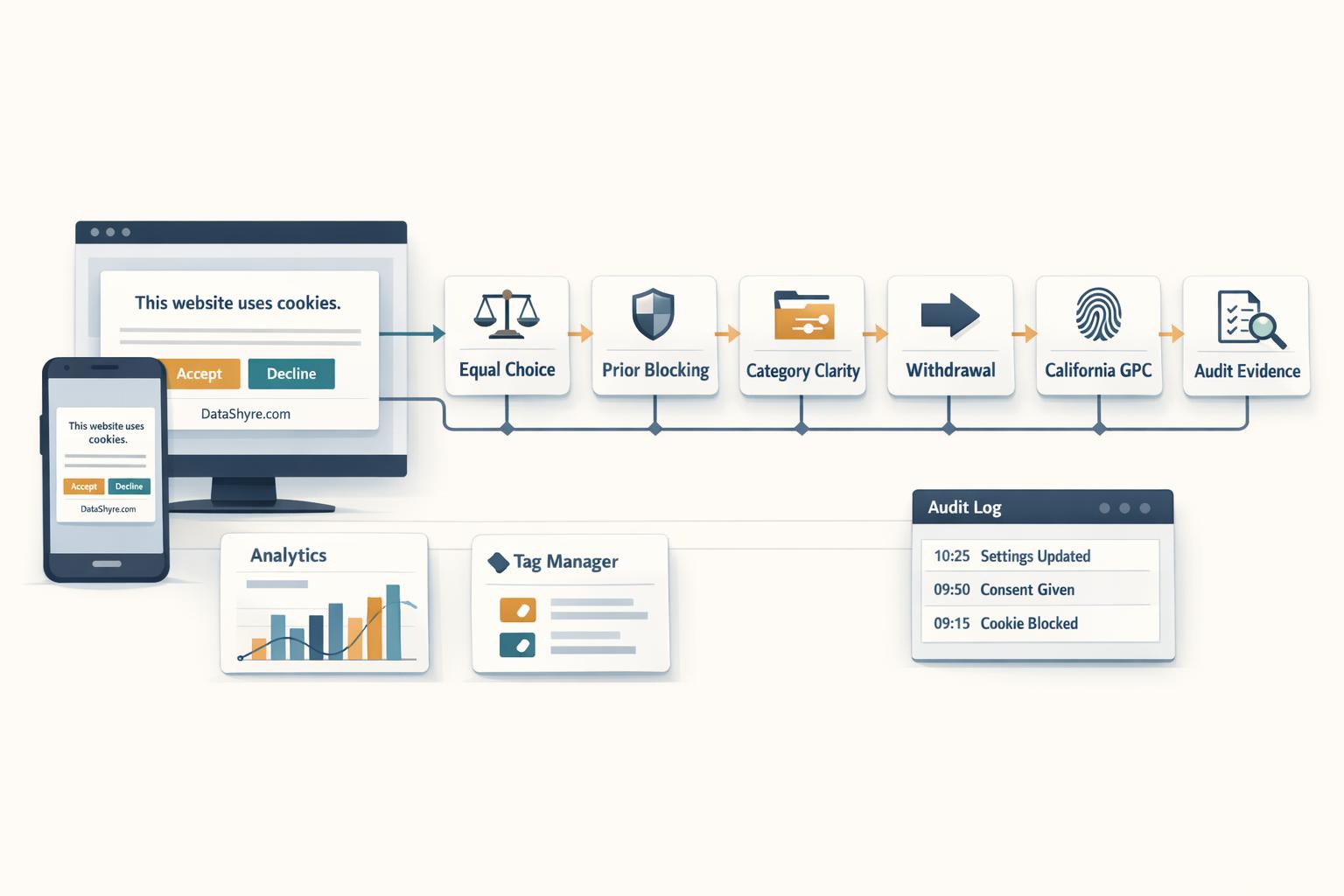
5. Check the California branch deliberately
A site can handle EU or UK prior consent reasonably well and still fail its California path.
The California DOJ says the Global Privacy Control is a “stop selling or sharing my data switch” and says covered businesses must honor it as a valid request. The CPPA’s March 5, 2026 Ford announcement is even more direct: “Opting out is supposed to be easy.”
So for a cookie consent banner, ask whether the implementation can support:
- a visible
Do Not Sell or Share My Personal Informationpath where applicable; - Global Privacy Control detection;
- low-friction opt-out handling with minimal steps;
- logic that separates California opt-out handling from EU or UK prior-consent logic;
- confirmation that the request was actually honored in downstream behavior.
This is where many global banner setups reveal that they are style systems, not privacy controls.
6. Check whether the banner connects to real tag behavior
Consent UI and tag behavior are not the same thing.
Google’s consent mode documentation still draws the cleanest implementation split. In basic consent mode, Google says tags are blocked until a user interacts with a consent banner and “no data is sent before a user consents.” In advanced consent mode, tags load with consent defaults and may send measurements without cookies while consent remains denied.
So if your cookie consent banner is connected to Google Tag Manager or direct Google tags, you should know which branch you are actually using and whether the surrounding stack matches it:
- default consent states;
- updates on the same page where the user acts;
- category mapping into
ad_storage,analytics_storage, and related signals; - embedded third-party tools outside the main tag manager flow.
A banner that looks fine but cannot be traced into actual tag behavior is not finished.
7. Check whether you can prove what happened later
Sooner or later, support, legal, or engineering will ask what the visitor actually saw and chose.
A stronger cookie consent banner setup should let you preserve:
- the first-layer version shown on that date;
- the category descriptions and settings shown at the time;
- the recorded choice and timestamp;
- later changes or withdrawals;
- evidence that runtime behavior matched the recorded state.
That is one reason the EDPB’s July 2026 VRT decision matters. Banner scrutiny is still active, and a first-layer design alone is not the end of the analysis.
A fast review sequence for this week
If I were checking a cookie consent banner today, I would do it in this order:
- compare
Accept allandReject allon desktop and mobile; - run a clean-session test and confirm prior blocking;
- read every category label as a visitor, not as an admin;
- test one granular choice and one later withdrawal;
- test the California branch and GPC handling if relevant;
- trace the consent signal into tags, embeds, and records.
That usually tells you more than another round of banner copy edits.
Bottom line
The safest way to think about a cookie consent banner in 2026 is not as a pop-up. It is a control layer with legal, design, and technical consequences.
If refusal is as easy as acceptance, optional technologies stay off until they should run, California opt-out requests remain low-friction, and the records still explain what happened later, your setup is in much stronger shape.
If any one of those pieces is fuzzy, the banner may look compliant while the implementation underneath it is not.
Sources
- ICO: Final storage and access technologies guidance published (April 29, 2026)
- CNIL: Dark Patterns in Cookie Banners
- EDPB: Belgian DPA must handle the merits of NOYB cookie-banner complaint (July 14, 2026)
- CPPA: CCPA Updates Effective January 1, 2026
- CPPA: CCPA Regulations Effective January 1, 2026
- California DOJ: CCPA and Global Privacy Control FAQ
- CPPA: Ford to Change Practices, Pay Fine for Adding Unnecessary Friction to Opt-Out Process
- Google for Developers: Consent mode overview
- CNIL: vanityfair.fr fined 750,000 euros for cookies placed without consent