

Cookie Consent Banner Generator: What to Test Before You Publish in 2026
If you are shopping for a cookie consent banner generator on September 24, 2026, the useful question is not whether the builder can make a banner look polished.
It is whether the generated banner gives people a fair choice, keeps optional technologies off until they should run, handles California opt-out logic cleanly, and leaves behind records your team can still trust later.
That is still the right frame in 2026. On April 29, 2026, the UK ICO published final storage-and-access-technologies guidance covering cookies, tracking pixels, device fingerprinting, and similar tools. On July 14, 2026, the EDPB required the Belgian DPA to handle the merits of a cookie-banner complaint involving VRT. France’s CNIL is still using the clearest first-layer standard available: “rejecting cookies should be just as easy as accepting them.” And California’s 2026 regulations now spell out what symmetrical choice should look like on a banner.
If you want adjacent context first, start with our guides to cookie consent message examples, consent management platform best practices, and WordPress cookie consent. This article is narrower. It is the seven-check review I would run before trusting any cookie consent banner generator this week.
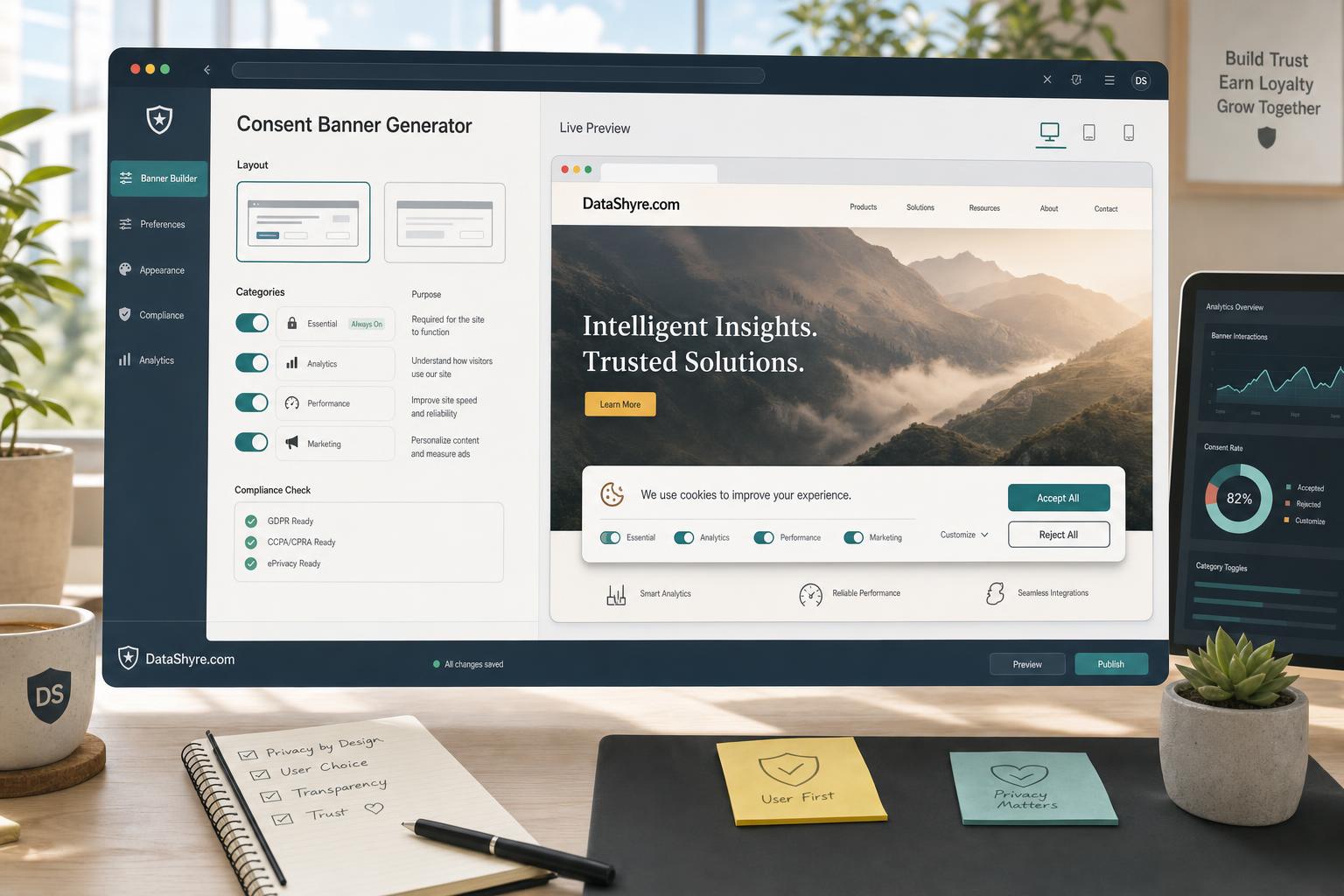
What a cookie consent banner generator should really generate
A generator should not just output a pretty first layer.
It should help you produce a consent experience that can survive:
- a first-click fairness review;
- a clean-session runtime test;
- a mobile layout check;
- a California opt-out and GPC check;
- a later withdrawal or settings-change check.
If the product mostly changes colors, copy, and button shapes, it is solving the easiest part of the problem.
1. Check whether Reject all is truly equal to Accept all
This is the fastest way to eliminate weak generators.
The CNIL says “rejecting cookies should be just as easy as accepting them.” California’s regulations effective January 1, 2026 make the same design principle more explicit by requiring symmetry in choice and giving examples of banners that are not equal, such as Accept All paired only with Preferences.
For a cookie consent banner generator, that means checking whether it can produce:
- first-layer
Accept allandReject alloptions; - equal visual prominence;
- equal interaction cost on desktop and mobile;
- plain verbs instead of vague button text like
Maybe later.
If refusal takes more clicks, lower contrast, or a harder-to-find path, the generator is creating risk before any tag fires.
2. Check prior blocking, not just the preview
The ICO’s 2026 guidance is useful because it is broader than old cookie-only checklists. It applies to cookies, pixels, fingerprinting, and similar storage-or-access technologies.
That means a cookie consent banner generator has to be judged against live behavior:
- open a clean browser session;
- load the page before clicking anything;
- inspect network requests, local storage, and cookies;
- verify whether analytics, advertising, testing, chat, video, or map tools stay off until a valid choice exists.
If the generator creates the banner but optional technologies still fire too early, you do not have a compliance solution. You have a visual layer.
3. Check whether the generator supports plain-language categories
Many generators look strong in demos and then fail at the text layer.
The ICO says users need clear and comprehensive information, and its practical consent guidance says the mechanism should make it as easy to refuse consent as to accept. That only works if people can understand the categories they are choosing between.
A better cookie consent banner generator should let you describe categories in user language such as:
- Essential for core site operation;
- Analytics for traffic and performance measurement;
- Advertising for ad targeting and measurement;
- Personalization for saved preferences and recommendations;
- Embedded content for videos, maps, and social widgets.
If the output forces you into vague labels like Experience, Partners, or Enhanced services, the generated banner may look cleaner than it reads.
4. Check whether the generated settings layer supports real withdrawal
A banner is only half of the interaction. People need to be able to change their minds later.
The ICO’s consent guidance says you must explain how people can withdraw consent and ensure technologies that were already set can be removed where appropriate. GDPR consent guidance follows the same practical rule: withdrawal should be easy, not hidden.
For a cookie consent banner generator, I would test:
- accept one optional category;
- reopen the settings layer later;
- switch that category off;
- reload the page;
- verify that the related tags stop firing and any relevant identifiers are no longer used.
If the generated experience handles collection well but withdrawal poorly, it is incomplete.
5. Check the California branch on purpose
A cookie banner generator that only thinks in EU terms is not enough for many US-facing sites.
The California DOJ still describes GPC as a “stop selling or sharing my data switch” that covered businesses must honor. The CPPA’s March 5, 2026 Ford announcement adds the operational warning: “Opting out is supposed to be easy.” The case focused on unnecessary friction in the opt-out process.
So ask whether the cookie consent banner generator can support:
- a visible
Do Not Sell or Share My Personal Informationpath where applicable; - GPC detection;
- low-friction opt-out handling;
- messaging that confirms the request was honored;
- banner logic that separates California opt-out handling from EU or UK prior-consent logic.
This is where many “global” banner generators turn out to be template libraries, not compliance controls.
6. Check whether it can work with your real tag behavior
Generators are often evaluated as frontend tools, but the failure usually happens underneath the UI.
Google’s current consent-mode documentation says you must obtain the user’s choice, communicate that choice to Google, and ensure tags respect it. In basic consent mode, tags are blocked until the user interacts with the banner. In other words, the banner is only one part of the chain.
That means a cookie consent banner generator should be reviewed alongside:
- Google Tag Manager or direct tag logic;
- consent defaults;
- consent updates on the page where the person acts;
- embedded third-party scripts;
- any tools without built-in consent checks.
If the generated banner cannot connect cleanly to the runtime behavior that matters, it is not enough on its own.
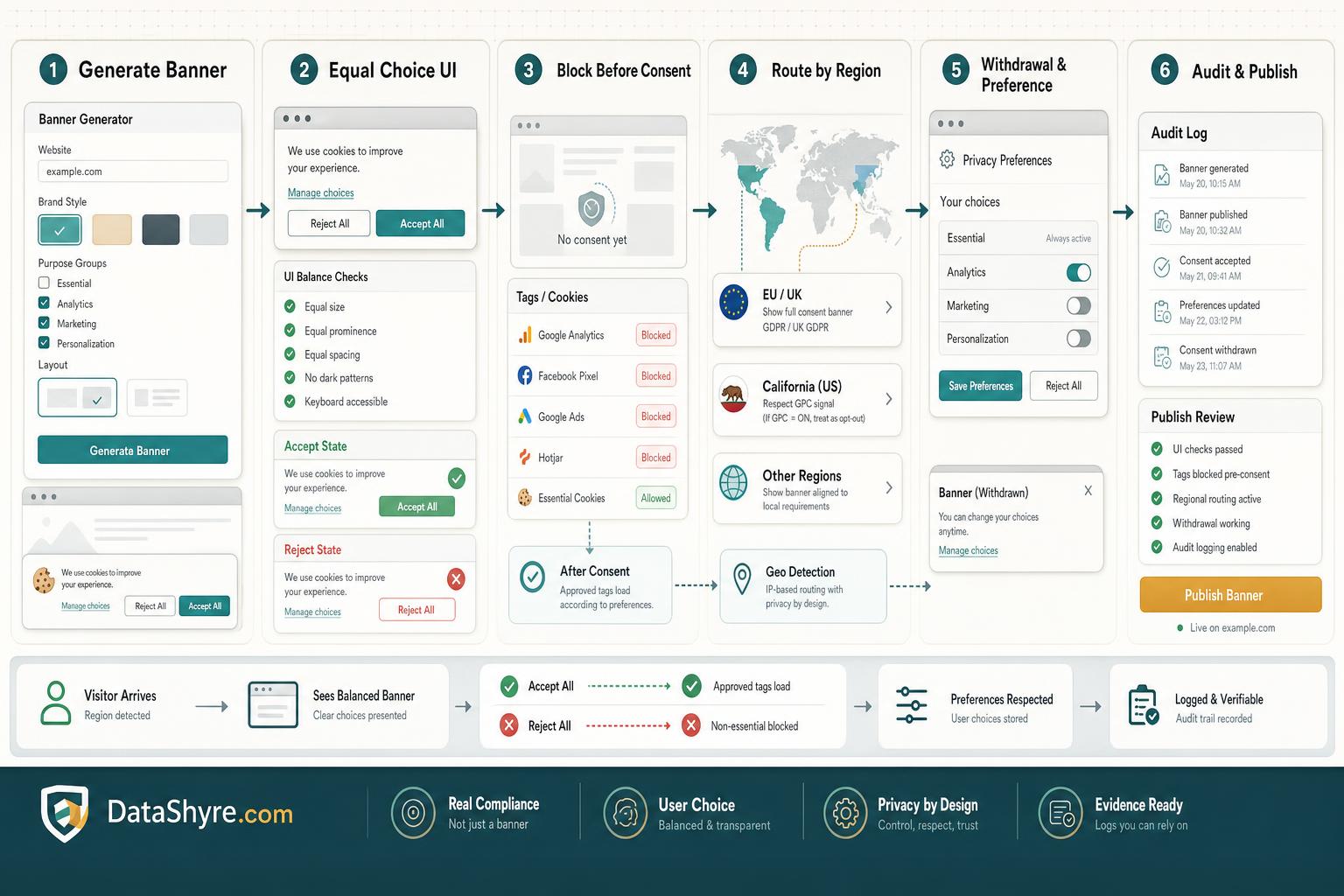
7. Check whether the generator leaves behind proof
Sooner or later, someone will ask what the visitor actually saw and chose.
A stronger cookie consent banner generator should help you preserve:
- the first-layer version shown on that date;
- the purposes and disclosures shown in the settings layer;
- the user’s recorded choice and timestamp;
- later updates or withdrawals;
- evidence that runtime behavior matched the recorded state.
If the generated banner looks finished but the records are weak, support, legal, and engineering will still be missing the most important part later.
A short buyer test for this week
If I were reviewing a cookie consent banner generator today, I would do it in this order:
- compare
Accept allandReject allon desktop and mobile; - run a clean-session test and confirm prior blocking;
- read the category labels as a visitor, not as an admin;
- test one granular choice and one later withdrawal;
- test the California branch and GPC handling if relevant;
- trace the consent signal into tags and embeds;
- export or inspect the records.
That sequence usually tells you more than a feature checklist.
Bottom line
The best cookie consent banner generator in 2026 is not the one with the nicest templates.
It is the one that helps you create a fair first layer, keep optional technologies aligned with user choice, separate regional logic cleanly, and prove what happened later.
If it cannot do those things, the polished preview is not the product. It is only the screenshot.
Sources
- ICO: Final storage and access technologies guidance published (April 29, 2026)
- ICO: How do we manage consent in practice?
- EDPB: Belgian DPA must handle the merits of NOYB cookie-banner complaint (July 14, 2026)
- CNIL: Dark Patterns in Cookie Banners
- California DOJ: CCPA and Global Privacy Control FAQ
- CPPA: CCPA Updates Effective January 1, 2026
- CPPA: Ford to Change Practices, Pay Fine for Adding Unnecessary Friction to Opt-Out Process
- Google for Developers: Consent mode overview
—
Published: September 24, 2026