

OneTrust Cookie Consent: A 2026 Setup Checklist for Banners, Blocking, and Proof
If you are searching for onetrust cookie consent, you probably are not looking for a pretty banner. You want a setup that can hold non-essential tracking until a visitor chooses, pass a buyer or regulator review, and still work with the rest of your stack. That is a tighter brief, and it is the right one.
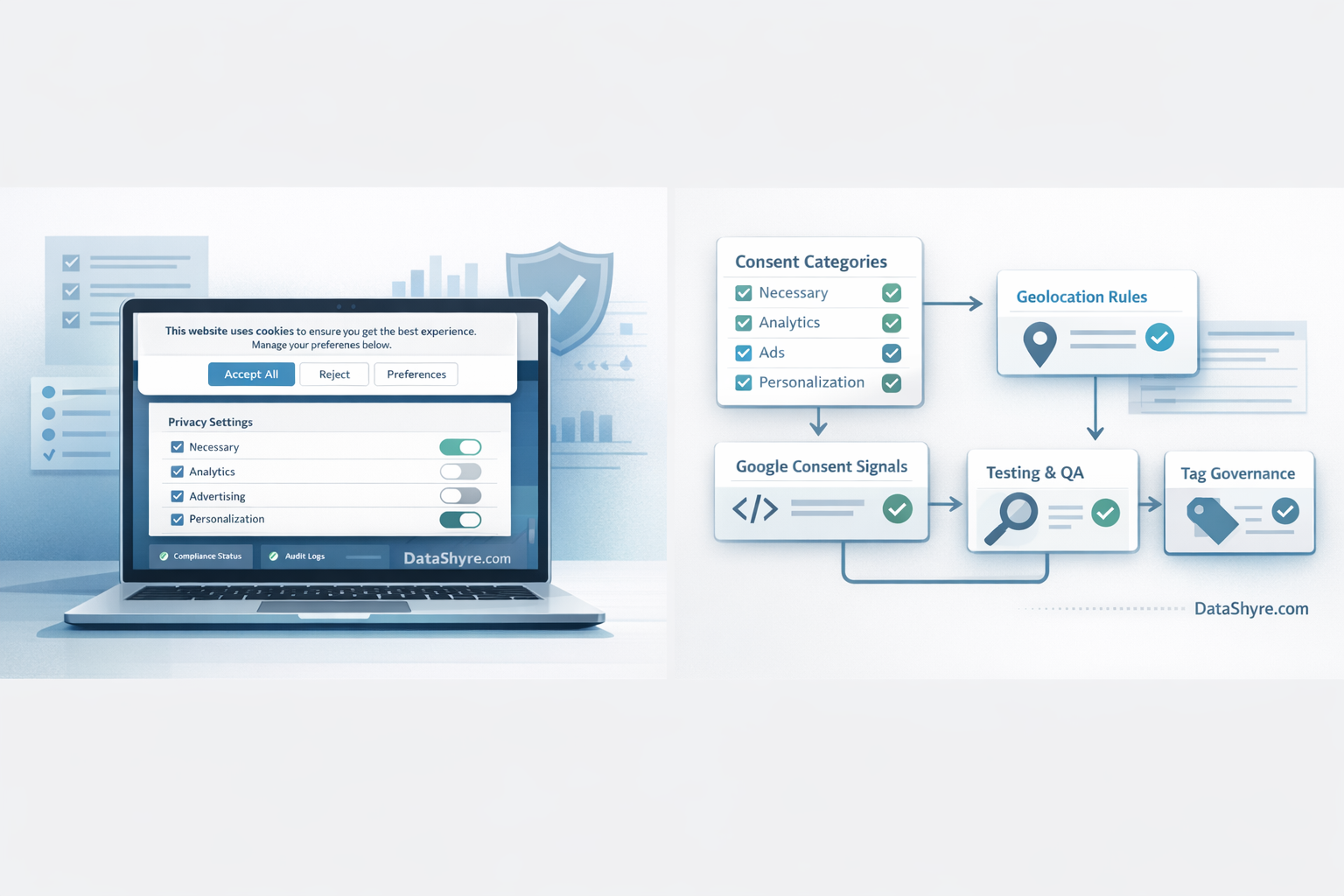
OneTrust is a common choice because it can handle banner delivery, geolocation rules, script categorization, consent logging, and deeper integrations. But the gap between “installed” and “working” is still where teams get burned. A banner can be live while tags fire too early, categories stay too broad, or Google signals never update cleanly.
If your team also runs GTM, our OneTrust GTM implementation guide is the most direct companion. For design patterns that hold up better under review, see these GDPR cookie consent examples.
Why this is still an implementation problem
The legal and technical expectations are now pointing in the same direction. Google says consent mode should “respect users’ consent choices”, as Scott Herman put it when introducing the framework. The UK ICO’s April 29, 2026 announcement on its final storage-and-access technologies guidance used similarly practical language: William Malcolm said people should have “meaningful control over how their data is used.” And in EDPB correspondence on cookie consent, Chair Anu Talus reduced the standard to two words that cut through a lot of vendor fog: “real choice.”
That is a useful frame for any OneTrust deployment. The interface matters, but the real test is whether the live site behaves the way the banner suggests it will.
OneTrust cookie consent: 7 checks before you publish
1. Set the policy model before you style the banner
Start with categories, regions, and evidence rules. OneTrust’s current banner documentation centers the policy object because that is where consent categories, layouts, languages, geolocation, and behavior are controlled. If those choices are fuzzy, the front end will be fuzzy too.
I would keep the first pass boring and explicit:
- define which technologies are strictly necessary;
- separate analytics from advertising and personalization;
- decide which regions get opt-in versus opt-out logic;
- document who owns approvals when a new tracker is added.
This is also where a lot of teams realize the banner text is not the hard part. The hard part is governance.
2. Republish after banner or rule changes
OneTrust’s own guidance is clear that changes to banner configuration, templates, or geolocation rules are not always enough by themselves. You need to republish the scripts so the site actually receives the updated behavior. That sounds minor until you debug a production site that is still serving yesterday’s version.
If your team treats the admin-side save button as deployment, check that habit now.
3. Use auto-blocking carefully, then verify the script inventory
OneTrust documents auto-blocking as a way to block or set cookies based on consent before they run. That is helpful, but it is not magic. It depends on accurate detection and classification. If a vendor script is mislabeled, injected in an unusual way, or loaded outside the controlled path, the banner can still look compliant while the page leaks data.
That is why this website privacy checker should be part of your final pass. The tool view and the live browser view are not always the same thing.
4. Map Google consent mode signals on purpose
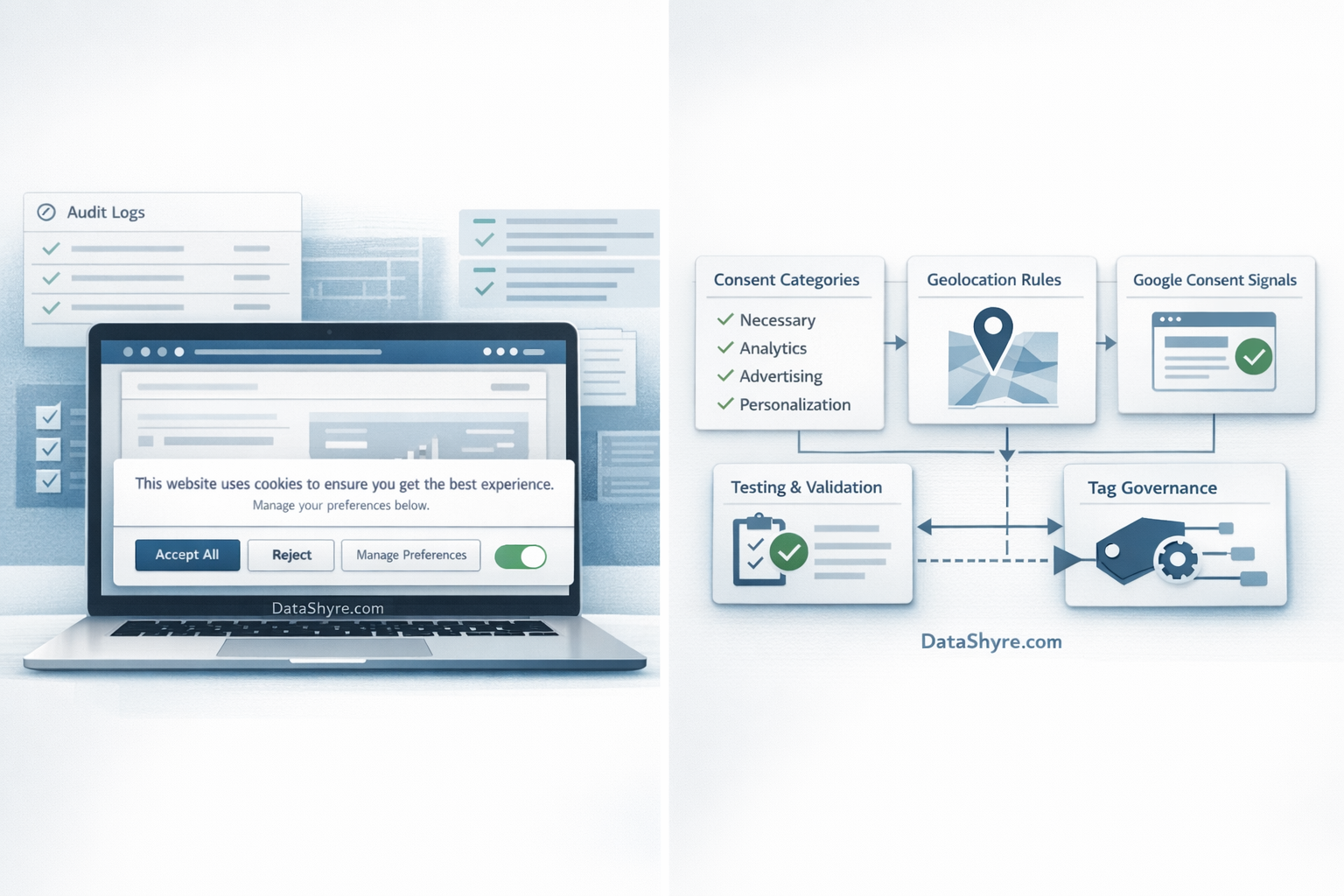
If your site uses Google tags, your OneTrust setup should not stop at category toggles. Google’s current consent guidance expects teams to manage signals like ad_storage, analytics_storage, ad_user_data, and ad_personalization before measurement or ad logic relies on them.
OneTrust is also listed by Google among CMPs that support the certified CMP requirement for serving ads in the EEA and UK on sites using Google publisher products. That matters less as a marketing badge than as an operational shortcut: it tells you the integration path is expected, not improvised.
Still, certification is not a substitute for implementation discipline. You need to confirm the defaults load early, the updates fire after choice, and the reject path is just as real as the accept path.
5. Do not forget single-page apps and embedded tools
OneTrust has separate guidance for single-page applications because consent state can get messy when the page shell persists while content changes. If your site runs React, Next.js, a booking widget, a chat launcher, or video embeds that initialize late, this is usually where the bugs hide.
A clean banner on the landing page does not prove much if route changes or embeds quietly bypass the same controls two clicks later.
6. Make rejection and settings easy to find
This is where vendor rollouts can slide into privacy theater. The European Commission still says valid consent must be freely given, specific, informed, and easy to withdraw. The CNIL continues to stress that refusing cookies should be as simple as accepting them. So the first layer should not make users dig for the no.
For most teams, the practical check is simple:
- can users reject on the first layer where prior consent is required?
- can they reopen preferences later?
- do those choices actually change what loads?
If the answer to the third question is uncertain, the first two do not buy you much.
7. Test with evidence, not screenshots
Before launch, run three live scenarios at minimum:
- first visit with no choice made yet;
- explicit reject;
- explicit accept with selected categories.
Then inspect network activity, cookies, tags, and consent state updates. I would test mobile too, because embedded vendors and layout changes often create the weirdest consent bugs there.
This is the point where many teams find out their banner is a design artifact, not a control.
The mistakes I see most often
The repeat offenders are not very glamorous:
- saving banner changes without republishing scripts;
- trusting auto-blocking without reviewing the actual tracker inventory;
- mapping OneTrust categories loosely to Google consent signals;
- testing only the happy path;
- forgetting that onetrust cookie consent has to hold up across landing pages, subdomains, and embedded tools, not just the homepage.
None of those mistakes are exotic. That is exactly why they persist.
Bottom line
A solid OneTrust deployment looks less like copywriting and more like release engineering with privacy requirements attached. If the policy model is clean, scripts are republished, blocking is verified, consent mode signals are mapped correctly, and the reject path is tested with live evidence, the implementation is in decent shape. If any of those pieces are hand-wavy, the banner may still be live, but the proof is not.
Sources
- OneTrust Banner SDK documentation
- OneTrust auto-blocking documentation
- OneTrust single-page app documentation
- Google for Developers consent guidance
- Google Ad Manager certified CMP guidance
- UK Information Commissioner’s Office
- European Commission consent guidance
- European Data Protection Board
- CNIL cookie guidance