

Page Builder WordPress in 2026: 7 Checks Before You Choose One
If you are searching for page builder wordpress on November 9, 2026, the usual advice will talk about templates, drag-and-drop speed, and visual freedom.
That is not the whole decision.
A page builder wordpress choice also changes how your site handles forms, embedded services, cookies, privacy notices, accessibility behavior, and data-request workflows.
That is the practical review standard now.
WordPress itself points in that direction. Its privacy documentation says the platform can help create a privacy page, pull in suggested text from participating themes and plugins, and support personal-data export and erasure requests. But WordPress also says it is still your responsibility to keep your policy current and accurate, and it warns that third-party tools and services may collect data in ways the helper cannot detect. The ICO’s current cookies guidance points to the same operational reality from the regulator side: users need clear and comprehensive information, non-essential cookies cannot be set before consent, and controls should be easy to use. WordPress’s accessibility guidance adds one more filter that matters for builder-heavy sites: controls, menus, dialogs, and forms still need to work from the keyboard and across real user journeys.
If you want the closest companion reads first, start with our guides to WordPress privacy policy generator, WordPress accessibility plugin, and website privacy checker. This page stays focused on the builder decision itself and how it changes the privacy and consent surface of a WordPress site.
If your team wants help connecting a builder rollout to the underlying compliance work, DataShyre can help with data mapping, consent management, and DSR automation. The hard part is rarely publishing a beautiful page. It is keeping the visible page, the live scripts, and the rights workflow aligned after the next plugin or marketing change.
1. Start with the data-collection map, not the template library
The first page builder wordpress mistake is evaluating the builder like it only controls appearance.
It does not.
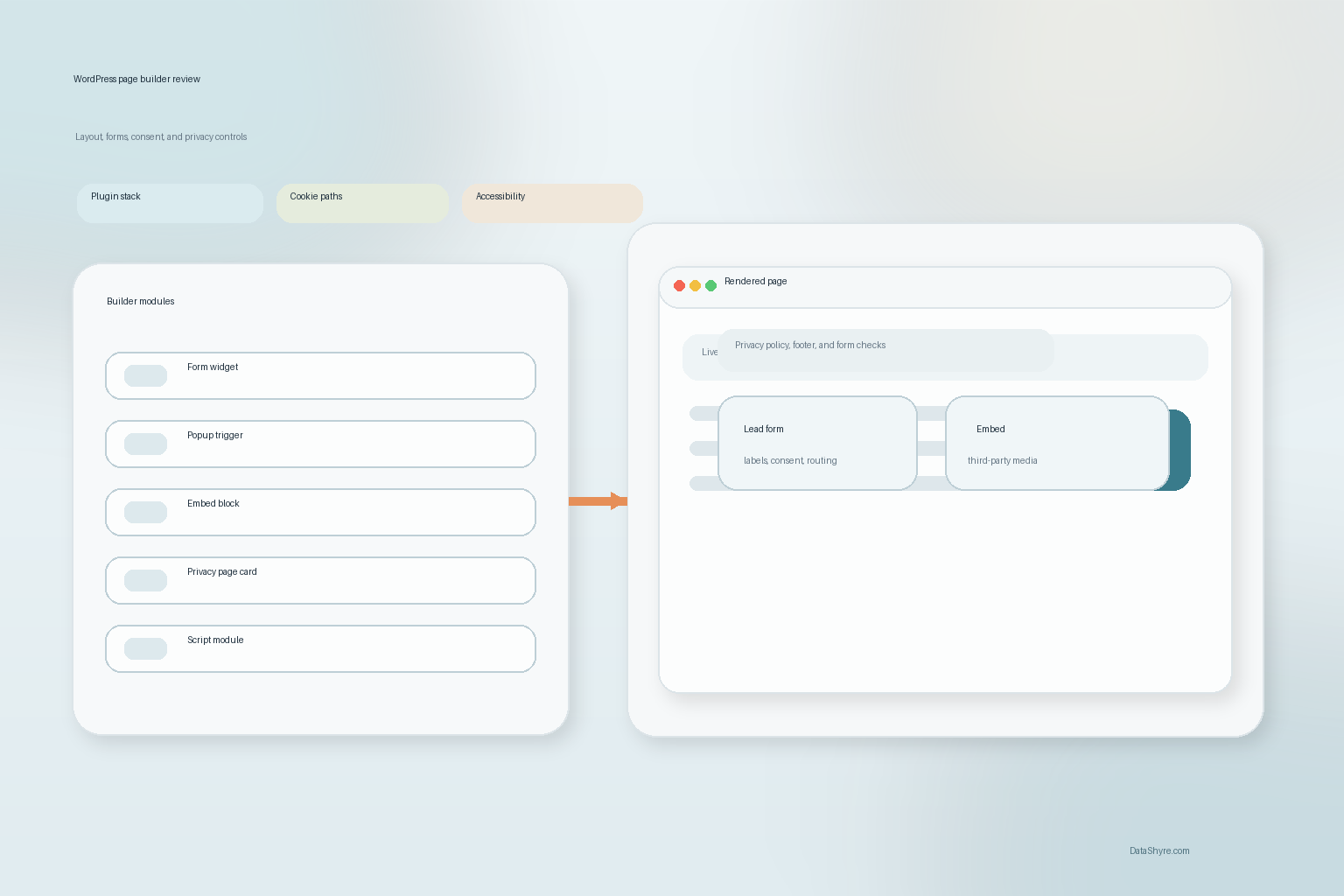
In practice, the builder often becomes the place where teams add:
- lead or contact forms;
- newsletter signup sections;
- popups and slide-ins;
- embedded videos, maps, and social content;
- account or checkout blocks;
- cookie banners, preference links, or privacy-page modules.
That matters because WordPress says many sites use analytics cookies, social sharing buttons, contact form plugins, and embedded third-party tools that may not be fully described by the built-in helper alone.
So before you compare pricing, widgets, or starter kits, map the real collection points first:
- what personal data is collected;
- where the collection happens;
- which plugin or service powers it;
- whether a third party receives the data;
- which page, popup, or flow exposes the collection to the user.
If the live map is incomplete, the page builder wordpress comparison will also be incomplete.
2. Treat builder modules and add-ons like privacy-relevant plugins
A lot of teams talk about the builder as if it were only one product.
Usually it is not.
A page builder wordpress stack often includes the builder itself plus form add-ons, popup modules, analytics snippets, embedded media, marketing tools, and custom code blocks.
WordPress’s plugin privacy handbook says every plugin that collects, uses, or stores user data, or passes it to an external source or third party, should add suggested privacy-policy text. It also says that text should help explain what data is collected, why it is collected, who receives it, how long it is retained, and what rights people have.
That creates a useful review question for any page builder wordpress shortlist:
- which builder modules collect personal data directly;
- which add-ons send data to outside services;
- which components rely on third-party embeds or scripts;
- whether the related privacy disclosures can be identified and maintained.
If the builder stack makes those answers harder to find, the design convenience is creating downstream privacy work.
3. Do not assume the privacy page or policy helper sees everything the builder adds
This is where false confidence shows up.
WordPress says its Privacy Policy Editing Helper can pull default text from core, themes, and participating plugins, but it also says many sites use third-party services the helper cannot fully detect. It specifically warns that analytics providers, newsletter tools, ad partners, and embedded media may sit outside what the tool can gather automatically.
That means a page builder wordpress workflow should not stop at the helper generated a draft.
Instead, compare the draft against what the builder actually places on the page:
- form widgets and form integrations;
- popups tied to campaigns or newsletter tools;
- embed blocks for video, maps, or social content;
- custom HTML, tracking snippets, or tag-manager inserts;
- add-ons that introduce off-canvas menus, chat, scheduling, or personalization.
If the helper text is thinner than the live implementation, the privacy page is already behind the site.
4. Test cookies, embeds, and consent timing on the rendered page
This is one of the highest-value checks in a page builder wordpress review.
WordPress’s own documentation reminds site owners that embedded third-party tools and external services may collect data beyond what core sees automatically. The ICO says users must get clear information about the purpose of cookies or similar technologies, and that non-essential cookies should not be set before consent.
That matters because a page builder wordpress choice can change page rendering order, inject scripts through modules, or make it easier for editors to add third-party content without anyone rechecking consent behavior.
So test the rendered page, not only the settings screen:
- what loads before any user choice is made;
- which embeds or scripts appear on pages built with the builder;
- whether the privacy policy and cookie controls describe those technologies honestly;
- whether the reject, withdraw, or preference path remains easy to reach.
If the builder makes it simple to add third-party content but hard to govern it, that is not a neutral tradeoff.
5. Put keyboard, focus, and form behavior into the shortlist
A page builder wordpress decision is also an accessibility decision.
WordPress’s accessibility standards say code integrated into the WordPress ecosystem is expected to conform to WCAG 2.2 Level AA. The WordPress theme handbook gets more specific on the user-journey level: all controls should work from the keyboard, dialogs and popups need usable interaction patterns, forms need visible labels and focus, and post-submission errors need to be perceivable.
That means your builder review should include:
- modal and popup focus behavior;
- keyboard access for menus, accordions, tabs, and carousels;
- visible labels and usable error handling on builder-based forms;
- mobile and zoom behavior on consent and privacy controls;
- whether off-canvas or layered components block the user from finishing the task.
This is especially important if the builder is being used for:
- privacy-request forms;
- account settings pages;
- checkout or quote flows;
- cookie banners and preference centers.
If those interactions break, the problem is larger than one design preference.
6. Check whether export and erasure workflows still match the builder stack
This part gets missed because it is less visible than the homepage.
WordPress includes built-in export and erase personal-data tools, and its developer documentation says plugins can register their own exporters and erasers so collected data can be included in verified requests. WordPress also notes that those tools cover WordPress and participating plugins, but may not cover all third-party services connected to the site.
That creates a practical page builder wordpress test:
- if a builder form stores entries, are those entries covered by an export or erasure path;
- if a popup pushes data to an email or CRM platform, is that handoff reflected in the request workflow;
- if a builder add-on stores data in custom tables or custom post types, can the site team explain how requests are fulfilled;
- if the public privacy page promises deletion, correction, or access, can the operational stack back that promise up.
This is one of the clearest places where a fast-moving builder stack can outrun the privacy operations behind it.
7. Turn the builder choice into release governance, not a one-time purchase
The biggest long-term page builder wordpress risk is drift.
The builder gets approved.
Then marketing adds a new popup.
Product adds a new embedded scheduler.
Someone pastes a new analytics snippet into a custom block.
Support launches a new intake form.
Now the visible site has changed, the data map has changed, and the privacy disclosures may already be stale.
WordPress’s privacy documentation says site owners remain responsible for accuracy, while the ICO’s guidance makes clear that cookie and similar-technology disclosures and controls have to stay meaningful in the live environment.
So the better page builder wordpress operating model is to require a recheck when:
- a new form or popup is published;
- a new embed or script is added;
- a new marketing or analytics integration goes live;
- the privacy page, cookie banner, or settings flow is redesigned;
- a new vendor starts receiving data through builder-powered pages.
That is how the builder decision becomes governable instead of decorative.
A practical 7-step review for this week
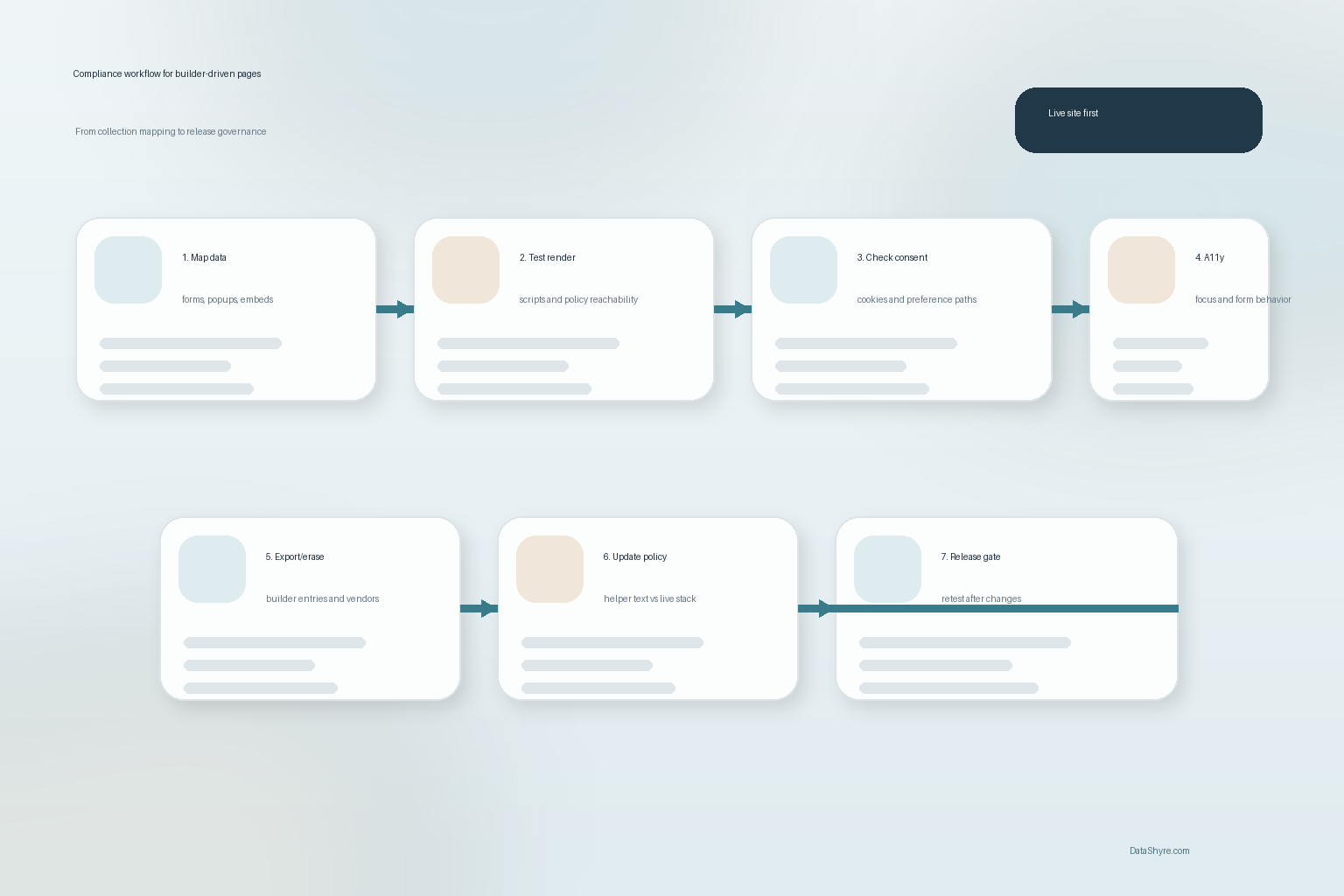
If I were choosing a page builder wordpress setup this week, I would use this order:
- map the real collection points and plugins first;
- list every module or add-on that can collect or share data;
- compare the generated privacy text against the rendered page behavior;
- test cookies, embeds, and consent on live builder pages;
- test keyboard, focus, and form behavior on the same journeys;
- verify export and erasure coverage for builder-powered data;
- tie future builder changes to a required privacy and accessibility review.
That sequence tells you more than a generic builder feature grid.
FAQ
Is a page builder WordPress decision mainly about design speed?
No. A page builder wordpress decision also affects forms, popups, embeds, scripts, privacy notices, consent controls, and how easy it is to govern those elements later.
Can WordPress’s built-in privacy tools handle everything a page builder stack does?
Not always. WordPress can help with privacy pages and verified export or erasure requests, but WordPress also says third-party services and non-participating tools may sit outside what the helper or request tools can fully cover.
Why does accessibility matter in a builder comparison?
Because builder-heavy sites often rely on modals, accordions, sliders, layered menus, and custom forms. If those controls do not work with keyboard access, visible focus, labels, and usable error handling, the problem will show up in privacy and consent journeys too.
Bottom line
The right page builder wordpress choice in 2026 is not the one with the longest widget list.
It is the one your team can still explain after you account for forms, embeds, cookies, request workflows, accessibility behavior, and the next round of site changes.
If the builder makes those things easier to ship but harder to govern, the tradeoff is probably worse than it looks in the demo.
Sources
- WordPress.org Documentation, WordPress Privacy: https://wordpress.org/documentation/article/wordpress-privacy/
- WordPress Developer Resources, Suggesting text for the site privacy policy: https://developer.wordpress.org/plugins/privacy/suggesting-text-for-the-site-privacy-policy/
- WordPress Developer Resources, Privacy Related Options, Hooks and Capabilities: https://developer.wordpress.org/plugins/privacy/privacy-related-options-hooks-and-capabilities/
- WordPress Developer Resources, Adding the Personal Data Eraser to Your Plugin: https://developer.wordpress.org/plugins/privacy/adding-the-personal-data-eraser-to-your-plugin/
- WordPress Developer Resources, Accessibility Coding Standards: https://developer.wordpress.org/coding-standards/wordpress-coding-standards/accessibility/
- WordPress Developer Resources, Accessibility in Themes: https://developer.wordpress.org/themes/classic-themes/functionality/accessibility/
- ICO, Cookies and similar technologies: https://ico.org.uk/for-organisations/direct-marketing-and-privacy-and-electronic-communications/guide-to-pecr/cookies-and-similar-technologies/