

Cookies Script in 2026: 7 Live Checks Before You Ship One
If you are searching cookies script on November 14, 2026, the useful question is not where do I paste the snippet.
It is what should that script actually control on a live site.
That matters because a weak cookies script can make the banner appear while optional tags, pixels, local storage writes, or vendor calls still happen too early.
The ICO’s current guidance finalized on April 29, 2026 uses the broader label “storage and access technologies” and makes clear the rules do not stop with classic cookie files. The same guidance explicitly discusses “scripts and tags” too, which is the right frame for reviewing a cookies script in 2026.
If you want nearby context first, start with our guides to cookie checker, cookie banner, and website privacy checker. This page stays narrower. It is the cookies script review I would use this week before trusting any banner loader, GTM rule, or custom snippet in production.
If your team is trying to make the script, the banner, the policy, and the runtime behavior agree, DataShyre can help with consent management, implementation review, and production testing. The expensive failures usually happen after the code ships, not before it.
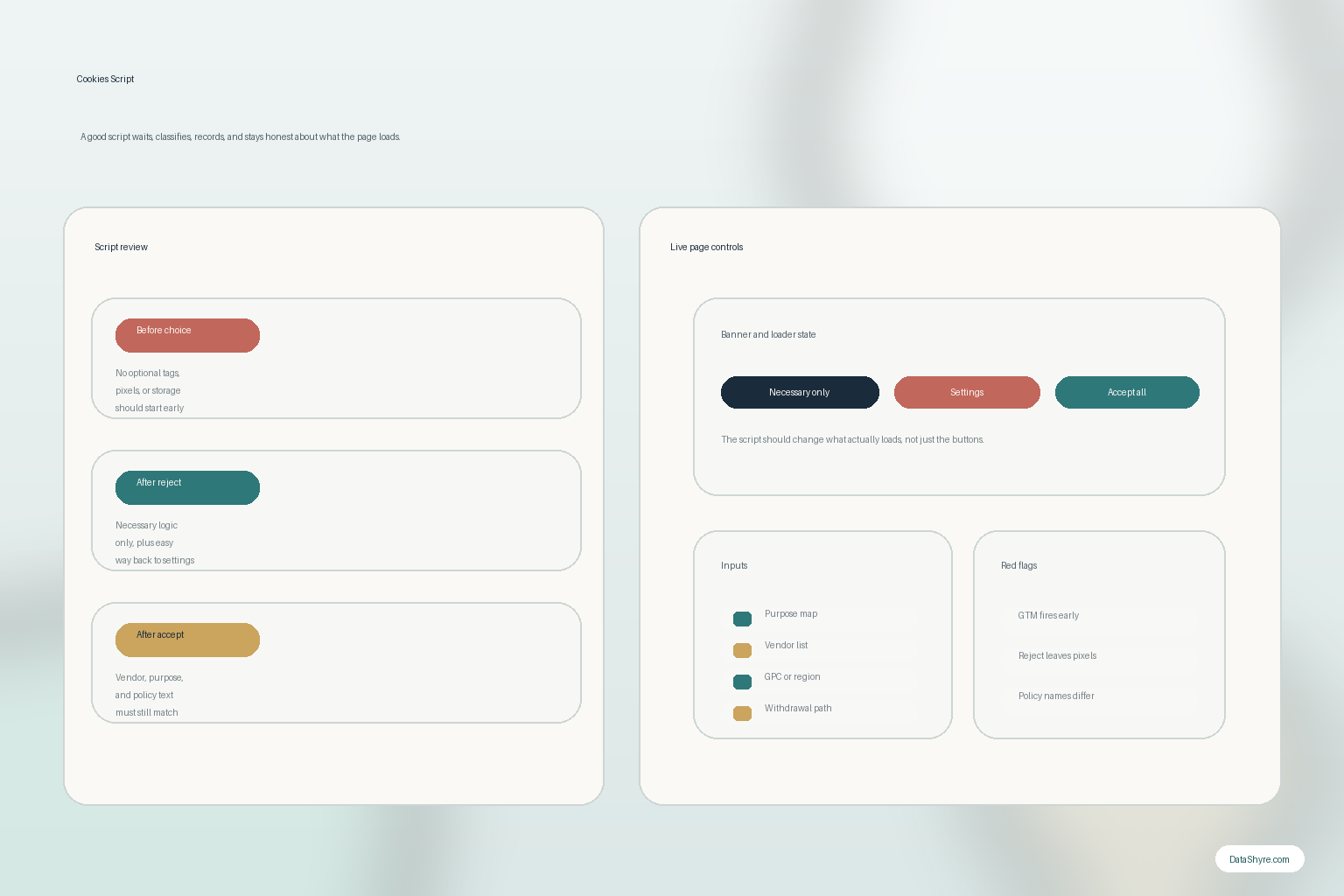
1. Treat the cookies script as runtime control, not decorative banner code
The first cookies script mistake is judging it by the banner instead of by the behavior it controls.
An actual review should ask:
- what the script blocks before choice;
- what it allows as strictly necessary;
- what it enables after accept or category opt-in;
- what it changes after reject or withdrawal.
If the answer is only it shows a popup, the cookies script is probably underspecified.
2. Test the page before the visitor clicks anything
The ICO’s current guidance says PECR applies to technologies that store information or access information on a user’s device, and its detailed section on scope says this includes scripts and tags.
That means a serious cookies script review should inspect first load for:
- cookie writes;
- local or session storage activity;
- pixels or third-party requests;
- tag-manager events;
- identifiers created before choice.
If optional analytics, advertising, or profiling code starts before the right trigger, the script has already failed the most important test.
3. Separate necessary and optional behavior by purpose, not convenience
This is where a lot of cookies script logic gets sloppy.
Your Europe still says websites generally need consent before installing cookies, while also reminding people that “Not all cookies require your consent.” The usual carve-outs remain narrow: communication functions and cookies that are strictly necessary to provide the online service the user explicitly asked for.
So a practical cookies script review should confirm that the site can explain:
- which technologies keep the requested service working;
- which ones exist mainly for analytics, personalization, or advertising;
- whether each purpose still matches the vendor’s real runtime behavior;
- whether the same script is trying to serve too many purposes at once.
If every tag gets labeled necessary, the classification layer is probably theater.
4. Make the script and the consent layer tell the same story
A cookies script is only as good as the consent logic connected to it.
The European Commission’s current GDPR guidance still says consent information should be presented in “clear and plain language.” The ICO’s current consent guidance also says the mechanism must let users withdraw with the same ease that they gave consent.
In practice that means the cookies script should stay aligned with:
- the first-layer banner wording;
- the categories in the settings panel;
- the actual triggers used in GTM, your CMP, or custom loaders;
- the always-available route back to preferences.
If the text promises one thing and the script enforces another, the code matters more than the copy.
5. Verify the policy page, vendor list, and script inventory together
A live cookies script can still be a problem even when the browser behavior looks cleaner than before.
The reason is drift.
The policy says one vendor.
The settings panel shows three categories.
The script actually loads five outside services.
That is why a useful cookies script audit compares:
- the script inventory;
- the vendor or recipient disclosures;
- the banner and settings labels;
- the cookie or privacy policy page;
- the real requests and storage behavior.
If those layers disagree, the implementation is not actually under control.
6. Run the California branch when ad-tech, sharing, or profiling is involved
California is where a lot of generic cookie logic turns incomplete.
The California Department of Justice still describes Global Privacy Control as a “stop selling or sharing my data switch.” The CPPA’s current FAQ also says that, in most instances, businesses must provide a clear and conspicuous link labeled Do Not Sell or Share My Personal Information, Your Privacy Choices, or Your California Privacy Choices in the header or footer.
So if your cookies script supports cross-context advertising, third-party sharing, or related opt-out logic, test whether:
- the opt-out path is clearly available where required;
- the browser or device GPC signal changes behavior;
- the advertising or sharing script path actually changes after the opt-out;
- the footer or header path stays easy to find on mobile too.
If the script keeps the ad-tech path running after those controls fire, it does not matter how polished the banner looks.
7. Re-test after every tag, vendor, or page-template change
The best cookies script review is temporary by definition.
The ICO’s current consent guidance says that if you introduce new storage and access technologies for a different purpose from the one originally stated when consent was granted, you must obtain fresh consent for that new technology or purpose.
That is why I would treat these as automatic cookies script retest triggers:
- a new analytics or ad-tech tag;
- a new embedded video, chat, or support tool;
- a CMP or GTM rules change;
- a new landing-page template;
- a vendor change that alters what data is collected or where it goes.
On October 29, 2026, the CNIL fined FNAC DARTY PARTICIPATIONS ET SERVICES and FNAC DIRECT 7 million euros over a mobile-app tracker used without prior consent. That is a useful reminder that regulators still care about real tracker purpose and real timing, not just policy text.
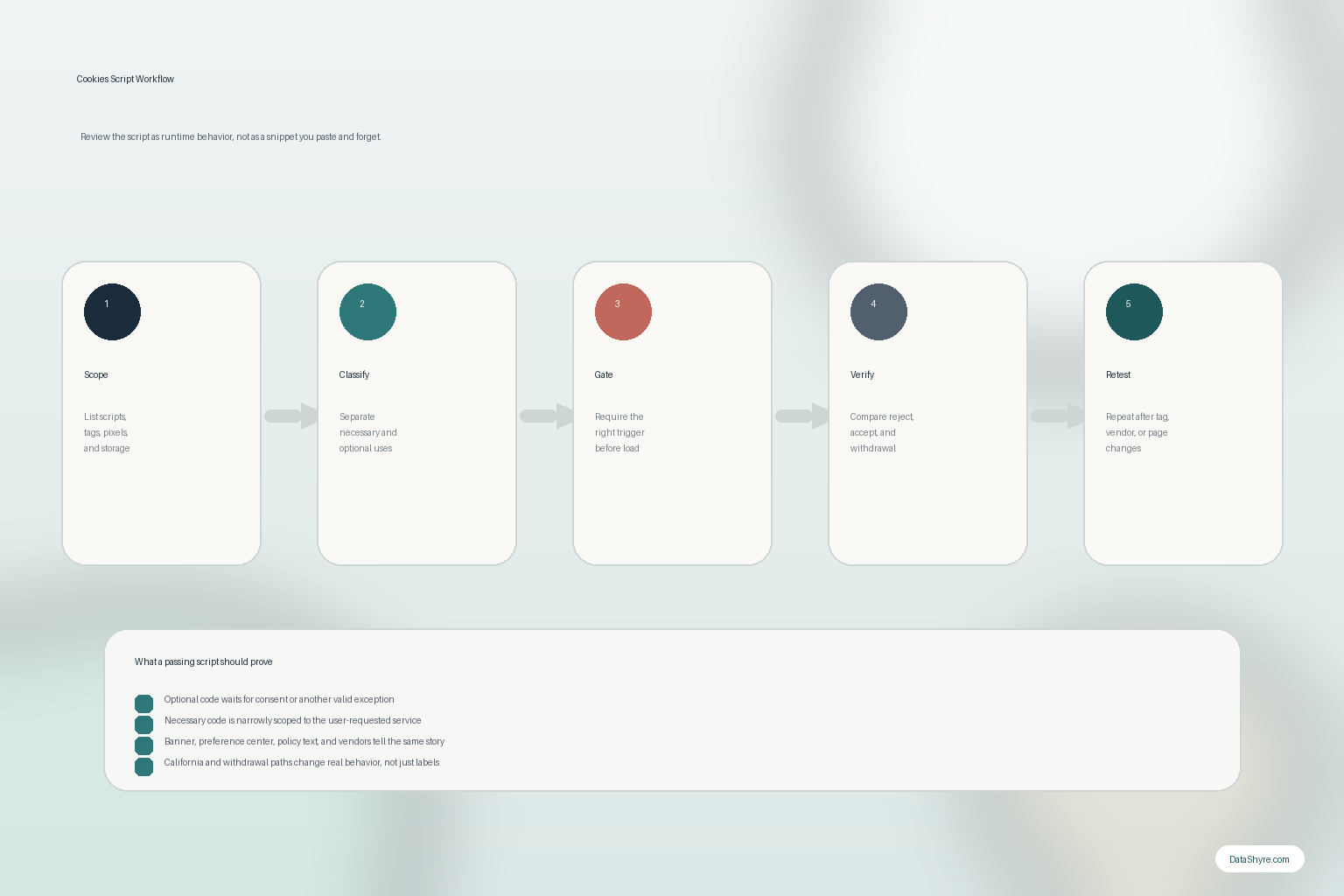
What I would test this week
If I were reviewing a cookies script on a live site today, I would use this order:
- list the scripts, tags, pixels, and storage paths that can touch the browser;
- classify them into necessary versus optional purposes;
- load the page in a clean state and watch what happens before any choice;
- compare reject, accept, and withdrawal behavior;
- compare the results against the policy, settings panel, and vendor disclosures;
- run the California branch if sale, sharing, or GPC could apply;
- schedule a re-test whenever the stack changes.
That process is much more useful than reviewing the snippet in isolation.
FAQ
Is a cookies script only about cookie files?
No. The ICO’s current guidance uses the broader term storage and access technologies, and it explicitly covers scripts, tags, pixels, and similar mechanisms too.
Can one cookies script handle necessary and optional purposes together?
Sometimes, but it becomes much harder to prove the logic stays purpose-specific. The safer design is usually cleaner separation and clearer triggers.
Does a cookie banner prove the script is compliant?
No. You still need to test what the page loads before choice, after reject, after accept, and after withdrawal.
Official sources used
- ICO: Guidance on the use of storage and access technologies
- ICO: What are storage and access technologies?
- ICO: How do we manage consent in practice?
- European Commission: Information for individuals
- Your Europe: Data protection and online privacy
- California DOJ: Global Privacy Control
- CPPA: Frequently Asked Questions
- CNIL: 7 million euro sanction against FNAC DARTY PARTICIPATIONS ET SERVICES and FNAC DIRECT