

Optanon Consent in 2026: 7 Checks Before You Trust the Signal
If you are searching for optanon consent, you are usually not looking for a theory lesson. You are trying to work out whether your OneTrust setup is actually enforcing a visitor’s choice across tags, scripts, embeds, analytics, advertising logic, and later preference changes.
That is the right question on August 2, 2026. The UK’s ICO finalized its storage-and-access technologies guidance on April 29, 2026, and it expressly reaches cookies, tracking pixels, device fingerprinting, scripts, and similar technologies. The practical standard is broader than an old cookie-banner screenshot. It is whether people have real control over what happens on the live site.
If you want the surrounding OneTrust context first, start with our guides to OneTrust cookie consent, OneTrust cookie consent implementation, and OneTrust Google consent mode. This article is narrower. It is the review I would run before trusting optanon consent as a real operating control.
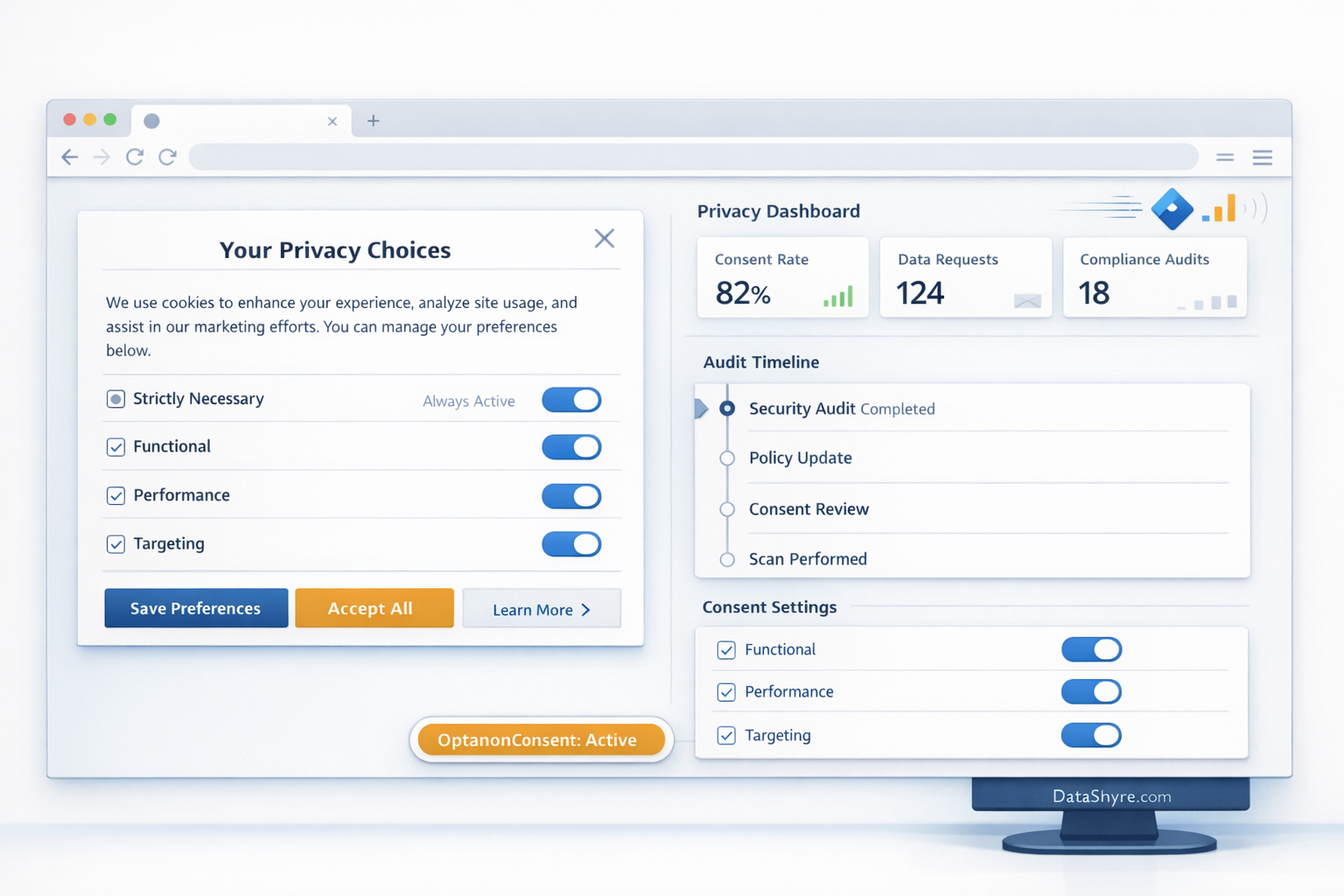
What optanon consent usually refers to now
In practice, optanon consent usually means the consent state exposed by OneTrust’s web CMP layer. OneTrust’s current documentation says visitor consent status is indicated with the first-party OptanonConsent cookie, and its GTM and event documentation shows that the same state is also exposed through the OnetrustActiveGroups data layer value and the OneTrustGroupsUpdated event.
That is helpful, but it is not enough by itself.
An optanon consent value can exist while downstream behavior is still wrong. A tag can read the state too late. A single-page app can miss an update. A domain-group deployment can look shared while consent still remains domain-specific. A settings change can update the banner and leave the actual site behavior untouched.
So the useful test is not “did OneTrust set a value?” It is “what changed because the value existed?”
7 checks before you trust optanon consent on a live site
1. Confirm what the signal is actually governing
This is the first check because it exposes the biggest gap between configuration and reality.
OneTrust’s publishing guidance says the banner scripts alone do not block cookies by default unless auto-blocking or another blocking method is configured. That means optanon consent should never be treated as self-enforcing. You need to verify what it is actually controlling:
- Google tags and analytics libraries;
- ad tech and remarketing scripts;
- chat, video, map, and form embeds;
- custom JavaScript vendors;
- any storage or access technologies your team added outside the CMP template.
If the state exists but optional tools still initialize too early, you do not have working optanon consent. You have a record of a failure.
2. Follow optanon consent into GTM and Google defaults before measurement runs
This is where many teams get a false sense of completion.
OneTrust’s GTM documentation says it populates OnetrustActiveGroups in the data layer and fires the OneTrustGroupsUpdated event when a user updates consent. Google’s current consent mode guide says you should set the default consent state before a user grants consent and make sure consent updates are tracked on the page where they happen before any page transition.
That makes optanon consent a sequencing problem, not just a banner problem.
If your denied defaults arrive late, or if the consent update happens after analytics or advertising commands already evaluated, the site may still measure or personalize in the wrong state. When I review optanon consent, this is one of the first traces I check.
3. Use OneTrust events on purpose instead of relying on one page load
Current OneTrust developer guidance is clear here: the platform exposes several ways to react to consent changes, including OneTrustGroupsUpdated, OTConsentApplied, and OneTrust.OnConsentChanged(). It also notes that event listeners can be registered outside OptanonWrapper, which is useful for modular frontends and tag-heavy builds.
That matters because optanon consent is rarely a one-time decision on a static page anymore.
The site might need to react when a visitor:
- accepts one category but not another;
- reopens the preference center;
- changes a prior choice;
- moves into a checkout, account, or embedded-tool flow after the first page.
If your application reads consent only once and never reacts again, your optanon consent setup is fragile even if the initial banner interaction looked correct.
4. Treat SPAs as a separate implementation path
Single-page apps are one of the easiest places for optanon consent to drift.
OneTrust’s SPA documentation says the web CMP was originally built around multi-page behavior and that many blocking methods rely on a page refresh to work as expected. Its current guidance says SPA support should be enabled in the OneTrust tenant, the banner may need reloadOTBanner() behavior, and an opt-out may require a refresh in some cases so browsers can switch blocked scripts from text/javascript to text/plain.
OneTrust also says SPAs can use the OneTrustGroupsUpdated event plus the OptanonConsent cookie or OnetrustActiveGroups value to action consent changes.
So if your site runs React, Next.js, Angular, Vue, or another client-routed stack, do not assume optanon consent is solved by the first render. Test route changes, preference updates, delayed widgets, and logged-in transitions on purpose.
5. Remember that domain groups are not the same thing as shared consent
This is a subtle but important OneTrust detail.
OneTrust’s current domain-group guidance says that when you navigate between websites within the same domain group, the consent banner should reappear because consent is stored on a per-domain basis and is not persisted across domains.
That means optanon consent should be reviewed domain by domain, even if the parent script deployment is shared.
This catches teams by surprise when they expect a cleaner cross-property experience than the implementation actually provides. It also matters for testing because a passing result on one hostname does not automatically prove the same behavior on another.
6. Make withdrawal and opt-out behavior real, not symbolic
The European Commission still expresses the best usability rule in one sentence:
“It should be as easy to withdraw as to give consent.”
>
European Commission
That rule lands directly on optanon consent because the hard part is often not recording the first choice. It is changing behavior after the choice changes.
California adds another operational layer. The California Department of Justice still says a valid Global Privacy Control signal must be honored by covered businesses as a request to stop sale or sharing. So a modern optanon consent review should test both:
- whether users can reopen settings and reverse a prior choice easily; and
- whether applicable opt-out signals and downstream sale-or-sharing logic are honored where relevant.
If refusal or withdrawal is only reflected in the interface, but not in the connected tools, you are documenting intent without enforcing it.
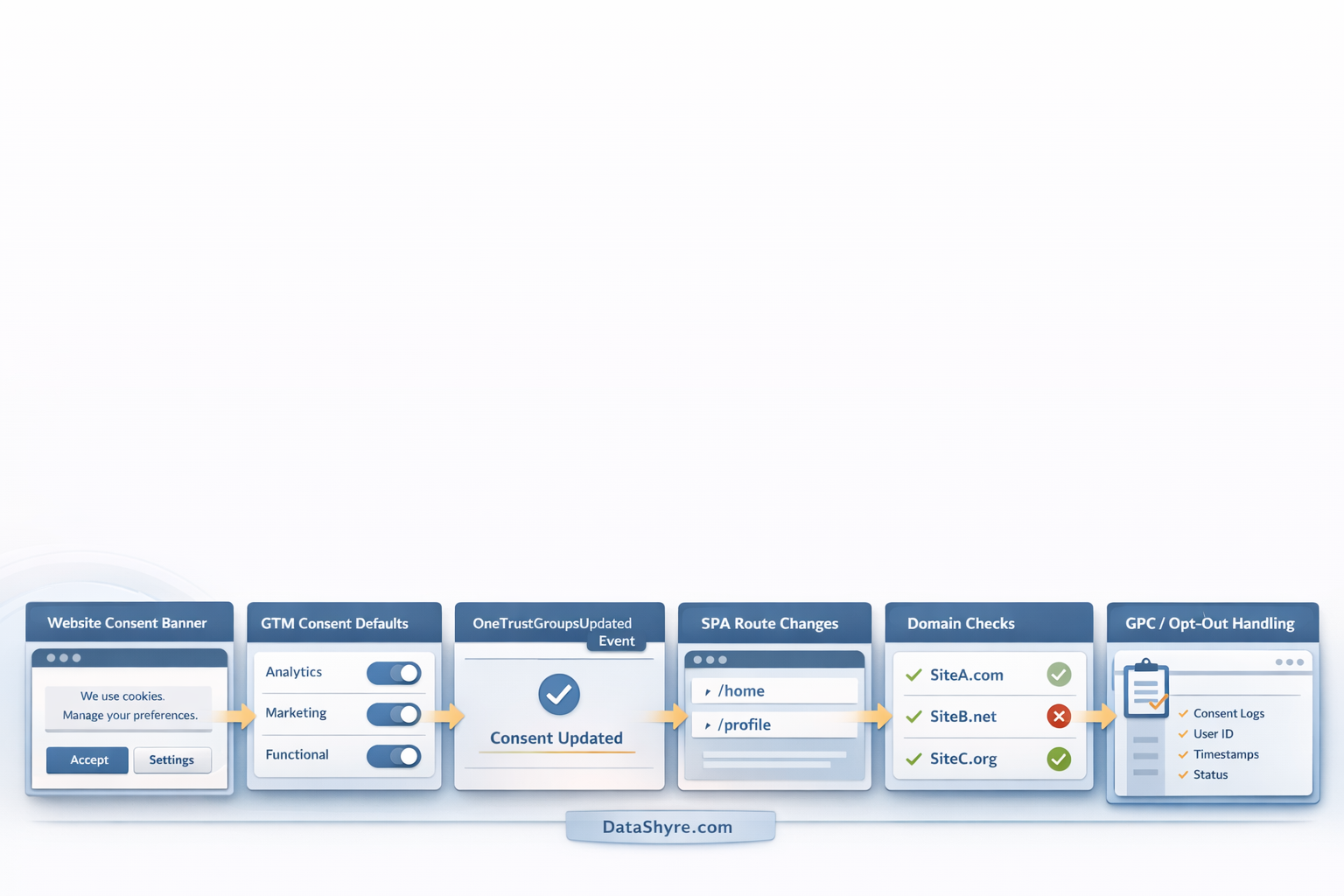
7. Check the proof layer, especially for authenticated users and ad-supported stacks
Good optanon consent should leave evidence your team can still explain later.
OneTrust’s current JavaScript API documentation says syncConsentProfile() can retrieve or log consent for authenticated consent workflows and updates the OptanonConsent value. That is useful when your logged-in state changes during the session, but it also means QA needs to cover anonymous and authenticated states separately.
If your site serves personalized ads in the EEA, the UK, or Switzerland, Google currently requires a certified CMP integrated with the IAB TCF for those publisher workflows. That is a separate platform check, not a substitute for legal compliance.
The practical review question is simple: if someone asked your team what a user saw, chose, changed, and triggered, could you answer clearly from the records you kept?
A short optanon consent review I would run this week
If I were validating optanon consent today, I would do this in order:
- Open the site in a clean browser session on the real production hostname.
- Inspect what loads before any interaction on key templates.
- Confirm denied defaults and OneTrust state reach GTM or direct Google tags before measurement commands run.
- Use
Reject allor the strictest available choice and verify optional tools stay off where they should. - Allow one category, confirm behavior changes, then reopen preferences and withdraw it.
- Repeat the test on any SPA route or logged-in flow that matters.
- Re-test on each relevant domain instead of assuming the parent script proves everything.
- Review the resulting logs or receipts and decide whether another stakeholder could understand them later.
That sequence is short, but it reveals more real risk than most banner comparison lists.
Bottom line
The useful question in 2026 is not whether optanon consent exists. It is whether that signal still gives people what the ICO called:
“meaningful control over how their data is used.”
>
William Malcolm, ICO
If the value reaches the right tools early, updates on the right events, survives SPA and domain edge cases, supports real withdrawal, and leaves evidence your team can interpret later, then your optanon consent setup is in good shape.
If not, the work is not finished yet.
Sources
- OneTrust: Publishing and Implementing Cookie Consent Scripts
- OneTrust: OneTrust Cookies
- OneTrust Developer: Web CMP Events Guide
- OneTrust Developer: Web CMP JavaScript Methods
- OneTrust Developer: Google Tag Manager
- OneTrust Developer: Single Page Applications
- OneTrust Developer: Bulk Domain Management
- UK ICO: Final storage and access technologies guidance published
- UK ICO: Guidance on the use of storage and access technologies
- European Commission: Legal grounds for processing data
- European Commission: When is consent valid?
- California Department of Justice: Global Privacy Control
- California Privacy Protection Agency: Law & Regulations
- Google for Developers: Set up consent mode on websites
- Google Ad Manager Help: Google consent management requirements for serving ads in the EEA, the UK, and Switzerland
This post was updated on August 2, 2026 using current official regulator, platform, and vendor documentation available at publication time.