

OneTrust Cookie Consent Implementation: 7 Checks Before You Push Live in 2026
A lot of onetrust cookie consent implementation projects stall at the same point: the banner looks finished, but the site behavior behind it is still shaky. Analytics fires too early. A marketing pixel slips through on a cached template. A preference change updates the UI but not the tag stack. By the time someone notices, the site already has production traffic.
That is why this is not really a banner project. It is a control-layer project. If you need broader background first, our earlier guides on OneTrust cookie consent, cookie consent Google Tag Manager, and cookie consent requirements are good primers. This piece is narrower: what to test before you call the implementation done.
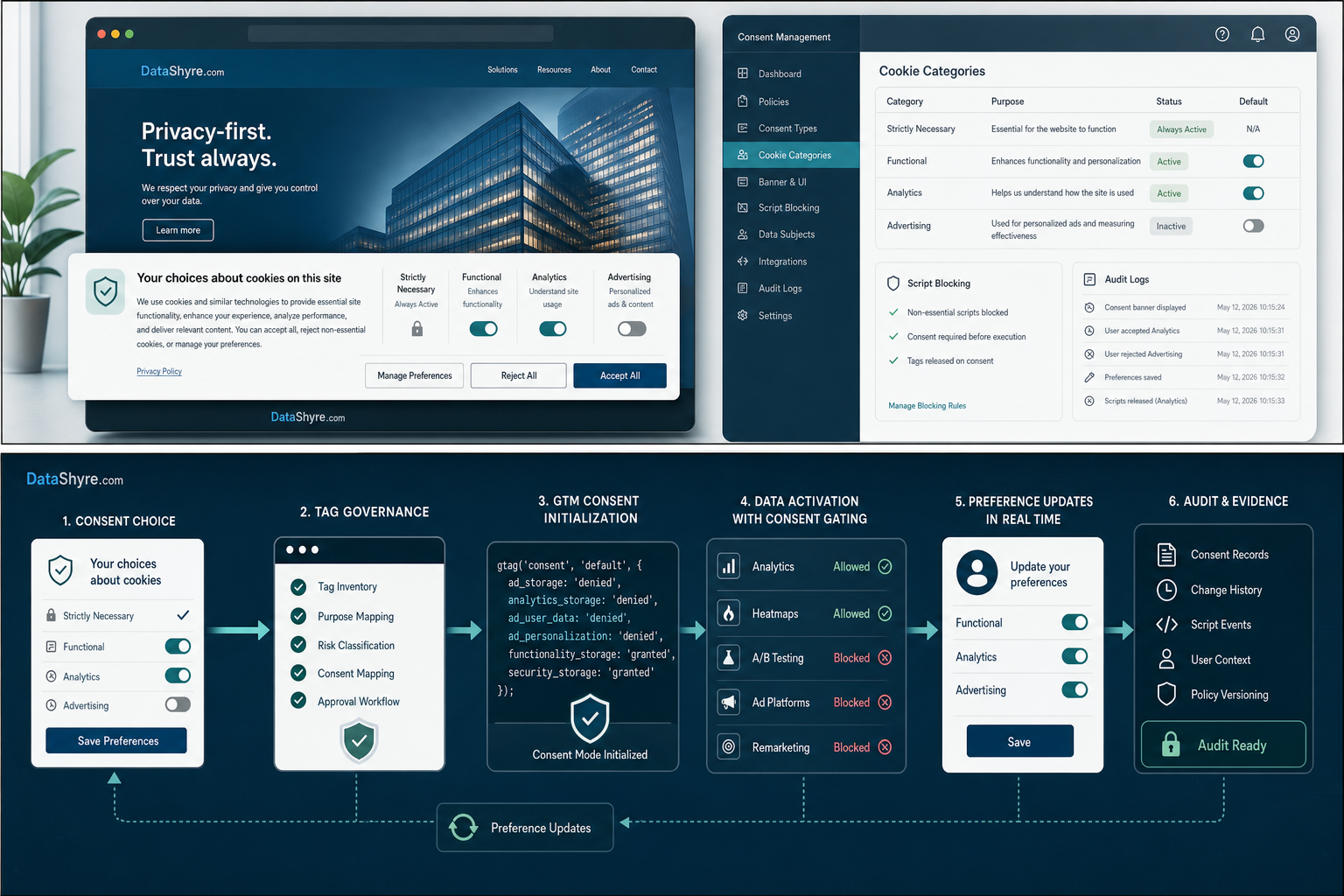
Where OneTrust implementations usually break
The compliance pressure has not gone away. On April 29, 2026, the UK ICO published final guidance on storage and access technologies covering cookies, pixels, fingerprinting, and similar tracking methods. In that announcement, William Malcolm said people should have “meaningful control over how their data is used.” That is the right standard for an implementation review because a polished banner is irrelevant if downstream scripts ignore the choice.
The engineering problem is simple to describe and annoying to fix: consent has to reach every tag early enough, consistently enough, and in a way your stack can prove later. Google Tag Manager product lead Scott Herman framed the goal as helping tags “respect cookie consent choices.” Meanwhile, EDPB Chair Anu Talus has said consent models must offer “real choice.” Put those together and the test becomes pretty practical: does the site wait, react, and log correctly?
1. Confirm what actually blocks before consent
OneTrust’s own implementation guidance matters here. Its publishing documentation says the banner scripts alone do not block cookies by default unless auto-blocking or another blocking method is configured. In other words, script placement is not the same thing as enforcement.
Before launch, make a tracker inventory and test what happens on a fresh browser session before any click. Look beyond cookies. The ICO’s 2026 guidance expressly covers tracking pixels, fingerprinting, and similar technologies, so your review should include embedded video, chat widgets, heatmaps, ad tags, and any custom JavaScript vendors that are easy to forget.
2. Make GTM consent timing boring
If your OneTrust setup feeds Google Tag Manager, the goal is not elegance. It is predictability. Google says in its Tag Manager consent mode support documentation that the Consent Initialization trigger fires before all other tags, including Initialization triggers, and is specifically meant for CMP tags and default consent states. That is the safest place to make sure consent signals exist before analytics or advertising logic evaluates.
This is where onetrust cookie consent implementation projects often get overconfident. The banner renders, a data layer variable appears, and everyone assumes the work is finished. Then a tag assistant trace shows the consent state arriving after a measurement tag already checked its conditions. That is not a wording problem. It is a sequencing problem.
3. Decide how you are blocking
OneTrust supports more than one control pattern, including auto-blocking, JavaScript re-writing, and tag-manager-driven handling. Pick the model deliberately. Auto-blocking can reduce manual lift, but it still needs testing around custom scripts, vendor changes, and anything injected outside the expected pattern.
For teams with messy martech stacks, I usually trust live testing more than configuration screenshots. Load the page cold. Reject all. Inspect requests. Accept only analytics. Inspect again. If ad tech, social pixels, or personalization tools still fire in the wrong state, the implementation is not done no matter how clean the console looks.
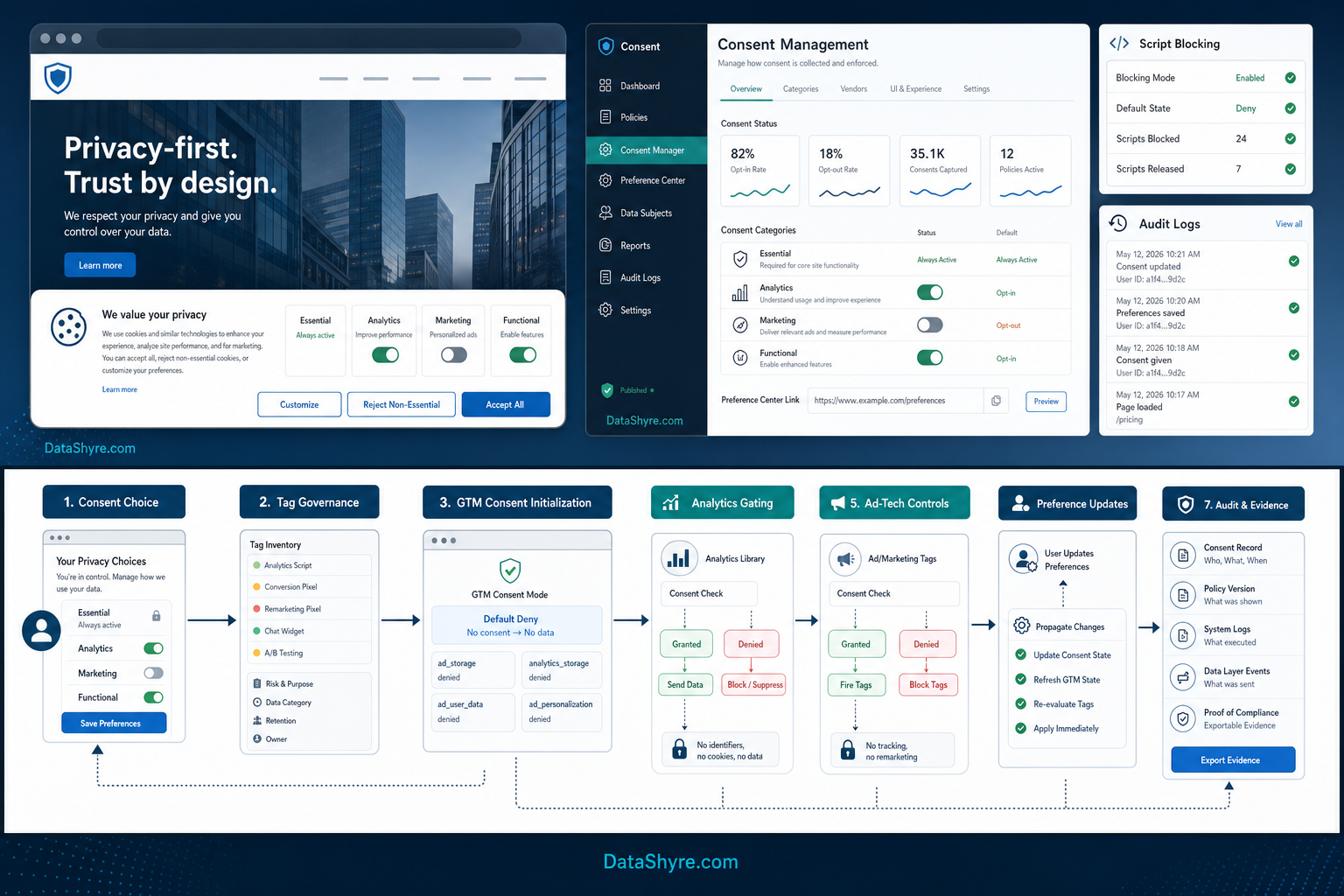
4. Handle SPAs and dynamic pages on purpose
Single-page applications are a recurring trouble spot. OneTrust’s developer guidance for SPAs says many blocking methods were originally built around multi-page behavior and that SPA setups may need event handling, custom logic, or even page refreshes for certain consent changes to behave as expected. The OneTrustGroupsUpdated event is especially important because it fires when the script loads and when the user updates choices.
That means a modern frontend cannot treat the initial banner display as the whole job. If preferences can change after the first render, the application has to re-check consent and re-govern the relevant tools. A stale state in an SPA is still a compliance failure.
5. Separate EU or UK consent flows from California opt-out logic
OneTrust is often deployed across regions, which is where legal logic gets muddled. EU and UK traffic may require prior consent for non-essential technologies. California programs may instead need a clean opt-out path and recognition of Global Privacy Control when the business is in scope. The California Department of Justice says GPC is a valid way for covered businesses to receive an opt-out request to stop the sale or sharing of personal information.
So do not settle for one banner that says the same thing everywhere. Your geolocation rules, purpose mappings, and downstream actions should reflect the jurisdiction you are actually serving. That is also where Talus’s “real choice” point lands: regional logic is not just a design preference. It changes whether the choice is valid.
6. Treat withdrawal and preference changes as core flows
The ICO’s consent guidance is blunt here: it must be as easy to withdraw consent as to give it. That is why preference centers deserve real QA. Test whether a user can reopen settings, change a choice, and have the site behavior update without delay or hidden friction.
This is one place where a lot of teams still underbuild. They verify the first acceptance flow and barely test the change path. But withdrawal is where the architecture shows its weak spots: cached scripts, ungoverned third parties, and tools that never got wired back to consent state after the initial page load.
7. Check the evidence you will need later
A finished implementation should leave useful proof, not just a prettier interface. The ICO says organizations should be able to show who consented, when, how, what they were told, and whether they later withdrew. In operational terms, that means testing notice versions, timestamps, category or purpose choices, and what your logs preserve when a user updates preferences.
If you run ad-funded inventory in the EEA, UK, or Switzerland, add one more check: confirm your CMP and related ad path are ready for Google’s TCF requirements. Google says TCF v2.3 is mandatory for new TC strings generated on or after March 1, 2026, and misconfiguration can push requests into limited ads. That is not a side issue if revenue depends on the setup.
Bottom line
onetrust cookie consent implementation should end with a go-live test, not a design sign-off. If blocking works before consent, GTM gets consent state early, SPA updates stay in sync, regional rules are mapped correctly, and the logs are actually usable, you have something solid. If one of those pieces is missing, you probably have a banner project pretending to be a consent program.
Sources
- OneTrust documentation
- OneTrust Developer Portal
- UK Information Commissioner’s Office
- Google Tag Manager Help
- Google Marketing Platform Blog
- California Department of Justice
- European Data Protection Board