

Google Tag Manager Google Analytics Opt-Out Cookie Consent in 2026: What to Check Before GA4 Fires
If you are searching for google tag manager google analytics opt out cookie consent, the real problem is usually not the wording. It is making sure the banner, Google Tag Manager, and Google Analytics 4 behave in the right order on a live site.
That distinction matters on August 10, 2026 because Google’s current consent guidance still separates basic and advanced consent mode, still requires default consent handling before measurement starts, and still tells teams to update consent on the page where the user acts. At the same time, the UK’s ICO finalized its storage-and-access technologies guidance on April 29, 2026, and the European Commission still says valid consent must be freely given and that withdrawal must remain easy.
If you want the adjacent implementation pieces first, see our guides to Google Tag Manager cookie consent, Google Analytics cookie consent, and cookie consent, Google Tag Manager, and Google Analytics. This article stays narrower. It focuses on where opt-out language helps, where it confuses teams, and what to verify before GA4 gets a chance to send data.

Why the phrase “opt-out” causes implementation mistakes
The phrase sounds simple, but it covers at least three different controls:
- a browser-level Google Analytics opt-out add-on;
- a site-side cookie banner or preference center;
- the tag and analytics logic that decides whether GA4 can run.
Those are not interchangeable.
Google’s current Analytics help still says the Google Analytics Opt-out Browser Add-on stops Google Analytics JavaScript from sharing visit activity with Google Analytics. But the same help page also says it does not stop site owners from using other analytics tools and does not stop data from being sent to the site itself or otherwise to web-analytics services.
That means the browser add-on is a user-side extra control. It is not a substitute for a site that needs prior consent before non-essential analytics storage starts. If your legal or implementation story depends on the add-on, the problem is upstream in your consent flow.
The first decision: basic or advanced consent mode
This is where many GTM and GA4 stacks drift into confusion.
Google’s current Consent mode overview says:
“No data is sent before a user consents”
That statement applies to basic consent mode, where Google tags are blocked until the user interacts with the banner. In advanced consent mode, Google’s tags can load with denied defaults and send consent-state or cookieless signals until the user makes a choice.
So before you even debate button labels, decide which model you are actually running:
- Basic mode if your policy and implementation block Google tags before the user acts.
- Advanced mode if your setup loads Google tags with denied defaults and relies on consent mode behavior before consent is granted.
Teams get into trouble when they describe the setup like basic mode but implement it like advanced mode, or the other way around.
What GTM and GA4 should do before consent
Google’s current website setup guide still says:
“Set the default consent state.”
More importantly, it says to do that before commands that send measurement data such as config or event.
In a GTM-led setup, that usually means checking whether the relevant consent states are denied by default where your policy requires prior consent, especially:
analytics_storagead_storagead_user_dataad_personalization
If those defaults land too late, GA4 can start measuring before the banner choice is reflected. That is one of the most common quiet failures in this entire keyword area.
Google’s current Tag Manager help also says the Consent Initialization – All Pages trigger fires before all other tags, including Initialization triggers. That is why consent-writing logic belongs there rather than in a late custom patch.
Why sequencing matters more than banner copy
A polished banner is not the same thing as a controlled stack.
Google’s data layer documentation now warns teams not to use Custom HTML tags to configure consent settings in Tag Manager, because consent settings need to be applied before the relevant tags fire. The same documentation says teams should use the Tag Manager Consent APIs so consent updates are processed before queued items in the data layer and so tags fired by the same event see the same consent state.
That is the practical reason this issue shows up so often:
- a CMP writes the banner;
- GTM handles the tag logic;
- GA4 waits for whatever state GTM passes through;
- one asynchronous load or one legacy tag breaks the intended order.
Google’s setup guide also still documents wait_for_update for asynchronous consent tools. That can help when a banner loads later than the Google tag, but it is only a timing buffer. It does not rescue a broken design by itself.
The 6 checks that matter most
1. Separate browser opt-out from site consent
Use the GA opt-out add-on for what it is: an extra control at the browser layer. Do not treat it as proof that your site respected consent before GA4 loaded.
2. Confirm denied defaults are set before GA4 config or event calls
If GA4 receives a config call before the right denied default is in place, the implementation is already too late for a clean first-load story.
3. Put consent logic on Consent Initialization or the equivalent earliest path
If the CMP template, custom consent template, or update logic fires after other tags are already evaluating, the banner and the runtime can diverge.
4. Test reject and revoke, not only accept
The accept path is rarely the risky one. The revealing tests are:
- first visit with no choice yet;
- explicit reject;
- granular acceptance;
- later withdrawal or change of mind.
The European Commission still states the rule in the clearest form:
“It should be as easy to withdraw as to give consent.”
If a user can accept on the first layer but cannot easily reopen settings and revoke analytics later, the implementation is still incomplete.
5. Inspect real page behavior, not only container screenshots
Google’s current Tag Assistant guidance says you can verify the default consent state, consent updates after user interaction, and which tags check which consent types. That makes Tag Assistant a useful review tool for:
- the earliest consent event;
- the later consent update;
- which tags required which consent states;
- whether those checks passed when the tags fired.
6. Re-test asynchronous and multi-template pages
Consent failures often appear only on the pages teams forget to test: landing pages, embedded-video pages, plugin-heavy templates, or SPA transitions. If your banner is asynchronous, test more than the homepage.
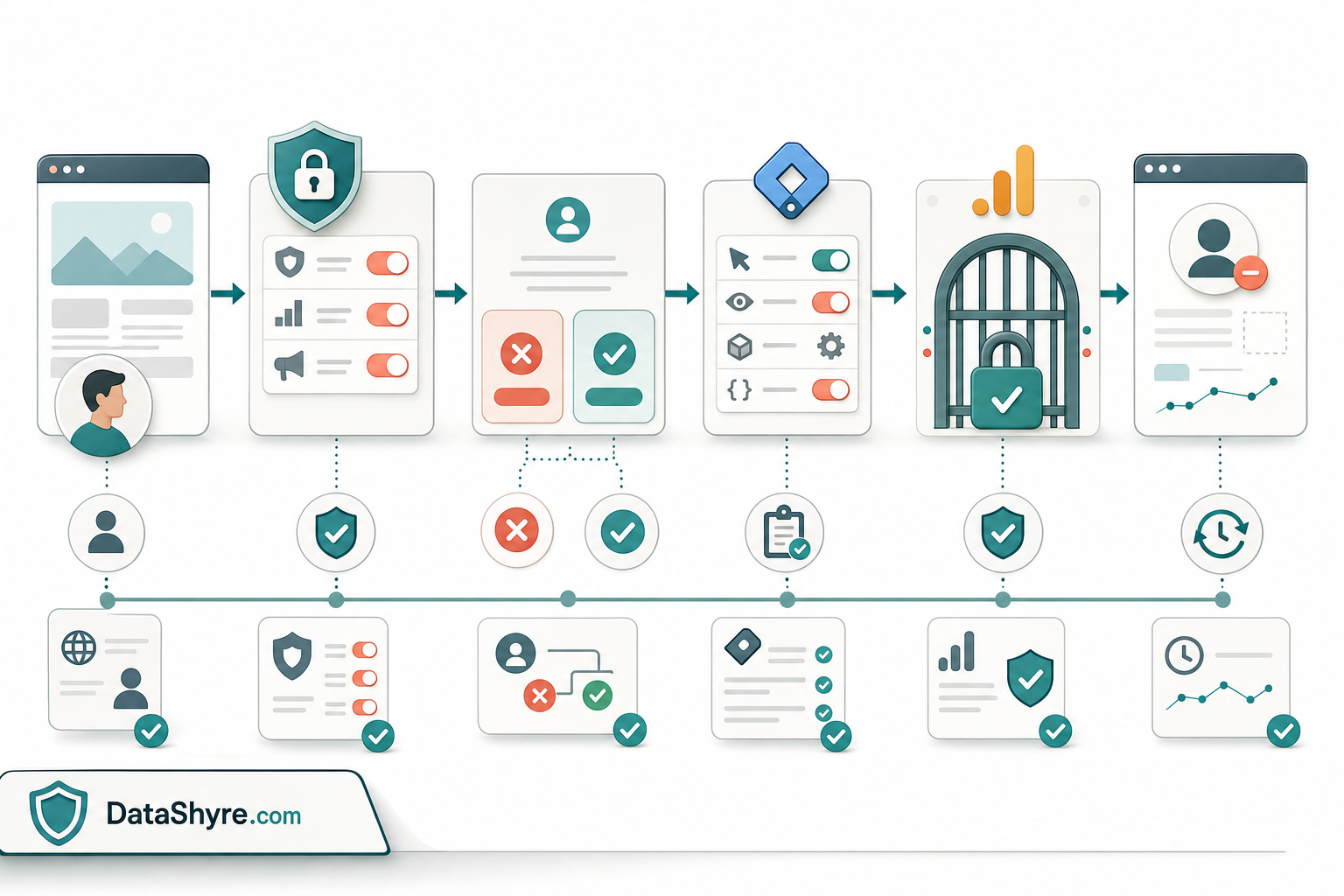
A practical review sequence for this week
If I were reviewing google tag manager google analytics opt out cookie consent today, I would use this order:
- Open the site in a clean browser session.
- Confirm whether the implementation is basic or advanced consent mode.
- Inspect the earliest consent event and make sure denied defaults are present before GA4 measurement commands run.
- Click
Reject allfirst and confirm optional analytics behavior stays off where prior consent is required. - Allow analytics only and verify the change is narrow instead of also enabling unrelated advertising behavior.
- Reopen settings on the same page and revoke analytics again.
- Repeat the test on at least one other important template.
That short sequence catches more real problems than another round of banner-copy editing.
Where the legal guidance still points
The regulator guidance remains operational, not abstract.
The European Commission’s current consent pages still say consent must be freely given, informed, specific, and based on a clear affirmative act, and that people must be able to refuse or withdraw without disadvantage. The ICO’s final 2026 guidance widened the practical frame beyond classic cookies to storage and access technologies more broadly, which is exactly why teams should test pixels, scripts, and tags rather than only the visible banner layer.
For this topic, that leads to one useful rule of thumb: if your explanation focuses on the GA browser add-on more than on your denied defaults, GTM trigger order, and revoke path, you are probably emphasizing the wrong control.
Bottom line
In 2026, google tag manager google analytics opt out cookie consent is mostly a sequencing problem disguised as a wording problem.
The browser add-on is helpful for individual users, but it does not replace site-side consent. The stronger setup is the one that clearly chooses basic or advanced consent mode, sets defaults before GA4 can measure, updates consent immediately when users act, makes withdrawal easy later, and leaves behind proof that another team could review after the fact.
If those pieces are working together, your consent story is much stronger. If they are not, the banner may be live while the actual measurement behavior is still drifting.
Sources
- Google for Developers: Consent mode overview
- Google for Developers: Set up consent mode on websites
- Google for Developers: Troubleshoot consent mode with Tag Assistant
- Google for Developers: The data layer
- Google Tag Manager Help: Tag Manager consent mode support
- Google Analytics Help: Google Analytics Opt-out Browser Add-on
- UK ICO: Final storage and access technologies guidance published
- UK ICO: Guidance on the use of storage and access technologies
- European Commission: When is consent valid?
- European Commission: What if somebody withdraws their consent?
This post was updated on August 10, 2026 using current official Google and regulator materials available at publication time.