

Ninja Popups in 2026: 7 Privacy and Consent Checks Before You Go Live
If you are searching for ninja popups on November 10, 2026, the useful question is not whether the popup can collect more clicks.
It is whether the popup changes your privacy surface in ways your team can still explain, control, and prove later.
That is the real review.
With a tool like ninja popups, the risk usually does not come from the box on the screen by itself. It comes from everything connected to it: cookies or local storage used to remember behavior, embedded forms, email-platform integrations, hidden profiling logic, unclear disclosures, and the gap between what the popup does and what the privacy policy still says.
The official guidance still points in that direction. WordPress says its privacy tools can help, but it remains your responsibility to provide the right information and “keep that information current and accurate.” The WordPress Plugin Handbook also says plugins that collect, use, store, or pass user data to third parties “should add a section of suggested text” to the site’s privacy-policy workflow. And the ICO’s current cookies guidance still draws a hard line around technologies that are not “strictly necessary”: users need a real way to control them. Its consent-management guidance also says you should keep an “effective audit trail” showing how and when consent was given.
If you want nearby context first, start with our guides to WordPress privacy policy generator, WordPress GDPR compliance plugin, and cookie consent banner. This page stays narrower. It is the ninja popups review I would use this week before turning a popup campaign loose on a live WordPress site.
If your team is using Ninja Popups or a similar lead-capture tool and wants the conversion layer to stay aligned with the privacy layer, DataShyre can help with consent management, data mapping, and DSR automation. The hard part is usually not making the popup appear. It is making sure the popup, the notice, the cookie logic, and the downstream systems still tell the same story.

1. Treat the popup as a data-collection surface, not just a conversion widget
The first ninja popups mistake is reviewing design before reviewing data flow.
A popup can collect or influence much more than an email address:
- contact details entered into embedded forms;
- referral or campaign data attached to the submission;
- behavioral data about who saw, dismissed, accepted, or reopened the popup;
- cookies or local storage that remember user state; and
- downstream routing into email, CRM, analytics, or advertising tools.
That means the privacy question is not does the popup look acceptable.
It is what data events begin when this popup loads, when it is shown, and when a person interacts with it.
Before you approve ninja popups, map the live flow from trigger to submission to downstream destination.
2. Check whether the popup depends on cookies or similar technologies that need consent
A lot of popup tools rely on browser storage to control frequency, suppression, targeting, or conversion tracking.
That matters because the ICO’s current guidance says consent is not required only where the storage or access is “strictly necessary” for the service the user actually asked for. Helpful, convenient, or marketing-driven technologies do not automatically meet that bar.
So when reviewing ninja popups, ask:
- does the popup set cookies or use local storage before the user interacts;
- are those technologies only suppressing an already-requested function, or are they supporting marketing or analytics goals;
- does your banner or preference center actually control them; and
- if a person rejects non-essential tracking, does the popup behavior change in practice.
If the popup fires measurement or remembers promotional behavior before consent where consent is required, the problem is not cosmetic. It is runtime non-compliance.
3. Make the form disclosure match the real purpose of the popup
Popups often fail at the point of collection.
The copy says get updates or claim your offer, but the backend routes the submission into multiple follow-up uses: newsletter enrollment, CRM scoring, retargeting audiences, sales outreach, and longer-term profiling.
That is exactly where teams get sloppy with ninja popups.
WordPress’s privacy guidance is useful here because it expects plugins that affect user privacy to contribute policy text covering what data is collected, why, who receives it, how long it is kept, and what rights apply.
Your popup disclosure should therefore answer the real questions at the moment the user is about to submit:
- what data is being collected;
- why it is being collected right now;
- whether the form signs the user up for marketing or only answers the immediate request;
- which third parties or internal systems receive the data; and
- where the person can read the fuller privacy notice.
If the popup promise is narrower than the backend reality, the conversion lift is hiding a disclosure problem.
4. Test whether the popup creates new consent purposes that need fresh handling
One easy way to break a previously acceptable setup is to reuse a popup for a new purpose.
The ICO’s consent guidance says if you were relying on consent and the purpose changes, you need fresh specific consent or a different lawful basis for the new purpose.
That matters for ninja popups because teams often repurpose the same popup framework for:
- newsletter signup;
- gated downloads;
- webinar registration;
- discount-code capture;
- customer-survey invites; or
- advertising audience growth.
Those are not all the same privacy event.
If the campaign objective changed, the old checkbox wording, privacy explanation, or banner logic may no longer fit. Review each popup campaign as its own collection context, not as a generic reusable widget.
5. Verify export and erasure support before you collect more leads
Popups look simple from the front end. They get much less simple when a person later asks for access, correction, or deletion.
WordPress provides privacy hooks so plugins can participate in personal-data export and erasure workflows. That is the operational standard you should care about with ninja popups.
Before rollout, check whether the popup stack can help your team locate and handle:
- submitted form fields;
- consent-state records tied to the submission;
- identifiers stored locally or in connected plugins;
- CRM or email-platform syncs triggered by the popup; and
- any duplicate copies created by automation.
If a popup can collect a lead in one click but your team cannot find or erase the linked records later, the workflow is incomplete.
6. Audit the integrations, not just the popup editor
The editor is rarely the whole story.
A ninja popups deployment often touches mailing tools, webhook-style connectors, analytics tags, pixels, CRMs, or discount tooling. Each one can expand the disclosure and consent surface.
That is why the Plugin Handbook language about third parties matters so much. If the popup passes data outward, your review has to cover the handoff too.
The practical audit list is:
- every destination that receives popup submissions;
- whether each destination is named or described correctly in the privacy notice;
- whether any destination begins processing before the user gets the promised context;
- whether data minimization is respected in the fields collected; and
- whether retention and suppression logic are clear once the data leaves WordPress.
If the popup looks lightweight but the integration chain is sprawling, your privacy risk lives in the chain.
7. Keep proof that the popup behavior matched the promise at the time
The ICO says consent management should leave an “effective audit trail.”
That means a real ninja popups review should preserve evidence such as:
- the popup copy and fields that were live at the time;
- the checkbox or consent wording shown to the user;
- the linked privacy-policy version;
- the banner or preference logic active for the page;
- the downstream systems that received the submission; and
- when the popup campaign changed afterward.
Without that evidence, teams end up arguing from memory after the fact.
That is a bad place to be.
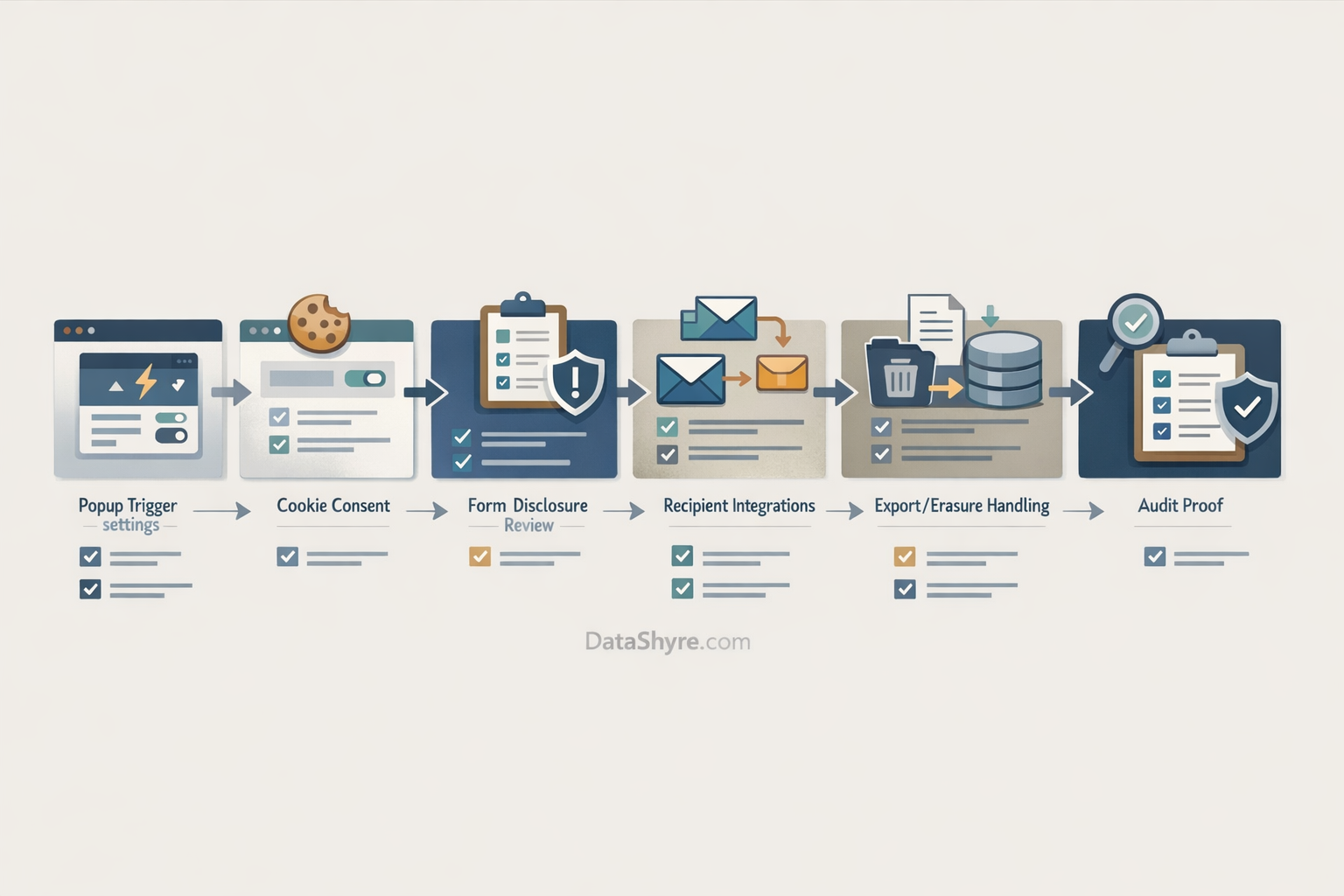
A practical 7-step Ninja Popups review for this week
If I were reviewing ninja popups today, I would use this order:
- map the popup trigger, storage, submission, and downstream destinations;
- test whether any cookie or local-storage behavior needs consent control;
- rewrite the collection copy so the purpose is specific and honest;
- confirm whether the campaign creates a new consent purpose;
- test export, erasure, and suppression handling;
- audit all integrations and recipient disclosures; and
- save proof of what the popup, policy, and consent logic looked like at go-live.
That catches more risk than tweaking colors or animation timing first.
FAQ
Is Ninja Popups itself a privacy-compliance solution?
No. A popup plugin can help collect information or present an offer, but privacy compliance depends on the disclosures, consent logic, downstream processing, and rights workflow around it.
Do all popup cookies count as strictly necessary?
No. Some suppression or session behaviors might be arguable as necessary in context, but marketing, analytics, targeting, or convenience-driven storage often will not be. You need to test the real use, not assume the label saves it.
If the popup only collects an email address, is the risk low?
Not automatically. A single email field can still trigger marketing consent, profiling, third-party transfers, and retention obligations depending on what happens after submission.
Bottom line
The right way to review ninja popups in 2026 is not to ask whether the campaign converts.
It is to ask whether the popup’s storage, disclosures, integrations, and rights handling all match what the user is actually being asked to do.
If those pieces drift apart, the popup becomes one more privacy problem hidden inside a growth experiment.
Sources
- WordPress.org Documentation, Settings Privacy screen: https://wordpress.org/documentation/article/settings-privacy-screen/
- WordPress Plugin Handbook, Suggesting text for the site privacy policy: https://developer.wordpress.org/plugins/privacy/suggesting-text-for-the-site-privacy-policy/
- WordPress Plugin Handbook, Privacy related options, hooks and capabilities: https://developer.wordpress.org/plugins/privacy/privacy-related-options-hooks-and-capabilities/
- ICO, Cookies and similar technologies: https://ico.org.uk/for-organisations/direct-marketing-and-privacy-and-electronic-communications/guide-to-pecr/cookies-and-similar-technologies/
- ICO, What is valid consent?: https://ico.org.uk/for-organisations/uk-gdpr-guidance-and-resources/lawful-basis/consent/what-is-valid-consent/
- ICO, How should we obtain, record and manage consent?: https://ico.org.uk/for-organisations/uk-gdpr-guidance-and-resources/lawful-basis/consent/how-should-we-obtain-record-and-manage-consent/