

CCPA Cookie Consent in 2026: 7 Live Checks for California Websites
If you are reviewing ccpa cookie consent on October 3, 2026, the useful question is not whether your site has a banner that looks polished.
It is whether your California notice, opt-out controls, Global Privacy Control handling, and ad-tech behavior still match what the site actually does.
That is still the right frame. California’s current official materials still center the consumer workflow on the right to opt out of the sale or sharing of personal information, including via a user-enabled Global Privacy Control signal. The California Department of Justice describes GPC as a “stop selling or sharing my data switch.” The DOJ also says businesses that sell personal information must provide a clear and conspicuous Do Not Sell or Share My Personal Information link and should not require account creation to submit the request. The California Privacy Protection Agency also shows that the updated CCPA regulations became effective on January 1, 2026. Add the CPPA’s dark-pattern warning and the DOJ’s enforcement examples, and the real problem becomes obvious: ccpa cookie consent is not mainly a design problem. It is a live controls problem.
If you want adjacent context first, start with our guides to California consumer privacy, GDPR vs. CCPA, and website privacy checker. This article is narrower. It is the California-specific live review I would run before trusting a cookie banner this week.
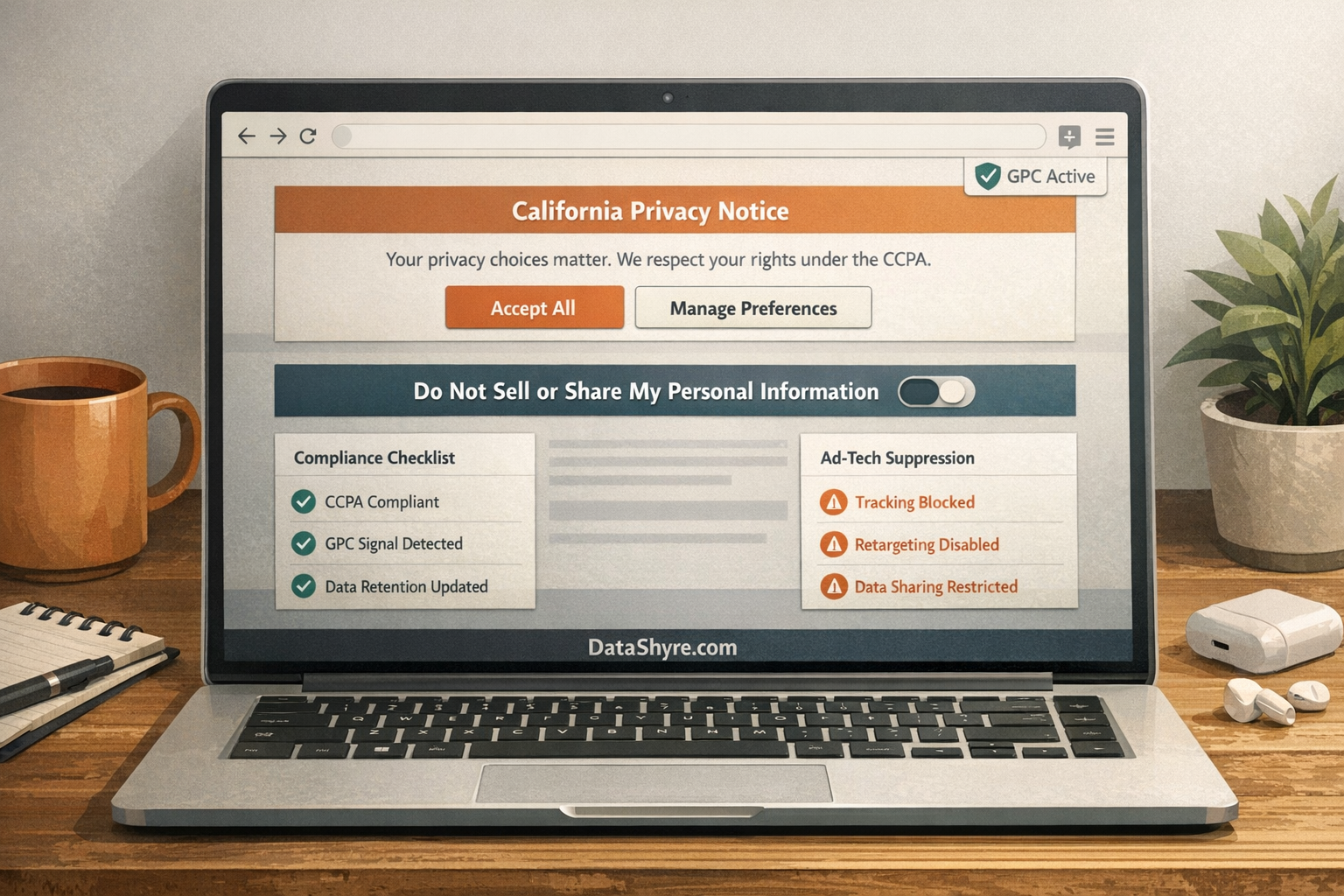
1. Start with sale or sharing, not a generic cookie label
The phrase ccpa cookie consent sends teams in the wrong direction if they reduce everything to “cookies.”
California’s current official materials are broader than that. The practical question is whether the technologies on the page support the sale or sharing of personal information, especially in advertising and cross-context behavioral advertising flows. If they do, the California branch is not only a banner-copy exercise. It is a rights exercise.
So the first live check is simple:
- identify which tags, pixels, SDKs, and embeds are involved;
- separate basic site operations from advertising or sharing behavior;
- decide whether the site’s notice and opt-out path actually cover the tools that matter.
If your team cannot explain which website technologies trigger the California rights analysis, the banner is already ahead of the compliance work.
2. Verify the opt-out path is clear, conspicuous, and easy to use
This is where many California implementations fail.
The DOJ’s current CCPA page still says businesses that sell personal information are subject to the requirement to provide a clear and conspicuous Do Not Sell or Share My Personal Information link. The same page also says businesses should not require consumers to create an account to submit that opt-out request and generally should not require identity verification for the opt-out itself.
That means a practical ccpa cookie consent review should test:
- whether the link or equivalent control is easy to find on desktop and mobile;
- whether it works without dead ends or browser-specific failures;
- whether the user can opt out without account creation;
- whether the site avoids unnecessary steps before the request is honored.
California’s official enforcement examples are blunt here. The DOJ describes cases where businesses had broken Do Not Sell links, confusing multi-step flows, or processes that required verification or worked only on certain browsers. Those examples are more useful than most banner galleries because they show what regulators still care about on live properties.
3. Treat GPC as a real runtime signal
Global Privacy Control is not a side note anymore.
The DOJ’s current materials say consumers can submit an opt-out request through a user-enabled global privacy control, and the agency’s GPC page still frames it as a browser-level privacy switch. That means a site that claims California readiness but ignores GPC is missing one of the clearest live checks available.
My minimum test is:
- load the site in a browser with GPC enabled;
- confirm the site detects and honors the signal where required;
- verify the site’s ad-tech and sharing behavior actually changes;
- compare the result with the privacy notice and preference UI.
If your policy says one thing while trackers, pixels, or partner flows do another, the site is not ready just because the banner rendered.
4. Review the interface for dark-pattern risk, not just legal words
This is the most underrated part of ccpa cookie consent.
The CPPA’s enforcement advisory says businesses should offer symmetrical choices and use language that is easy for consumers to understand when presenting privacy choices. Michael Macko, the CPPA Enforcement Division’s deputy director, put it in the clearest short line available:
“Dark patterns aren’t about intent, they’re about effect.”
>
Michael Macko, CPPA Enforcement Division
That means your California review should look for:
- reject paths that are longer than accept paths;
- toggles or labels that reverse the expected outcome;
- privacy choices hidden behind extra clicks or confusing wording;
- preference centers that make one outcome much easier than the other.
The DOJ’s enforcement examples reinforce the same lesson. One example describes an “opt-out of sale” toggle that worked backwards, so turning it on actually opted the consumer into third-party cookies and sale behavior. If your interface can be misunderstood at first glance, it is not a small UX bug. It is part of the privacy risk.
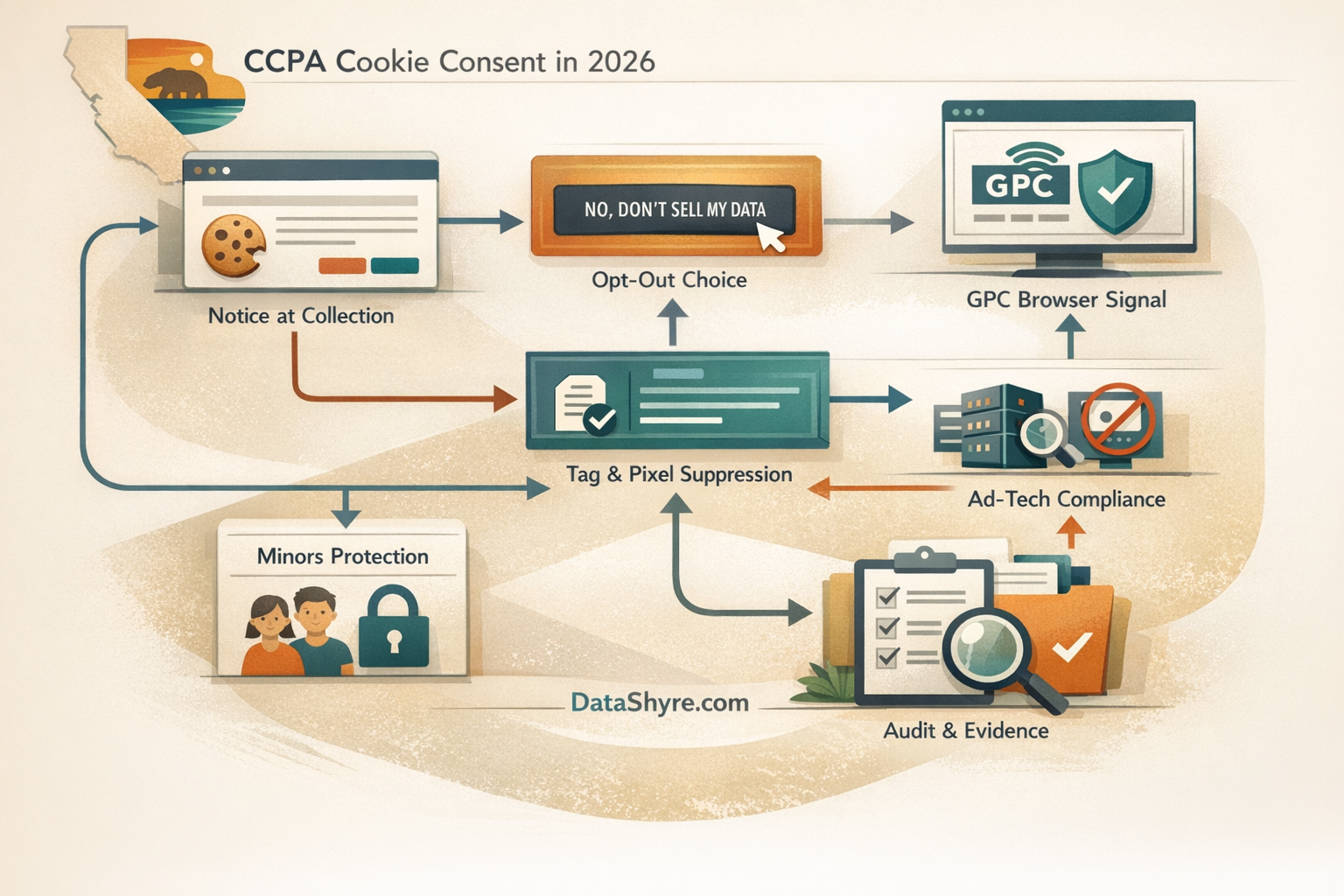
5. Check whether downstream behavior actually changes after opt-out
This is where cosmetic compliance falls apart.
California enforcement examples keep pointing to the same operational gap: the page offers a choice, but the ad-tech stack does not honor it cleanly. The business may link to a third-party industry tool, or the privacy page may promise opt-out, while sharing behavior continues in targeted advertising paths.
So I would test ccpa cookie consent in four separate states:
- first load with no California privacy action yet;
- explicit opt-out through the site control;
- GPC-enabled load;
- later return visit after the opt-out state should persist.
Then compare:
- which tags and requests still fire;
- whether identifiers are still made available to advertising partners;
- whether the site’s notice and policy still match the observed behavior.
If downstream behavior barely changes, the site has a banner problem and an implementation problem.
6. Run the minors branch separately
This is the place where California does move from opt-out toward affirmative authorization.
The DOJ’s current CCPA page says businesses can only sell the personal information of a child they know is under 16 if they obtain affirmative authorization. For children under 13, that opt-in must come from a parent or guardian. For children who are at least 13 and under 16, the opt-in can come from the child.
That means a team cannot treat ccpa cookie consent as one universal workflow if the property has teen users, child-directed experiences, or age-gated sections with advertising or sharing behavior. The minors branch needs its own controls, tests, and records.
At minimum, review:
- whether the service knows when the minors rule is relevant;
- whether sale or sharing flows are blocked until the right opt-in exists;
- whether age-gating, parental steps, and downstream partner behavior all agree.
7. Keep evidence that the live setup still works
The strongest California privacy program is not the one with the most elegant banner screenshot.
It is the one that can still prove, after the next release, that the privacy notice, opt-out controls, GPC handling, and downstream vendor behavior all align.
For a practical audit trail, I would keep:
- screenshots of the notice and privacy-choice entry points on desktop and mobile;
- a short record of GPC test results;
- browser evidence showing how the page behaves before and after opt-out;
- notes on which vendors or tags were reviewed;
- the publication date or release ticket tied to the review.
That evidence matters because a California setup often drifts after a marketing tag change, a CMP reconfiguration, or a vendor update that quietly alters how personal information is shared.
Bottom line
The strongest ccpa cookie consent setup in 2026 is not the one that copies a European-looking banner and hopes the California problem is solved.
It is the one that identifies where sale or sharing is really happening, offers a clear and conspicuous opt-out path, honors GPC, avoids dark patterns, runs a separate minors branch where needed, and proves the live tag behavior changed after the user exercised the right.
If your team can still prove those seven checks on the live site today, your California privacy controls are much closer to the real standard than a banner that only looks reassuring in a screenshot.
Sources
- California Department of Justice: California Consumer Privacy Act (CCPA)
- California Department of Justice: Global Privacy Control (GPC)
- California Department of Justice: CCPA Enforcement Case Examples
- California Privacy Protection Agency: Law & Regulations
- California Privacy Protection Agency: CCPA updates effective January 1, 2026
- California Privacy Protection Agency: CPPA Enforcement Advisory Stresses the Importance of Avoiding Dark Patterns
—
Published: October 3, 2026. Updated using current official California regulator and government materials available at publication time.