

Site Cookies in 2026: 7 Live Checks for Same-Site Tracking, Consent, and Policy Accuracy
If you are searching for site cookies on November 24, 2026, you are usually talking about cookies that look like they come from the same site the person is visiting.
That is the useful starting point, but it is not the whole compliance answer.
MDN’s current browser guidance says a cookie is considered from the “same site as the page” when the cookie domain and scheme match what the user is visiting. That is the technical framing. The legal and operational framing is wider. The ICO still says organisations must give “clear and comprehensive information” and an “appropriate means of consenting” for cookies that are not strictly necessary. The CNIL continues to warn against banner designs where “rejecting the use of cookies is not as easy as accepting them.” The Court of Justice of the European Union made clear in Planet49 that a “pre-ticked checkbox” is not enough. California’s Attorney General also says the notice at collection should link to a privacy policy with a “fuller description” of privacy practices, and that Global Privacy Control can be “one acceptable method” for online opt-out requests.
That is why site cookies deserve a narrower review than the usual cookie banner discussion.
The risky assumption is that if a cookie looks first-party or same-site, it is automatically low risk.
It is not.
If you want nearby context first, start with our guides to browser cookies, cookie notice, and website cookie notice. This page stays narrower. It is the site cookies review I would use this week before trusting a banner, a tag manager setup, or a privacy-policy paragraph that says everything is first-party.
If your team needs help verifying whether same-site cookies are really necessary, whether optional tags are blocked correctly, or whether the policy page still matches the runtime, DataShyre can help with consent management, data mapping, and implementation QA.

1. Start by defining what you mean by site cookies
The first site cookies mistake is a vocabulary mistake.
Some teams use the phrase to mean:
- first-party cookies in the browser sense;
- cookies set by their own application;
- cookies served from their main domain through a CDN or proxy;
- any cookie they believe is harmless because it is not obviously third-party.
Those are not the same thing.
For a useful site cookies review, define whether you are talking about:
- the browser origin that sets the cookie;
- the purpose behind it;
- the vendor or processor chain behind the feature; and
- whether the cookie is strictly necessary or optional.
That sounds basic, but it prevents a lot of bad audits. A cookie can look same-site in the browser and still support analytics, personalization, advertising measurement, or another optional purpose that changes the consent analysis.
2. Check whether the site cookies are actually necessary
The second site cookies mistake is treating same-site status like an exemption.
It is not.
The real question is whether the cookie is strictly necessary for the service the user requested, or whether it supports an optional function such as measurement, optimization, replay, experimentation, or marketing.
This is where teams often blur categories:
- session cookies that keep a cart or logged-in state working may be necessary;
- preference cookies may be necessary in some contexts and optional in others;
- analytics cookies are often described as first-party even when they still support optional measurement;
- A/B testing, heatmaps, and recommendation logic often arrive dressed as product improvement.
So for site cookies, I would ask one blunt question for each cookie:
If this cookie did not load before a user made a choice, would the core service break, or would only the business insight break?
That question gets you closer to the right answer than the label first-party.
3. Test the first load before any user choice
This is where a lot of site cookies reviews stop being theoretical.
Open the site in a clean browser session and do not click anything yet.
Then inspect:
- cookies set on the first response;
- storage created by scripts after the page loads;
- whether optional scripts start before consent;
- whether the same behavior happens on key templates like checkout, account, or lead-gen forms.
The reason this matters is simple: many site cookies are set by tags or tools that run immediately because they are treated as harmless once they sit under the main domain.
That is a dangerous shortcut.
If the site sets optional measurement cookies before the user chooses, the fact that they are same-site does not rescue the implementation.
4. Make refusal just as real as acceptance
The CNIL’s warning on dark patterns still matters here because site cookies are often harder for users to question.
People tend to trust something that appears local to the site more than something obviously third-party.
That makes fair choice even more important.
For site cookies, review whether:
- the first layer offers a real refusal path when consent is required;
AcceptandRejecthave similar visibility;- optional same-site categories are off until the user acts;
- refusal persists after navigation and return visits.
If a banner quietly nudges users into enabling analytics just because those scripts set site cookies under the main domain, the design is doing too much persuasion and not enough consent management.
5. Check scope, lifetime, and attributes instead of just names
The next site cookies problem is technical drift.
A cookie named session_id can still be broader than it should be.
A cookie called preferences can still last far longer than the purpose suggests.
For site cookies, I would inspect:
- whether the cookie is host-only or intentionally shared more broadly;
- whether
Secure,HttpOnly, andSameSiteare set appropriately; - whether the lifetime fits the actual purpose;
- whether old cookies remain after features changed;
- whether the same purpose is split across multiple cookies without clear reason.
This matters because privacy risk is not just about whether a cookie is local to the site. It is also about how long it persists, how widely it travels, and whether the implementation is tighter than it needs to be.
6. Keep the cookie notice and privacy policy aligned with the runtime
This is where site cookies often fail in public.
The site says it uses only essential or site cookies.
But the runtime reveals analytics, testing, or personalization cookies that the policy barely explains.
California’s Attorney General guidance is useful here because it reminds teams that the privacy policy should give a “fuller description” of privacy practices and rights. That means the first-layer description and the deeper policy page should still line up with what the browser actually shows.
For site cookies, compare:
- the cookie categories shown in the banner or settings panel;
- the names and purposes documented in the cookie or privacy policy;
- the real scripts and storage seen on the page;
- whether California users can find the relevant opt-out path and privacy details easily.
If the site tells users we only use site cookies for functionality while the runtime still drops same-site measurement or profiling cookies, the policy language is already behind reality.
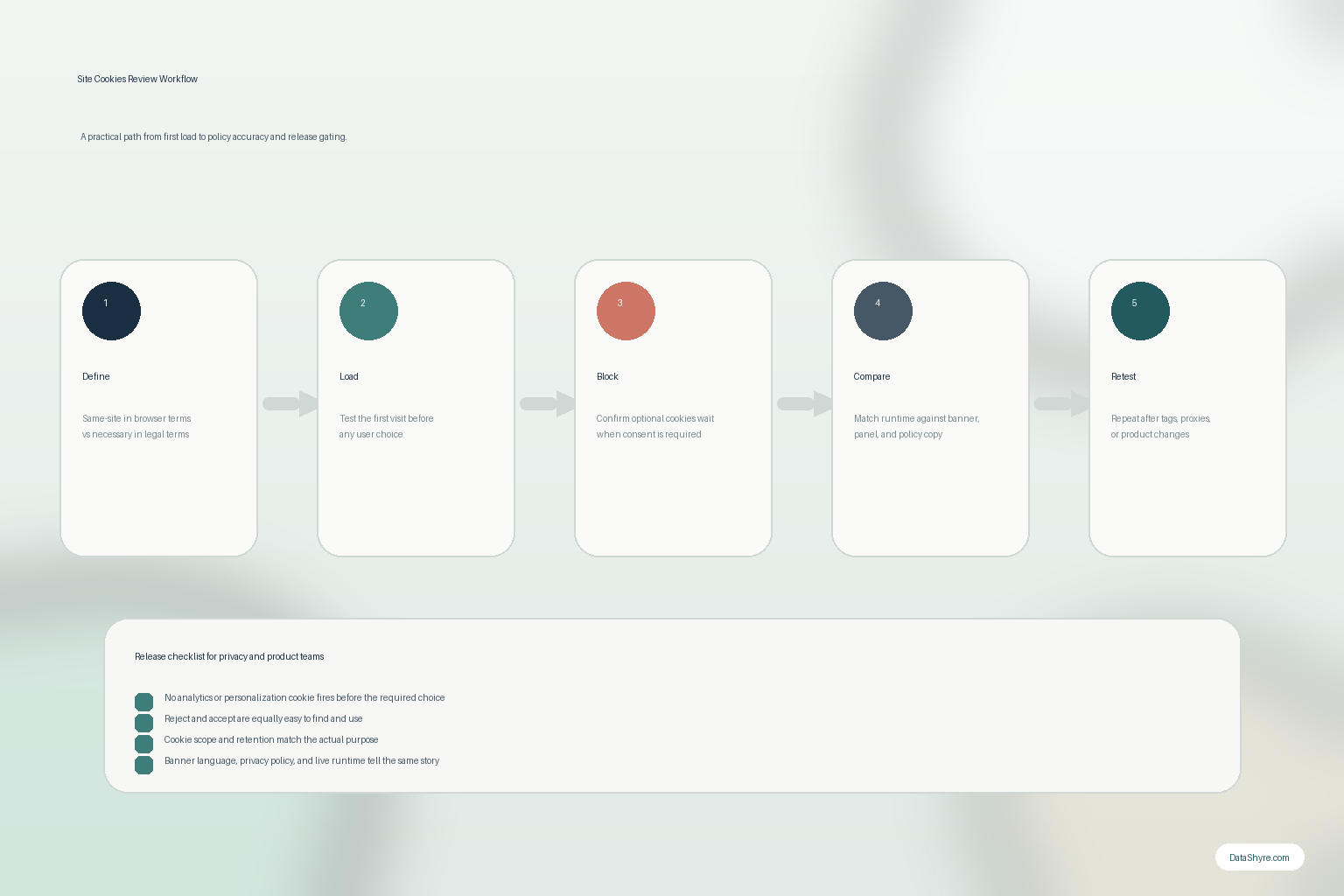
7. Re-test site cookies after tag, plugin, proxy, or product changes
The last site cookies mistake is assuming the category stays stable.
It rarely does.
Cookies move when teams:
- add a new analytics vendor;
- introduce server-side tagging;
- put traffic through a proxy or CDN rewrite;
- add experimentation, chat, personalization, or fraud tooling;
- redesign login, checkout, or embedded flows.
That is why site cookies should be part of release control, not just launch-day documentation.
The practical rule I would use is this:
every meaningful change to tags, embeds, testing tools, consent settings, or routing should trigger a fresh browser check and a quick policy comparison.
The practical site cookies review I would use this week
If I were reviewing site cookies today, I would use this order:
- define whether each cookie is same-site only in the browser sense or also necessary in purpose;
- test the first page load before any user action;
- verify that optional same-site cookies wait for consent where required;
- check reject-all parity and settings persistence;
- inspect cookie scope, attributes, and retention;
- compare the live runtime with the banner, cookie page, and privacy policy;
- log which future releases force a re-test.
That workflow tells you much more than a label like first-party ever will.
If your team wants help validating same-site cookie behavior against live consent flows and public-facing policy language, DataShyre can help turn the browser trace, the category map, and the notice copy into one defensible privacy review.
FAQ
What are site cookies?
Usually, site cookies means cookies that appear to come from the same site the user is visiting. In browser terms, that is about the matching site context, not automatically about legal necessity.
Are site cookies always exempt from consent?
No. Same-site or first-party status does not automatically make a cookie strictly necessary. The purpose and behavior still matter.
Why do site cookies still need policy review?
Because a site can describe cookies one way in the notice or privacy policy while the live runtime sets additional measurement, testing, or personalization cookies under the same domain.
Bottom line
The useful way to think about site cookies in 2026 is not local equals safe.
It is same-site still needs purpose, timing, and policy scrutiny.
If the cookie is optional, loads too early, lasts too long, or is described vaguely, the fact that it looks native to the site does not solve the privacy problem.
Official sources used
- ICO, How do we manage consent in practice?: https://ico.org.uk/for-organisations/direct-marketing-and-privacy-and-electronic-communications/guidance-on-the-use-of-storage-and-access-technologies/how-do-we-manage-consent-in-practice
- ICO, Cookies: https://ico.org.uk/for-the-public/online/Cookies/
- ICO, How do we comply with the PECR rules?: https://ico.org.uk/for-organisations/direct-marketing-and-privacy-and-electronic-communications/guidance-on-the-use-of-storage-and-access-technologies/how-do-we-comply-with-the-pecr-rules
- CNIL, Dark Patterns in Cookie Banners: https://www.cnil.fr/en/dark-patterns-cookie-banners-cnil-issues-formal-notice-website-publishers
- Court of Justice of the European Union, Planet49 press release: https://curia.europa.eu/site/upload/docs/application/pdf/2019-10/cp190125en.pdf
- California Attorney General, CCPA overview: https://www.oag.ca.gov/privacy/ccpa
- California Attorney General, Global Privacy Control: https://oag.ca.gov/privacy/ccpa/gpc
- MDN, third-party cookies guide: https://developer.mozilla.org/en-US/docs/Web/Privacy/Guides/Third-party_cookies
- MDN, secure cookie configuration: https://developer.mozilla.org/en-US/docs/Web/Security/Practical_implementation_guides/Cookies