

Cookie Consent Manager OneTrust in 2026: 7 Checks Before You Go Live
If you are searching for cookie consent manager one trust on August 9, 2026, the useful question is not whether the banner looks enterprise-ready. It is whether the OneTrust setup actually controls what loads before consent, what changes after a choice, and what evidence your team can produce later.
That is still the right frame in 2026. The European Commission’s current GDPR guidance says valid consent must be freely given, specific, informed, and unambiguous, and it must be presented clearly with a real ability to withdraw it later. The UK ICO’s final storage-and-access-technologies guidance, published on April 29, 2026, makes clear that the same scrutiny reaches beyond classic cookies to tracking pixels, device fingerprinting, and similar technologies.
Google’s current OneTrust setup guide is also more concrete than many teams expect. It tells implementers to scan the site, categorize cookies, create templates and geolocation rule groups, add the Google consent types, and fire the OneTrust CMP tag on Consent Initialization – All Pages. In other words, a cookie consent manager one trust rollout is not mainly a copy exercise. It is a controls exercise.
If you want the surrounding context first, start with our guides to OneTrust cookie consent Google Tag Manager, OneTrust cookie consent, and website privacy checker. This article is narrower. It is the live-site review I would run before trusting cookie consent manager one trust in production.

Why this keyword still matters
OneTrust can cover a lot of ground, but its actual control quality depends on configuration and testing.
Google’s current guidance for the OneTrust integration says category choices, geolocation rules, region-specific defaults, and trigger timing all matter. OneTrust’s current developer materials say the OneTrustGroupsUpdated event fires when the script loads and whenever a user updates consent, and its SPA guidance says route changes and opt-out handling can need extra work because many blocking methods depend on page refresh behavior.
That lines up with current regulator messaging. The ICO said in April 2026 that people should have:
“meaningful control over how their data is used”
>
William Malcolm, ICO
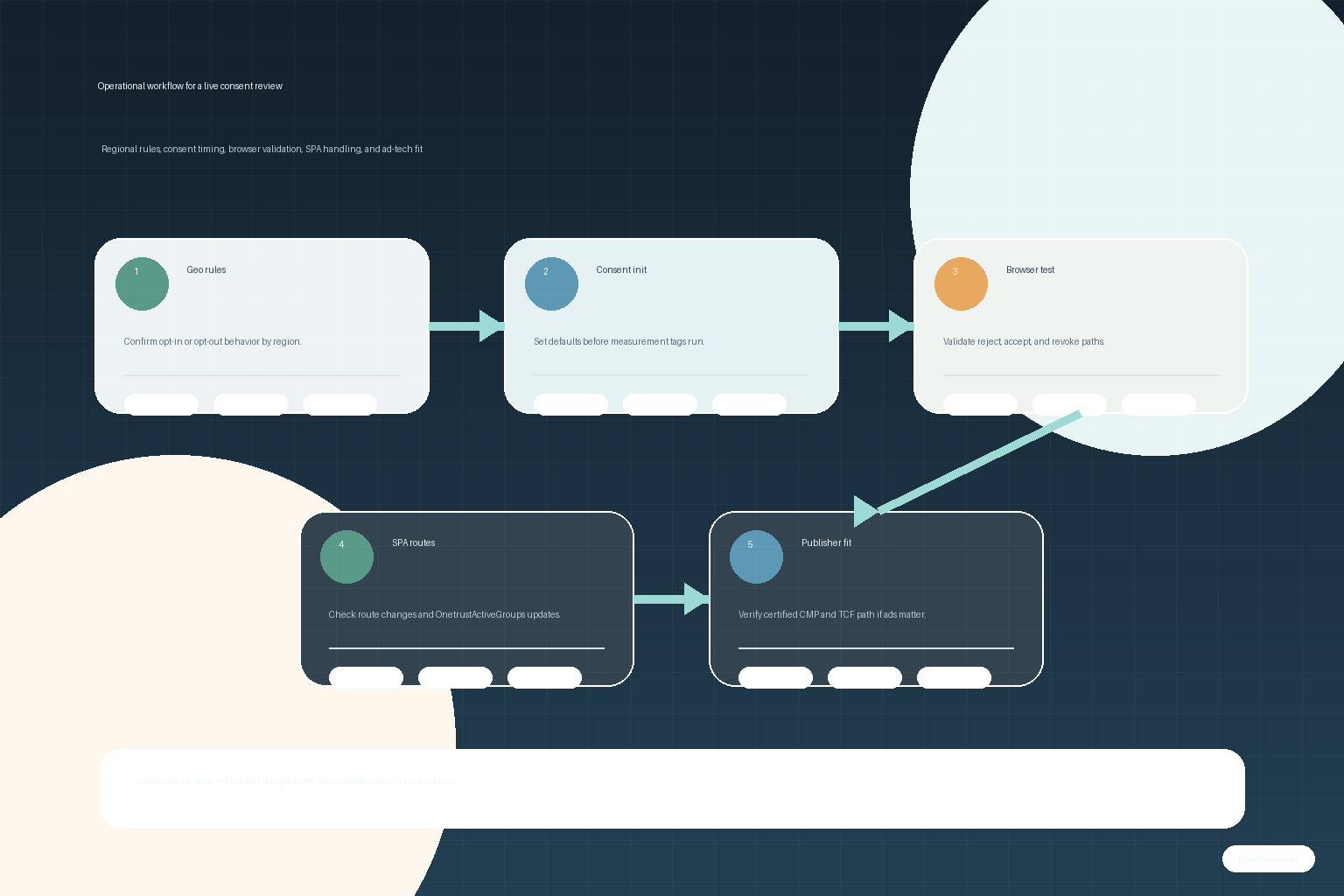
For a cookie consent manager one trust deployment, that usually comes down to seven checks.
7 checks before you trust the rollout
1. Start with the tracker inventory, not the banner design
Google’s OneTrust setup page starts with a site scan and cookie categorization for a reason. If the categories are sloppy, every later control becomes harder to trust.
Before you touch button text or colors, confirm:
- which cookies, tags, pixels, and embedded tools actually run;
- which category each one belongs to;
- which domains or subdomains need separate handling;
- which teams are allowed to add new tracking later.
Most broken consent banners are really broken inventory maps.
2. Check whether geolocation rules match the regions you actually serve
Google’s current setup instructions tell teams to create and assign Geolocation Rules Groups, then confirm whether each region should be opt-in or opt-out and whether consent mode is enabled where it is meant to apply.
That matters because the legal and operational requirements are not identical everywhere. A cookie consent manager one trust setup for EU and UK traffic may need prior-consent behavior that is different from the default logic you use elsewhere. If your site spans multiple brands, domains, states, or countries, test the regional path rather than trusting the admin panel.
3. Make sure consent defaults are set before measurement starts
Google’s current Tag Manager and developer guidance is consistent on the core rule: set default consent before tags that send measurement data run, and track consent updates on the page where the user acts before any page transition.
In practice, that means checking whether:
- the OneTrust CMP template is really triggered on Consent Initialization – All Pages;
- the default states for
ad_storage,analytics_storage,ad_user_data, andad_personalizationare configured deliberately; - other tags wait until consent has actually been initialized.
If the default is set too late, the banner can look correct while tags still act too early.
4. Do not assume publishing equals blocking
This is one of the most common OneTrust implementation mistakes.
OneTrust’s current support materials say that simply implementing the scripts on a site does not block cookies when consent is not provided unless auto-blocking is enabled. That single detail changes how you should review the whole deployment.
A cookie consent manager one trust setup should be tested in the browser, not just in the admin UI:
- first visit with no prior choice;
- explicit reject;
- explicit accept;
- later withdrawal or preference changes.
If the network panel shows optional vendors firing before consent, trust the browser over the dashboard.
5. Make refusal and withdrawal as real as acceptance
The Commission’s current guidance still states that consent must be:
“freely given, specific, informed and unambiguous.”
>
European Commission
That is a short line, but it is still the best test.
For a cookie consent manager one trust deployment, ask:
- can the user reject where prior consent is required;
- can they reopen preferences later without hunting for the control;
- does the site actually change behavior after withdrawal;
- do internal records reflect the updated choice.
This is where legal language becomes product behavior.
6. Test SPA and route-change behavior separately
OneTrust’s current SPA guidance says the Web CMP was originally built for multi-page applications and that many cookie or tag blocking methods rely on a page refresh to work as expected. The same guidance tells teams to enable the Single Page Application Support toggle and documents using OneTrustGroupsUpdated plus consent from the OptanonConsent cookie or OnetrustActiveGroups data layer.
That means a cookie consent manager one trust review is incomplete if you only test hard page loads. You should also test:
- route changes after the first page view;
- opening the preference center from a later screen;
- opt-out behavior on dynamic pages;
- whether route transitions happen before consent updates are respected.
Modern consent failures often hide in single-page behavior, not in the first landing page.
7. Treat publisher monetization as a separate checkpoint
If the site serves personalized ads, Google adds another operational requirement. Its current publisher help says publishers using AdSense, Ad Manager, or AdMob for users in the EEA, the UK, or Switzerland need a certified CMP integrated with the IAB Transparency and Consent Framework when serving personalized ads there.
That does not define the whole law, and it does not replace legal review. It does mean publisher teams should run a separate go-live check:
- whether the exact CMP deployment fits Google’s current requirements;
- whether the needed TCF signals are actually present;
- whether traffic coverage is complete across affected properties;
- whether non-personalized or limited-ads fallback behavior has been considered.
For ad-supported sites, that checkpoint is commercial as well as compliance-related.
A practical review sequence for this week
If I were reviewing cookie consent manager one trust right now, I would do it in this order:
- Re-scan the live site and verify the real tracker inventory.
- Compare categories to the legal and product purpose of each tool.
- Check geolocation rules and region-specific consent defaults.
- Verify that consent defaults initialize before measurement tags.
- Test reject, accept, and later-withdrawal paths in the browser.
- Run separate SPA or route-change tests if the site is not a classic multi-page build.
- If ads matter, run the Google publisher requirement check as a final gate.
That review catches more real consent defects than a design review ever will.
Bottom line
A cookie consent manager one trust rollout in 2026 should be evaluated on timing, regional logic, blocking behavior, withdrawal, SPA handling, and proof. If those controls hold up on the live site, the banner deserves more trust. If they do not, the interface may be finished while the consent system is not.
Sources
- European Commission: Information for individuals
- UK ICO: Final storage and access technologies guidance published
- Google Tag Manager Help: Set up OneTrust to obtain user consent
- Google for Developers: Set up consent mode on websites
- Google for Developers: Troubleshoot consent mode with Tag Assistant
- OneTrust Developer Portal: Web CMP Events Guide
- OneTrust Developer Portal: Single Page Applications
- Google AdSense Help: Google consent management requirements for serving ads in the EEA, the UK, and Switzerland (for publishers)
- OneTrust Support: Publishing and Implementing Cookie Consent Scripts
This post was updated on August 9, 2026 using current official regulator, platform, and vendor materials available at publication time.