

Website Security Policy Generator in 2026: What It Can Draft, What It Cannot Prove, and 7 Live Checks
If you are searching for a website security policy generator on November 20, 2026, the tempting answer is simple:
pick a tool, answer a few prompts, publish a page, and call the website covered.
That is not the safe answer.
The safer answer is to treat the generator as a drafting shortcut, then test whether the output still matches the live stack, the real roles, the real vendors, the incident path, and the promises your site is actually ready to keep.
That is still where the official sources point. NIST’s current Cybersecurity Framework 2.0 guidance says governance should establish strategy, expectations, and policy, and that roles and responsibilities should be clear. Its overview guide also says policies should be organization-wide, repeatable, and recurring. CISA’s current incident-response guidance says an incident response plan should be a written document that can clarify roles and responsibilities. The FTC’s Safeguards Rule says covered financial institutions need a written information security program, and GDPR Article 32 still requires measures appropriate to the risk. WordPress’s own hardening guidance is also blunt: if you run WordPress, you should keep up to date because older versions are not maintained with security updates.
That combination is what makes a website security policy generator a live-systems question in late 2026, not only a copywriting question.
If you want the closest companion reads first, start with our guides to GDPR security, privacy policy template, and website privacy checker. This page stays narrower. It is the website security policy generator review I would use this week before publishing a security page, internal policy draft, or customer-facing security statement.
If your team already has policies but still struggles to keep them aligned with the runtime, DataShyre can help with data mapping, consent management, and DSR automation. The costly failure is rarely we had no draft. It is the published draft sounded stronger than the real system.
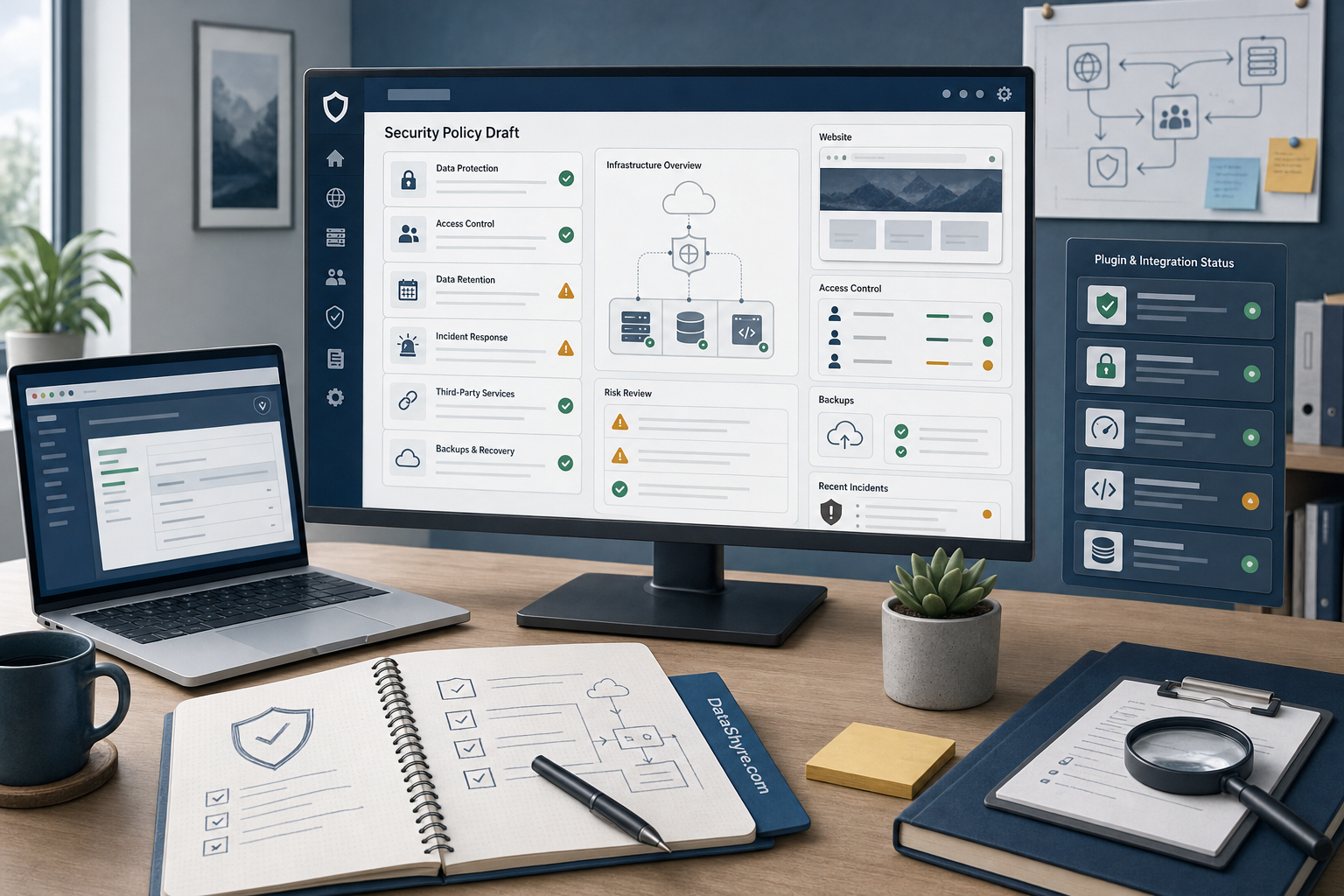
1. Decide which security document the generator is actually drafting
The first website security policy generator mistake is assuming every security document does the same job.
They do not.
A public website security page, an internal information security policy, a customer-facing security overview, and an incident response playbook are related, but they are not interchangeable.
That distinction matters because each document answers a different question:
- a public security page explains the main safeguards and contact route at a high level;
- an internal security policy tells staff what controls, approvals, and operating rules apply;
- a customer or procurement security overview supports diligence and trust review;
- an incident response plan explains what happens when something actually goes wrong.
So before you trust a website security policy generator, decide what you are asking it to produce.
If the output tries to blend all four jobs into one page, it usually becomes vague in the wrong places and overconfident in the dangerous ones.
2. Answer the prompts from a live asset and data inventory, not from memory
This is where a lot of weak security pages start drifting before the draft even exists.
NIST’s current guidance still centers the work on understanding assets, services, information flows, suppliers, and risk. That is the right starting point for a website security policy generator too.
Before you fill in the tool, map the real website:
- hosting, CDN, DNS, and WAF providers;
- CMS, plugins, themes, and custom code paths;
- forms, uploads, login flows, and checkout or booking screens;
- analytics, chat, support, payment, and embedded vendors;
- backups, logging, monitoring, and recovery tooling;
- admin users, contractors, agencies, and service accounts with access.
If that inventory is incomplete, the website security policy generator will still produce polished language. It just will not be describing the real attack surface.
That is especially important for sites that collect personal data.
A generator cannot infer whether your form data lands in email, a CRM, a support desk, a warehouse, or three different SaaS tools. Your team has to know that first.
3. Turn access-control and update promises into operating controls
This is where security language often looks strongest and reality is weakest.
NIST’s current overview guide still emphasizes access management, software maintenance, backups, and monitoring as practical outcomes. WordPress’s hardening guidance adds an operational warning many teams still ignore: keep WordPress and related software updated because older versions are not maintained with security updates.
So when reviewing website security policy generator output, do not stop at lines like:
We use industry-standard security measures to protect your information.
Ask whether the live controls actually exist:
- least-privilege access for admins, editors, agencies, and vendors;
- multi-factor authentication for privileged accounts;
- update discipline for WordPress core, plugins, themes, servers, and dependencies;
- secrets handling for API keys, SMTP credentials, and deployment tokens;
- backup cadence and restoration checks;
- logging that can show unusual access or failed changes.
If the policy promises secure handling but the live site still has stale plugins, shared admin accounts, or broad vendor access, the website security policy generator is not the problem.
The control layer is.
4. Make incident response specific before you admire the prose
This is one of the easiest places for a generator to sound reassuring without creating real readiness.
CISA’s current guidance says an incident response plan should be a written document, formally approved, with roles, responsibilities, key contacts, and regular review. That is useful because a website security policy generator often outputs calm-sounding incident language without giving the team any workable path for the first bad day.
For this keyword, I would confirm at least:
- who acts as incident manager;
- who approves technical containment steps;
- who handles legal, privacy, executive, and customer communications;
- where evidence and logs are preserved;
- how vendors are escalated when they are part of the incident;
- how the team decides whether notice obligations are triggered.
If your site handles personal data for EU users, this section matters even more because GDPR breach timing can turn ugly quickly. A generator can draft the sentence. It cannot decide whether the event reached the Article 33 reporting threshold or whether the team can collect facts fast enough.
That is why a strong website security policy generator review includes the incident route, not just the security statement.
5. Review service providers and plugins as part of your own policy surface
One of the biggest drafting mistakes is writing as if your security boundary ends at your own codebase.
It usually does not.
NIST’s current guidance says governance and supply-chain oversight should include suppliers, customers, and partners. The FTC’s Safeguards Rule also treats service-provider oversight as part of the program for covered businesses, not as an optional add-on.
That means a real website security policy generator review should look at:
- form processors and CRM syncs;
- payment, booking, and support vendors;
- analytics, ad-tech, and tag-management layers;
- WordPress plugins and external scripts;
- hosting, CDN, caching, and backup providers;
- agencies or contractors who can deploy changes or access data.
If the generator only produces phrases like trusted partners or reputable providers, the draft is probably too generic.
The useful version is the one that helps your team verify which providers matter, what access they have, and which promises belong in the policy versus in internal operating rules.
6. Keep the security page aligned with the privacy page and the live runtime
This is where a lot of website teams create contradiction risk without noticing.
A website security policy generator is not isolated from your privacy content.
If your security page promises strong protection, but your privacy policy is vague about vendors, rights routes, retention, or tracking behavior, the site can still feel incoherent and untrustworthy.
That is why I would review the security output together with:
- the privacy policy;
- the cookie or preference layer;
- the live form collection points;
- the request and support flows users actually hit.
This is also where many teams benefit from reading our guides to privacy policy for website, privacy policy template, and website privacy checker. A good website security policy generator output should not create one security story while the privacy layer and runtime tell another.
Examples of drift:
- the security page implies strong access controls, but third-party tools are still over-permissioned;
- the page implies strong response readiness, but no one owns incident escalation;
- the privacy page suggests limited sharing, but the live site loads a larger vendor chain than expected;
- the site promises safe handling, but broken update hygiene leaves known weaknesses unpatched.
If those contradictions exist, the draft is still incomplete even if the wording sounds professional.
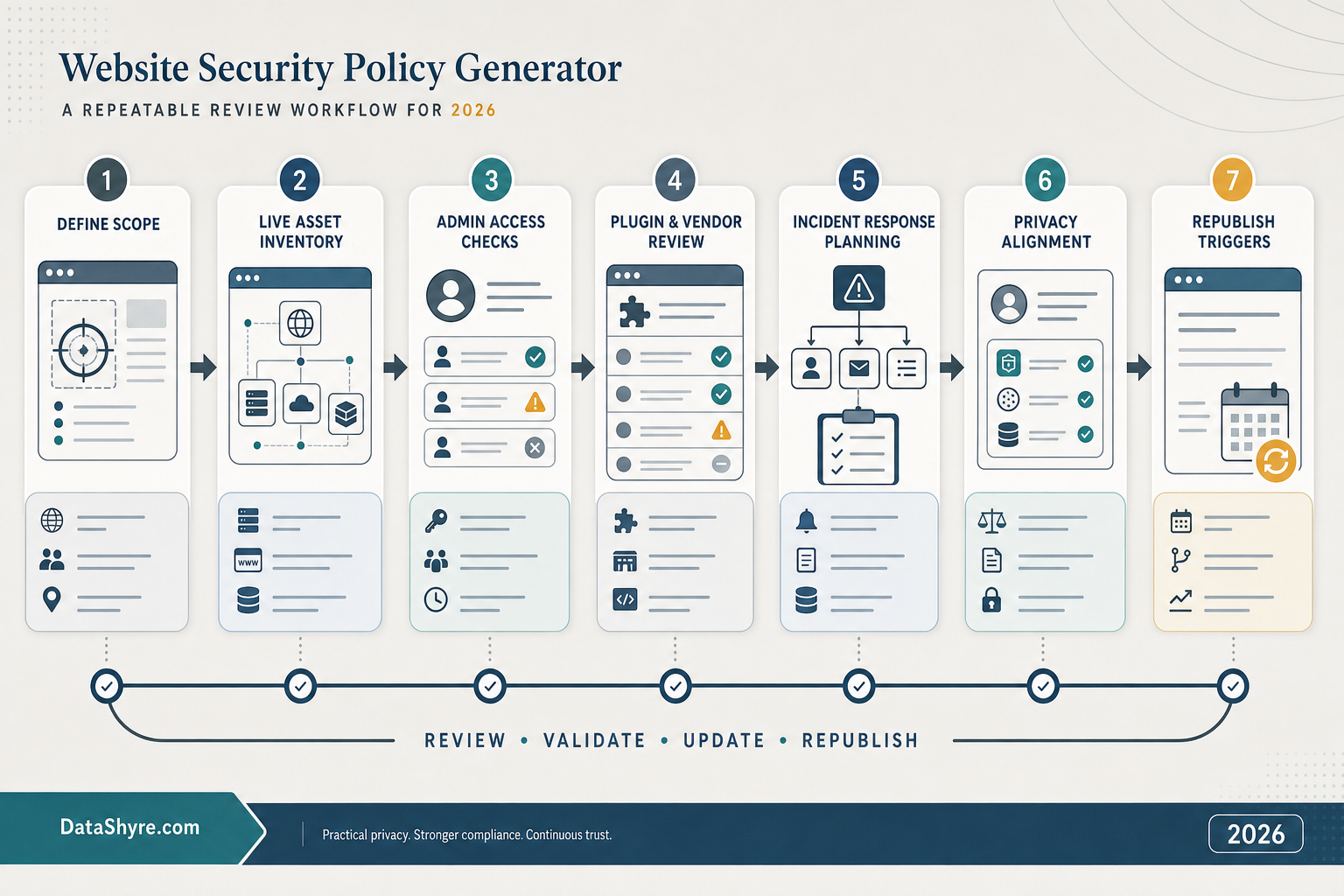
7. Add review triggers before the policy starts lying by accident
The long-term problem is rarely the first draft.
It is drift.
NIST’s current guidance says policies should be recurring and updated against the current threat environment and mission objectives. CISA says incident plans should be reviewed quarterly. WordPress’s own security guidance reinforces the same operating truth from the product side: the stack changes, vulnerabilities change, and stale software becomes a security problem fast.
So the best website security policy generator is not the one with the flashiest template.
It is the one your team can revisit when the environment changes:
- a new plugin or integration goes live;
- admin access expands to an agency or contractor;
- hosting, CDN, identity, or email infrastructure changes;
- new forms, uploads, or account features launch;
- a new region or regulated customer segment comes into scope;
- a breach, outage, or near miss exposes a weak assumption.
If the tool makes those updates painful, the published policy will age into fiction.
A practical 7-step review for this week
If I were approving website security policy generator output today, I would use this order:
- define which security document the generator is drafting;
- inventory the live assets, information flows, and vendors first;
- confirm access control, updates, backups, and logging are real;
- check the incident path, owners, and escalation steps;
- review providers, plugins, and external scripts as part of the policy surface;
- read the security page beside the privacy page and live forms for contradictions;
- set explicit review triggers before the next release changes the truth.
That order usually tells you more than another pass at the wording.
FAQ
Can a website security policy generator make my site secure by itself?
No. It can help draft a useful policy, but it cannot inventory your assets, patch your plugins, restrict access, test your backups, or run your incident process for you.
Is a website security policy the same thing as a privacy policy?
No. A security policy explains safeguards and operating controls. A privacy policy explains collection, use, sharing, retention, and rights. The two should support each other, but they are not the same page.
Do WordPress sites need extra review beyond the generated draft?
Yes. WordPress’s current hardening guidance keeps coming back to the same operational point: the core software, plugins, themes, and server environment need active upkeep. A good draft does not replace update discipline.
Bottom line
The best website security policy generator in 2026 is not the one that produces the most confident paragraph.
It is the one your team can verify against the live website, real vendors, real access model, real incident path, and real update process without guessing.
If the runtime and the policy agree, the generator helped.
If they do not, the draft is still only decoration.
Official sources used
- https://www.nist.gov/cyberframework/faqs
- https://tsapps.nist.gov/publication/get_pdf.cfm?pub_id=957317
- https://www.cisa.gov/sites/default/files/2024-02/Incident-Response-Plan-Basics_508c_1Feb2024.pdf
- https://www.ftc.gov/business-guidance/resources/ftc-safeguards-rule-what-your-business-needs-know
- https://www.ftc.gov/legal-library/browse/rules/safeguards-rule
- https://developer.wordpress.org/advanced-administration/security/hardening/
- https://eur-lex.europa.eu/eli/reg/2016/679/oj/