

Cookie Tracker in 2026: 7 Live Checks Before You Trust the Results
If you are searching for a cookie tracker on November 18, 2026, the useful question is not whether the tool gives you a long table of names.
It is whether the tracker helps you see what really matters on a live site:
- what appears before any choice;
- what changes after
Reject all; - what changes after
Accept all; - which vendors still receive data across real journeys;
- whether the policy and banner still describe that behavior honestly.
That is where the current official guidance still points. The ICO’s 2026 guidance no longer frames the review as cookies alone. It covers broader “storage and access technologies” such as scripts, tags, and similar tools, says teams “must not pre-enable non-exempt” technologies, and recommends reviewing whether users can reject them “as easily as they can accept them.” Your Europe still says sites using consent-based cookies need “clear and comprehensive information” and can only set those cookies once the user has consented. And if your site also depends on California opt-out handling, the California DOJ still says qualifying Global Privacy Control signals “must be honored” by covered businesses.
If you want nearby companion reads first, start with our guides to website privacy checker, cookie notice, and cookie policy example. This page stays narrower. It is the cookie tracker review I would use this week before trusting a scanner, extension, or audit dashboard on a production site.
If your team needs help connecting consent logic, tracker scans, policy text, and live runtime testing, DataShyre can help with consent management, data mapping, and implementation QA. The expensive mistake is not missing one cookie name. It is assuming the scan proved more than it really proved.
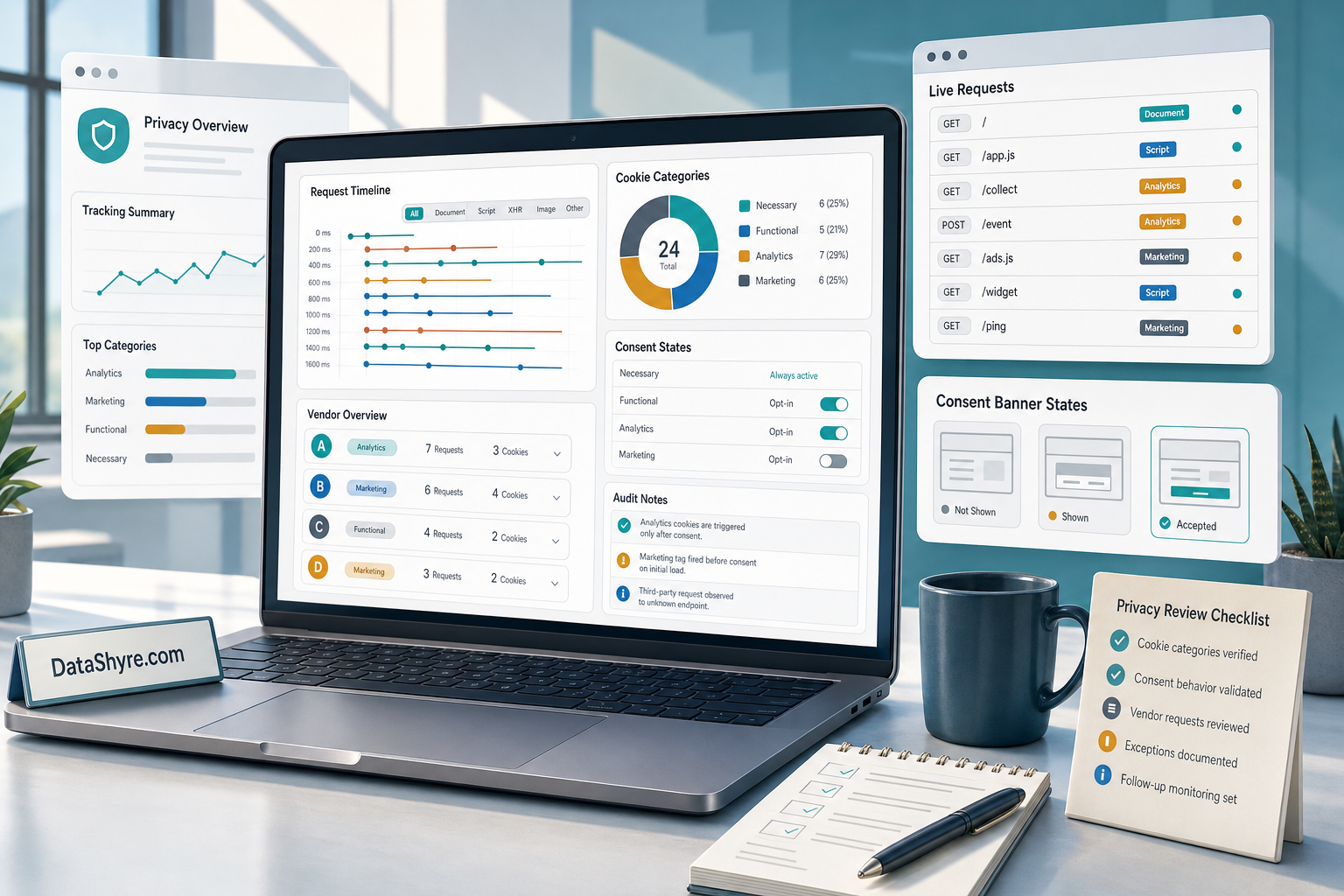
1. Check whether the tool tracks only cookies or the wider runtime
The first cookie tracker mistake is assuming that a cookie list and a privacy review are the same thing.
They are not.
The ICO’s current guidance matters here because it explicitly reaches beyond classic browser cookies into scripts, tags, pixels, and similar technologies that store or access information on a device.
So before trusting any cookie tracker, ask whether it can actually show:
- browser cookies written on first load;
- third-party requests made before any choice;
- scripts and tags that run even when they do not set an obvious cookie name;
- storage behavior that changes after the user acts on the banner.
If the tool only inventories cookie names after the page fully settles, it may miss the part of the story that matters most.
2. Treat pre-consent scanning as the first real test
This is the fastest useful cookie tracker check.
The ICO says you must not pre-enable non-exempt storage and access technologies. Your Europe likewise says you can only set consent-based cookies after the user has agreed.
So the first thing a cookie tracker should help you answer is simple:
what happens before any click?
Run the site in a clean browser state and inspect:
- cookies written before the banner choice;
- third-party domains contacted before the banner choice;
- requests fired through tag managers or embeds;
- whether analytics, advertising, or session-replay tools are already active.
If optional tracking is already live before the person chooses, the nice-looking banner is not the control.
3. Compare Reject all and Accept all as different technical states
Many teams use a cookie tracker like a one-state inventory tool.
That is too shallow.
The ICO’s audit guidance now explicitly suggests checking what technologies are present from the user’s perspective and whether users can reject non-exempt technologies as easily as they can accept them. That means a serious cookie tracker run should compare at least three separate states:
- no choice yet;
- explicit reject all;
- explicit accept all.
For higher-risk stacks, add a fourth:
- withdrawal later from privacy settings or the revisit button.
The question is not whether the screen changed. It is whether the underlying runtime changed.
If the tracker output looks almost identical after reject and accept, the problem is probably deeper than the banner copy.
4. Map each finding to a real vendor and a real purpose
A raw cookie tracker export can become noise very quickly.
What matters is whether your team can turn each meaningful finding into an understandable explanation:
- who set it;
- what it does;
- whether it is necessary or optional;
- whether another company receives data through it;
- where that purpose appears in the banner or policy.
This is where many scans look more complete than they really are. A long vendor list does not help much if the team cannot tie each major tracker to a purpose, a category, and a disclosure path.
That is also why the best cookie tracker workflow usually combines scan output with policy review and engineering review. A browser trace can show the domain. It cannot explain your internal purpose choices for you.
5. Test the paths your homepage scan does not cover
A homepage-only cookie tracker scan is rarely enough in 2026.
The mess often shows up later:
- after login;
- inside checkout or quote flows;
- after a video, chat, or map embed loads;
- inside region-specific templates;
- after a tag manager branch or A/B test fires.
That is why I would never trust a cookie tracker result until it has been run on the specific user journeys that actually matter to the business.
The tracker that finds nothing risky on the homepage may still miss the part of the product where the most meaningful sharing happens.
If you are relying on a scanner with shallow crawl depth or no authenticated-path coverage, be honest about that limit. A partial scan is still useful. It is just not proof of a clean stack.
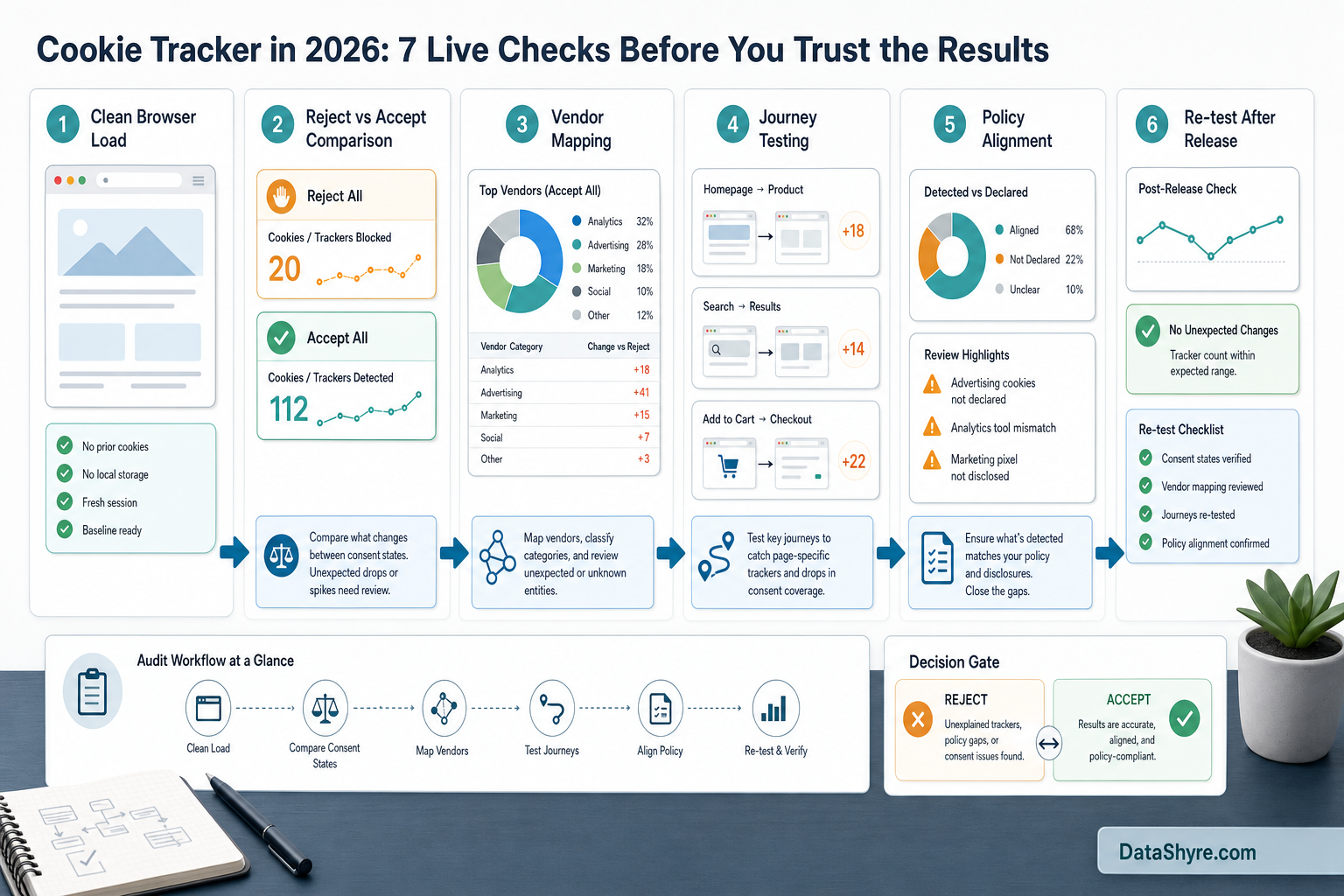
6. Check whether the findings still match your banner and policy
This is where the cookie tracker becomes genuinely useful.
Your Europe still says visitors should receive clear and comprehensive information about the cookies used on the site and their purpose. That means the scan is not only about discovery. It is also about alignment.
Ask:
- do the live categories match the banner categories;
- do the live vendors match the policy or cookie page;
- do the stated purposes match the requests you are actually seeing;
- does the withdrawal path still make sense after the scanner findings are added back into the review;
- if California applies, do opt-out and Global Privacy Control handling line up with the actual data flows.
This is where many teams discover that the issue is not missing technology. It is stale disclosures.
If the cookie tracker shows advertising or personalization vendors that the policy never names, or a reject state that still leaves optional requests running, you do not have a scanner problem. You have a runtime-truth problem.
7. Re-run the tracker after every meaningful change
The long-term cookie tracker risk is drift.
Marketing adds a new tag.
Product adds an embed.
Someone republishes the consent manager.
Engineering changes a container.
The privacy page stays frozen.
The ICO’s current guidance says teams should undertake regular reviews of their online service and the storage-and-access technologies it includes. It also says fresh consent is needed when technologies or purposes change from what users were originally told.
So a working cookie tracker process should trigger a new review after:
- new analytics or ad-tech vendors;
- consent-manager configuration changes;
- new embeds or plugins;
- new region logic;
- launch of logged-in or checkout features;
- policy or banner copy updates that claim new behavior.
That is how a cookie tracker becomes part of release discipline instead of a one-time screenshot exercise.
A practical cookie tracker review for this week
If I were reviewing a cookie tracker today, I would do it in this order:
- confirm the tool can see more than post-load cookie names;
- run a clean pre-consent scan;
- compare reject, accept, and withdrawal states;
- map major findings to vendors and purposes;
- test logged-in, embedded, and conversion paths;
- compare the findings against the banner and policy;
- repeat the scan after the next meaningful release.
That order usually surfaces the real weaknesses much faster than arguing about whether a cookie table looks complete.
FAQ
Is a cookie tracker the same as a cookie policy generator?
No. A cookie tracker helps you observe live behavior. A policy generator helps you draft disclosure language. You still need the two to agree.
Can a cookie tracker prove a site is compliant by itself?
No. A cookie tracker can produce strong evidence about live behavior, but it cannot by itself prove that your legal basis, contracts, or disclosures are complete and accurate.
Should a cookie tracker also test California controls?
If your site may sell or share personal information under California rules, yes. At that point the scan should be part of a broader review that includes GPC handling and opt-out behavior, not only EU or UK-style consent timing.
Bottom line
The best cookie tracker in 2026 is not the one with the prettiest dashboard.
It is the one that helps you catch:
- pre-consent tracking;
- fake difference between reject and accept states;
- hidden vendors across real journeys;
- stale policy or banner claims;
- drift after the next release.
If your team wants that review to turn into action instead of another export file, DataShyre can help translate the findings into runtime fixes, cleaner disclosures, and a consent setup that stays honest under change.
Sources
- ICO, Final storage and access technologies guidance published: https://ico.org.uk/about-the-ico/media-centre/news-and-blogs/2026/04/final-storage-and-access-technologies-guidance-published/
- ICO, How do we comply with the PECR rules?: https://ico.org.uk/for-organisations/direct-marketing-and-privacy-and-electronic-communications/guidance-on-the-use-of-storage-and-access-technologies/how-do-we-comply-with-the-pecr-rules/
- ICO, What are storage and access technologies?: https://ico.org.uk/for-organisations/direct-marketing-and-privacy-and-electronic-communications/guidance-on-the-use-of-storage-and-access-technologies/what-are-storage-and-access-technologies/
- Your Europe, Online privacy: How to use cookies on your website: https://europa.eu/youreurope/business/growing/digitalising/online-privacy/index_en.htm
- California DOJ, Global Privacy Control: https://oag.ca.gov/privacy/ccpa/gpc